
ONRequest - Portal
16:9 case study format based on source Figma deck
Phase 1 - Desktop MVP
Title:
Lead UX Designer
UX/Engg Size:
5
Duration:
2017-2018
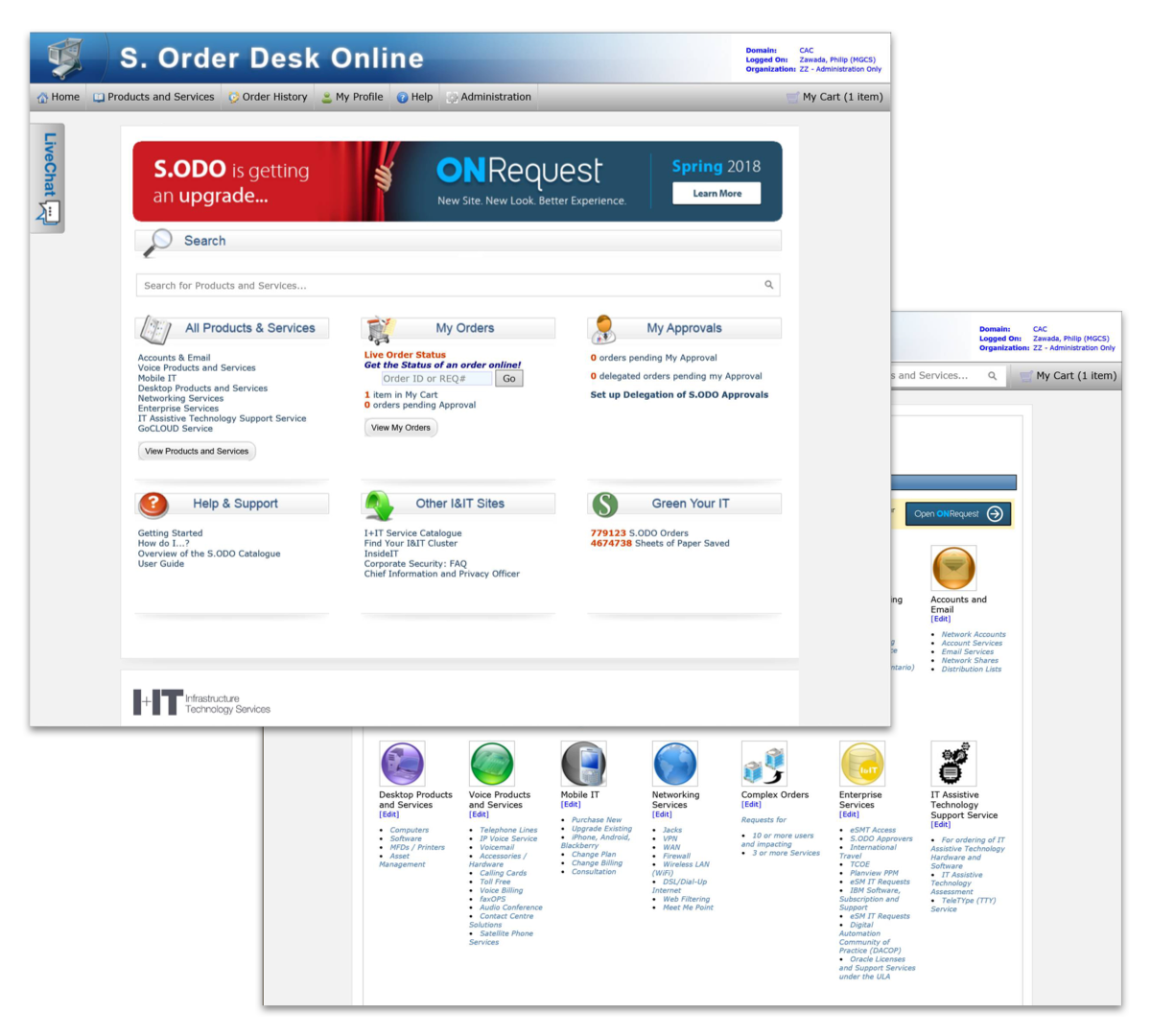
The Ontario Public Service (OPS) is a division of the Ontario provincial government that provides services directly to citizens. To fulfill this role, employees rely on an internal web portal for ordering products and services—essentially an internalized "Amazon" previously known as SODO (Service Order Desk Online).
In 2017, I was contacted directly by my soon-to-be manager to join a small, dedicated team of developers and researchers to rebuild the service portal from the ground up. This involved working and consulting with multiple ministries and researching several popular marketplaces for inspiration.
This Phase 1 work, successfully launched within one year, represents a near 0-1 redesign of the legacy desktop portal. A case study is provided below, rebuilt from Sketch into a Figma slide deck.
ONRequest - Portal
16:9 case study format based on source Figma deck
Phase 1 - Desktop MVP
The Ontario Public Service (OPS) is a division of the Ontario provincial government that provides services directly to citizens. To fulfill this role, employees rely on an internal web portal for ordering products and services—essentially an internalized "Amazon" previously known as SODO (Service Order Desk Online).
In 2017, I was contacted directly by my soon-to-be manager to join a small, dedicated team of developers and researchers to rebuild the service portal from the ground up. This involved working and consulting with multiple ministries and researching several popular marketplaces for inspiration.
This Phase 1 work, successfully launched within one year, represents a near 0-1 redesign of the legacy desktop portal. A case study is provided below, rebuilt from Sketch into a Figma slide deck.
ONRequest - Portal
16:9 case study format based on source Figma deck
Phase 1 - Desktop MVP
The Ontario Public Service (OPS) is a division of the Ontario provincial government that provides services directly to citizens. To fulfill this role, employees rely on an internal web portal for ordering products and services—essentially an internalized "Amazon" previously known as SODO (Service Order Desk Online).
In 2017, I was contacted directly by my soon-to-be manager to join a small, dedicated team of developers and researchers to rebuild the service portal from the ground up. This involved working and consulting with multiple ministries and researching several popular marketplaces for inspiration.
This Phase 1 work, successfully launched within one year, represents a near 0-1 redesign of the legacy desktop portal. A case study is provided below, rebuilt from Sketch into a Figma slide deck.
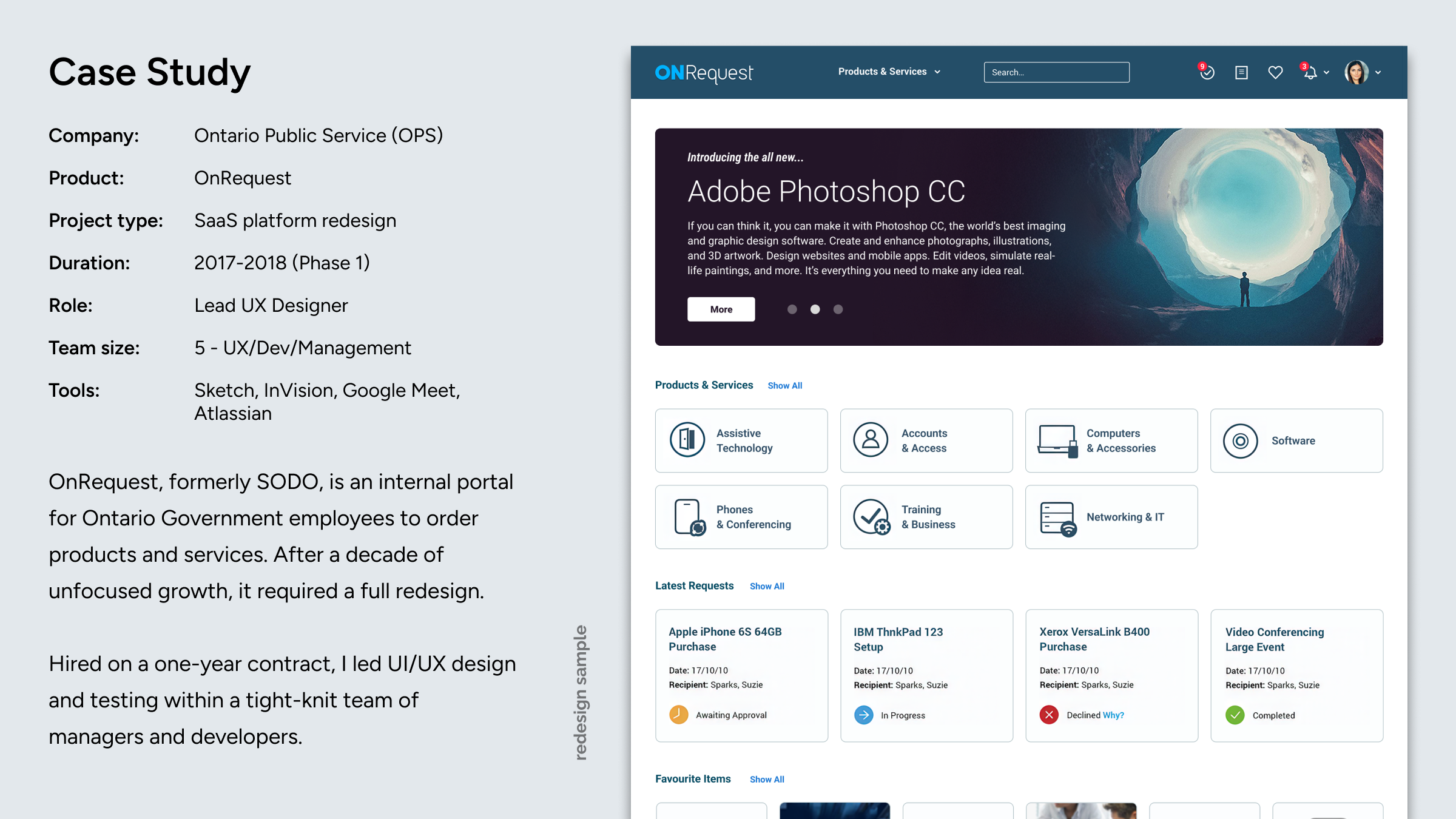
Case Study
Company:
Ontario Public Service (OPS)
Product:
OnRequest
Project type:
SaaS platform redesign
Duration:
2017-2018 (Phase 1)
Role:
Lead UX Designer
Team size:
5 - UX/Dev/Management
Tools:
Sketch, InVision, Google Meet, Atlassian
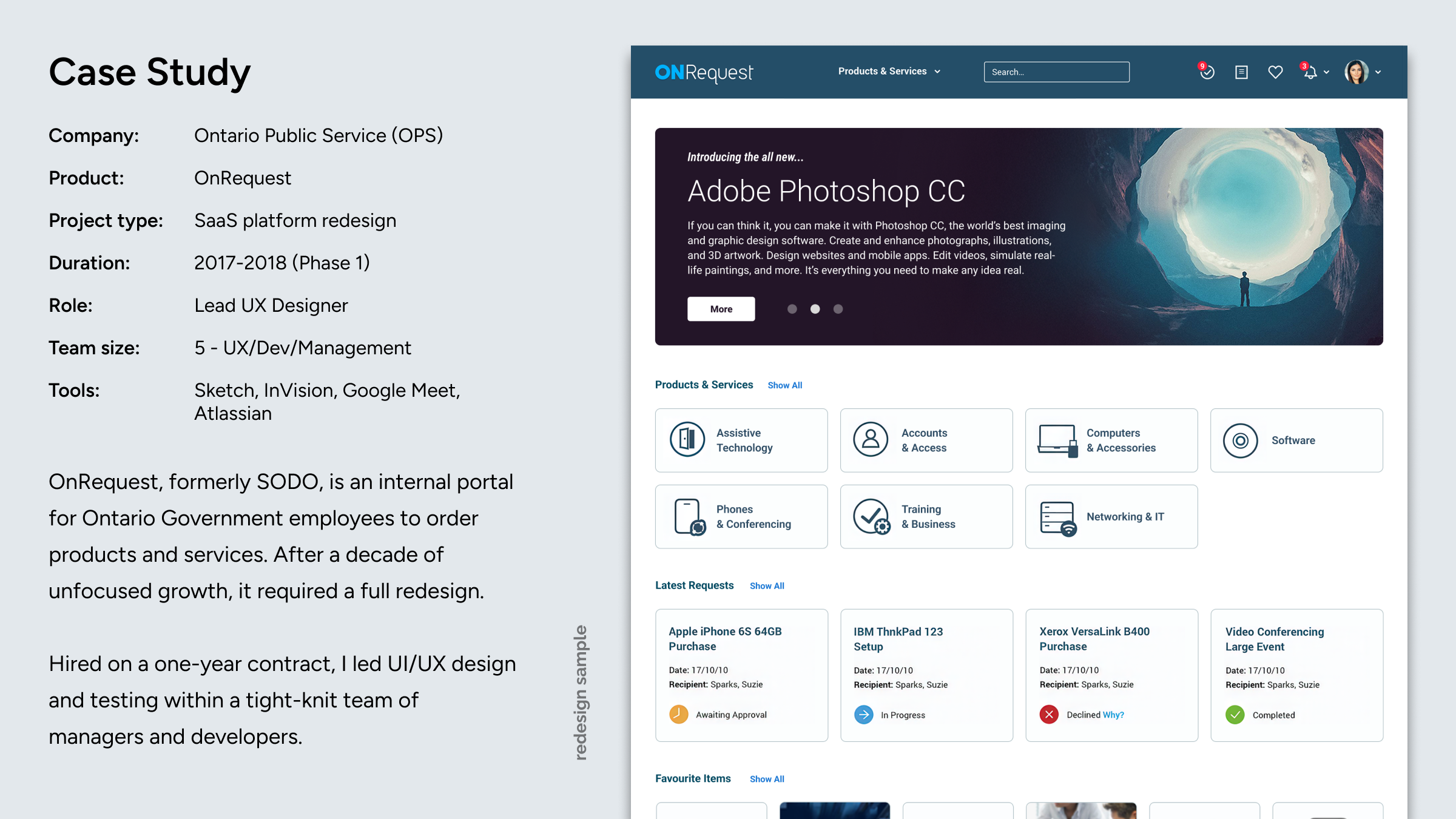
OnRequest, formerly SODO, is an internal portal for Ontario Government employees to order products and services. After a decade of unfocused growth, it required a full redesign.
Hired on a one-year contract, I led UI/UX design and testing within a tight-knit team of managers and developers.

redesign sample
ONRequest
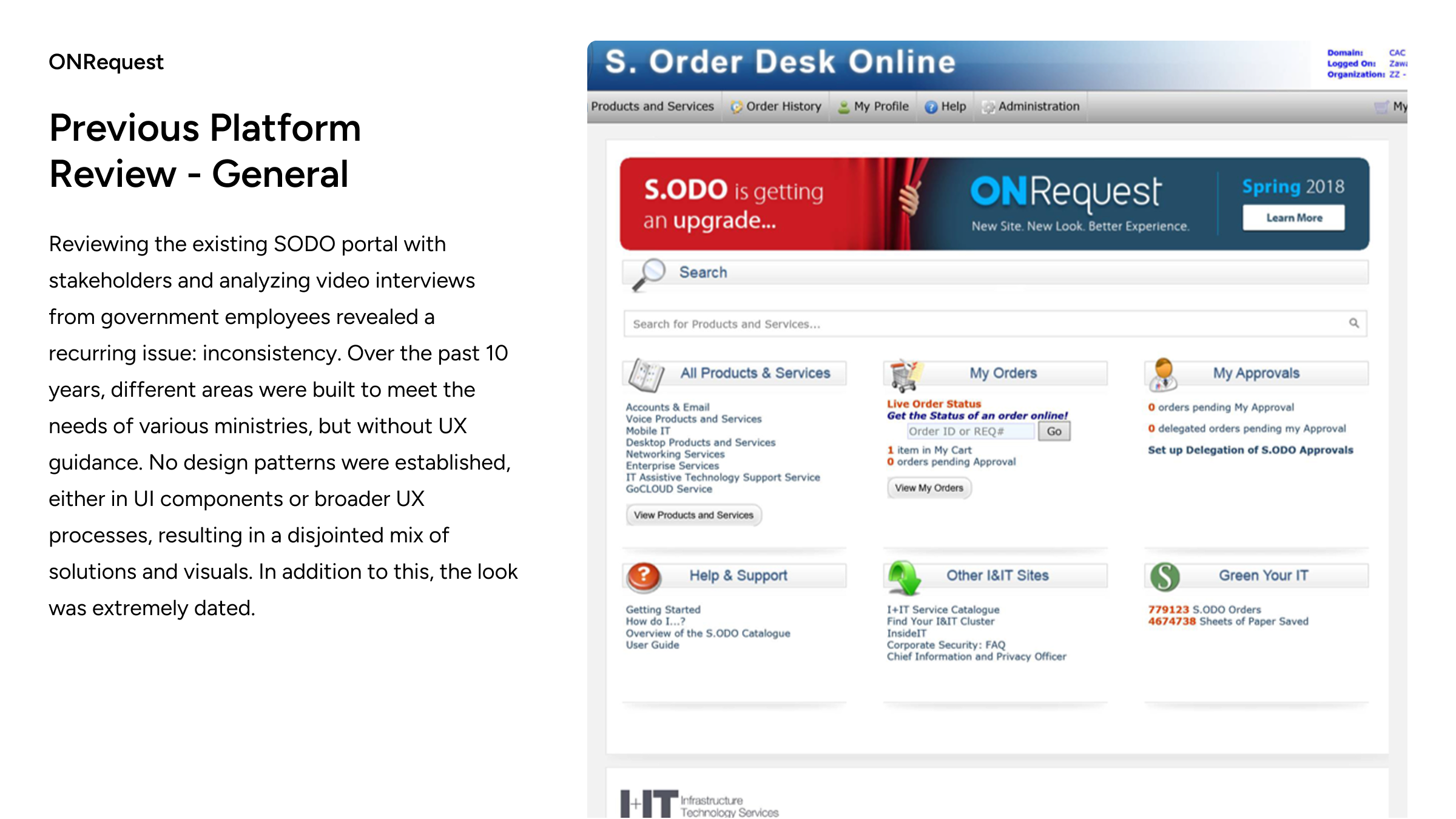
Previous PlatformReview - General
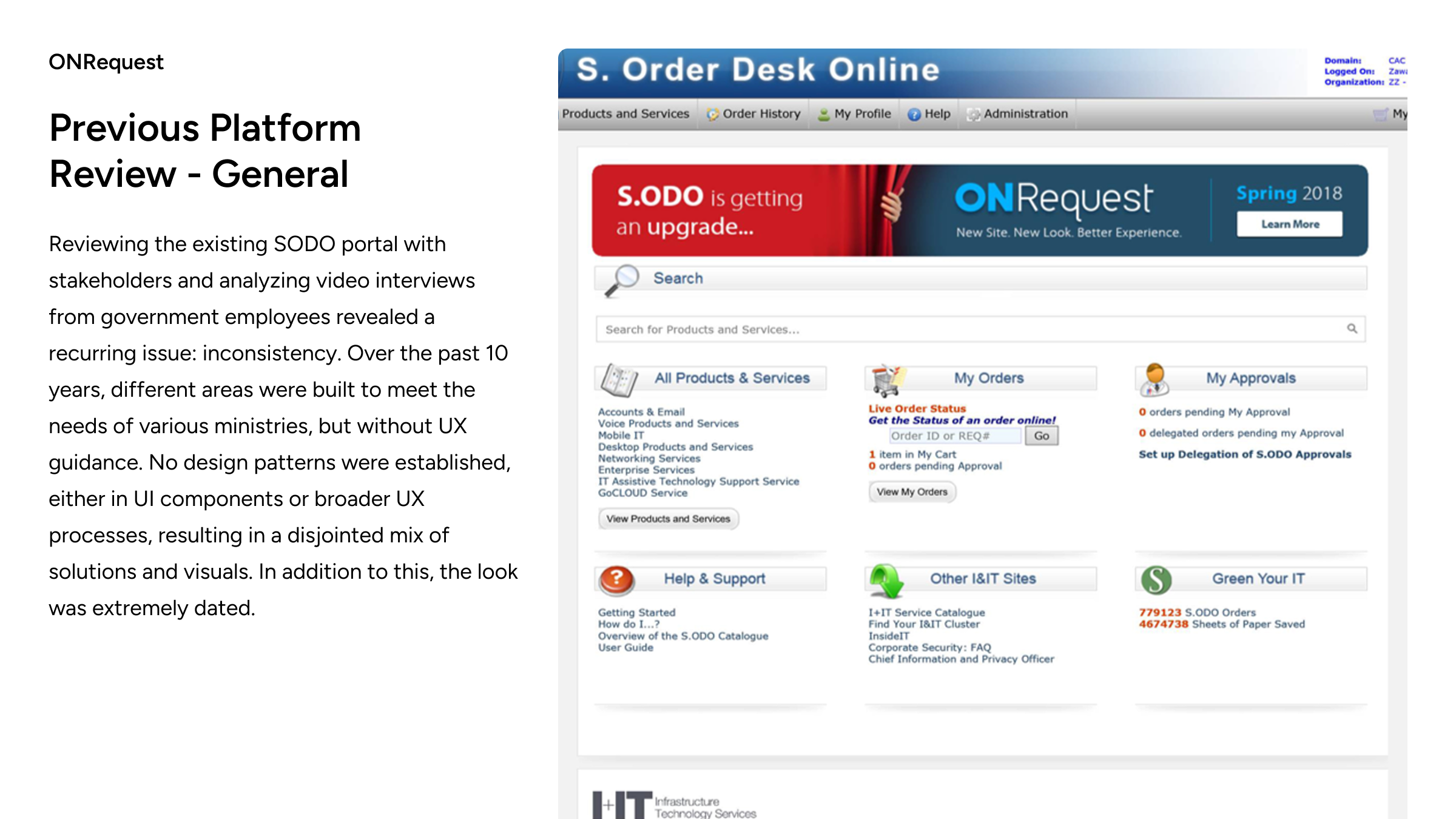
Reviewing the existing SODO portal with stakeholders and analyzing video interviews from government employees revealed a recurring issue: inconsistency. Over the past 10 years, different areas were built to meet the needs of various ministries, but without UX guidance. No design patterns were established, either in UI components or broader UX processes, resulting in a disjointed mix of solutions and visuals. In addition to this, the look was extremely dated.

ONRequest
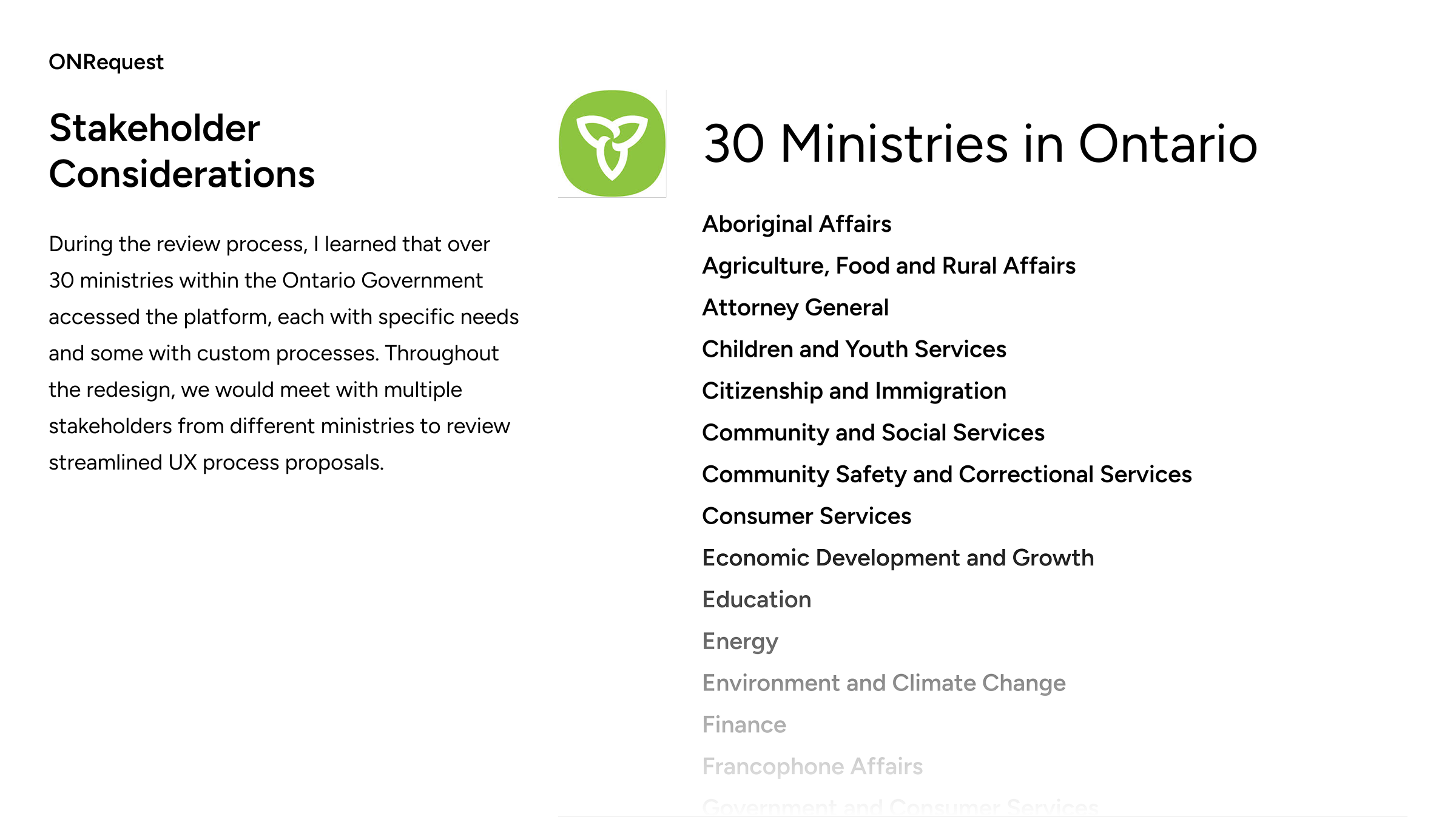
Stakeholder Considerations
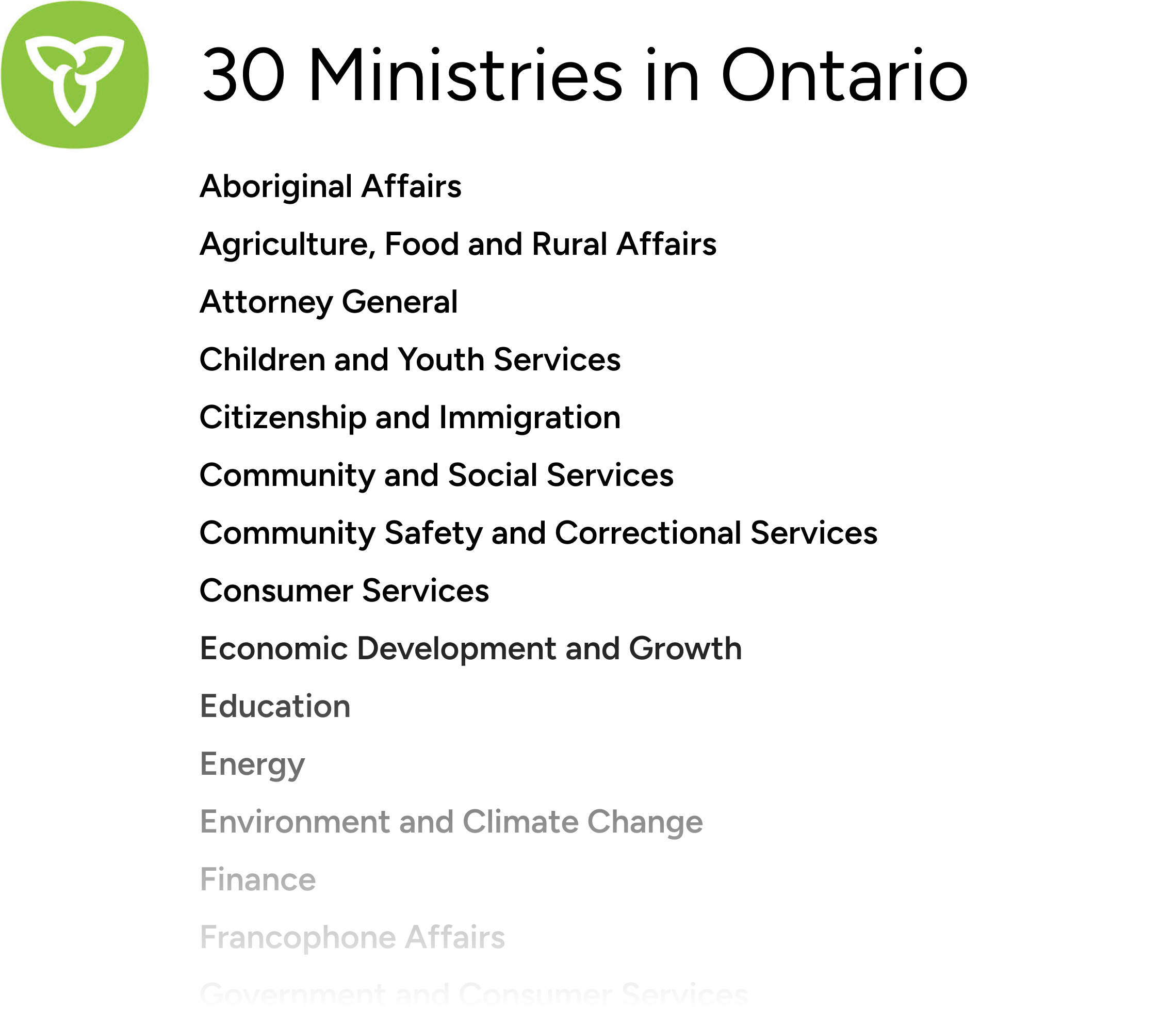
During the review process, I learned that over 30 ministries within the Ontario Government accessed the platform, each with specific needs and some with custom processes. Throughout the redesign, we would meet with multiple stakeholders from different ministries to review streamlined UX process proposals.

ONRequest
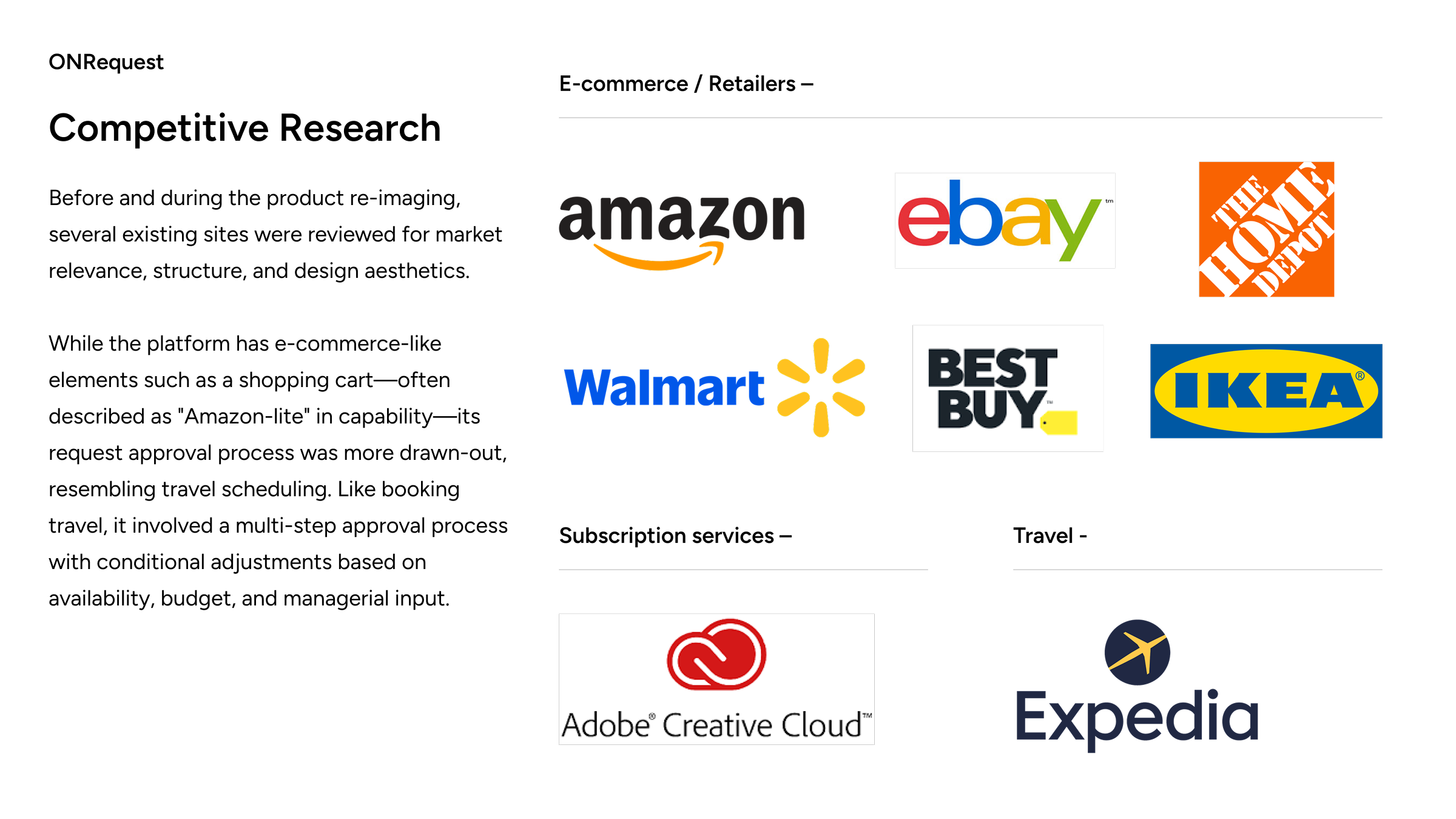
Competitive Research
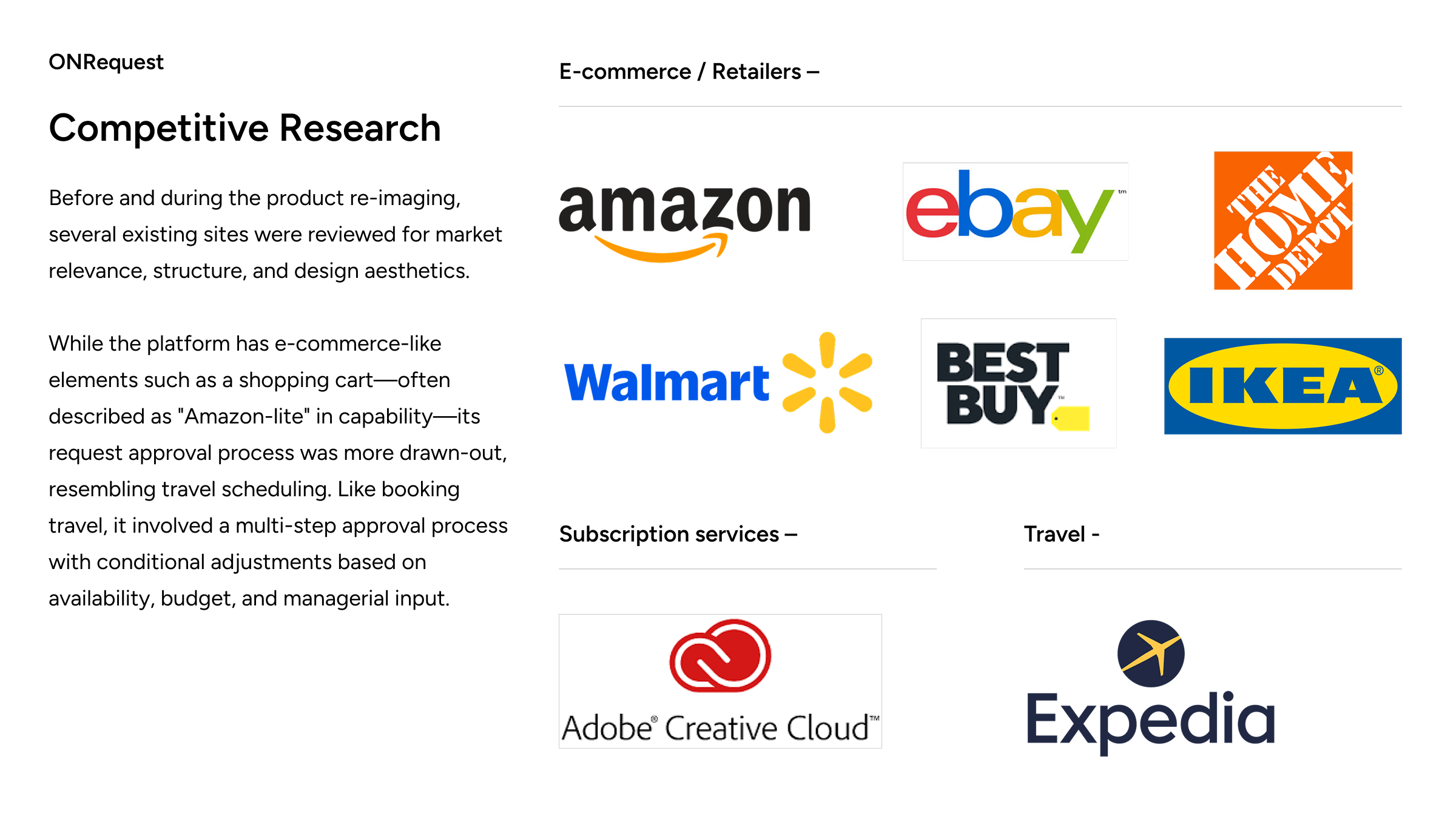
Before and during the product re-imaging, several existing sites were reviewed for market relevance, structure, and design aesthetics.
While the platform has e-commerce-like elements such as a shopping cart—often described as "Amazon-lite" in capability—its request approval process was more drawn-out, resembling travel scheduling. Like booking travel, it involved a multi-step approval process with conditional adjustments based on availability, budget, and managerial input.

ONRequest
User Research
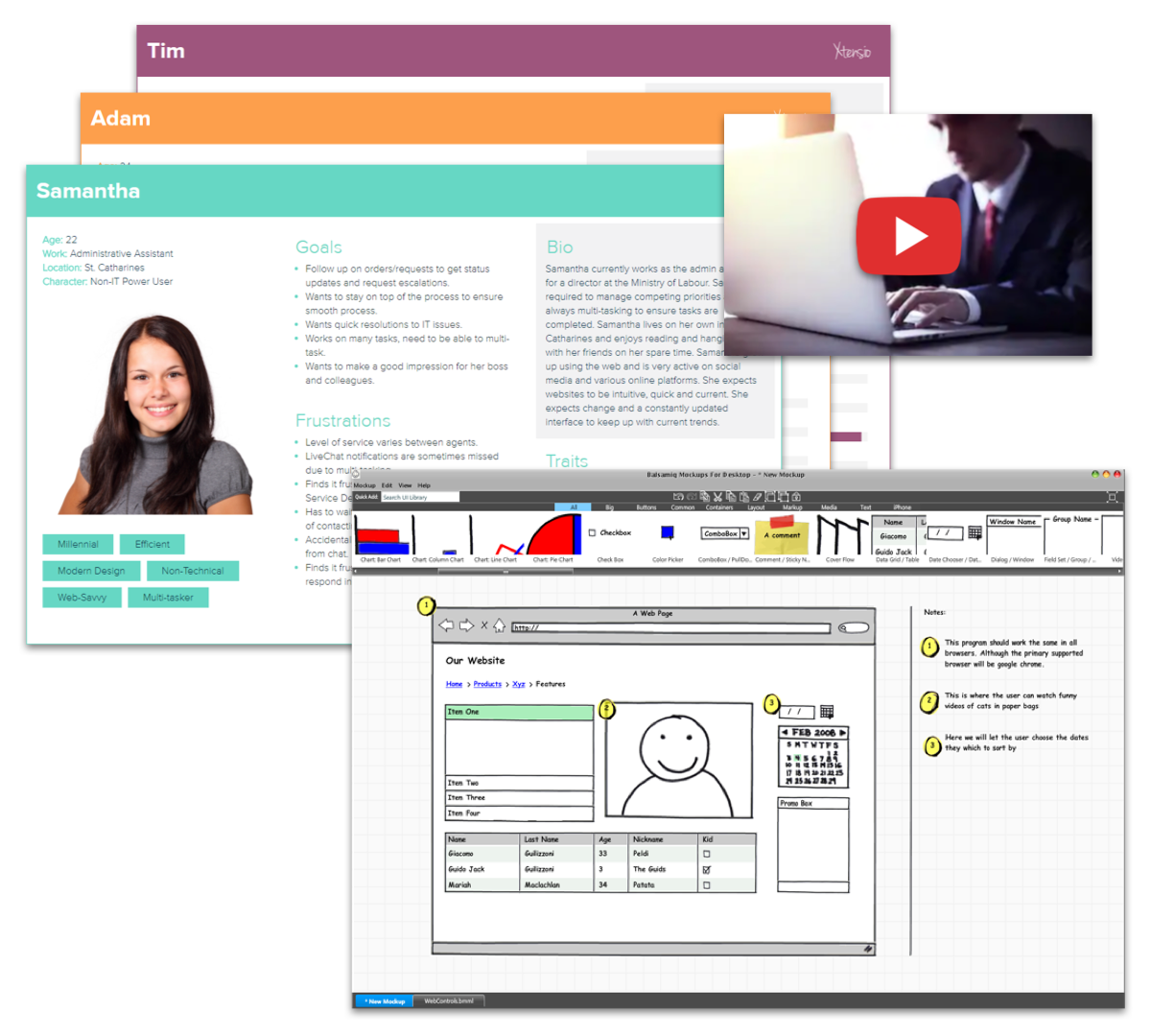
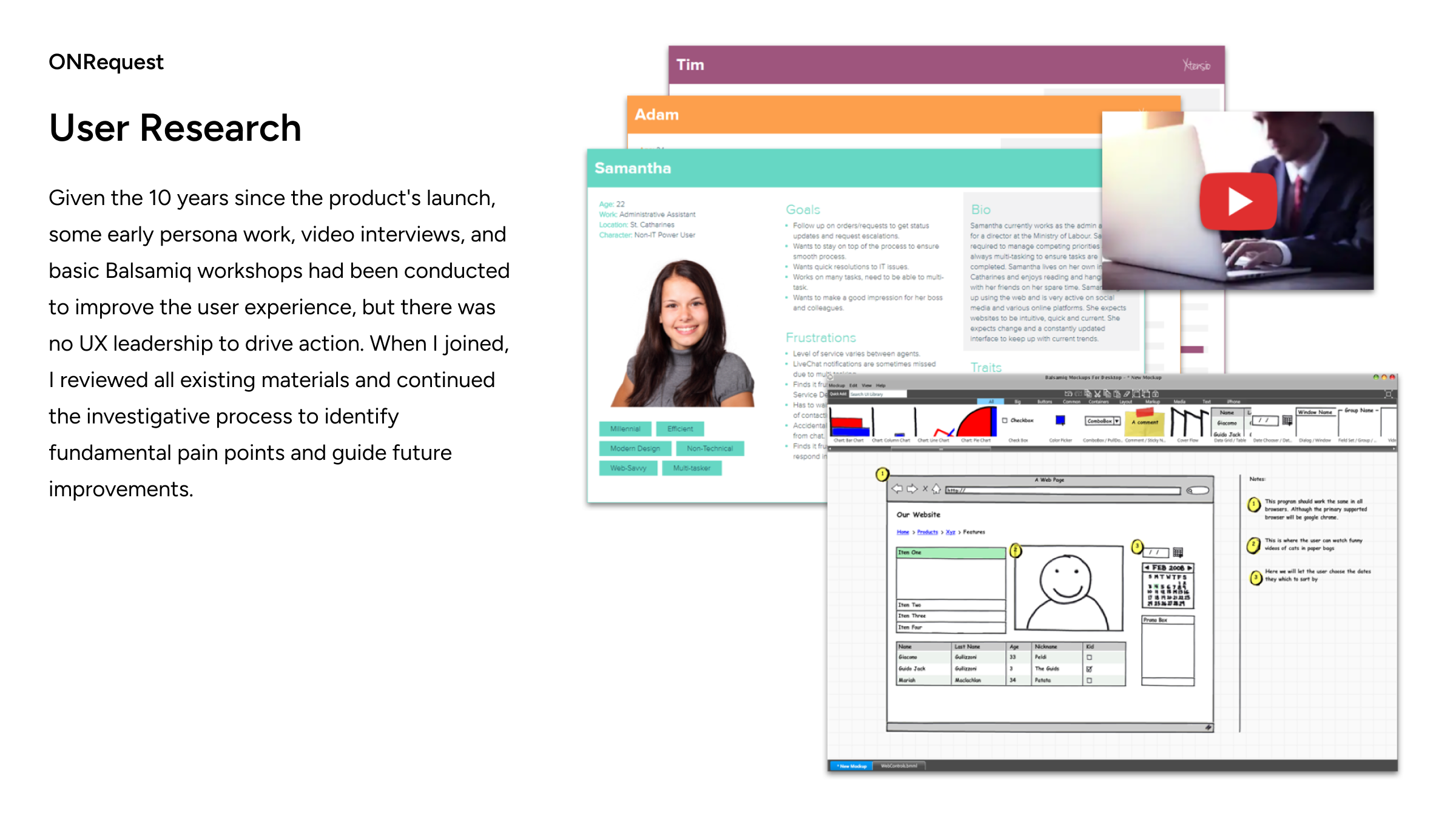
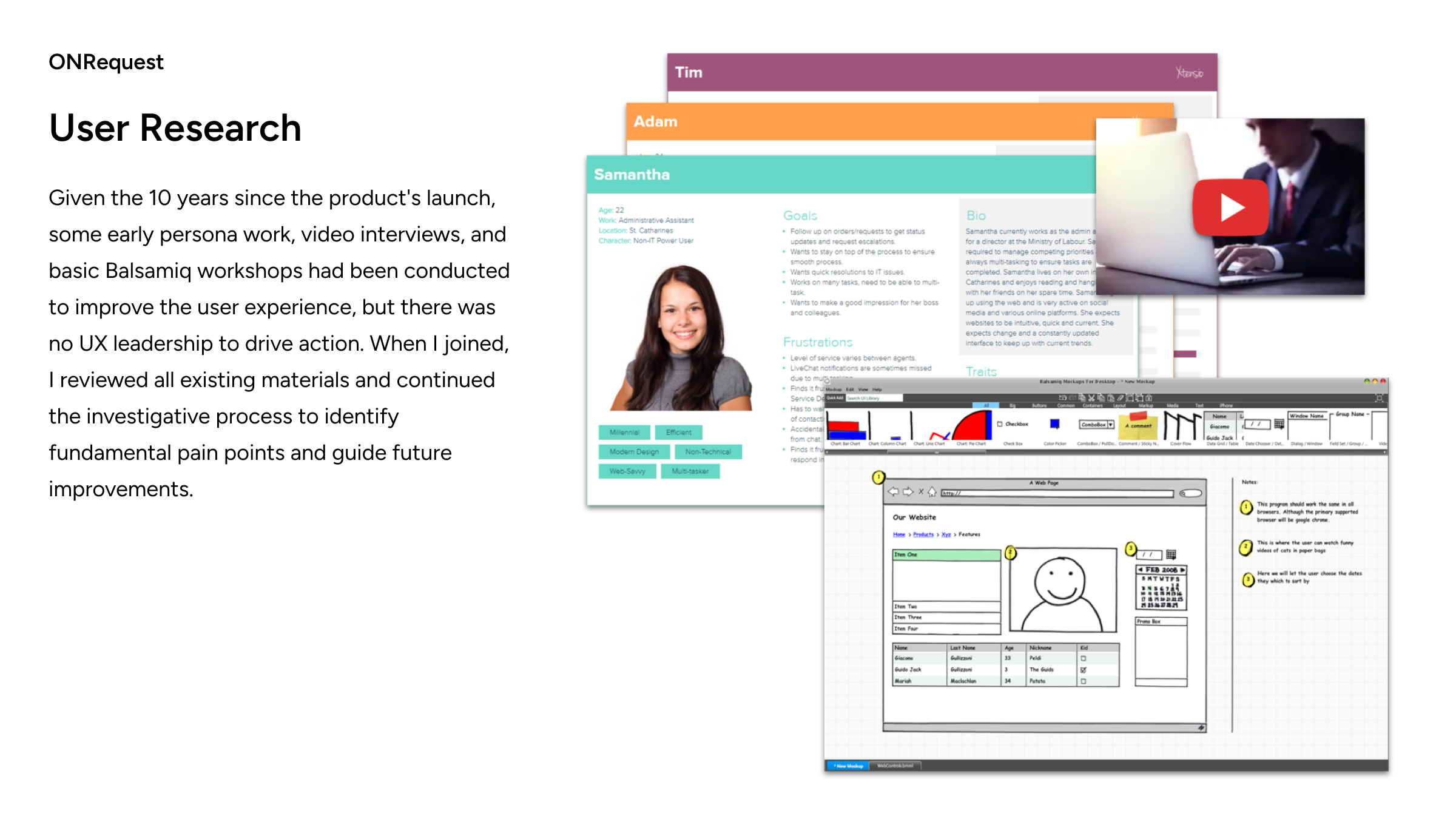
Given the 10 years since the product's launch, some early persona work, video interviews, and basic Balsamiq workshops had been conducted to improve the user experience, but there was no UX leadership to drive action. When I joined, I reviewed all existing materials and continued the investigative process to identify fundamental pain points and guide future improvements.

ONRequest
Personas, Permissions and Section Mapping
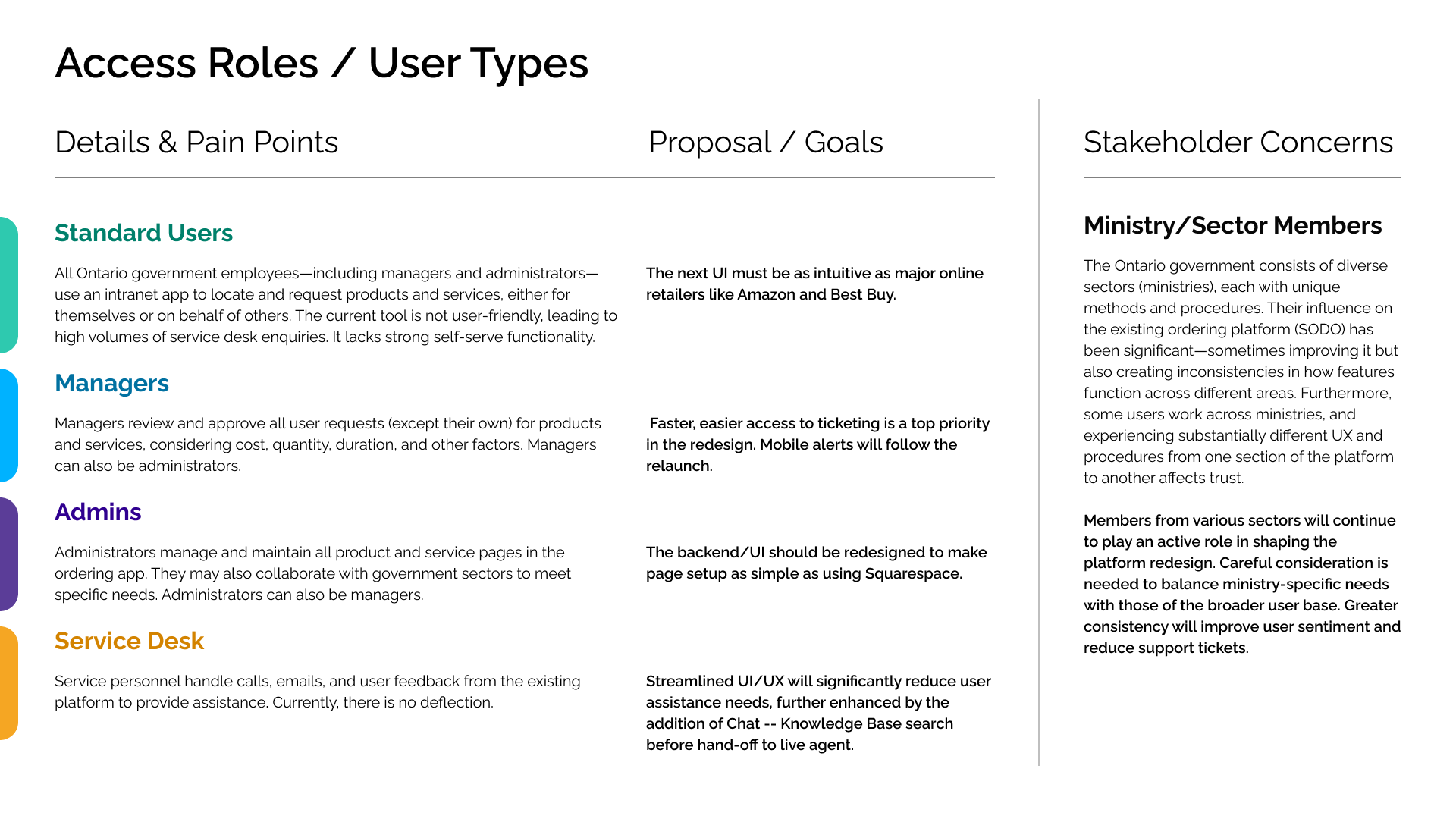
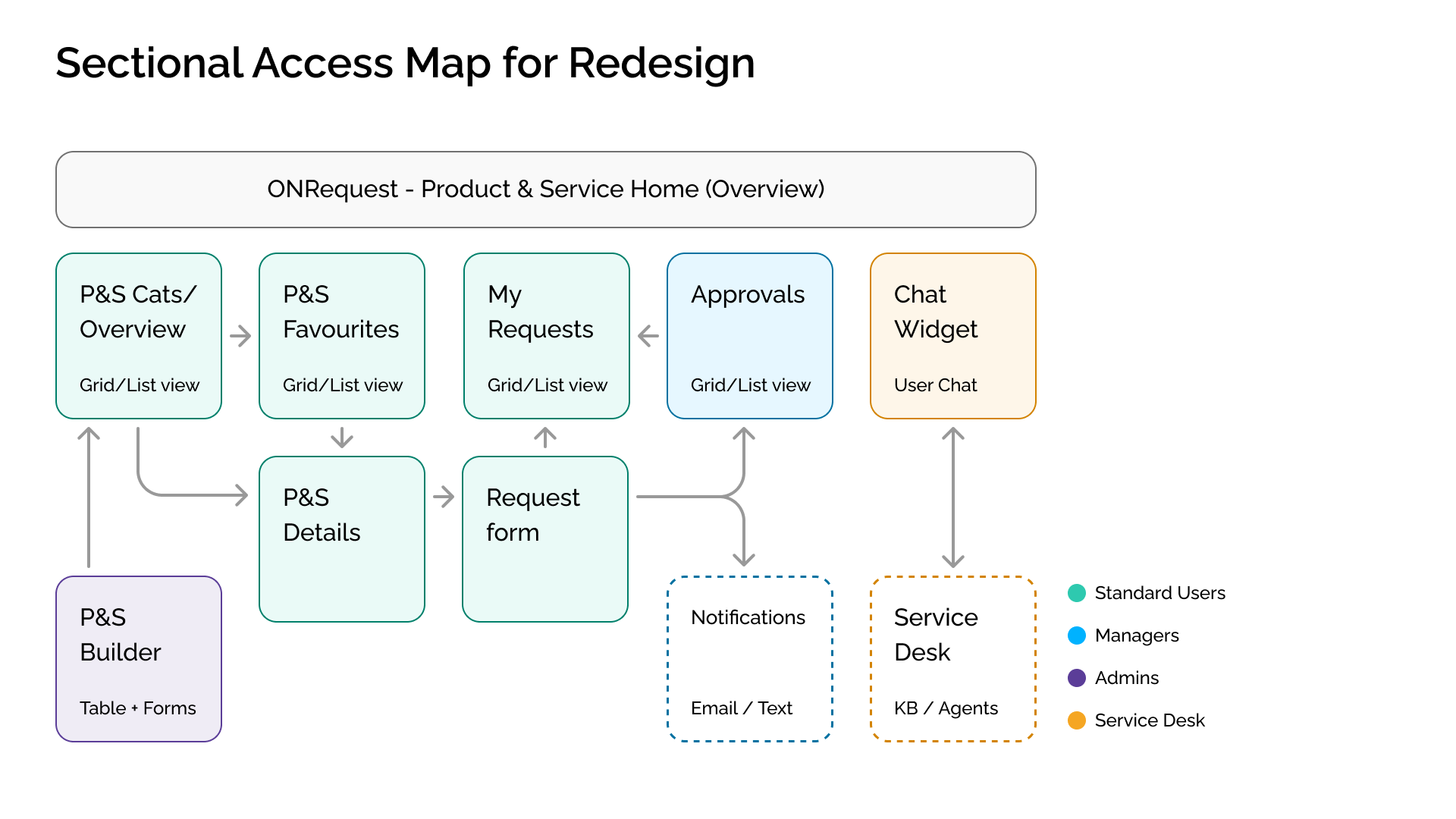
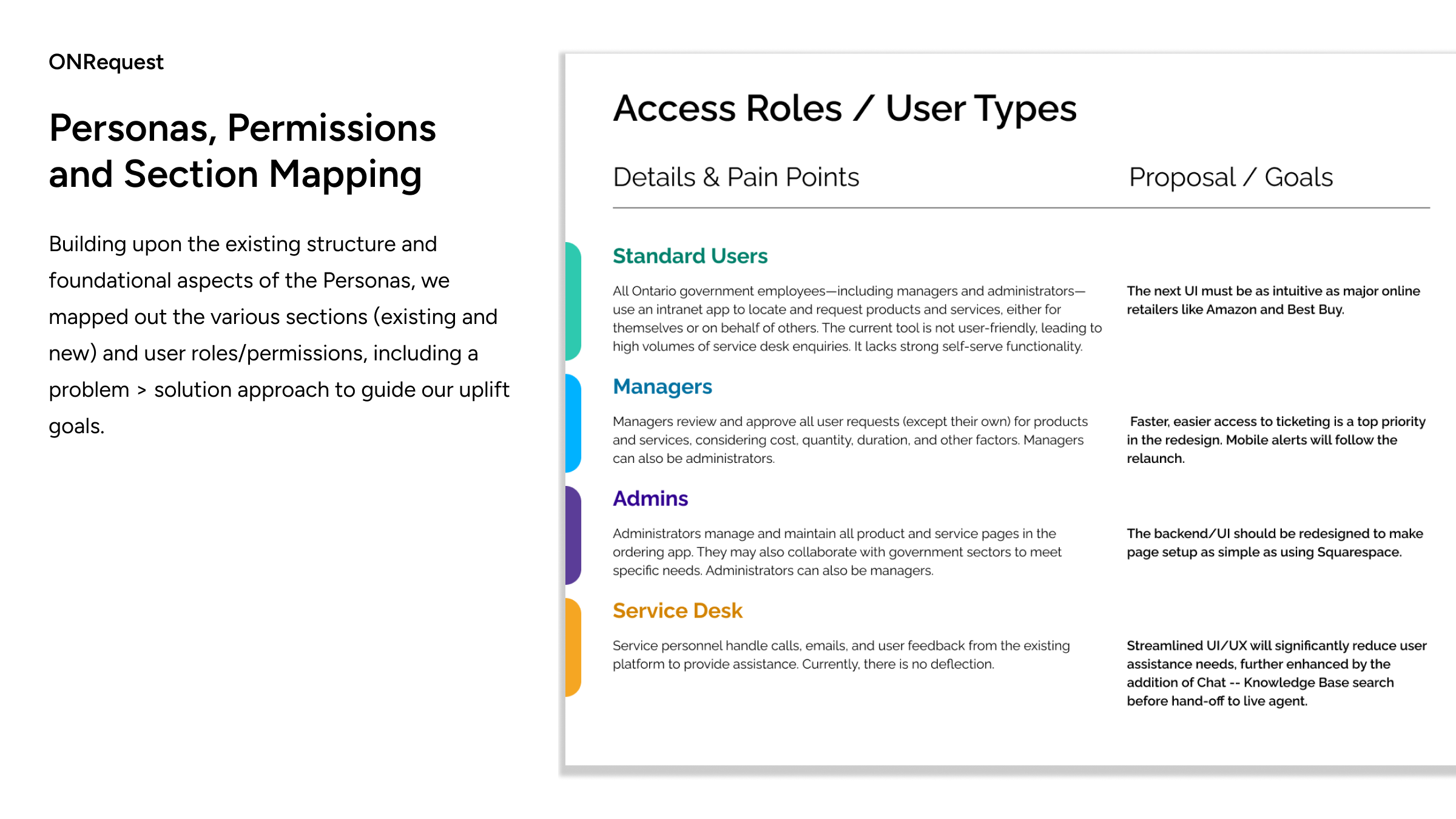
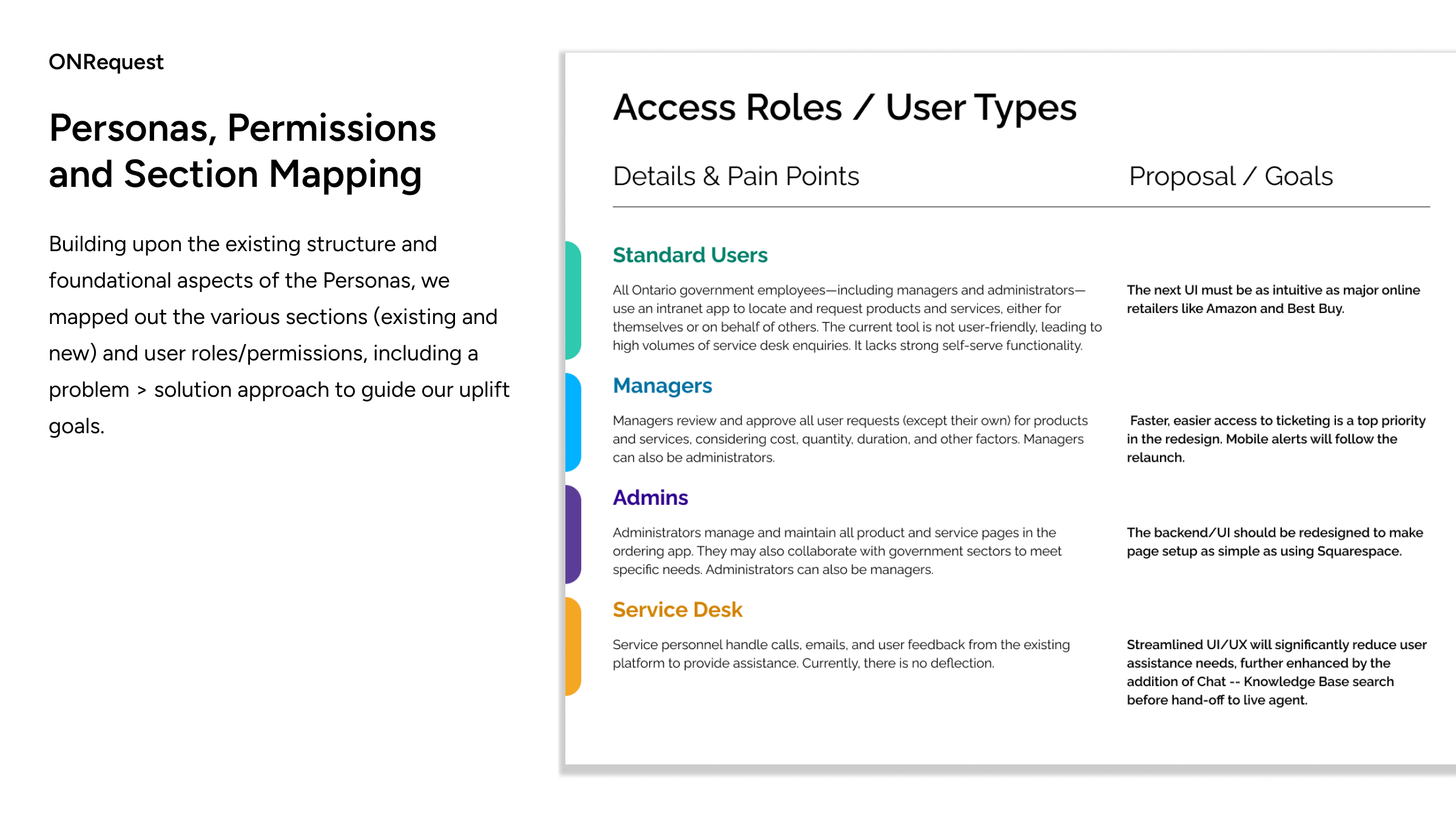
Building upon the existing structure and foundational aspects of the Personas, we mapped out the various sections (existing and new) and user roles/permissions, including a problem > solution approach to guide our uplift goals.

ONRequest
Personas, Permissions and Section Mapping
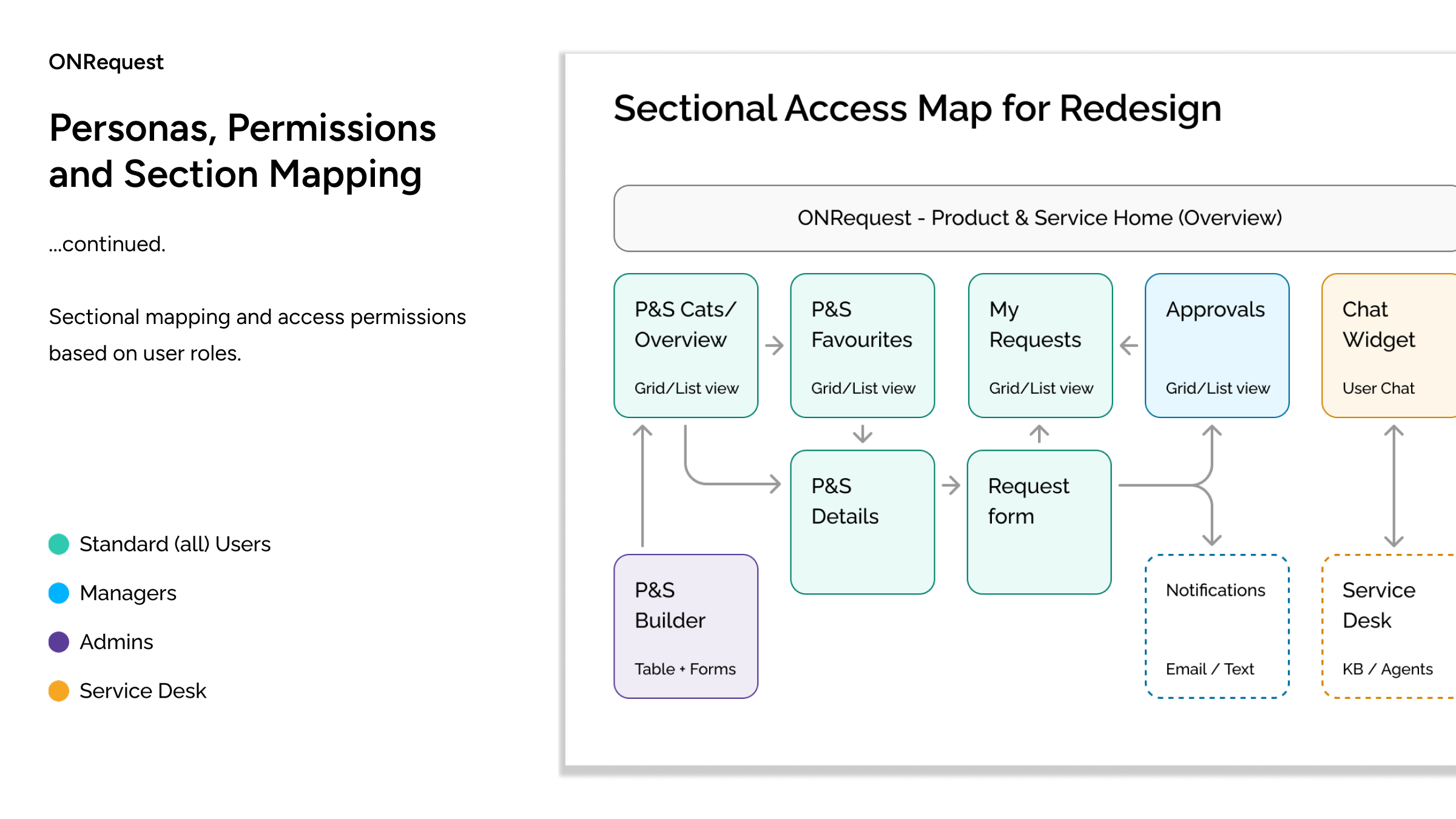
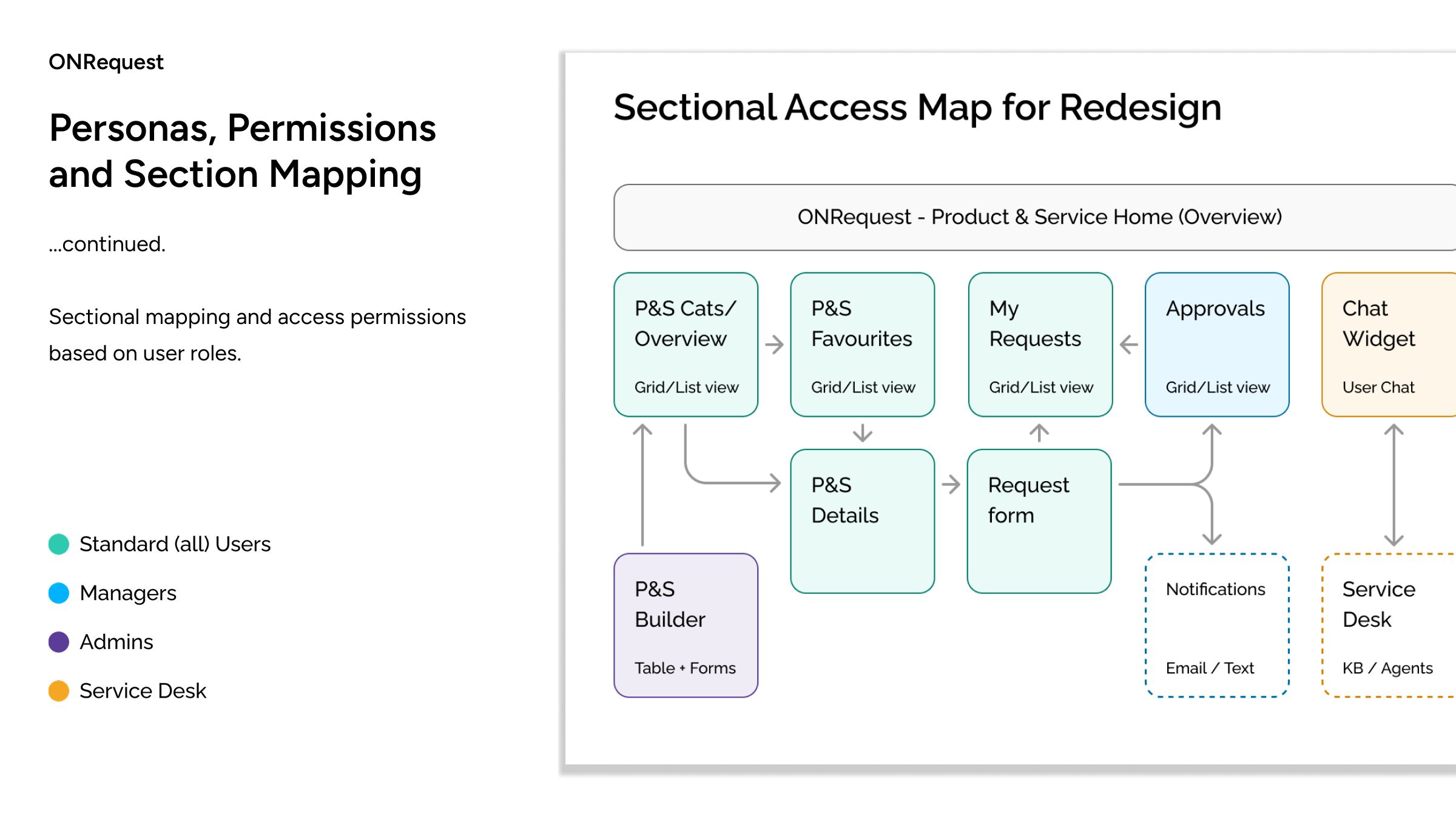
...continued.Sectional mapping and access permissions based on user roles.


ONRequest
Design Planning& Workshops
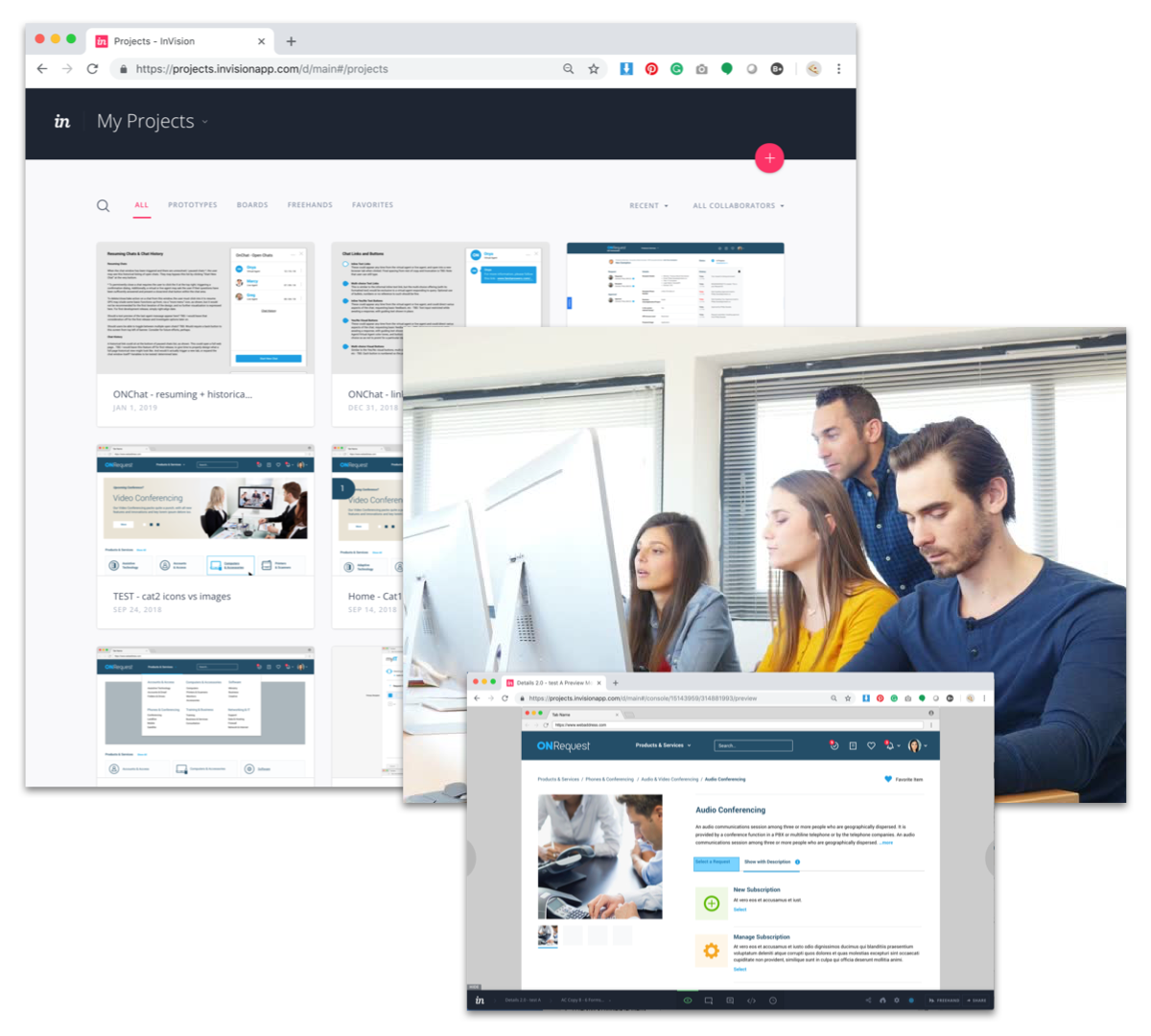
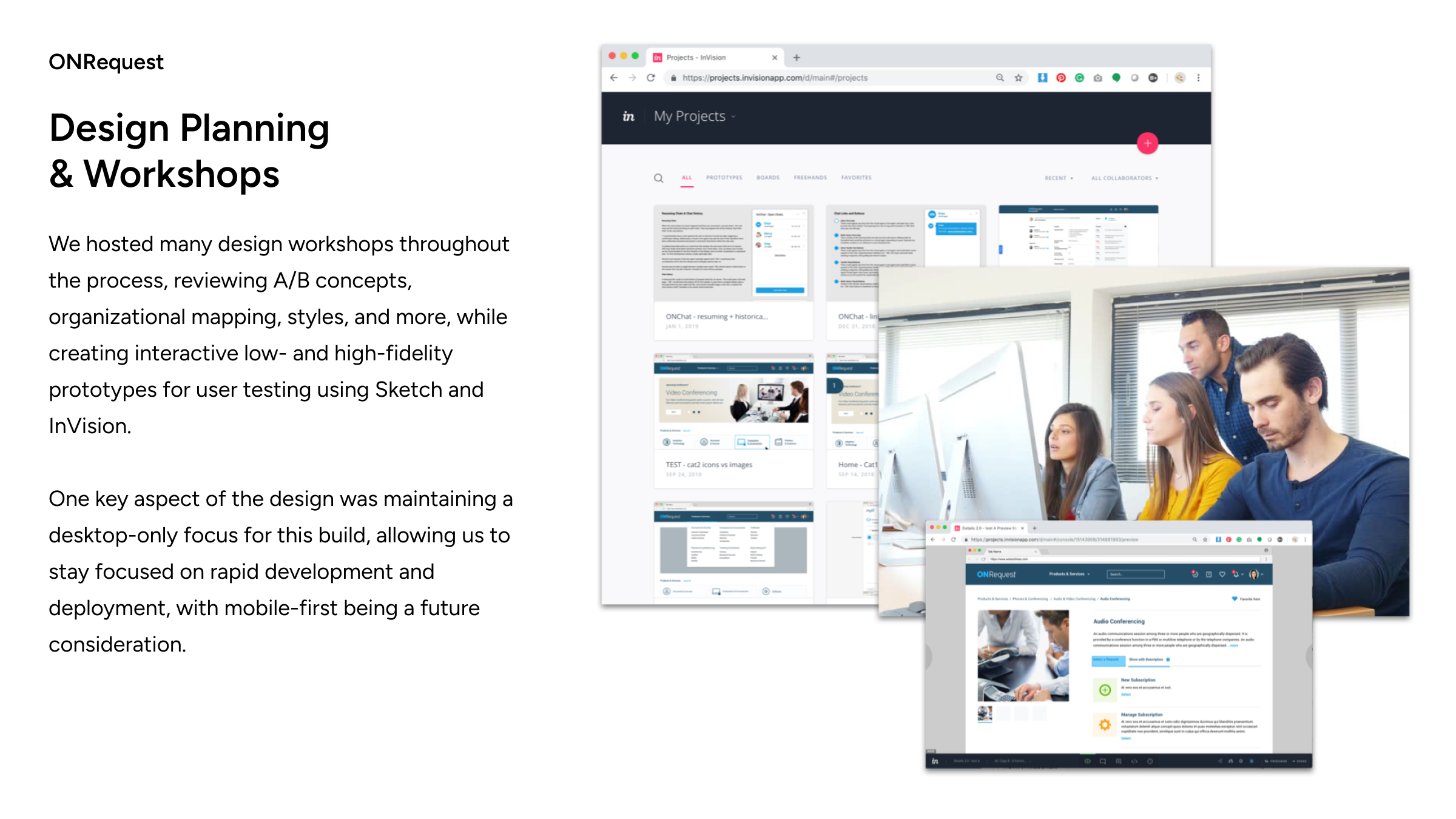
We hosted many design workshops throughout the process, reviewing A/B concepts, organizational mapping, styles, and more, while creating interactive low- and high-fidelity prototypes for user testing using Sketch and InVision.One key aspect of the design was maintaining a desktop-only focus for this build, allowing us to stay focused on rapid development and deployment, with mobile-first being a future consideration.

ONRequest
Cross-team Consulting
In addition to engaging stakeholders, I also collaborated with UX counterparts from the Ontario Digital Service, who were responsible for redesigning the Ontario.ca website and design standards. My primary concern was the branding of each ministry and its potential impact on my work on the OnRequest design.
ONRequest
Building a Design System
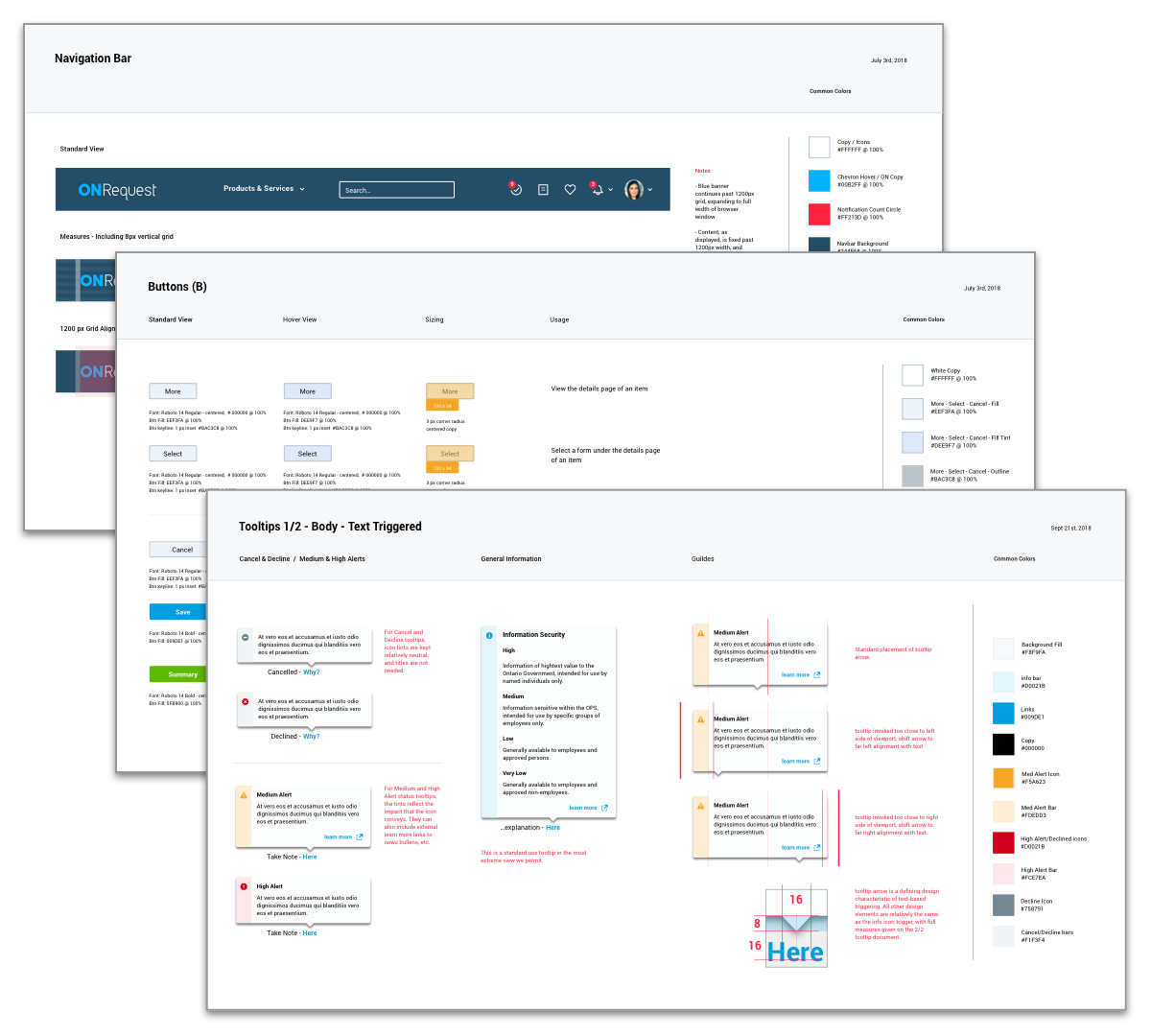
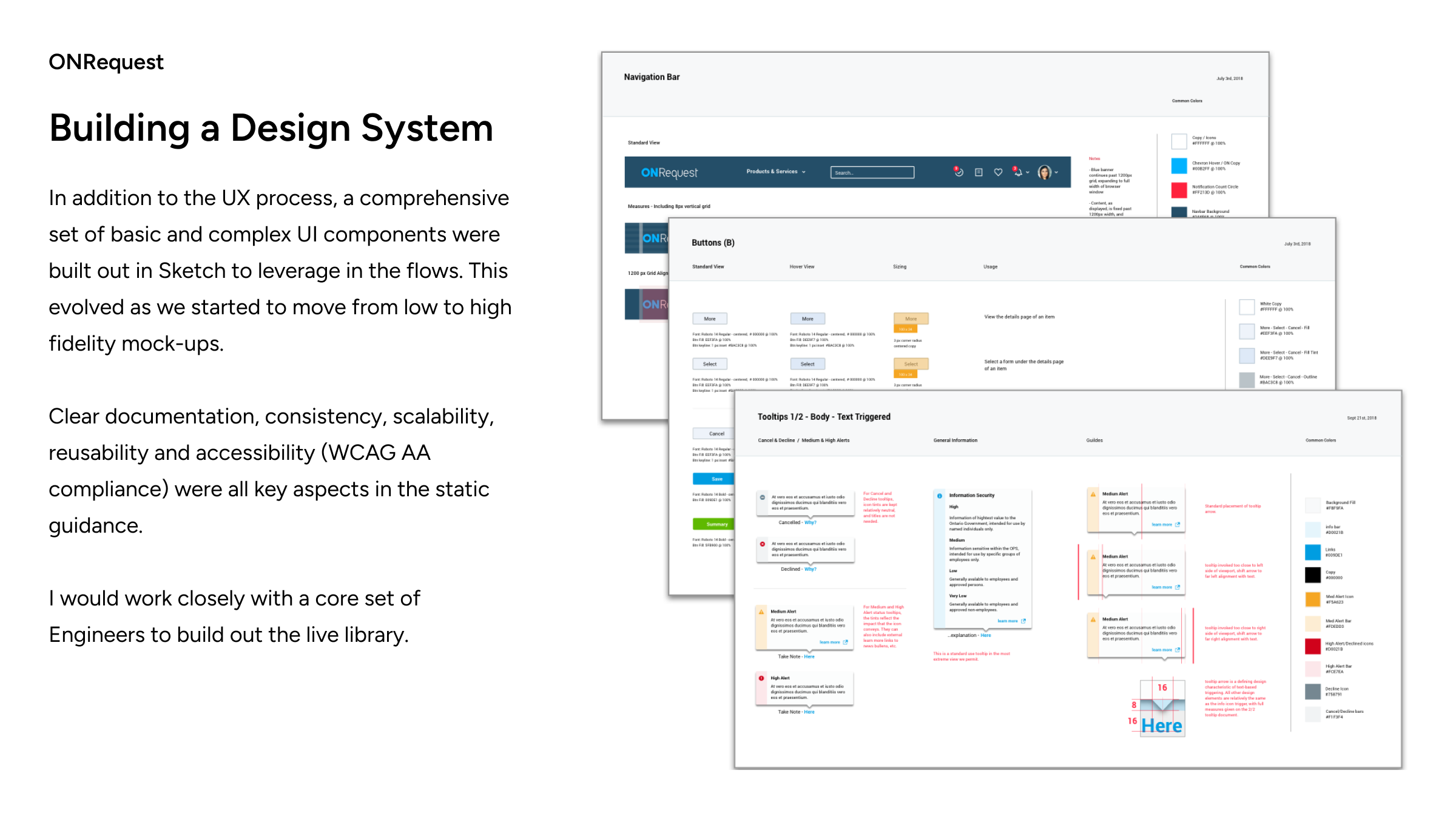
In addition to the UX process, a comprehensive set of basic and complex UI components were built out in Sketch to leverage in the flows. This evolved as we started to move from low to high fidelity mock-ups.Clear documentation, consistency, scalability, reusability and accessibility (WCAG AA compliance) were all key aspects in the static guidance.
I would work closely with a core set of Engineers to build out the live library.

ONRequest
Building a Brand Image
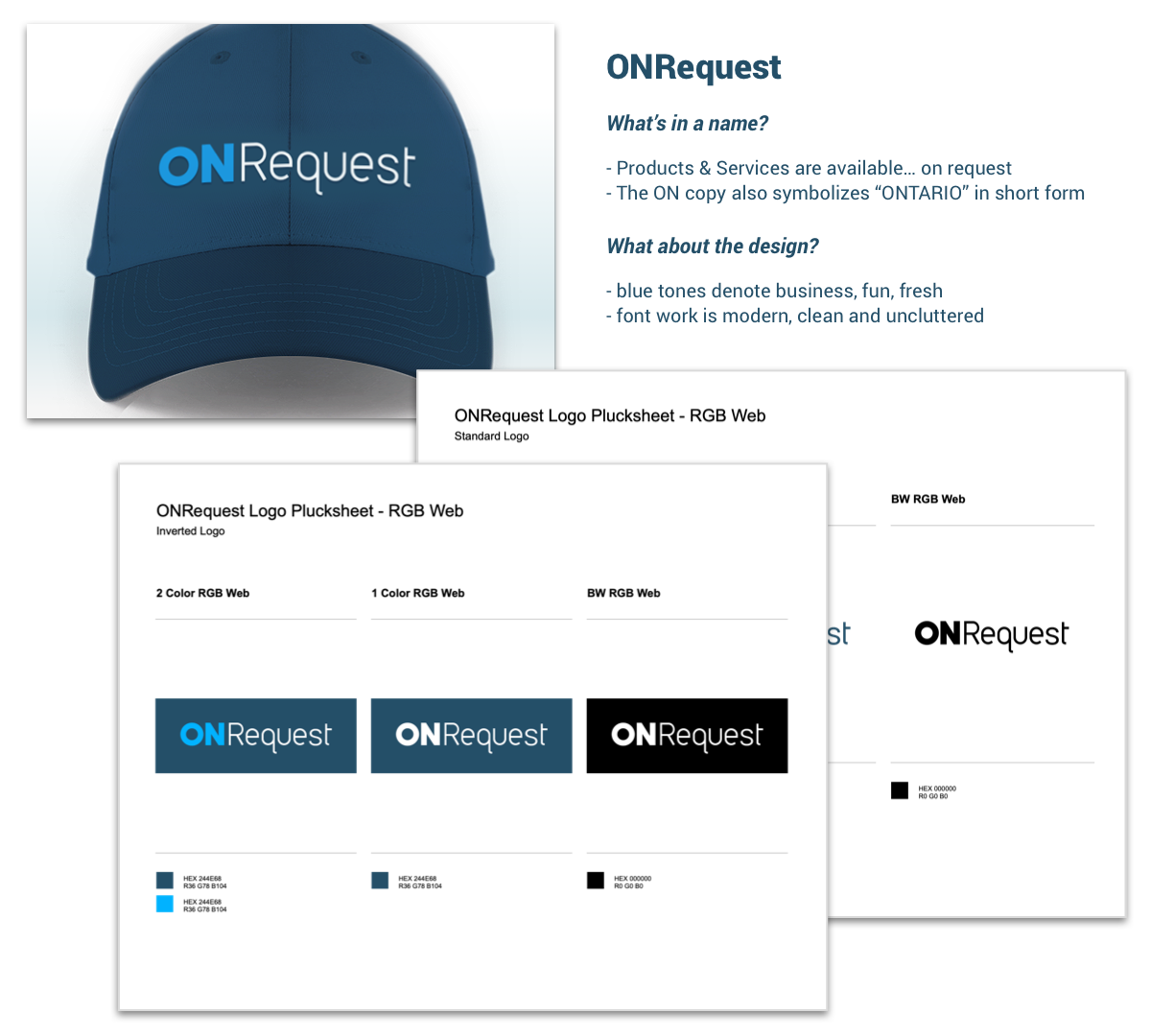
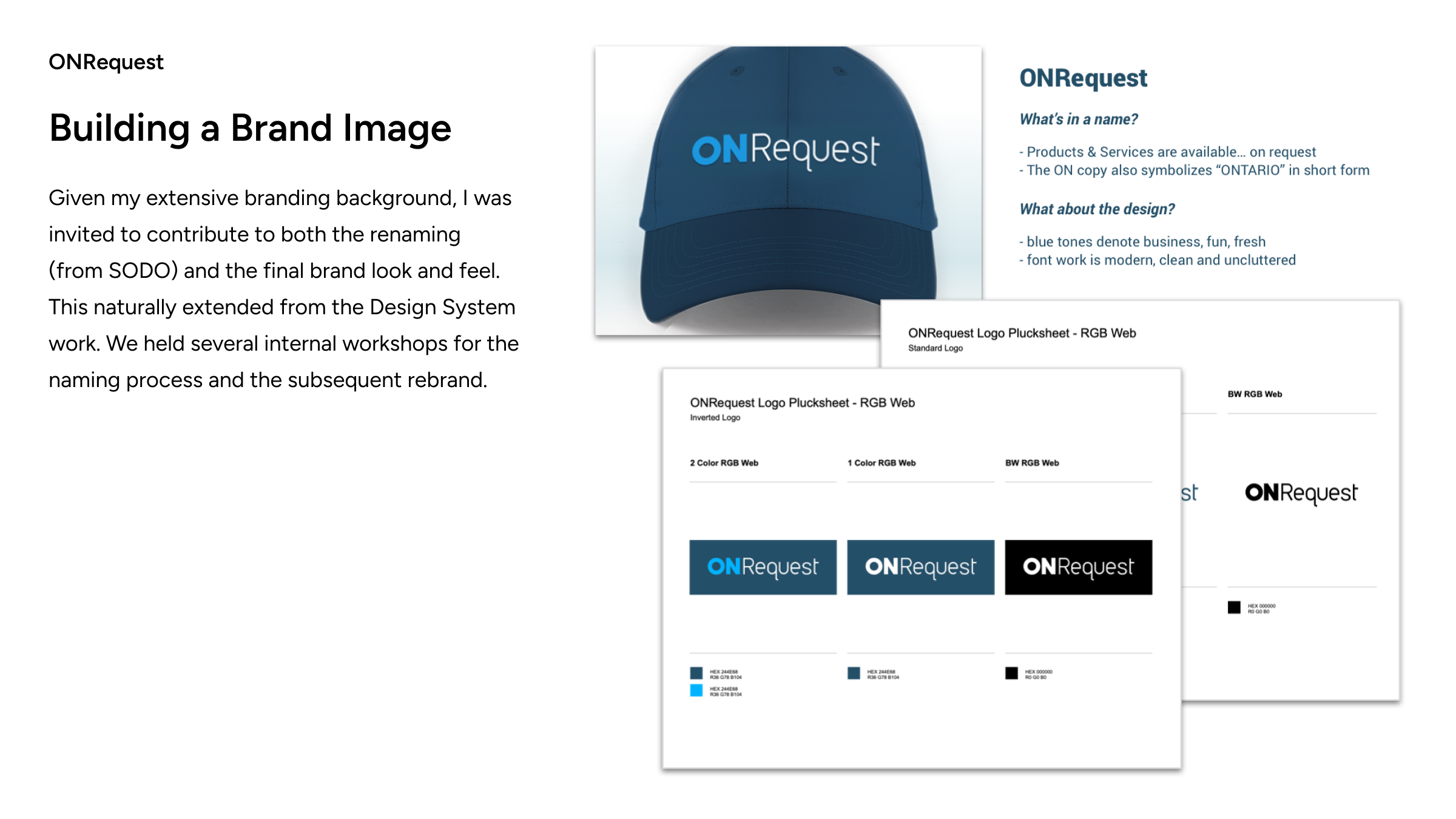
Given my extensive branding background, I was invited to contribute to both the renaming (from SODO) and the final brand look and feel. This naturally extended from the Design System work. We held several internal workshops for the naming process and the subsequent rebrand.

ONRequest
Sectional Review -Form Builder
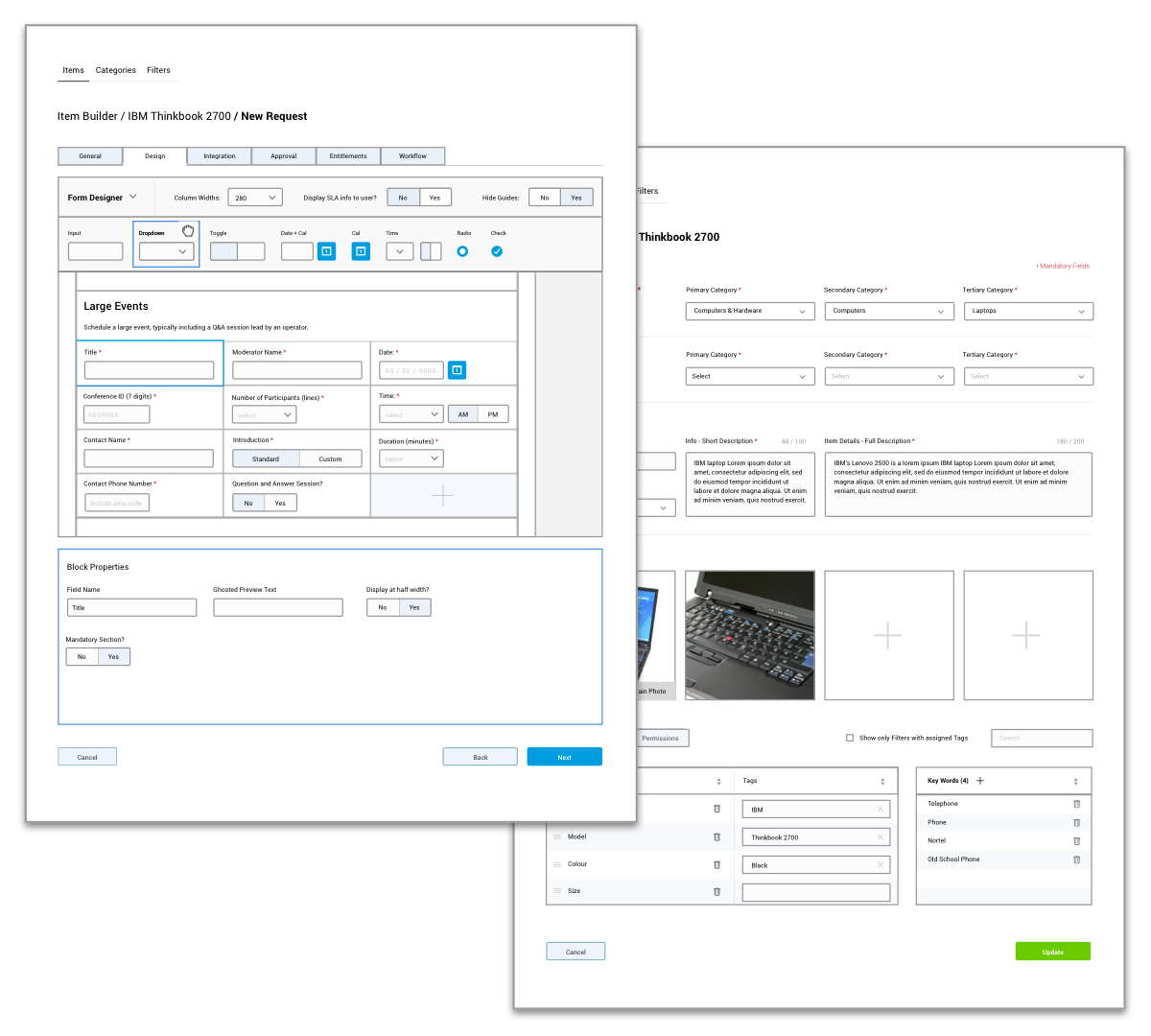
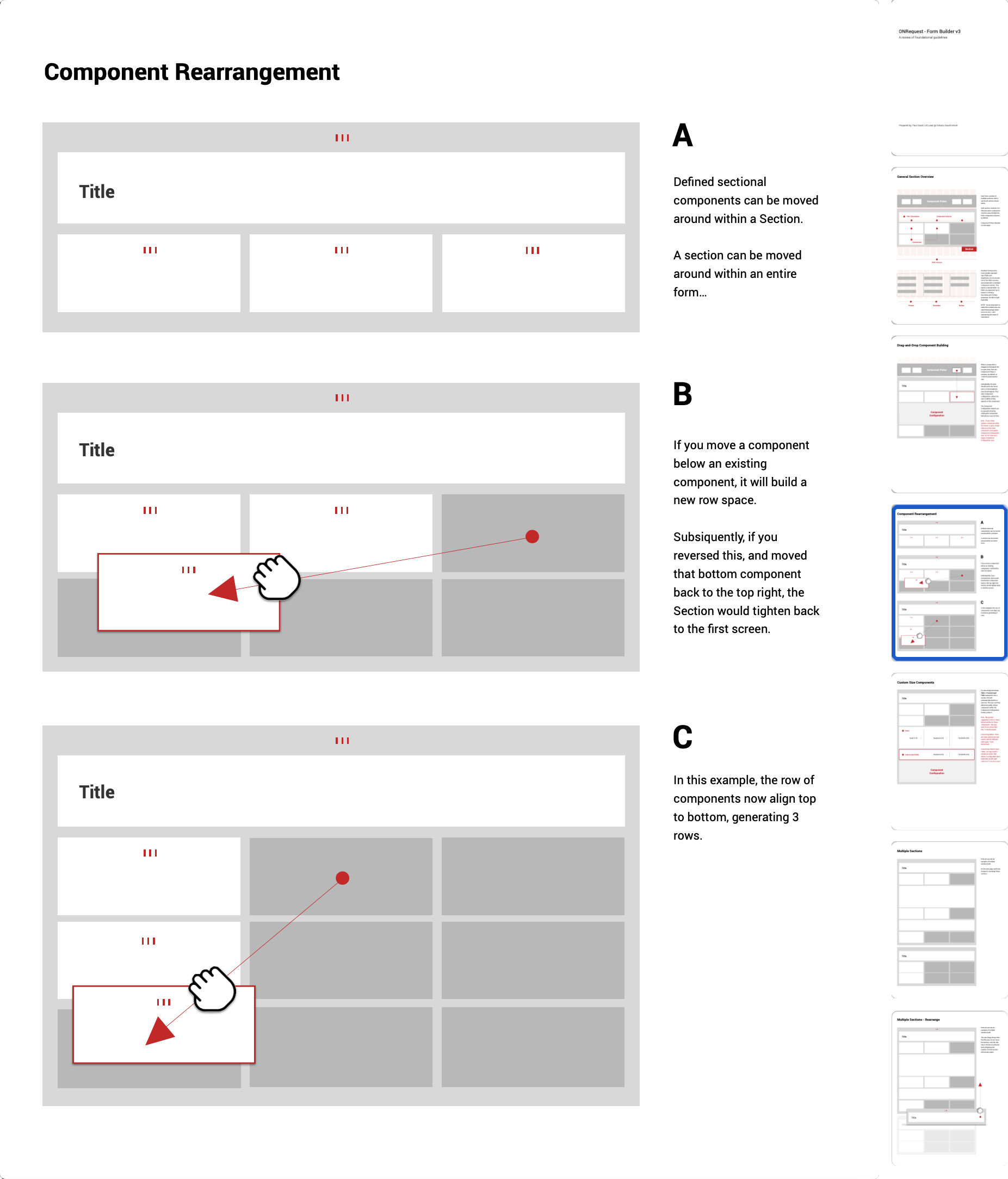
Access is exclusive to AdminsOne of the most complex processes we built was the Form Builder (early concept shown), designed for select Managers logging in as Admins to build and manage forms for products and services, deploy updates, and configure complex billing and approval processes.
The design was inspired by end-customer experiences in platforms like eBay and Kijiji (Canada’s equivalent of Facebook Marketplace), ensuring a seamless and intuitive workflow.


ONRequest
Sectional Review -Form Builder - Wires
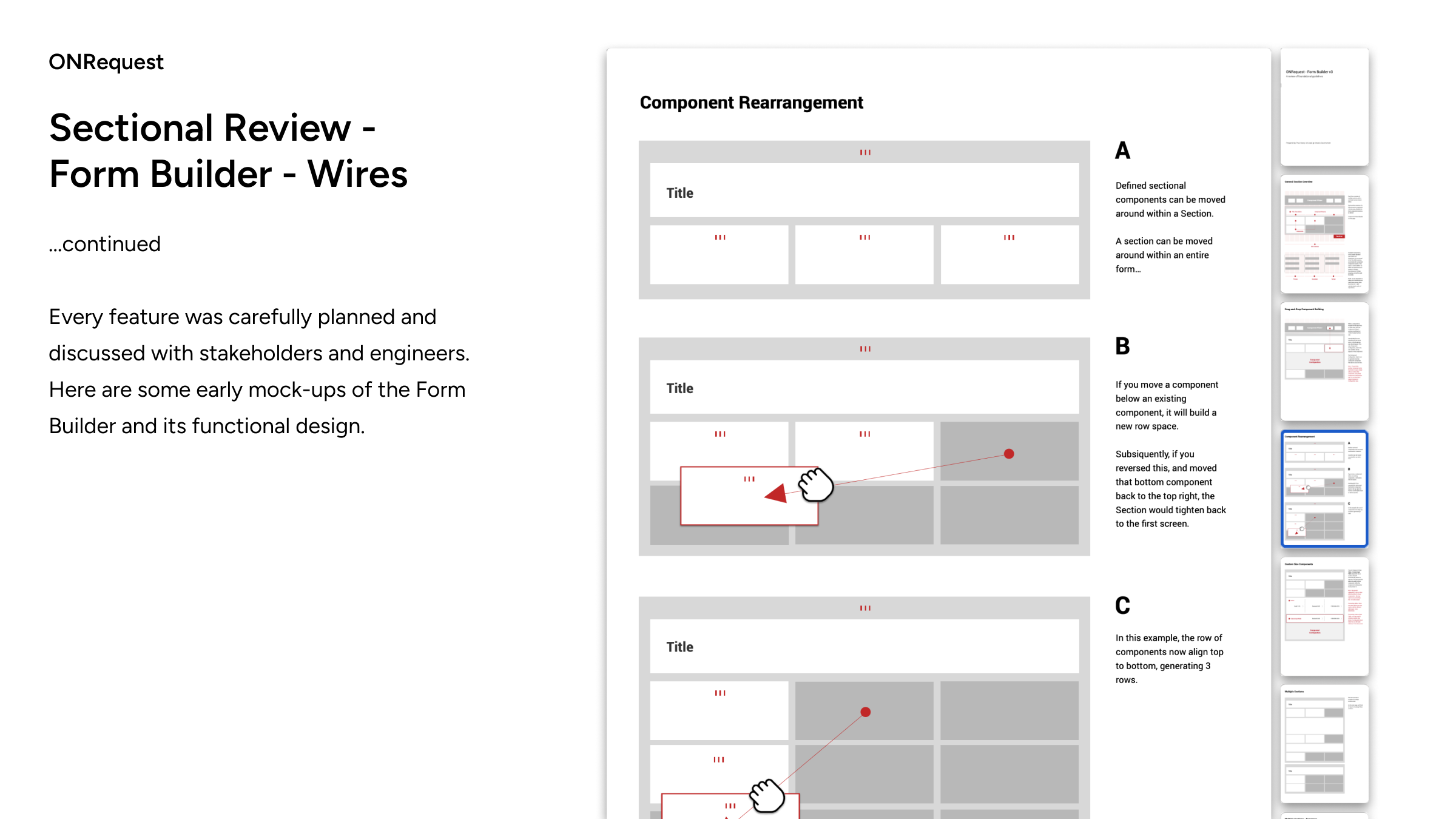
...continuedEvery feature was carefully planned and discussed with stakeholders and engineers. Here are some early mock-ups of the Form Builder and its functional design.

ONRequest
Sectional Review - Products & Services
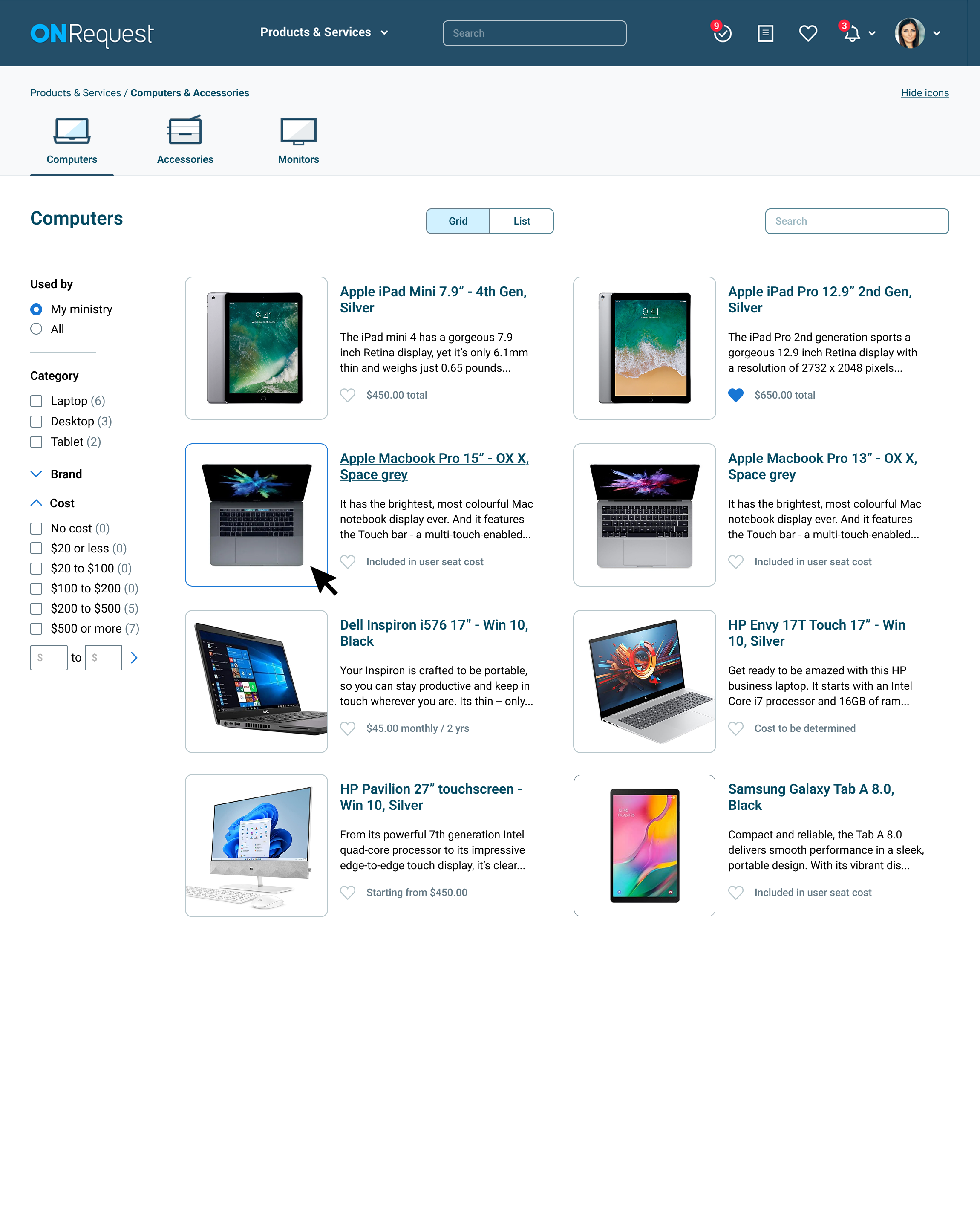
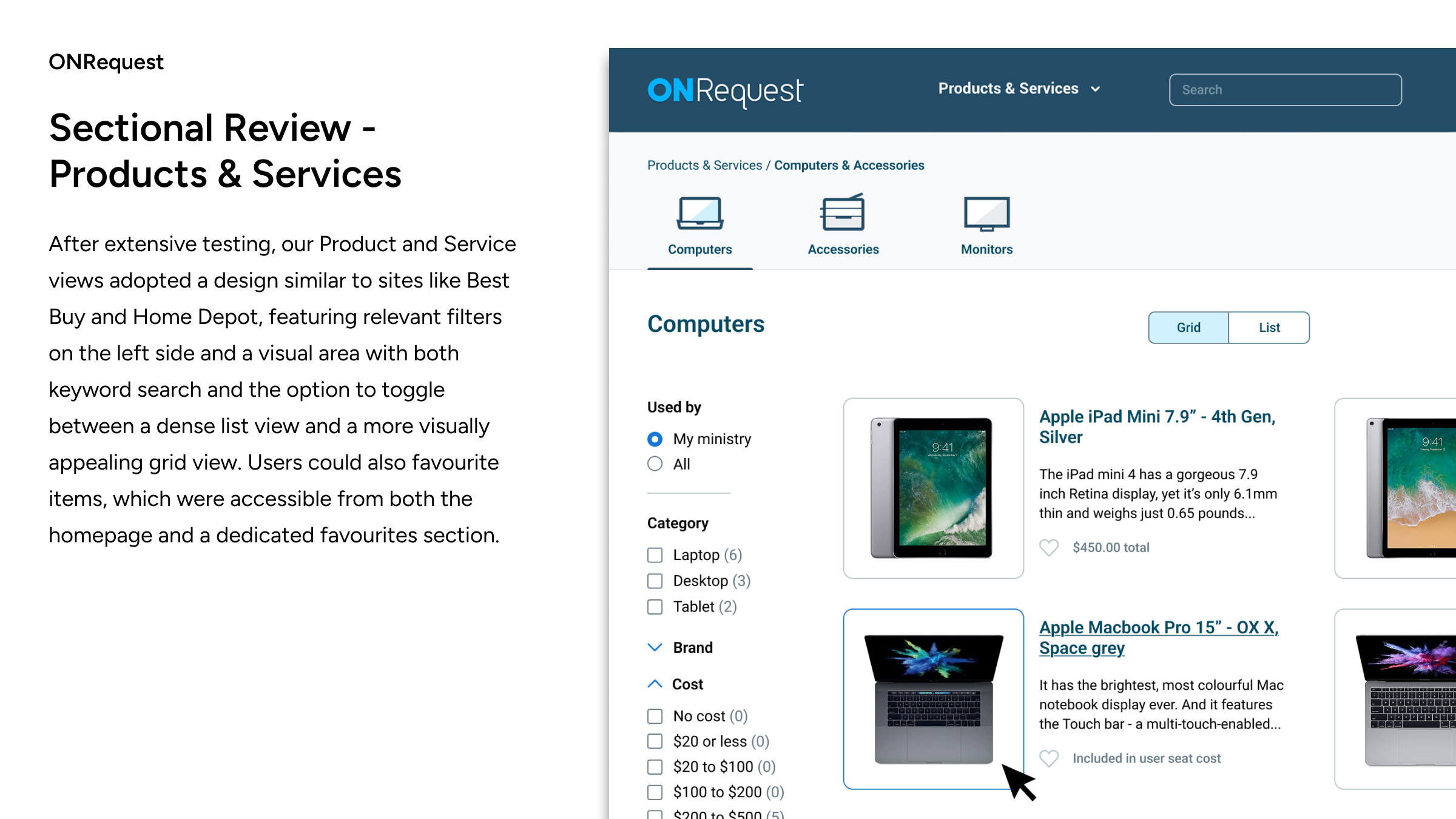
After extensive testing, our Product and Service views adopted a design similar to sites like Best Buy and Home Depot, featuring relevant filters on the left side and a visual area with both keyword search and the option to toggle between a dense list view and a more visually appealing grid view. Users could also favourite items, which were accessible from both the homepage and a dedicated favourites section.

ONRequest
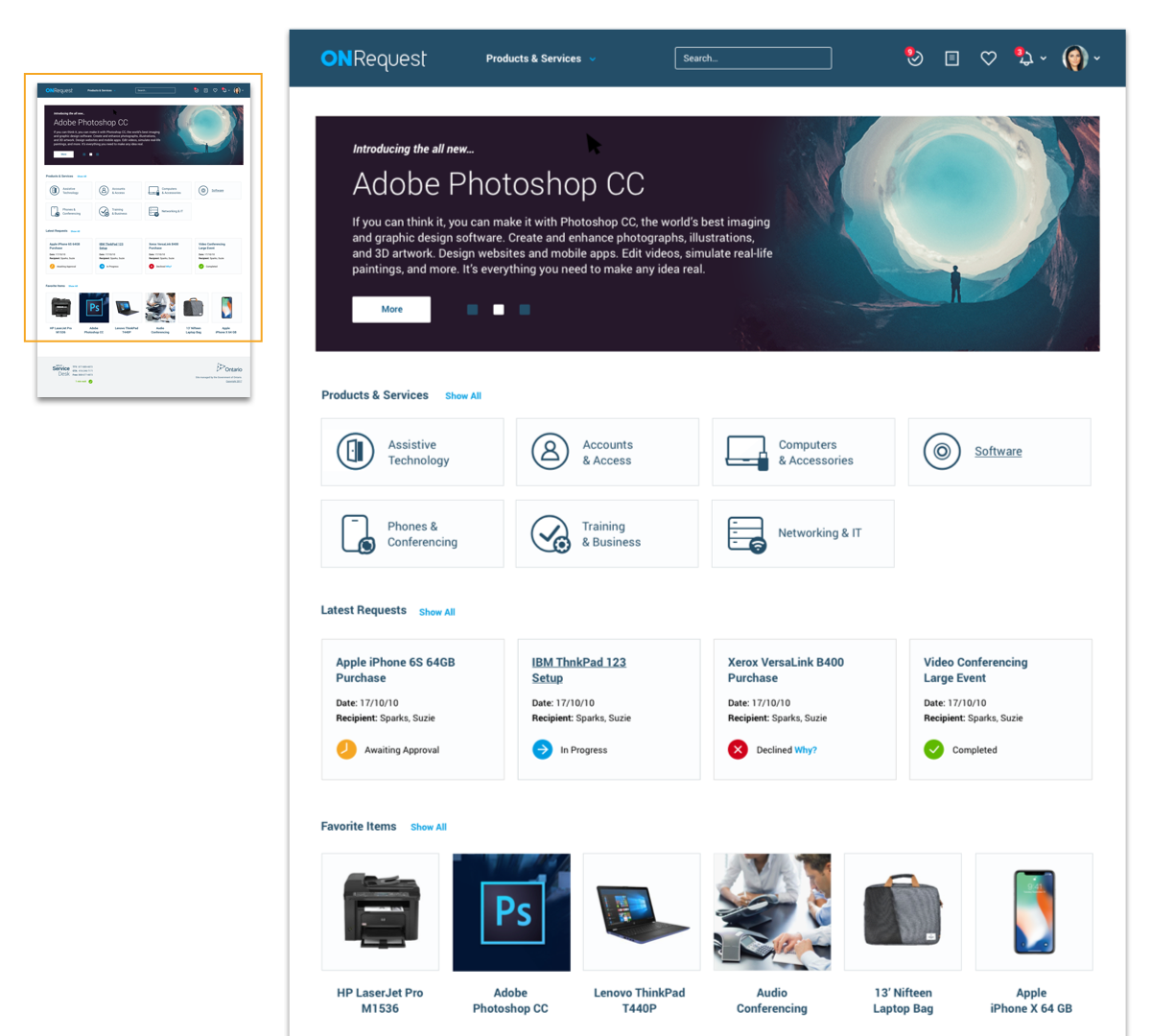
Sectional Review - Home
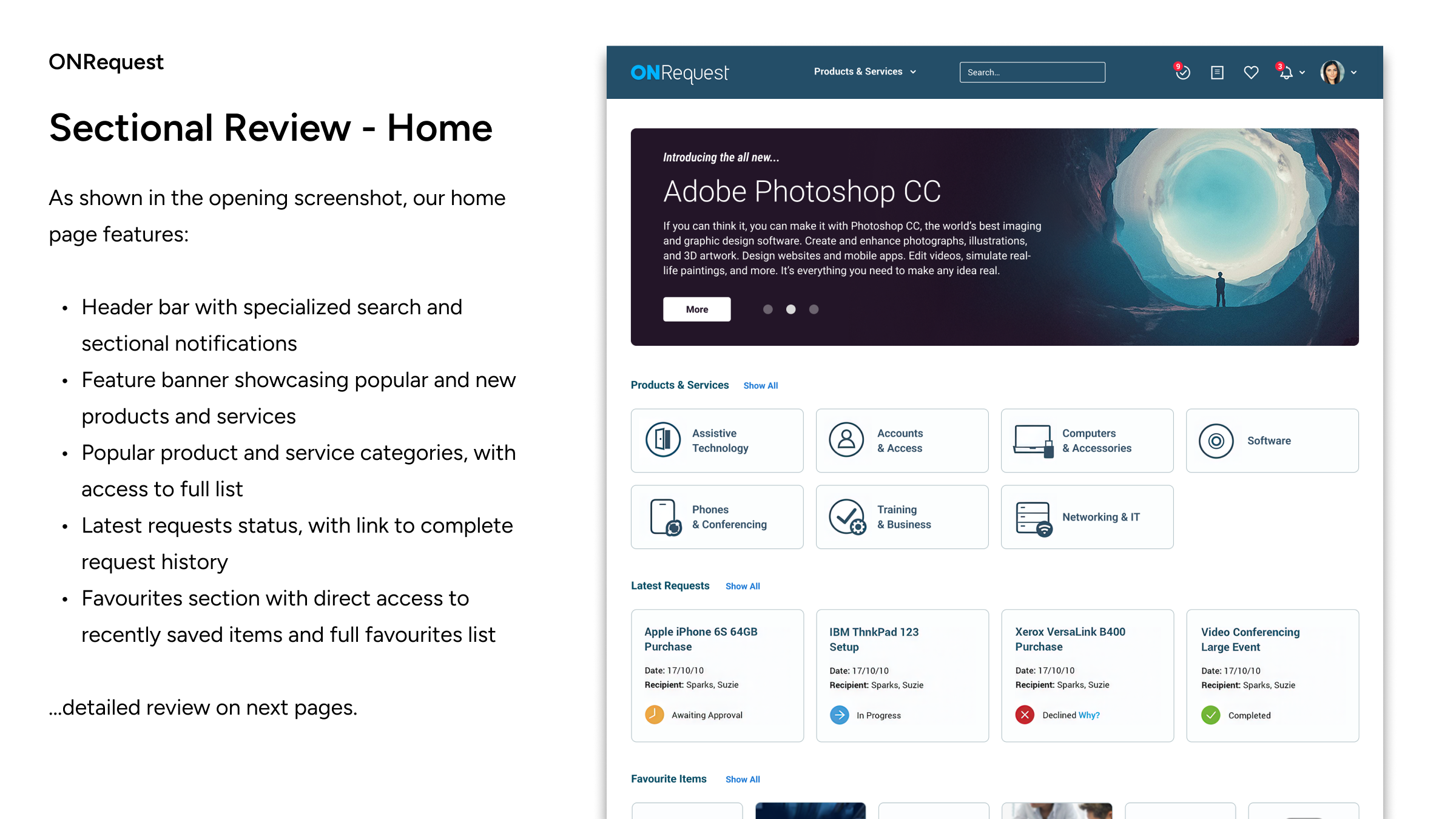
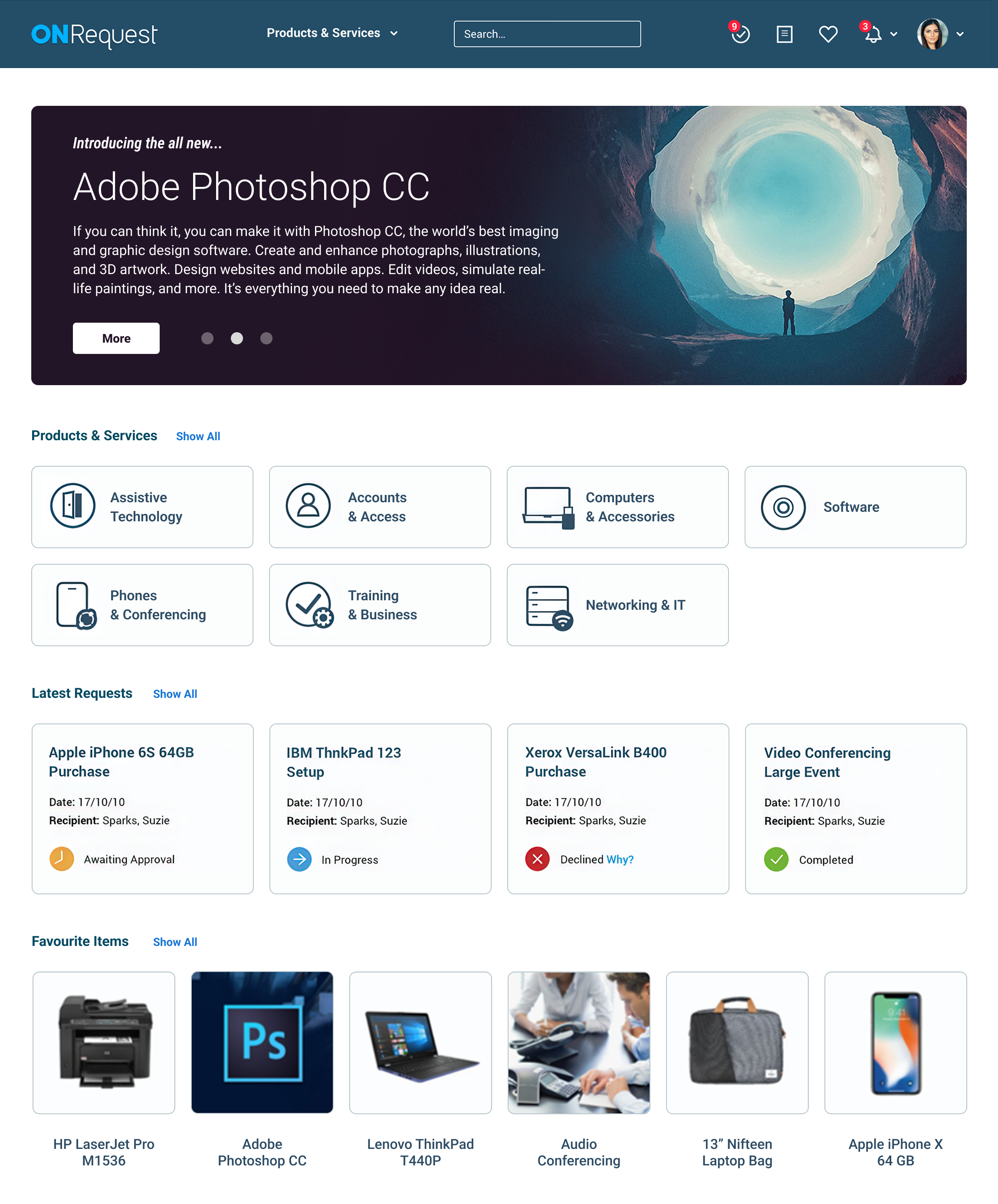
As shown in the opening screenshot, our home page features:
...detailed review on next pages.

ONRequest
Feature Review - Home: Header Access
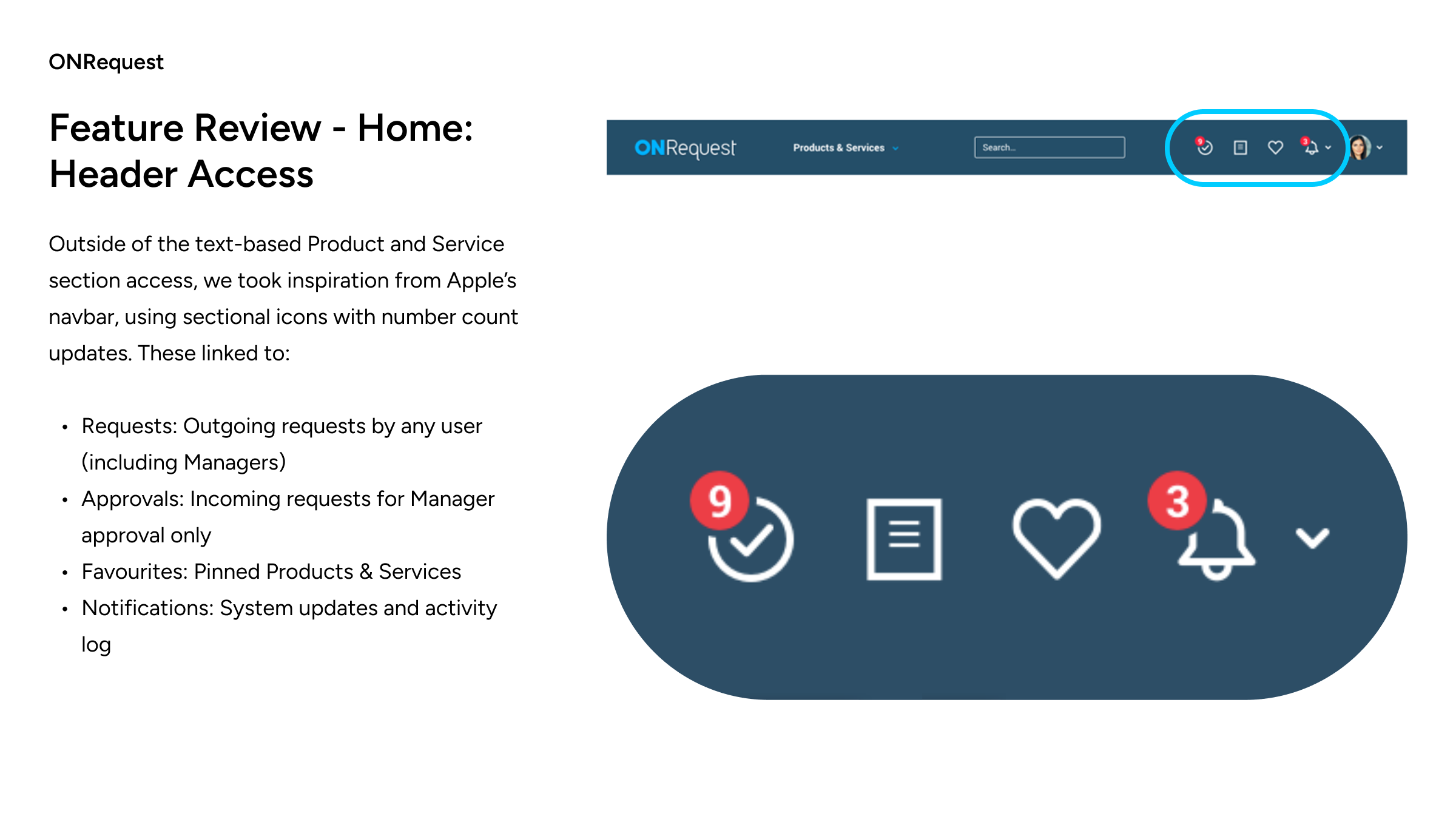
Outside of the text-based Product and Service section access, we took inspiration from Apple’s navbar, using sectional icons with number count updates. These linked to:


ONRequest
Feature Review -Home: Categories
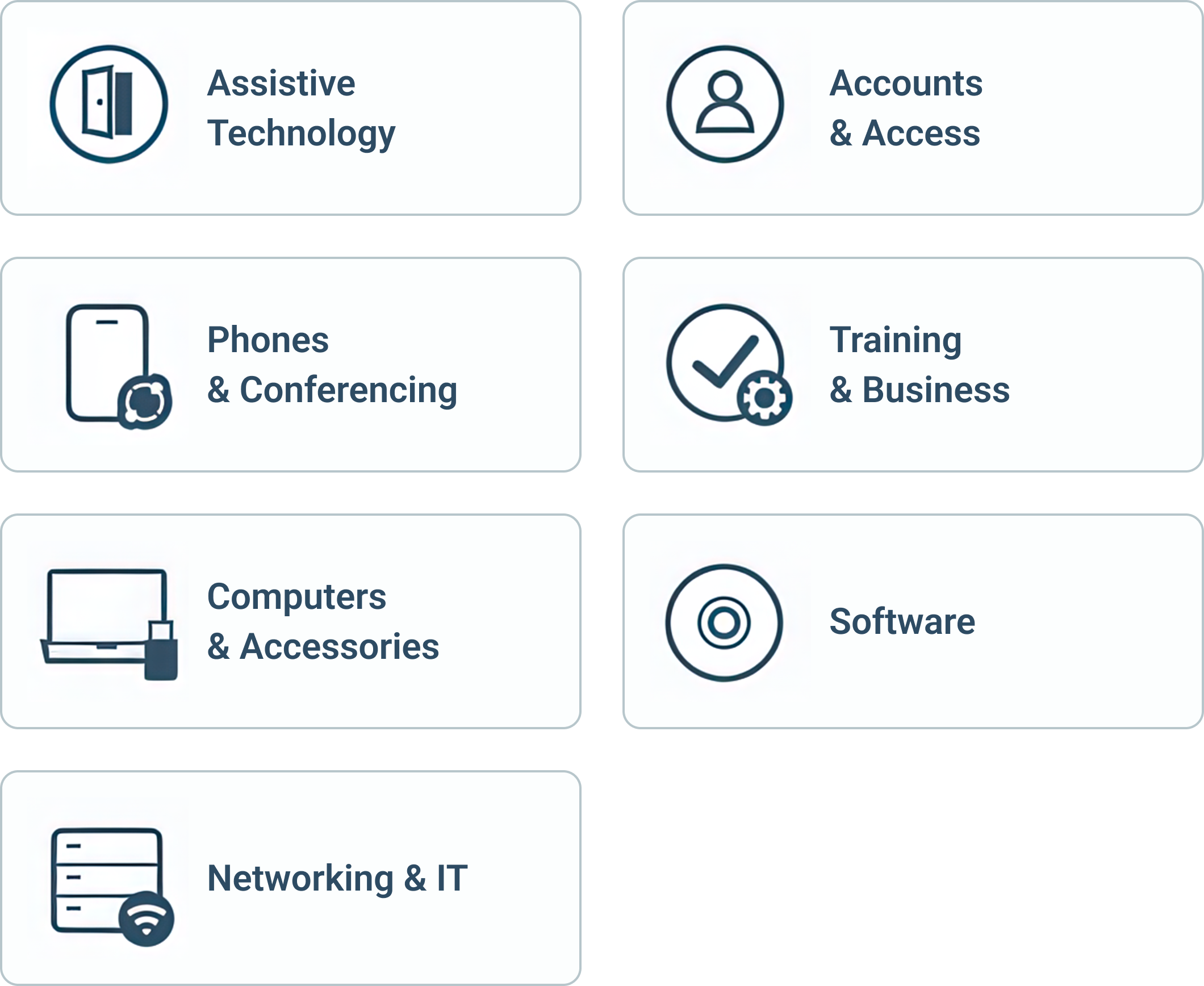
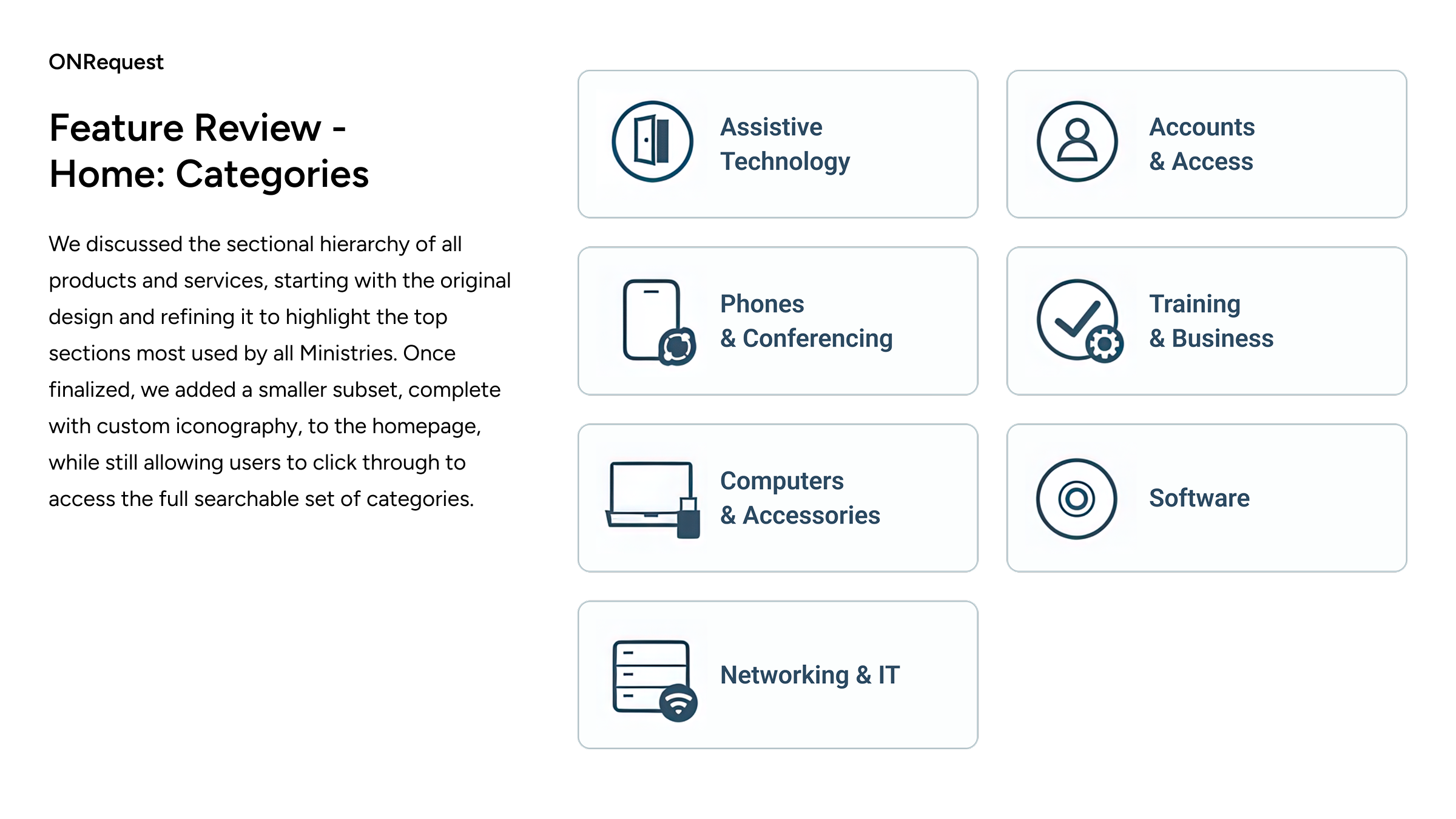
We discussed the sectional hierarchy of all products and services, starting with the original design and refining it to highlight the top sections most used by all Ministries. Once finalized, we added a smaller subset, complete with custom iconography, to the homepage, while still allowing users to click through to access the full searchable set of categories.

ONRequest
Feature Review - Home: Request Status
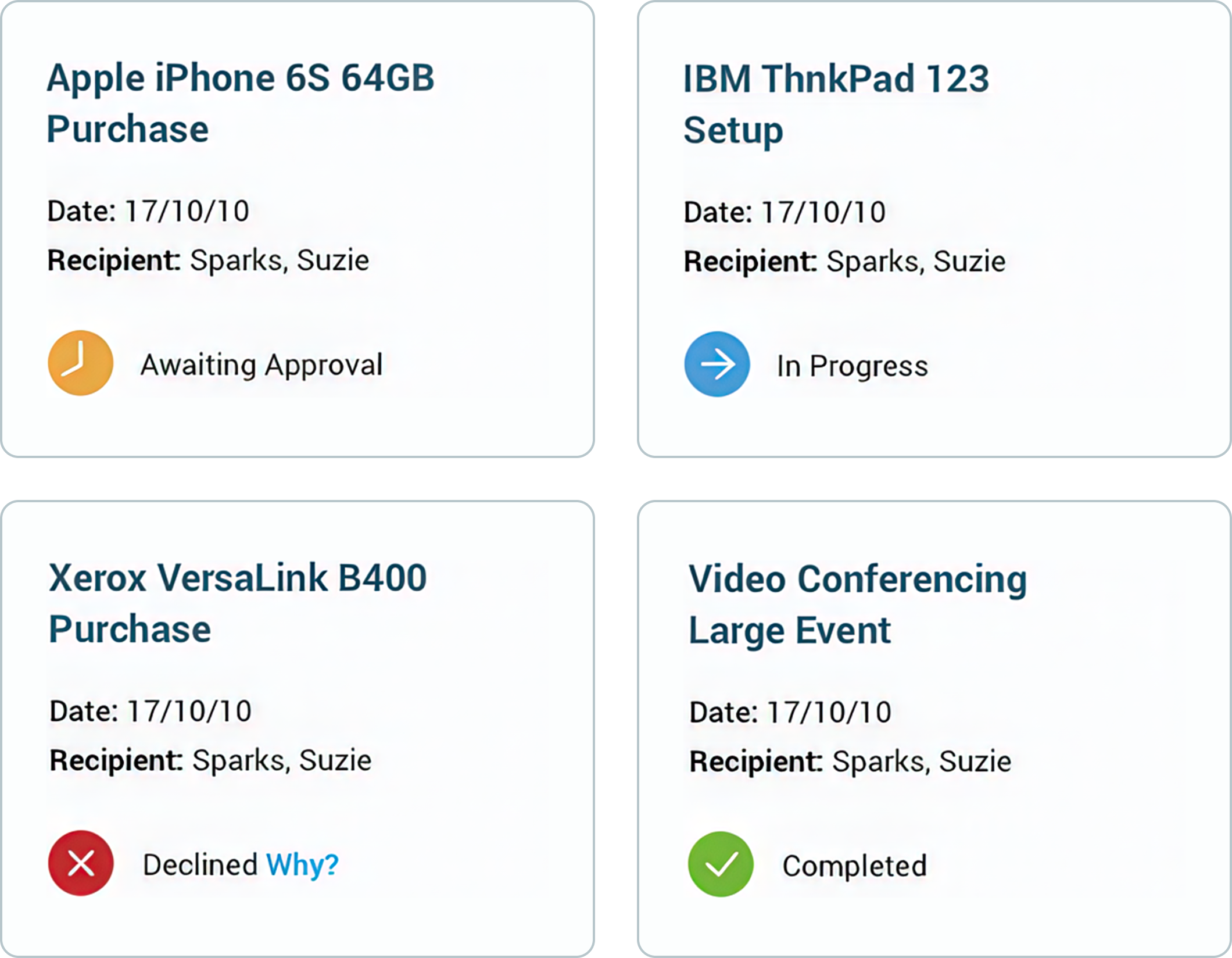
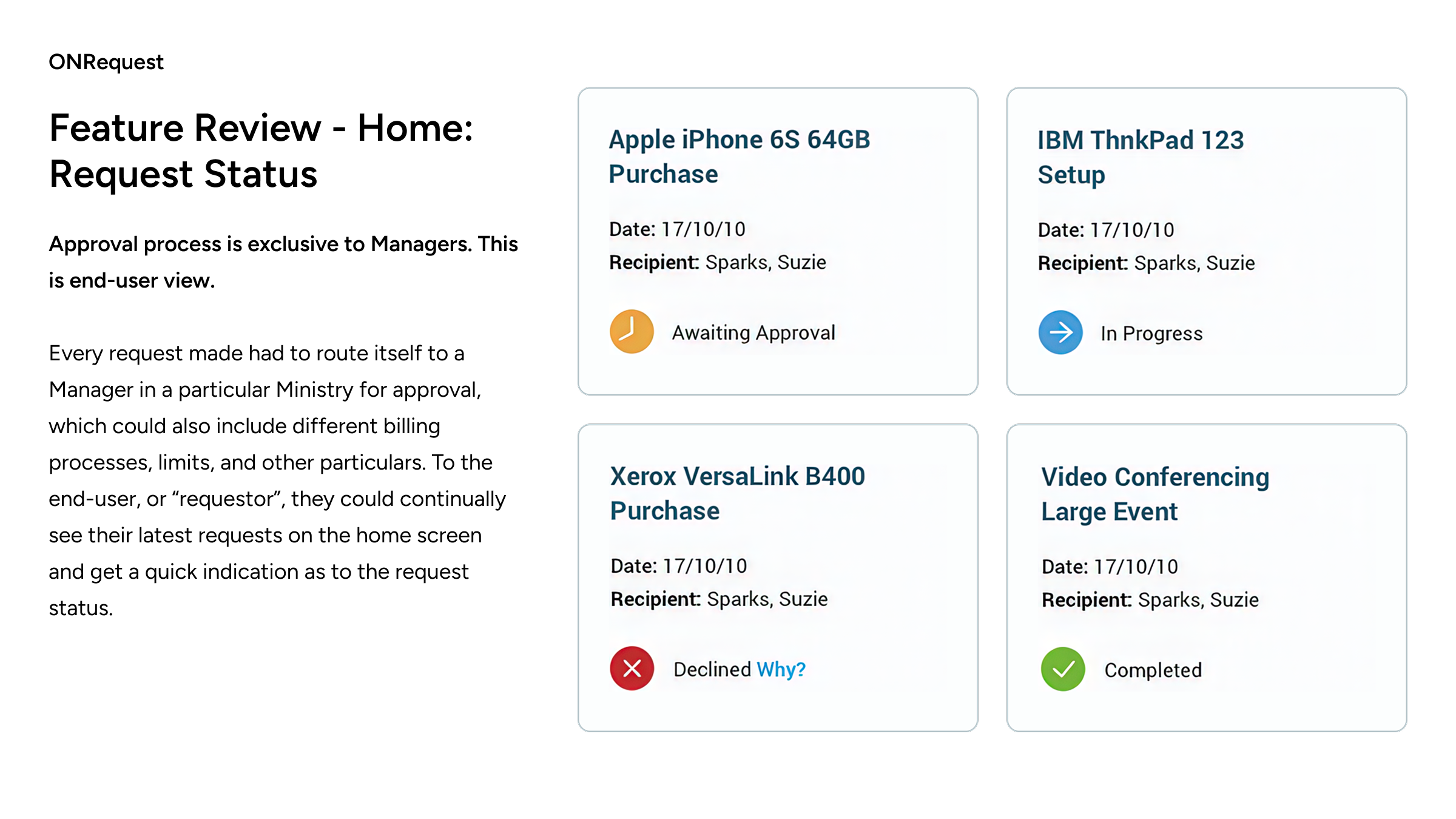
Approval process is exclusive to Managers. This is end-user view.Every request made had to route itself to a Manager in a particular Ministry for approval, which could also include different billing processes, limits, and other particulars. To the end-user, or “requestor”, they could continually see their latest requests on the home screen and get a quick indication as to the request status.

ONRequest
Feature Review - ONchat
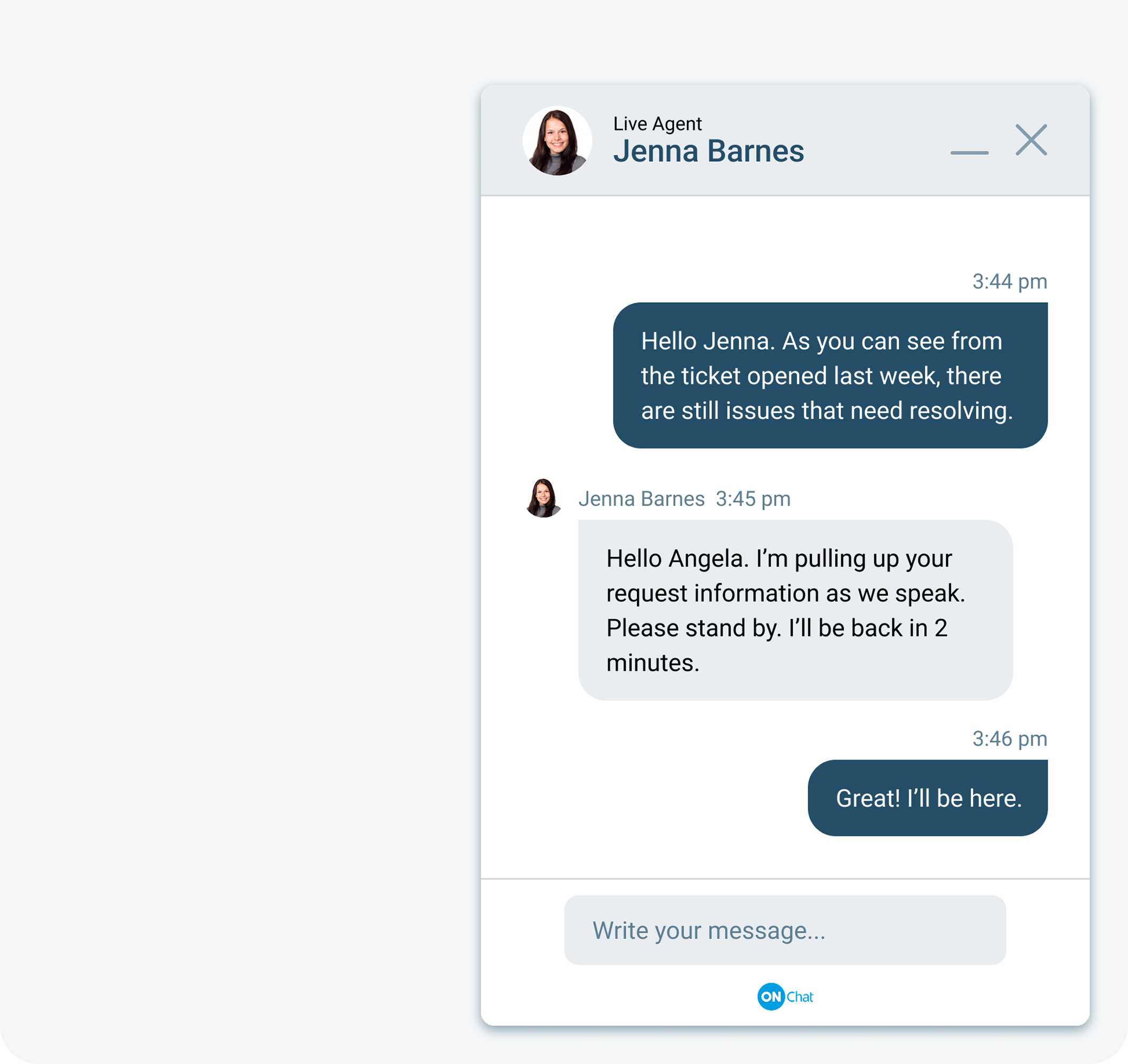
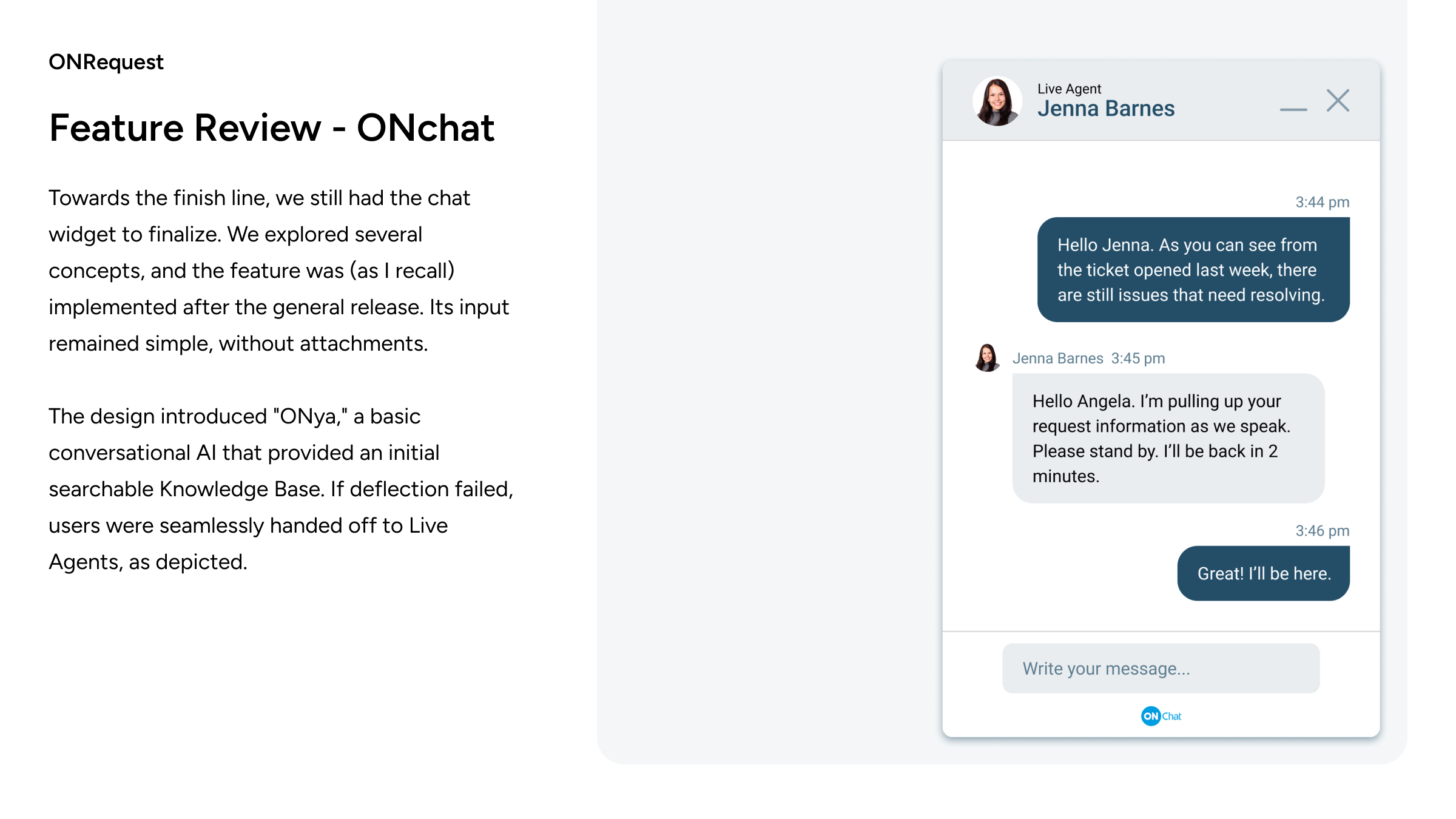
Towards the finish line, we still had the chat widget to finalize. We explored several concepts, and the feature was (as I recall) implemented after the general release. Its input remained simple, without attachments.
The design introduced "ONya," a basic conversational AI that provided an initial searchable Knowledge Base. If deflection failed, users were seamlessly handed off to Live Agents, as depicted.

ONRequest
Teaser Microsite
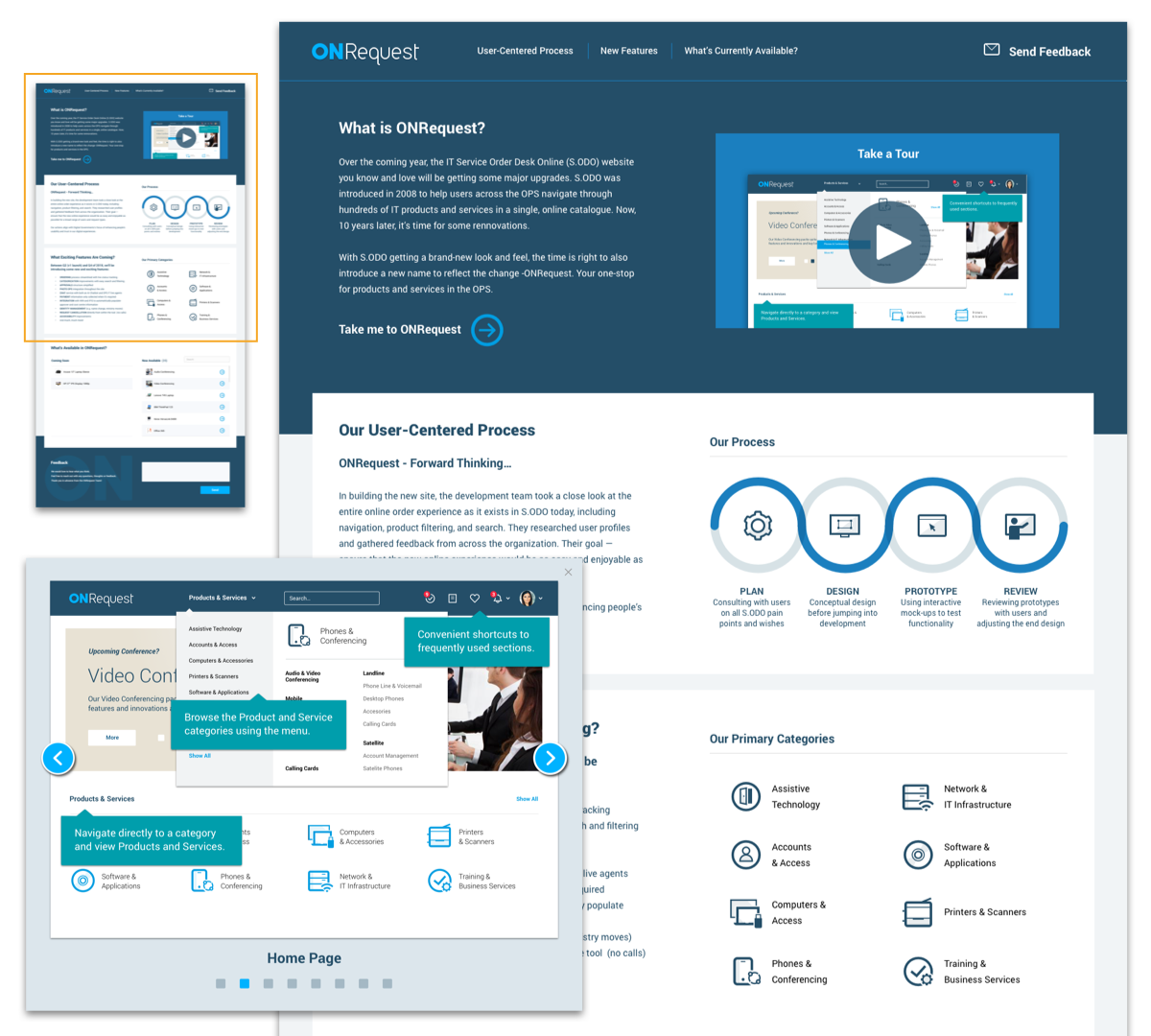
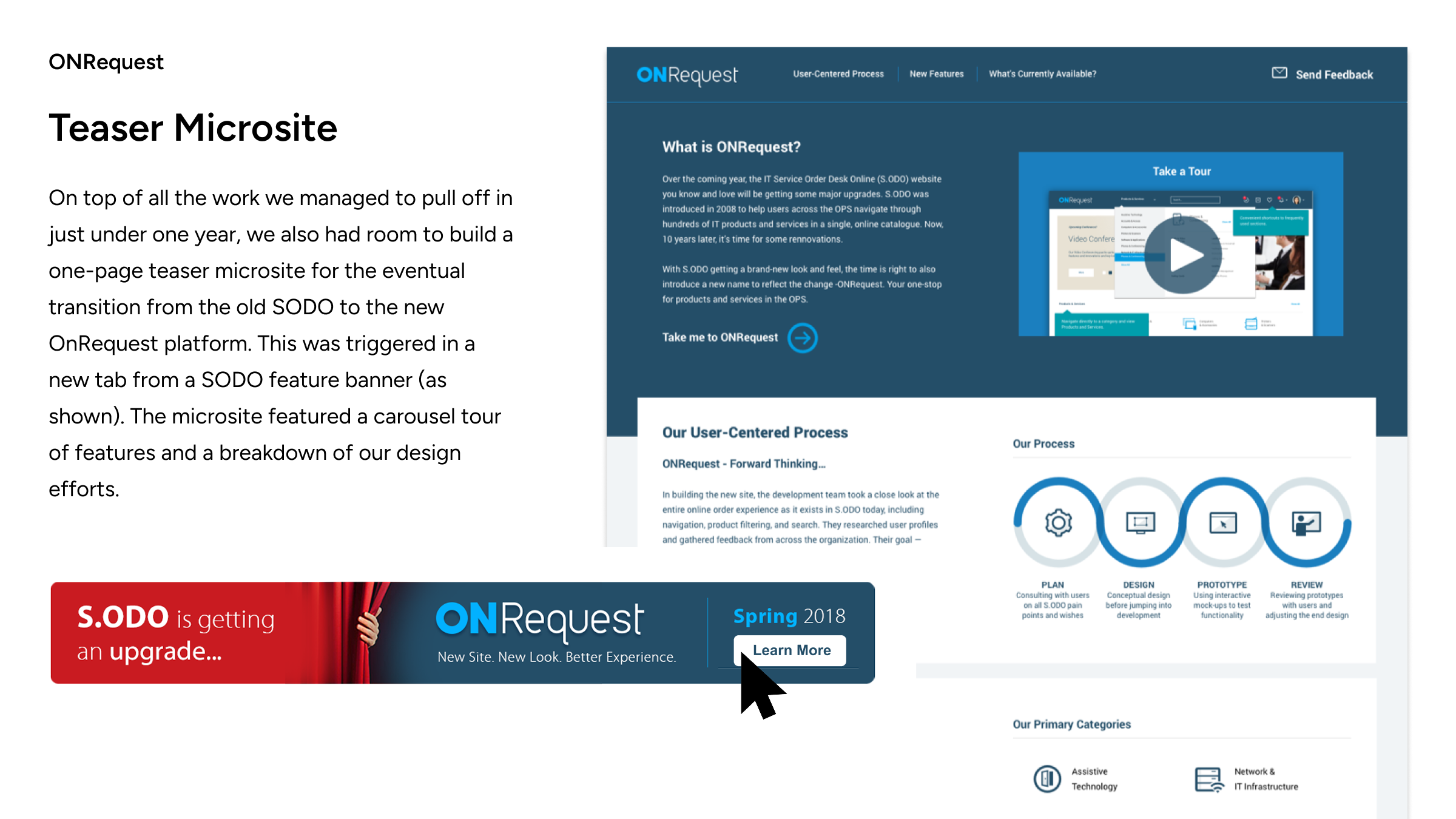
On top of all the work we managed to pull off in just under one year, we also had room to build a one-page teaser microsite for the eventual transition from the old SODO to the new OnRequest platform. This was triggered in a new tab from a SODO feature banner (as shown). The microsite featured a carousel tour of features and a breakdown of our design efforts.


Learn More

ONRequest
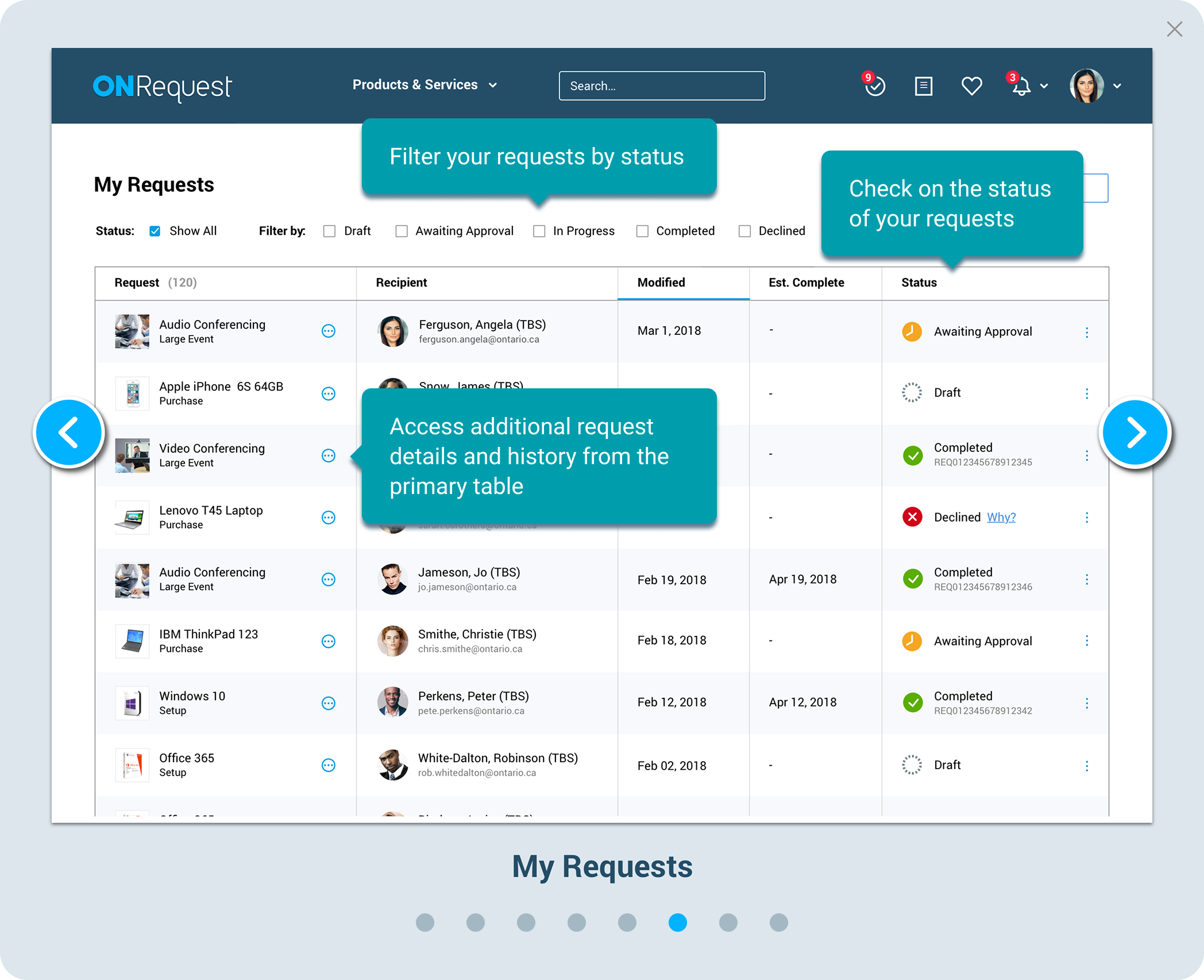
Teaser Microsite -Take a Tour Preview
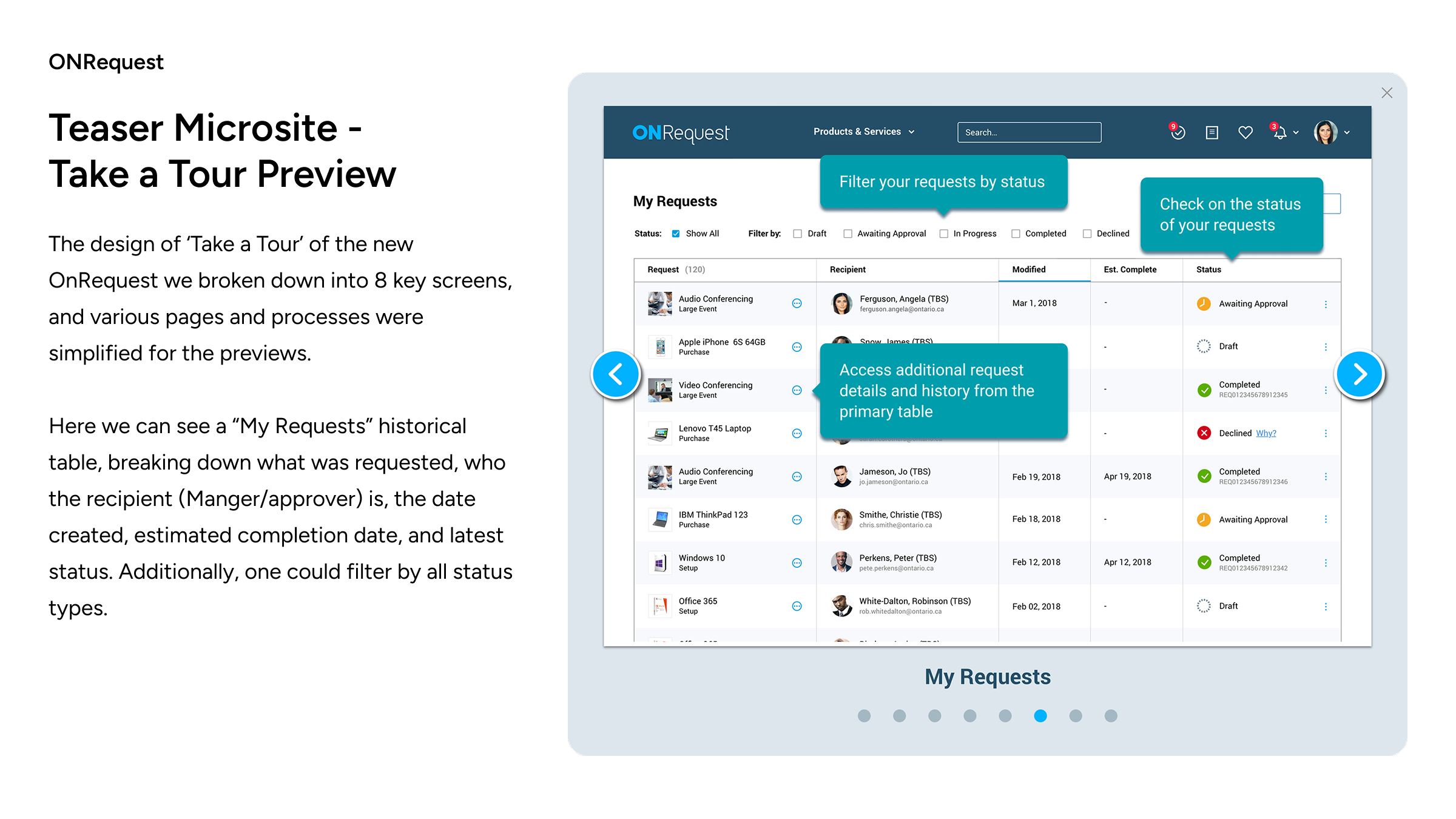
The design of ‘Take a Tour’ of the new OnRequest we broken down into 8 key screens, and various pages and processes were simplified for the previews.Here we can see a “My Requests” historical table, breaking down what was requested, who the recipient (Manger/approver) is, the date created, estimated completion date, and latest status. Additionally, one could filter by all status types.

ONRequest
Successful Launch!
OnRequest launched successfully and received praise from several ministries as a critical step in modernizing a key service. Several years later, I was recalled to participate in planning and designing OnRequest "Phase 2," which focused on adopting mobile-first principles and implementing additional UI and UX improvements that were not achievable in the first phase.Don’t forget to check out screens from “Phase 2” on GrantUX.com >

Thank you!
for your time