
Netomi - Agentic Studio: One Org’s Story

This special presentation is optimized and available for desktop only.

Netomi - Agentic Studio: One Org’s Story
This special presentation is optimized and available for desktop only.
Netomi - Agentic Studio: One Org’s Story
Please read NDA statement below before review
A platform walkthrough, told as a story.
Netomi's Agentic Studio is a conversational AI platform I helped shape over three years as UX Manager. Rather than an exhaustive feature inventory, I wanted to show it the way it actually works today, from the inside, through the eyes of someone who relies on it.
Sandra Strong, a VP at Zeon Lighting with "Org Admin" platform access, is fictional. The customers she supports are too. The platform, the problems it solves, and the results it delivers aren't. Every capability Sandra touches, every improvement she notices, is grounded in real work, real users, and real outcomes. What follows is the product as it stands today, and the story of how it got here.
NDA Statement
To reduce review friction while still complying with a no-publish NDA, I've kept proprietary details private. You'll see reimagined initial screens in full; other areas purposefully use blueprint-style graphics to represent structure without exposing vital details while still supporting the story narrative. Reach out if you'd like to discuss the full product in person.
Netomi:
Agentic Studio
Conversational AI, from Org-based configuration to end-customer interactions. A platform walkthrough.
We're going to follow a fictional Org Admin at Zeon Lighting through building, testing, deploying, and managing conversational AI agents. She knows this platform deeply. She's watched it grow.




Account
Summary
AI Agents
Assigned Users
Activity Log
Global Settings
Subscription


Languages

Enabled (2)
English
80%
French
50%

Not Enabled (3)
Mandarin
15%
Spanish
15%
Dutch
15%
Languages
Enabled (2)
English
80%
French
50%

Not Enabled (3)
Mandarin
15%
Spanish
15%
Dutch
15%

120
Conversations

+3%
Last 7 days
85%
Classification
+3%
Last 7 days
65%
Deflection
+3%
Last 7 days
AI Agent Persona


Name:
Cora
Role:
Customer Support
Tone:
Professional

Generative AI Prompt:
Cora-Base-Prompt-Behaviour v. 2.0
Response Model:
ModelName v. 2.0
Classification Model:
Classification v. 3.0


Cora Support - Chat
Netomi Chat @ Zeon.com
Cora Support - Voice
Netomi Voice Agent
Email Automation
-
Pending Updates
Staging
Ready to update:
Topics
Entities
Answers
15 min remain

Production
Ready to update:
Topics
Entities
Answers
Deploy
AI Agents - Latest
Show All
Activity Log - Latest
Show All

Team Changes

My Changes

PR
05-Nov-2025, 4:29 PM

Workflow: Cancellations v2
Deleted recipe: Order Status

MS
04-Nov-2025, 2:21 PM
Workflow: Cancellations v2
Created recipe: Order Status

AL
03-Nov-2025, 1:12 PM

Prompt: Cora-Base-P... v. 2.0
Changed tone: Professional
Test Chat
PERSONA
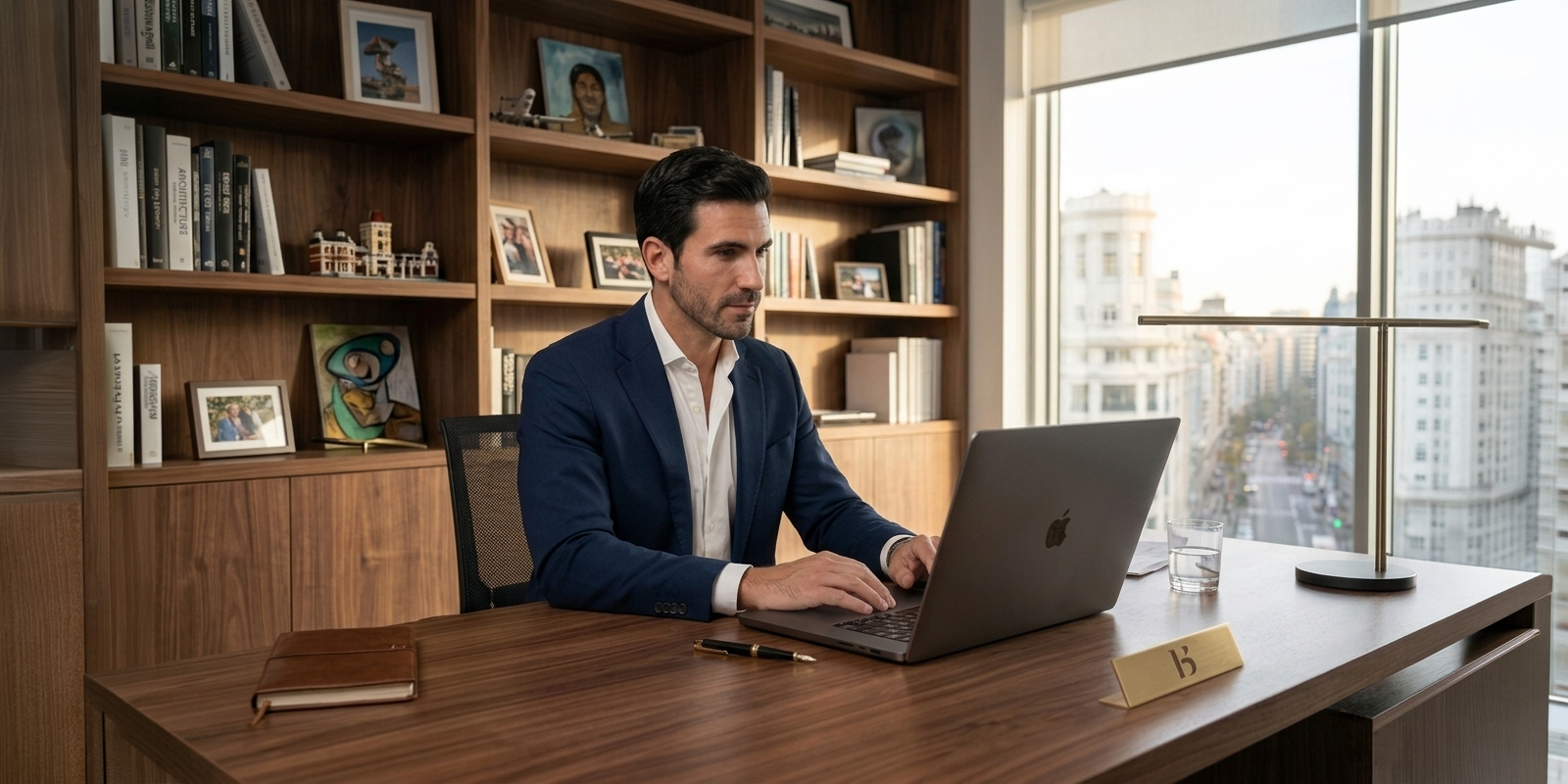
Sandra StrongVP Customer Experience@ Zeon Lighting
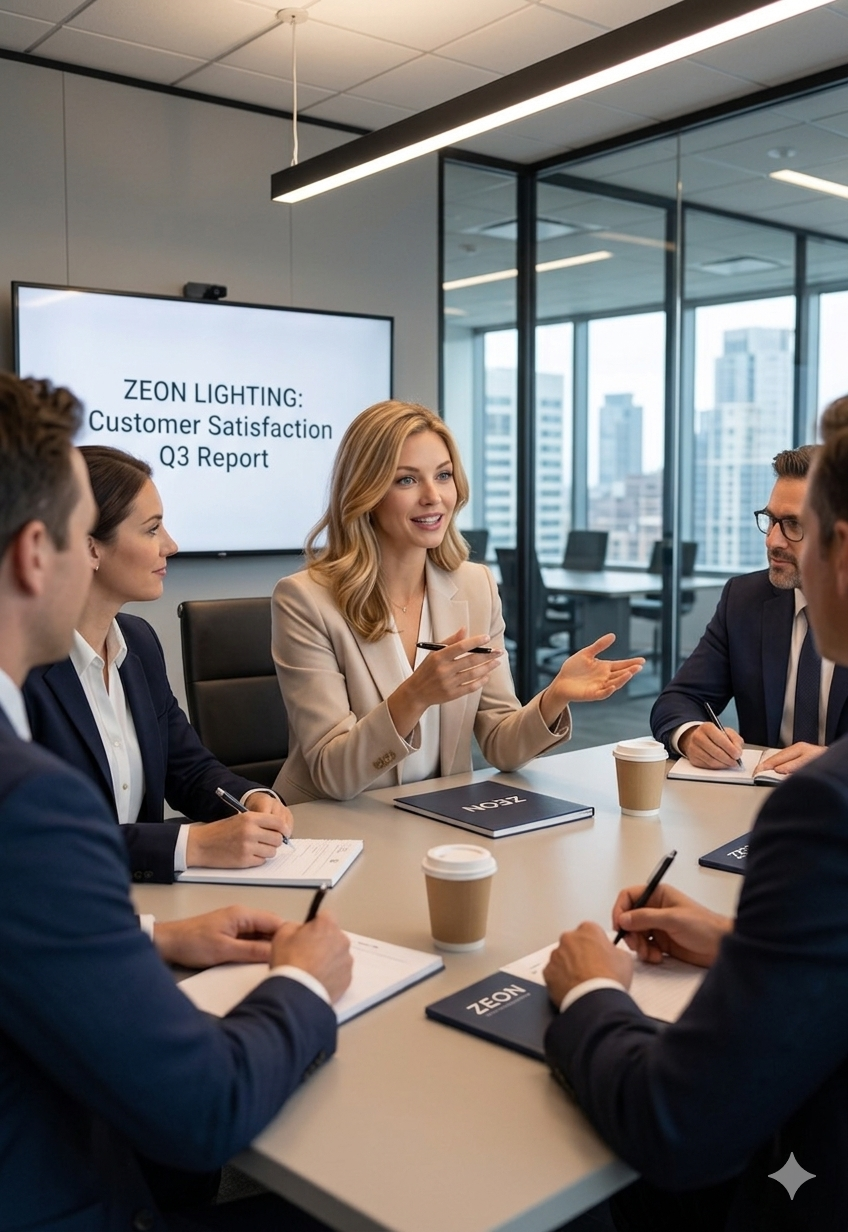
Meet Sandra.
She's been running Netomi's Agentic Studio at Zeon Lighting for two years. Long enough to remember the rough edges. Long enough to appreciate how much has changed.
As Org Admin within the platform, she has the keys to the whole operation. When something improves in Agentic Studio, Sandra notices. When something still needs work, she notices that too.
Why Zeon Lighting Chose Netomi?
Zeon Lighting has been in the commercial and industrial space since 1987. Started in retail, they grew into a significant online presence and with it, a surge in web-based customer support demand.
Their website handled live agent chat and limited live agent voice calls. But as their smart lighting and IoT line took off, chat volume scaled faster than their team could. Technical questions, installation queries, product compatibility, the bulk of it landing in chat at a volume that live agents alone couldn't absorb.
The priority was clear: scale website engagement and support without growing headcount. In 2022, third-party LLM integrations weren't yet in the picture. Conversational AI was a bespoke, in-house discipline and Netomi was research-rated as one of the strongest solutions in the space. For Zeon, it was an easy call.
Sandra's Goals in Agentic Studio
Flash forward to today: Sandra owns Zeon's deployment end-to-end. As Org Admin, she can configure agents, manage escalations, and control team access directly, or delegate to her team. Either way, she's accountable for every customer interaction meeting Zeon's standards and brand voice. Response times are down, resolution rates are up, and the team handles significantly more volume without proportional headcount growth. Those early goals? Accomplished.
What keeps Zeon with Netomi is that the platform hasn't stood still. 3rd party LLM integrations, advanced CX features, agentic capabilities, evolving voice support and more.
Today, Sandra isn't just maintaining what works. She's pushing further.Let's follow along as she reviews a current chat deployment and discover how far the platform has come.

Account: Summary
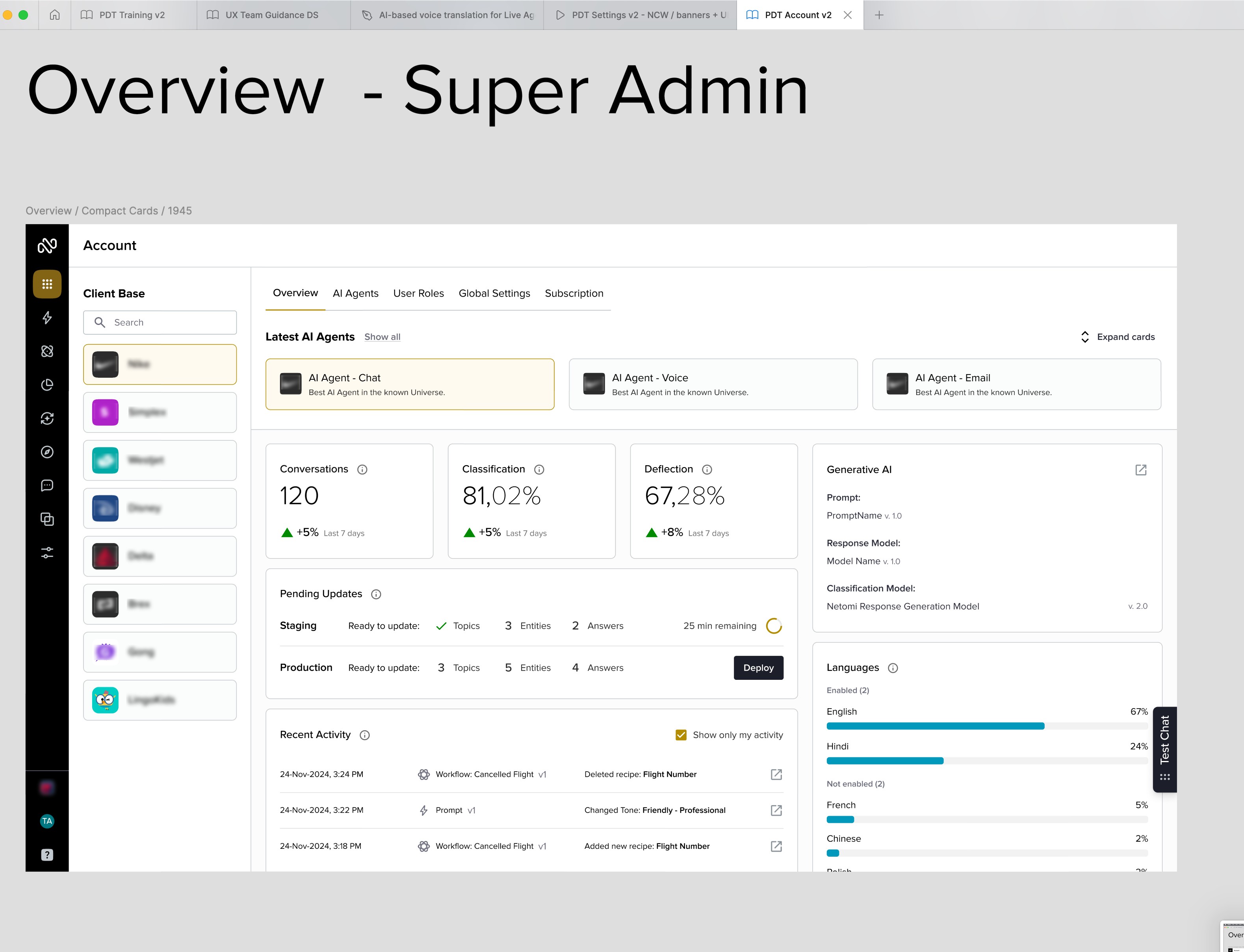
Sandra logs in and lands on the all-new Summary dashboard, under Account. Everything she needs is visible — the current AI agent details, team activity, pending updates, high-level metrics, and more.
Two years ago, this administrative layer didn't exist for her. Org-level management was handled on Netomi's side, and AI agents had to be logged in via separate instances. When managing her team, Sandra submitted requests and waited. Now she has full visibility and full control.
Improvement: Org administration moved from Netomi's internal team to the customer. Faster decisions, less friction, full autonomy. The foundations of self-serve have arrived.
Account
Summary
AI Agents
Assigned Users
Activity Log
Global Settings
Subscription
Languages
Enabled (2)
English
80%
French
50%
Not Enabled (3)
Mandarin
15%
Spanish
15%
Dutch
15%
Languages
Enabled (2)
English
80%
French
50%
Not Enabled (3)
Mandarin
15%
Spanish
15%
Dutch
15%
120
Conversations
+3%
Last 7 days
85%
Classification
+3%
Last 7 days
65%
Deflection
+3%
Last 7 days
AI Agent Persona
Name:
Cora
Role:
Customer Support
Tone:
Professional
Generative AI Prompt:
Cora-Base-Prompt-Behaviour v. 2.0
Response Model:
ModelName v. 2.0
Classification Model:
Classification v. 3.0
Cora Support - Chat
Netomi Chat @ Zeon.com
Cora Support - Voice
Netomi Voice Agent
Email Automation
-
Pending Updates
Staging
Ready to update:
Topics
Entities
Answers
15 min remain
Production
Ready to update:
Topics
Entities
Answers
Deploy
AI Agents - Latest
Show All
Activity Log - Latest
Show All
Team Changes
My Changes
PR
05-Nov-2025, 4:29 PM
Workflow: Cancellations v2
Deleted recipe: Order Status
MS
04-Nov-2025, 2:21 PM
Workflow: Cancellations v2
Created recipe: Order Status
AL
03-Nov-2025, 1:12 PM
Prompt: Cora-Base-P... v. 2.0
Changed tone: Professional
Test Chat
Product Updates
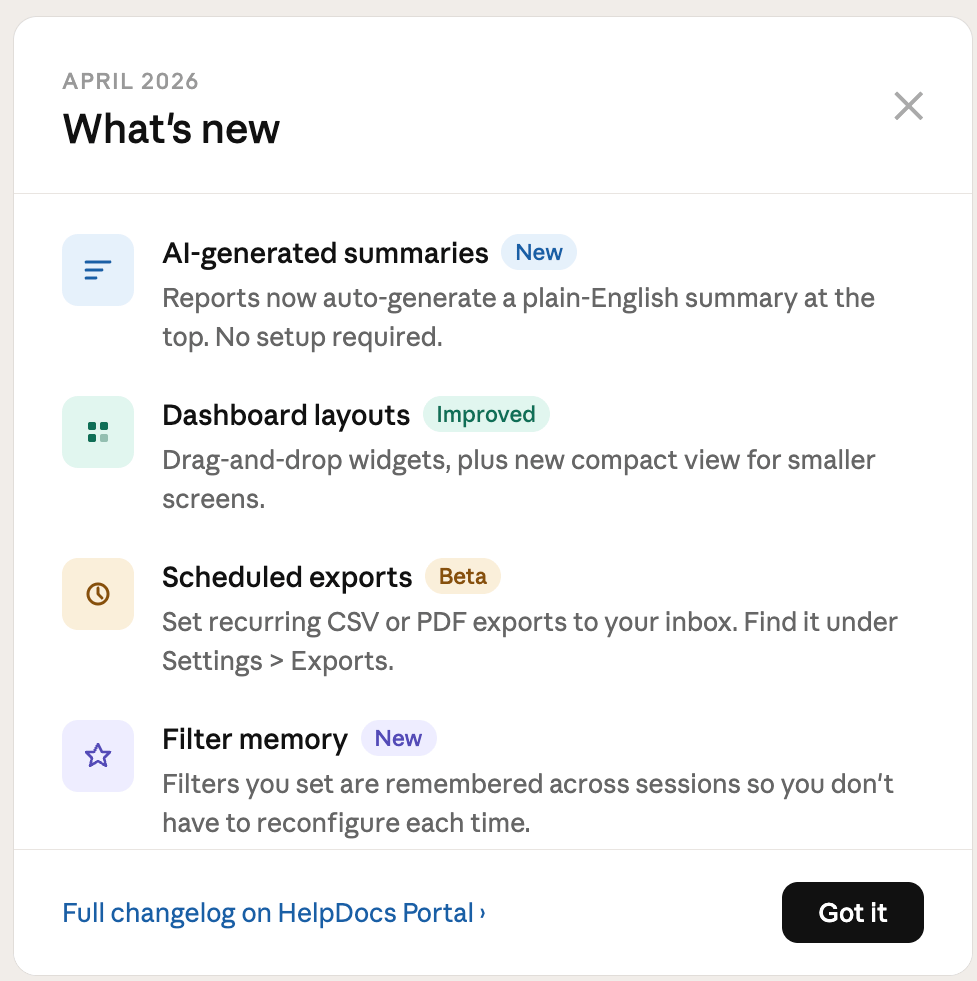
There's been a release since Sandra last logged in.
The "What's New" panel greets her automatically. A clean visual overview of what's changed: new features, updates, links to help documentation and training if she wants to go deeper. If she dismisses the panel, it can always be recalled from within the Navigation's Help section.
Sandra used to find out about platform updates from a change-log email. Sometimes days after the fact. This is a welcome feature.
Improvement: Proactive in-app release communication, across an Org’s team, surfaced directly after login.
Account
Summary
AI Agents
Assigned Users
Activity Log
Global Settings
Subscription
Languages
Enabled (2)
English
80%
French
50%
Not Enabled (3)
Mandarin
15%
Spanish
15%
Dutch
15%
Languages
Enabled (2)
English
80%
French
50%
Not Enabled (3)
Mandarin
15%
Spanish
15%
Dutch
15%
120
Conversations
+3%
Last 7 days
85%
Classification
+3%
Last 7 days
65%
Deflection
+3%
Last 7 days
AI Agent Persona
Name:
Cora
Role:
Customer Support
Tone:
Professional
Generative AI Prompt:
Cora-Base-Prompt-Behaviour v. 2.0
Response Model:
ModelName v. 2.0
Classification Model:
Classification v. 3.0
Cora Support - Chat
Netomi Chat @ Zeon.com
Cora Support - Voice
Netomi Voice Agent
Email Automation
-
Pending Updates
Staging
Ready to update:
Topics
Entities
Answers
15 min remain
Production
Ready to update:
Topics
Entities
Answers
Deploy
AI Agents - Latest
Show All
Activity Log - Latest
Show All
Team Changes
My Changes
PR
05-Nov-2025, 4:29 PM
Workflow: Cancellations v2
Deleted recipe: Order Status
MS
04-Nov-2025, 2:21 PM
Workflow: Cancellations v2
Created recipe: Order Status
AL
03-Nov-2025, 1:12 PM
Prompt: Cora-Base-P... v. 2.0
Changed tone: Professional
Test Chat
What’s New?


Settings / Netomi Chat Widget
Improved
Explore the new scheduling feature for upcoming customer notifications.
Dashboard layouts
Improved
Dive into the improved Overview (home) tab, with enhanced summarization widgets.
Workflow: Copilot Builder
Beta
Learn more about new advanced AI automation tools in Workflow Builder, currently in Beta.
Enhanced Documentation
New
Explore our new in-app training videos, designed to quickly get you up-to-speed on all the latest features of Agentic Studio.
Help Docs - release notes 10.05
Got it
Remaining product graphics appear in wireframe style for NDA compliance, not lack of craft.
Account: AI Agents
Moving on from product updates, Sandra chooses to review all agent builds, deployed and in progress, along with the current in-focus agent: “Cora Support - Chat.”
This is where Zeon's deployments live. Every agent across every channel: chat, voice, email, and more. All built, configured, and managed from the same platform.
Zeon is chat-first today but is preparing to deploy multi-channel support soon, and her team is already building those solutions. The full picture is visible right here, and the infrastructure to expand is in place.
Improvement: All deployments are now visible and manageable from a single space.
Account
Summary
AI Agents
Assigned Users
Activity Log
Global Settings
Subscription


In-focus AI Agent with all high-level particulars
Account: Assigned Users
After reviewing the AI agent builds, Sandra moves to review the Assigned Users tab.Her full team is here. Roles, permissions, and section-level access, all configurable from one place. She can see who has access to what, make changes directly, and trigger a historical audit of any user's activity, opening the Activity Log filtered to that user.
Agentic Studio has evolved from a flat org to a dynamic one, with role variability that fits every job. This allowed Sandra to grow from an army of one to bringing on specialized talent for dedicated tasks.
Improvement: Added full customer-controlled team access, roles, and oversight.
Account
Summary
AI Agents
Assigned Users
Activity Log
Global Settings
Subscription


Assigned AI Agent access
In-focus user and assigned role
Account: Activity Log
Sandra moves to the Activity Log tab.
Beyond seeing all historical actions taken by her team, a feature just recently introduced to the Account section, Sandra as admin has the final say in rolling back changes to workflows, personas, actions, and more. Management is no longer reactive, but proactive.
Improvement: Admins can now see and act on all historical changes from a single panel, providing instant accountability before updates are deployed.
Account
Summary
AI Agents
Assigned Users
Activity Log
Global Settings
Subscription

User history that can be filtered and rolled back
Build: AI Persona & Tone
Sandra's team has been crafting new capabilities for their chat-based AI agent, to better shape AI response behaviour.
The AI Persona section, under the Prompt Manager, is where this work starts. As Netomi expanded to support third-party LLMs, they introduced an exposed tuning layer, giving customers a way to define the agent's voice, tone, and personality. Sandra has that now. A consistent, configurable identity, regardless of which model runs underneath. Once built, the Evaluation tab lets her test and measure performance.
Improvement: Third-party LLM support now includes tone, personality, and a safety layer. Voice stays consistent, regardless of model.

Prompt Manager
AI Persona
Evaluation


This form lets you configure tone, style, and personality traits that layer over top of your business profile. You can create and evaluate different persona versions to find the best fit for your business.
Basic
Advanced


Build: Actions
With the AI Persona reviewed, Sandra turns to the equally new Actions section, under Training, here to check in on the recent agentic enhancements made to Zeon's existing deployment by her team.
From looking up order status to triggering a return, Actions are the operational layer of the agent and the foundation of agentic behaviour. Rather than just responding, the agent acts: completing processes, moving data, resolving issues end-to-end without human intervention.
Improvement: Netomi's agentic layer gives the agent real capability, not just answers, but outcomes.

Training
Topics
Workflows
Entities
AnswerLogic
Actions


A list of ready-made and user-generated Actions / Agentic Processes
Build: Workflows
For Sandra and her team, the new enhancements to Agentic Studio didn't replace what worked.
Workflows are still here. Step-by-step instruction sets, guided logic, third-party integrations her team has spent months refining. The backbone of how Zeon's agents handle their common support paths.
The UX has sharpened too. AI-assisted auto-complete speeds up flow creation, and team annotation lets collaborators leave notes directly on flows.
Improvement: The builder now includes AI-assisted creation and in-flow team collaboration. Faster builds, fewer hand-offs.


< Workflows

Work area / Canvas
Focused node details from the canvas
Available Nodes


Build: Foundation & RAG
Every answer the agent gives has to come from somewhere.
Zeon's knowledge base holds the product specs, the FAQs, the troubleshooting guides, the foundation that gives it something true to say. Q&A pairs handle the high-confidence responses. RAG dynamically retrieves the most relevant content at query time, so the LLM responds accurately, not just fluently. Persona (new) and Prompts (new) shape the agent's voice and behavior. Actions (new) give it real capability. Workflows provide the established structure.
Improvement: With Persona and Actions in place, the agent moved from responding to resolving. Capable and on-brand at scale.
UNDER THE HOOD
User Query - Input


Prompt Assembly
RAG
Knowledge
Q&A Pairs
Personalization
Persona
Prompts (Topics)

LLM - Interpret + Decide

Capabilities
Actions - Agentic Processes
Workflows
Integrations
LLM - Build + Send Response

UNDER THE HOOD
User Query - Input
Prompt Assembly
RAG
Knowledge
Q&A Pairs
Personalization
Persona
Prompts (Topics)
LLM - Interpret + Decide
Capabilities
Actions - Agentic Processes
Workflows
Integrations
LLM - Build + Send Response
SAMPLE CONVERSATION
We’re spec’ing a dimmer solution for a 48-fixture open office install. Will the LX-400 work on 0-10V?
Retrieving from knowledge base...
AI Response
Yes — LX-400 is rated for 0-10V dimming on 120V and 277V. Min load 10W per fixture — 48 units puts you well within spec. Want the guide for your dimmer brand compatibility?
Yeah, we’re using Lutron Grafik Eye.
Retrieving integration data...
AI Response
Fully compatible with Grafik Eye QS and QSX. Want me to send the integration spec sheet and flag this for a tech review?
Yes please, this is a priority job.
Triggering Actions: send spec sheet, priority ticket...
AI Response
...
Test on Staging
Test on Production


Global Conversational Tester
Advanced features, at top, enable instant conversational response changes, without the need to leave your current screen.
Conversational Testing
Sandra decides to review output quality and consistency via the new Global Tester.
Her team used to test in pieces. Prompts validated in one section, actions checked in another. Never the full picture until something surfaced in production. And while regional testing is still available, the Global Tester brings it all together in one place.
Here, Sandra can quickly enable or disable features of the overall orchestration without leaving the panel, and even swap out certain features for on-the-fly comparison.
Improvement: Fragmented per-section testing augmented by a single end-to-end tester. Gaps caught before launch, not after.
Configure: Chat Widget & CX Features
Sandra reviews the Chat Widget configuration, under Settings. Zeon previously ran Netomi's AI through a third-party chat app, but switched to Netomi's in-house widget for its new CX features. Beyond branding, what Sandra is most focused on are the experience enhancements triggered at just the right times in the end-user’s journey: contextually-triggered offers and articles, sentiment tracking, surveys, and custom notifications.
Improvement: Netomi's chat widget evolved from a basic skin to a full CX tool. Branding blended with contextual engagement setup.

Settings / Chat Widget



In-focus configuration forms

Preview Simulator
Deploy: Staging to Live
Sandra has completed her review of the latest updates in Staging and is ready to deploy them to live. Satisfied with what she sees, she gives the final sign-off, scheduling an off-hours sync of Staging to Production.Once the process is complete, all new interactions across Zeon’s website, from desktop to mobile, will leverage the latest updates.


73%



73%
Deploy
Update scheduled for off-hours
Omni-Channel in Action
Sandra just launched Zeon's chat deployment for their mobile-first website.
•••Agentic Studio isn't limited to chat. The same platform powers messaging, email, and (most recently) voice-based AI agents. Similar base configurations for chat and voice ensure a consistent brand tone wherever the conversation happens.•••Let's now follow a Zeon customer about to interact with Sandra's website-based chat deployment.
End-customer interactions

Chat (or SMS)


Voice


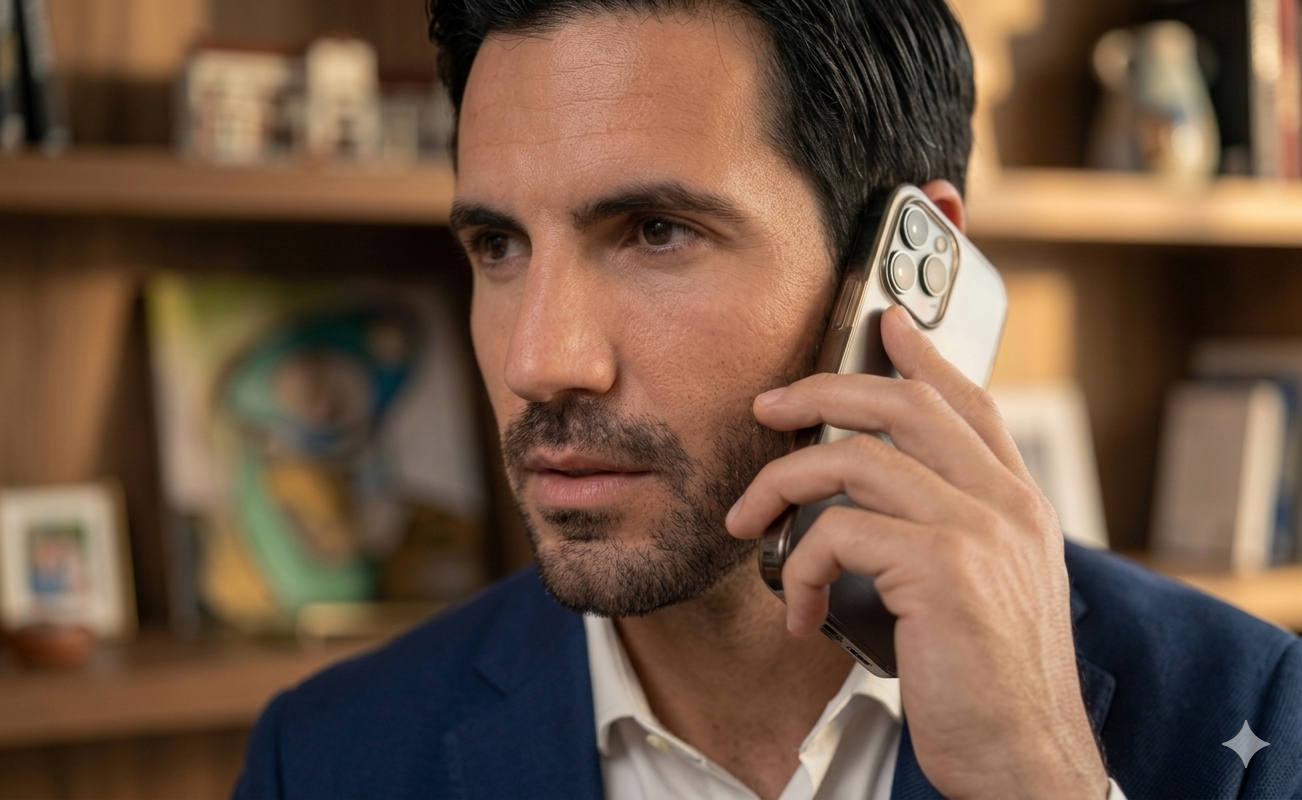
Meet Pete Fergus
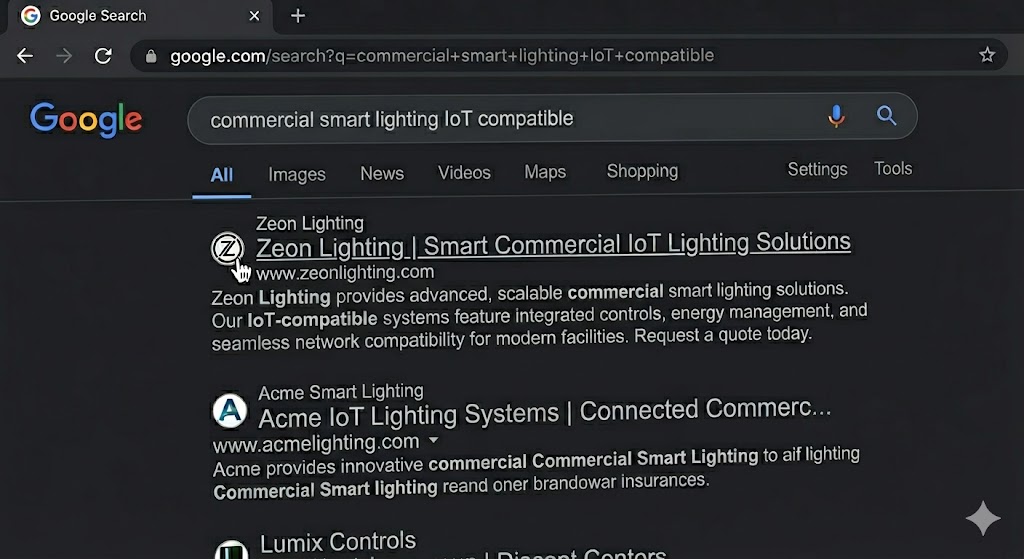
Pete Fergus is outfitting a new commercial office space. He generally knows what he needs: smart lighting, IoT-ready, something that scales. But he wants to browse and buy while getting his technical questions answered at the same time.
So far, calls to other suppliers haven't delivered. No one could cohesively answer his questions alongside the buying process. He's turned to searching online, manually working through site after site. There has to be a better way.
Pete is frustrated. The process has been anything but simple. With Netomi's Conversational AI, it's possible.


Pete Discovers Zeon
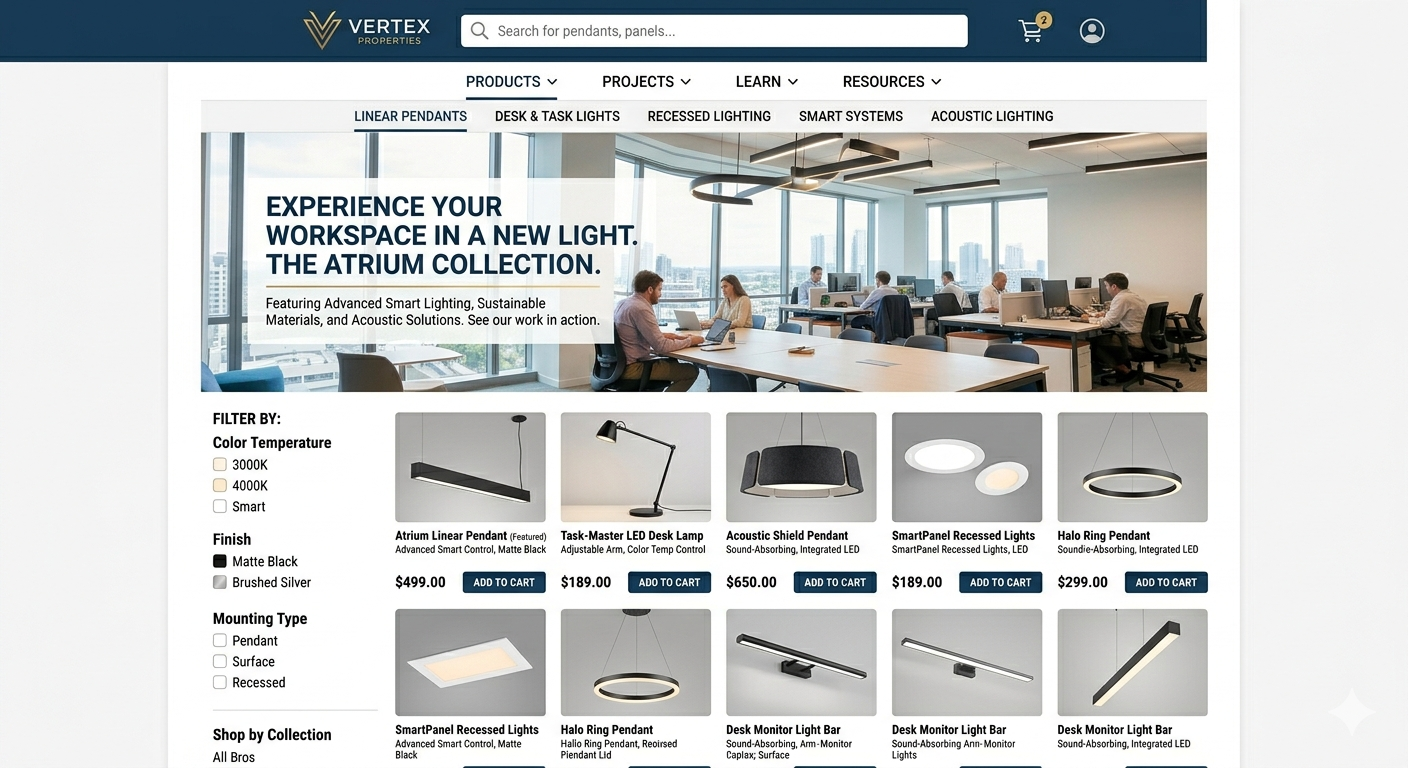
Pete is exploring Zeon's website and products when he spots the chat widget.
He engages with Cora, Zeon's chat-based AI agent, about a specific fixture: compatibility with his existing IoT setup, availability, lead time. Through every turn of the conversation, Cora stays on track, confirming the fixture works with his current setup, checking stock, flagging lead time, then pulling the matching products together so he can act right there. Fast. Accurate. Exactly on-brand. The technical answer and the buying path, in one conversation.
Note: Outside chat, Zeon will soon deploy voice-based AI agents to close the loop on front-line multi-channel engagement.
Cora
Zeon Lighting Assistant

Cora: Hello. I’m Cora, your assistant at Zeon Lighting. How can I help?
Hi Cora. I’m looking for smart lighting solutions for my new office.
Cora: Great! Let’s start with some qualifying questions and your new office. Ready?
Sent
Cora
Chat AI
Pete Makes the Buy
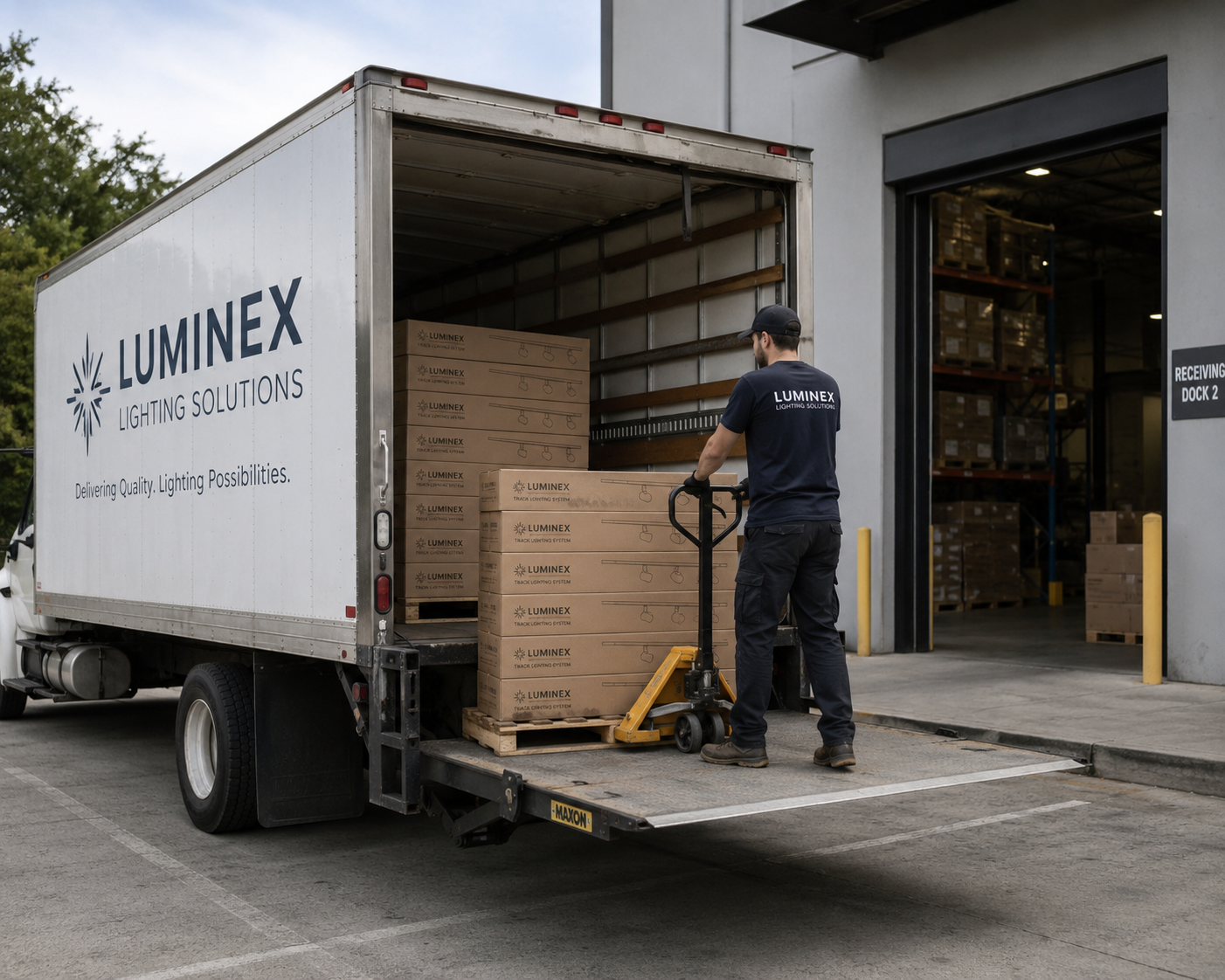
Cora identified the right lighting, confirmed and compatible with Pete’s needs and scope. With his project size already in context, Cora surfaced a volume discount automatically, sealing the deal for Pete to make the bulk purchase, completed in under five minutes. Cora handled the interaction completely, without the need for handoff.Weeks later, the order arrived on time and to spec. Installation ran clean, and the office opened on schedule. Pete’s team is thrilled.
Improvement: AI answered Pete's technical questions instantly and completed the order end-to-end, no human intervention required.


Qualitative Review
Later that week, Sandra opens Conversation Viewer to review how her AI agent performed across recent customer interactions.
She finds Pete's session and reads through it. Sentiment markers. Satisfaction signals. Keyword patterns. How the agent handled each technical question. None of this existed before. Reviewing a conversation meant reading a raw transcript and inferring the rest. Now the signals sit at the surface, and patterns needing a wider view link straight to the quantitative dashboards. Sandra sees the story, not just the transcript.
Improvement: The new viewer surfaces sentiment, satisfaction, and keyword signals, making pinpoint reviews possible.

Conversation Viewer
In-focus conversational flow
Curated bi-directional flow events
Selected Interaction

Quantitative Metrics
Wanting a larger, more quantitative perspective, Sandra moves to the redesigned Overview Dashboard, where the monthly numbers tell a strong story overall.
Resolution rate up. Response times down. Satisfaction holding above target. But Sandra looks closer. There's a pattern. A cluster of questions triggering handoffs, driven by complexity or gaps in the knowledge base. From here, she can take action to close those gaps, retrain, retest, and relaunch, widening what the agent resolves on its own.
Improvement: Dashboards now highlight the right data faster, making it easier to diagnose broad issues, retrain, and relaunch.
Analytics




Metric
Focus
Status Table
Metric
Metric

Primary Metric
The AI Hand-off Scenario
Even with the best-built AI system, comprising a strong knowledge base, solid processes and guardrails, and an advanced LLM at the helm, AI agents have their limits. Some situations call for a human touch: a complex complaint, an unusual request, something automation simply can't resolve. This is where a live agent handoff comes in.
When that moment arrives, Agentic Studio escalates cleanly to a live agent working via AgentDesk, carrying the full conversation history with it. For the customer, it feels seamless. For the agent receiving it, they're already up to speed. How?...


Customer
Live Agent

Cora
Chat AI
Cora
Chat AI
Live Agent + Copilot
The live agent isn't working alone.
When the conversation lands in AgentDesk, whether the interaction is chat or voice based, Netomi's customized AI Copilot is already there. Suggested responses, relevant knowledge base content, the full conversation history visible and organized. The agent resolves the issue faster and with more confidence than they would have without it. The AI didn't solve the problem. But it made sure the human who did had everything they needed.
Improvement: Netomi continues supporting a chat or voice interaction even when the AI agent hands off the interaction to a live agent.

Copilot AI
AI Copilot
Customer
Live Agent
The Full Loop. That's Netomi.
Back to Sandra, Cora, and Pete...Agentic Studio manages every step of the conversational lifecycle. Sandra and her team configure Cora, the AI agent, to perfectly answer queries and take action as needed. In the rare event an end-customer like Pete needs a human touch, Netomi covers that handoff seamlessly, as reflected above.
Sandra and her team turn qualitative and quantitative data into continuous, targeted experience tweaks. By constantly pushing AI success metrics higher, they build a reliable ecosystem Zeon’s customers can trust.




Cora
Chat AI
Cora
Chat AI
Customer
Pete
Org Admin
Sandra