Insight Tarot - iOS App
Tarot has been practiced for centuries, evolving from a card game into a tool for reflection and self-guidance. A standard deck contains 78 cards: the 22 Major Arcana, representing life's significant themes, and the 56 Minor Arcana, covering everyday influences. Today it enjoys broad mainstream appeal with millions of practitioners worldwide.
I've long been drawn to hidden knowledge, deeper meanings, and patterns. After years of using tarot and similar apps, I saw an opportunity in 2020 to build something better. Free apps lacked a premium feel; paid ones were too costly. I wanted to strike a middle ground.
The app I envisioned would be free but premium in feel, with a fully custom deck of 70+ original illustrations. I mapped core features, a monetization strategy, and high-fidelity mockups. The project was shelved because AI-based summarization didn't exist yet. Now that it does, I'm reinvesting in Spring 2026.
2020 | Initial Project + Pause
- Investigated the competitive landscape and defined the app's focus and USP
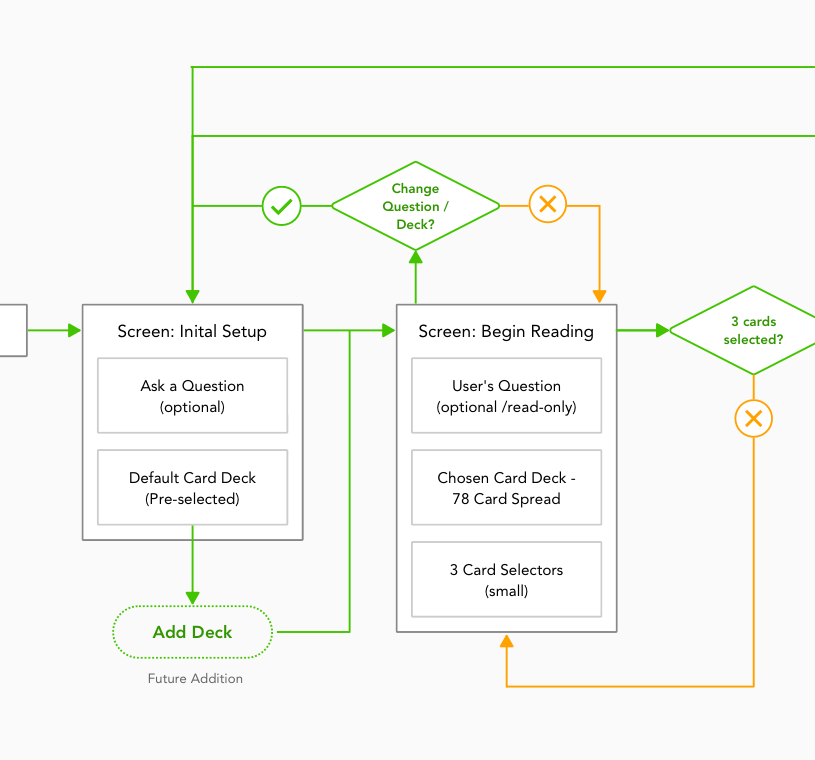
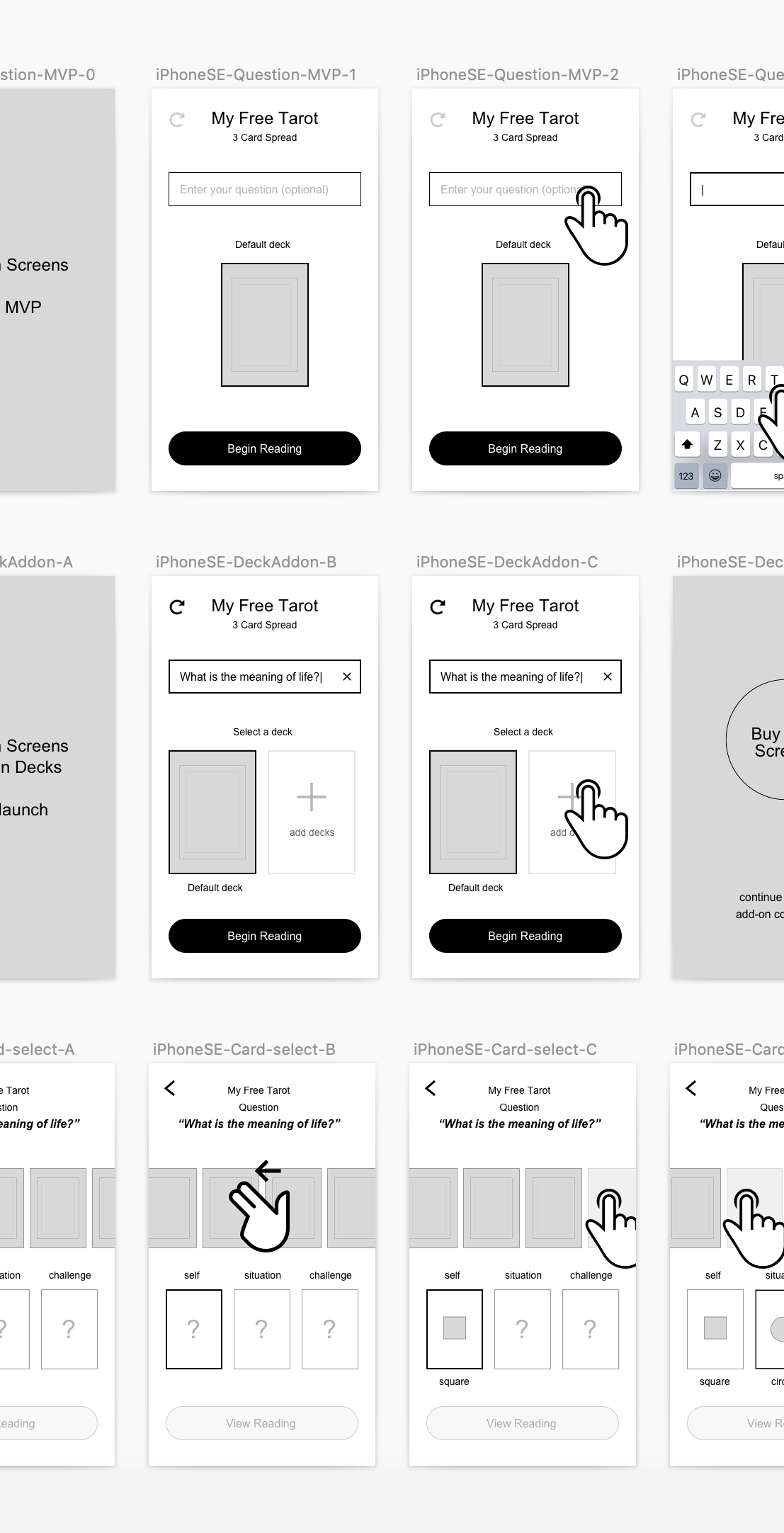
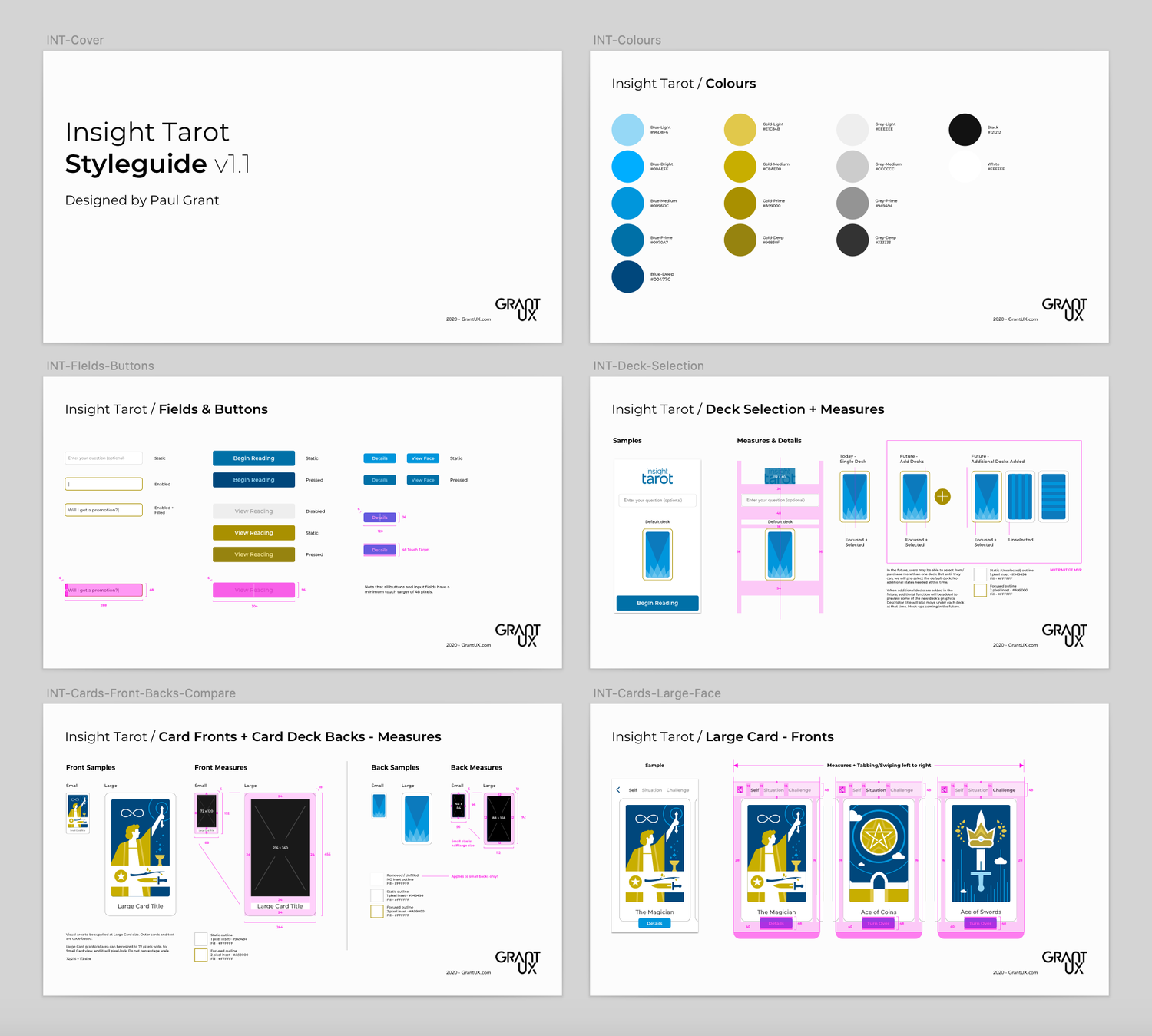
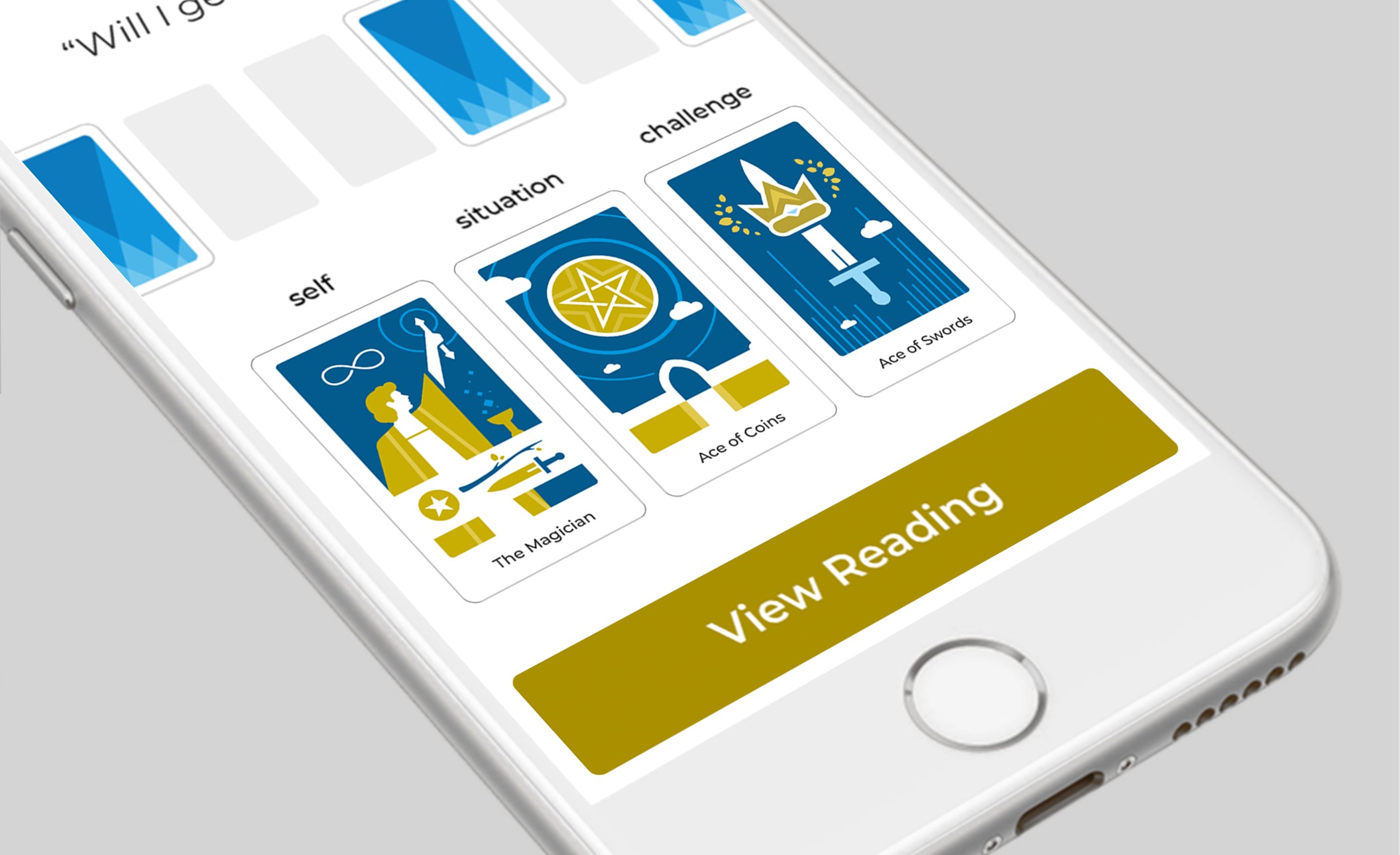
- In Sketch, built a design system, wireframed interactions, and designed high-fidelity mocks
- Engaged a developer
The project was shelved due to high development costs and a key limitation: complex, personalized multi-card summarization wasn't yet possible. With over 70 cards in a tarot deck, each carrying its own static meaning, readings couldn't be made truly personal. User queries remained purely symbolic in this earlier iteration.

2026 | Current Reboot
After 3 years leading UX at Netomi, an agentic AI company, I started investing time in rebooting the app’s vision through the power and capabilities of vibe coding tools and AI summarization.
Completed
- Revisited the current iOS app market
- Built a Gemini GEM interactive agent, successfully producing multi-card summarizations that incorporated reading type, card variables, query, and user focus
- Built a fully featured app demo using Figma Make AI
- Refined the freemium-to-subscriber model through research
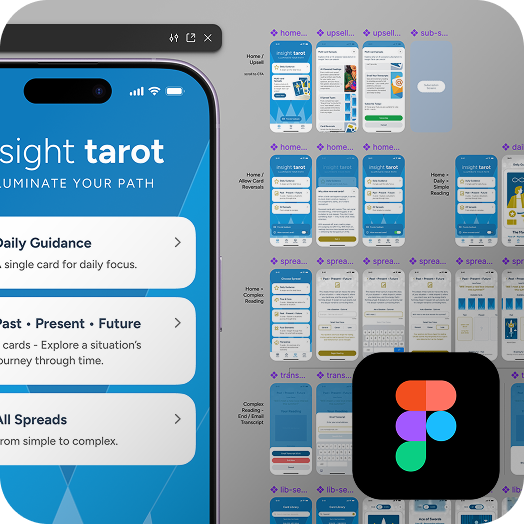
- Built out all UX screens in Figma
- Published the latest user flows (here) on GrantUX.com
In Progress
- Currently rebuilding the full custom card deck from Sketch into Figma
- Investigating Figma MCP + Claude Code + Xcode for development and launch
AI summarization for multi-card readings will be gated behind a subscription. The app will be free to install, with single-card Daily Guidance as the freemium entry point. Monetization is supported by inline ads and a subscription upsell for multi-card readings.

Error State: No Internet
Cellular or Wi-Fi issues can happen at any time. In this example, a user is in the middle of sending a multi-card spread to the AI for final reading summarization, when the connection goes dead and the app immediately notifies them of the disruption.If the user has not left the application, it can easily recover and resume once the connection is restored.
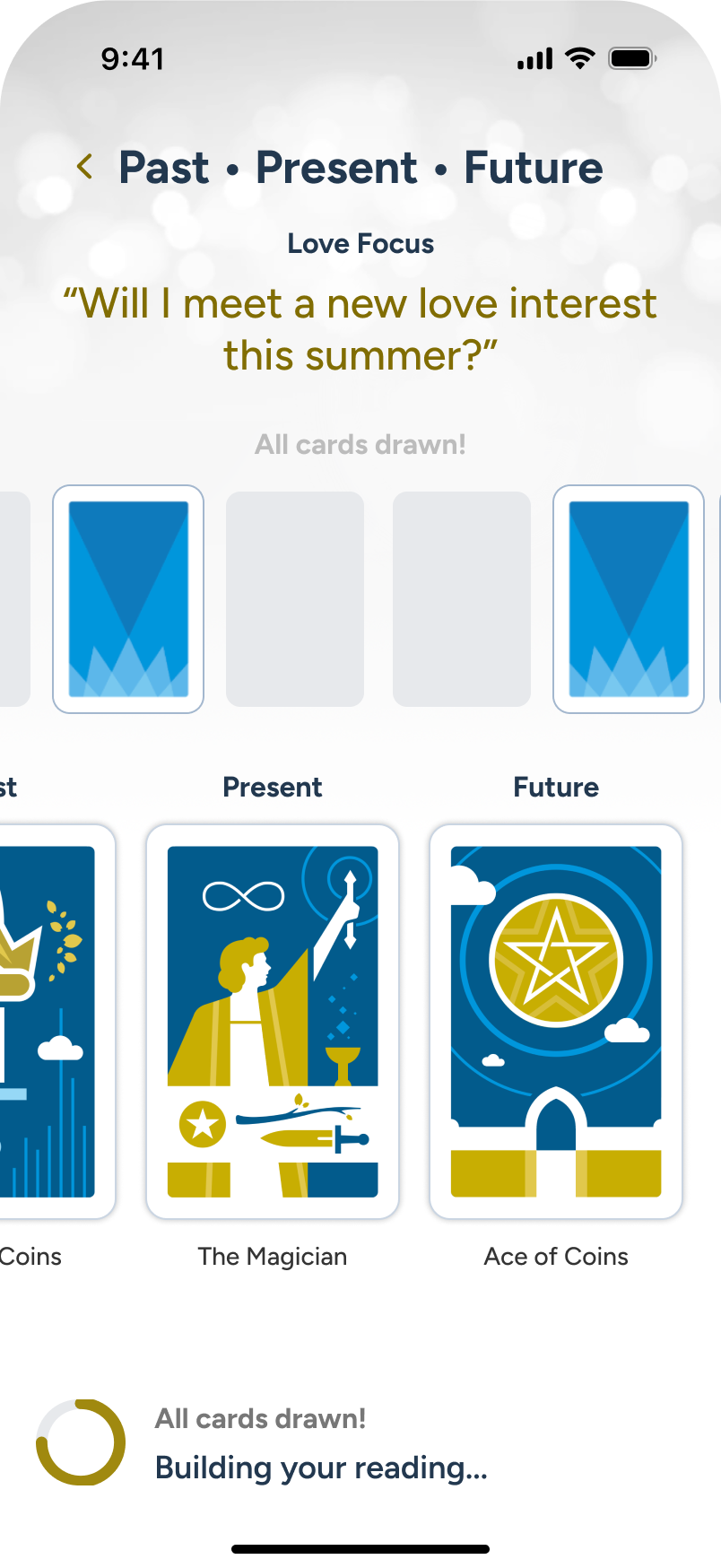
The AI is busy crafting the final reading in the background...
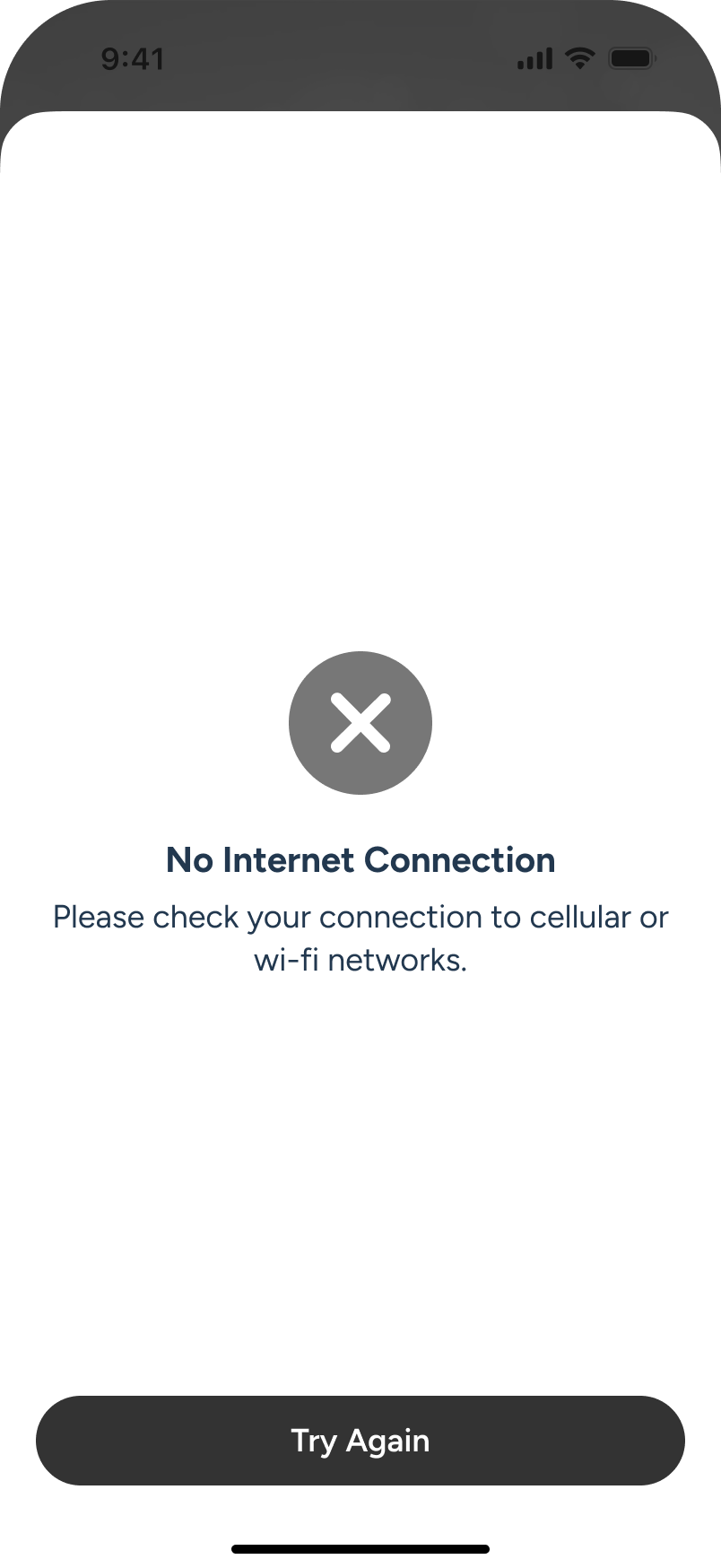
Internet is suddenly disconnected, so an overlay temporarily comes up.
Upon restoration of internet, without having left the app, the AI summarization continues.


Insight Tarot - iOS App
Tarot has been practiced for centuries, evolving from a card game into a widely used tool for reflection and self-guidance. A standard deck contains 78 cards: the 22 Major Arcana, representing life's significant themes and transitions, and the 56 Minor Arcana, covering the everyday influences that shape experience. Today it enjoys broad mainstream appeal, with millions of practitioners worldwide ranging from casual users to dedicated readers.
I've long been drawn to hidden knowledge, deeper meanings, and patterns. After years of using tarot, I Ching, and similar apps, I saw an opportunity in 2020 to combine that interest with my UX and creative background to build something better. The free apps lacked a premium feel, while the paid ones offered better interactions and artwork but at too high a cost. I wanted to strike a middle ground.
The app I envisioned would be free to download but premium in feel, with inline ads supporting a freemium model and a fully custom card deck of over 70 original illustrations at its centre. After auditing the landscape, I mapped core features, a monetization strategy, and a UX framework, culminating in a full style guide and high-fidelity mockups. Ultimately the project was shelved because AI-based summarization didn't exist yet. Now that it does, I'm reinvesting in the app in Spring 2026.
2020 | Initial Project + Pause
- Investigated the competitive landscape and defined the app's focus and USP
- In Sketch, built a design system, wireframed interactions, and designed high-fidelity mocks
- Engaged a developer
The project was shelved due to high development costs and a key limitation: complex, personalized multi-card summarization wasn't yet possible. With over 70 cards in a tarot deck, each carrying its own static meaning, readings couldn't be made truly personal. User queries remained purely symbolic in this earlier iteration.

2026 | Current Reboot
After 3 years leading UX at Netomi, an agentic AI company, I started investing time in rebooting the app’s vision through the power and capabilities of vibe coding tools and AI summarization.
Completed
- Revisited the current iOS app market
- Built a Gemini GEM interactive agent, successfully producing multi-card summarizations that incorporated reading type, card variables, query, and user focus
- Built a fully featured app demo using Figma Make AI
- Refined the freemium-to-subscriber model through research
- Built out all UX screens in Figma
- Published the latest user flows (here) on GrantUX.com
In Progress
- Currently rebuilding the full custom card deck from Sketch into Figma
- Investigating Figma MCP + Claude Code + Xcode for development and launch
AI summarization for multi-card readings will be gated behind a subscription. The app will be free to install, with single-card Daily Guidance as the freemium entry point. Monetization is supported by inline ads and a subscription upsell for multi-card readings.
Error State: No Internet
Cellular or Wi-Fi issues can happen at any time. In this example, a user is in the middle of sending a multi-card spread to the AI for final reading summarization, when the connection goes dead and the app immediately notifies them of the disruption.If the user has not left the application, it can easily recover and resume once the connection is restored.
The AI is busy crafting the final reading in the background...
Internet is suddenly disconnected, so an overlay temporarily comes up.
Upon restoration of internet, without having left the app, the AI summarization continues.
Insight Tarot - iOS App
A Personal Project
Tarot has been practiced for centuries, evolving from a card game into a widely used tool for reflection and self-guidance. A standard deck contains 78 cards: the 22 Major Arcana, representing life's significant themes and transitions, and the 56 Minor Arcana, covering the everyday influences that shape experience. Today it enjoys broad mainstream appeal, with millions of practitioners worldwide ranging from casual users to dedicated readers.
I've long been drawn to hidden knowledge, deeper meanings, and patterns. After years of using tarot, I Ching, and similar apps, I saw an opportunity in 2020 to combine that interest with my UX and creative background to build something better. The free apps lacked a premium feel, while the paid ones offered better interactions and artwork but at too high a cost. I wanted to strike a middle ground.
The app I envisioned would be free to download but premium in feel, with inline ads supporting a freemium model and a fully custom card deck of over 70 original illustrations at its centre. After auditing the landscape, I mapped core features, a monetization strategy, and a UX framework, culminating in a full style guide and high-fidelity mockups. Ultimately the project was shelved because AI-based summarization didn't exist yet. Now that it does, I'm reinvesting in the app in Spring 2026.
2020
Initial Project + Pause
- Investigated the competitive landscape and defined the app's focus and USP
- In Sketch, built a design system, wireframed interactions, and designed high-fidelity mocks
- Engaged a developer
The project was shelved due to high development costs and a key limitation: complex, personalized multi-card summarization wasn't yet possible. With over 70 cards in a tarot deck, each carrying its own static meaning, readings couldn't be made truly personal. User queries remained purely symbolic in this earlier iteration.

2026
Current Reboot
After 3 years leading UX at Netomi, an agentic AI company, I started investing time in rebooting the app’s vision through the power and capabilities of vibe coding tools and AI summarization.
Completed
- Revisited the current iOS app market
- Built a Gemini GEM interactive agent, successfully producing multi-card summarizations that incorporated reading type, card variables, query, and user focus
- Built a fully featured app demo using Figma Make AI
- Refined the freemium-to-subscriber model through research
- Built out all UX screens in Figma
- Published the latest user flows (here) on GrantUX.com
In Progress
- Currently rebuilding the full custom card deck from Sketch into Figma
- Investigating Figma MCP + Claude Code + Xcode for development and launch
AI summarization for multi-card readings will be gated behind a subscription. The app will be free to install, with single-card Daily Guidance as the freemium entry point. Monetization is supported by inline ads and a subscription upsell for multi-card readings.
Latest video demo walk-through and user flows below
From Freemium to Conversion: Compelling Benefits
The free-to-download Insight Tarot app features a Daily Guidance single-card draw and a library of all major and minor arcana cards and their meanings (70+), and we’ll review those sections from the subscribed version of the app further down. For now, in these screens, the user has installed the app and is currently reviewing all of the great features a subscription would include. After reading through the benefits, they decide to click the “Subscribe” CTA at the end of the overlay.
Note: It is still TBD if a subscription to advanced features with AI will see a removal of inline ads. Current trends lean towards a hybrid for monetization, and you’ll see that in the subscriber model, in the later screens.
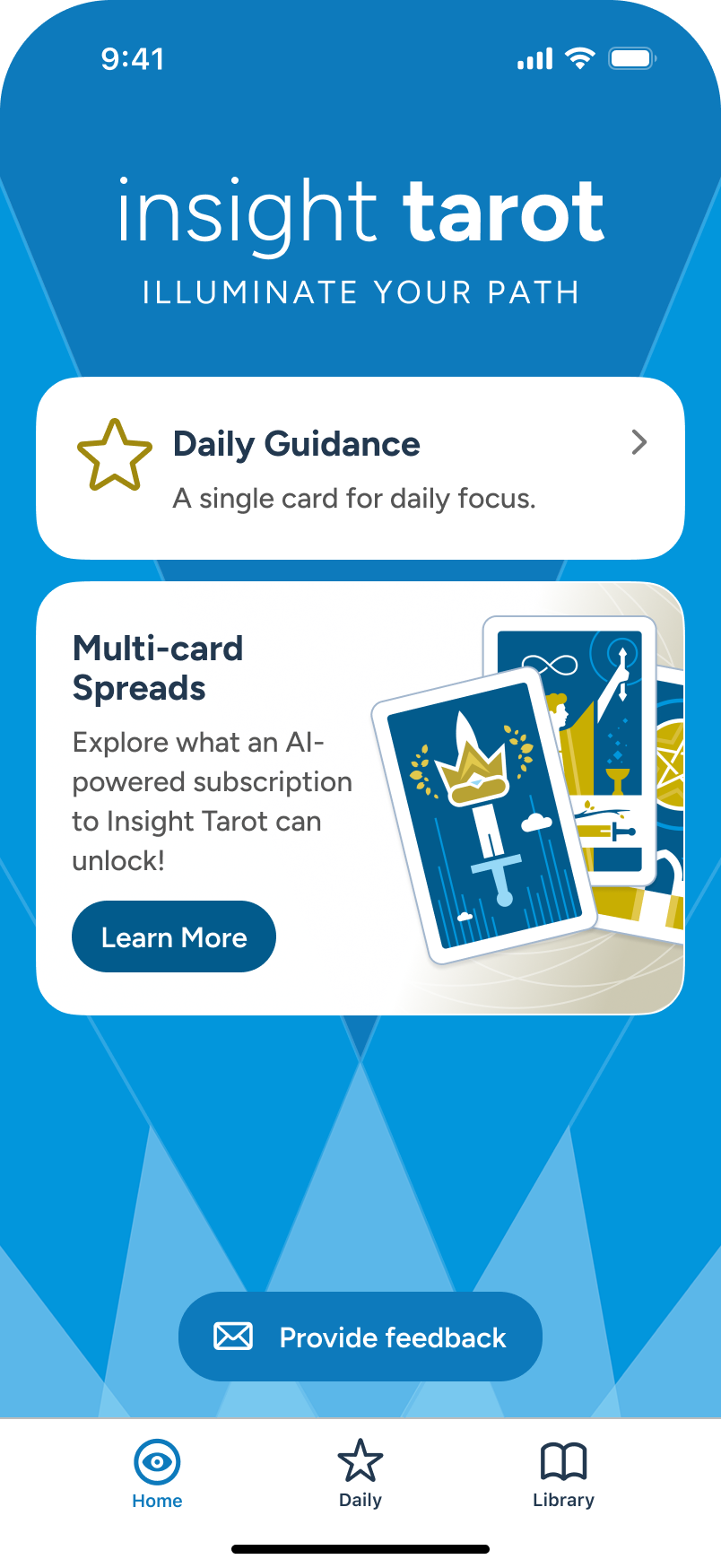
From Home, user clicks on the Subscription card to learn more about the advanced options.
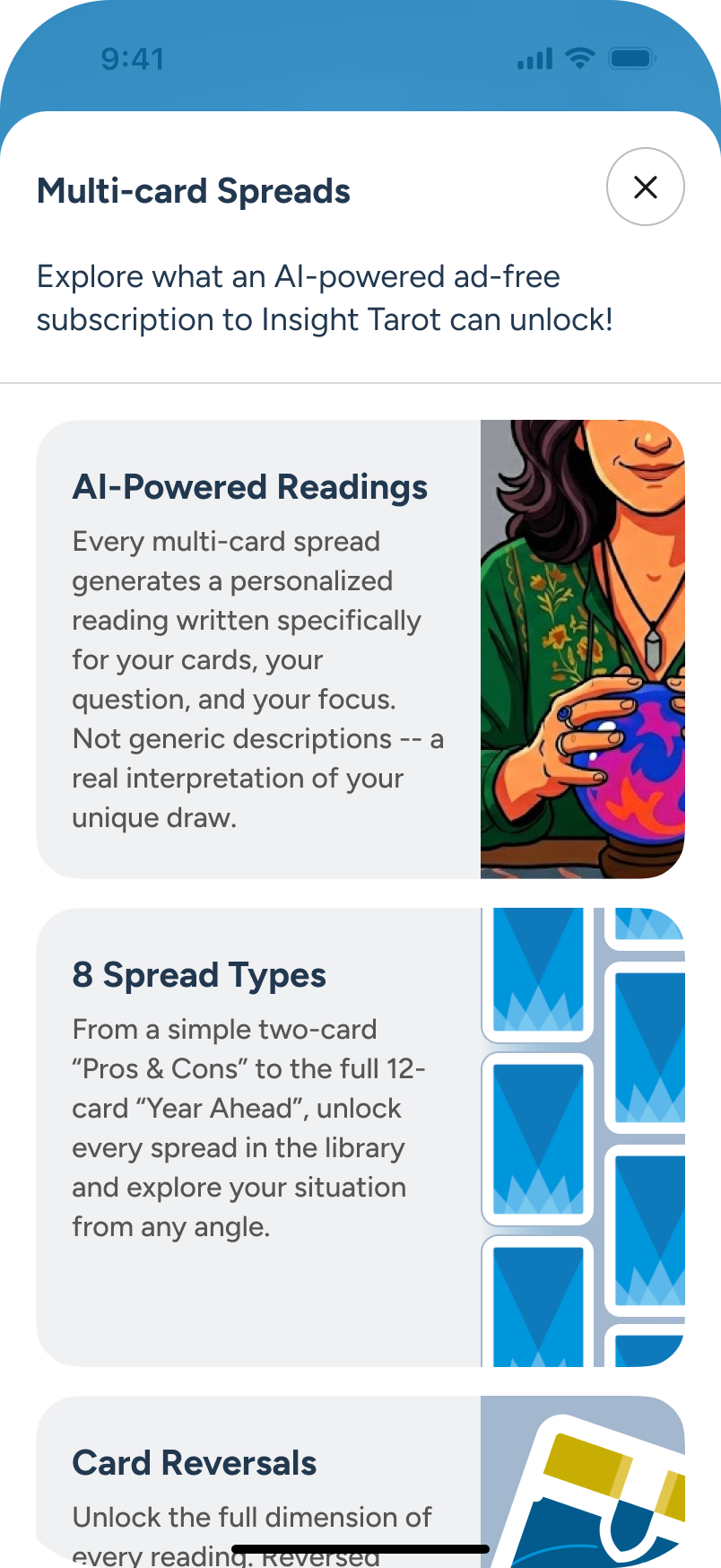
An overlay appears, detailing multiple improvements a subscription would provide.
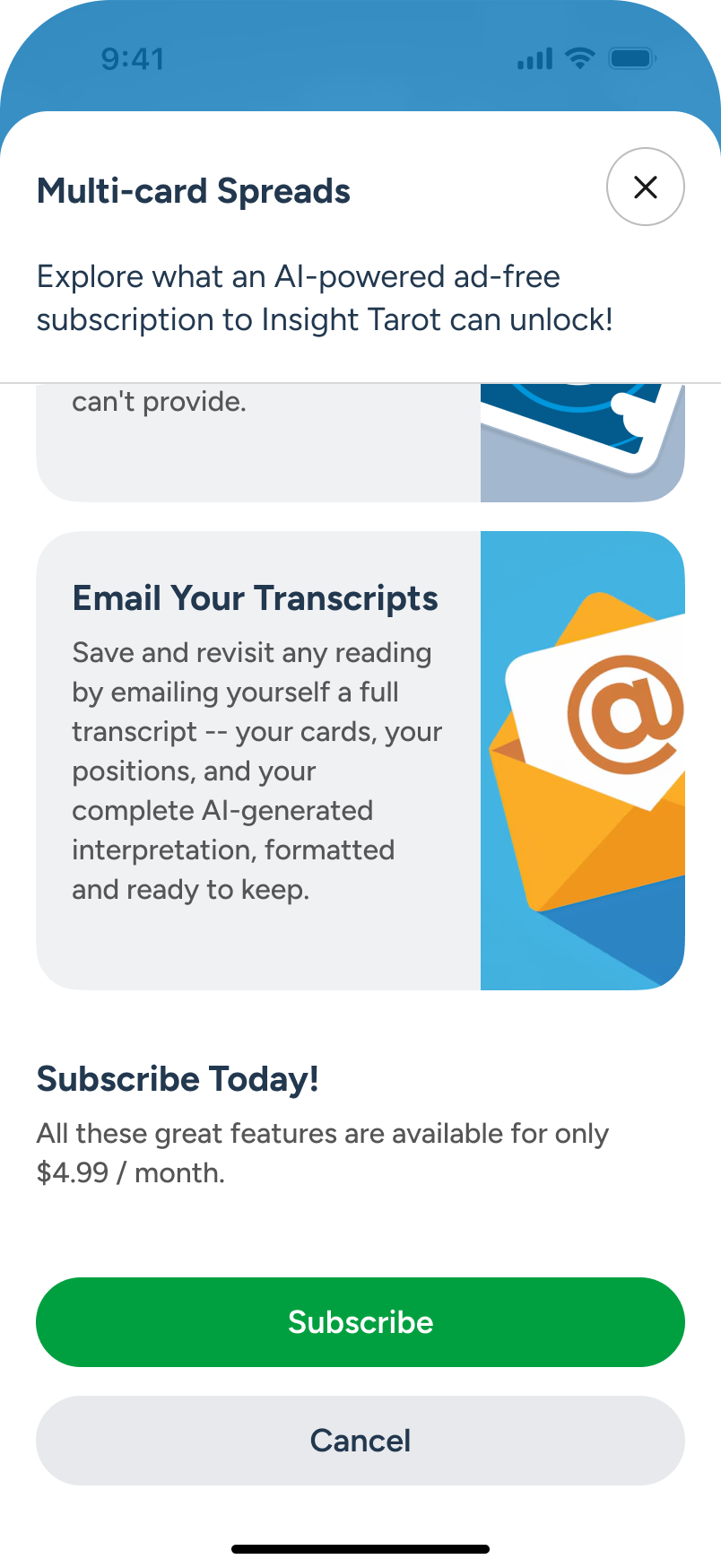
At the bottom of the overlay, the user sees the pricing and chooses to proceed via “Subscription” CTA.

Conversion screens follow.

Subscribed Home: Enabling Card Reversals
Once subscribed, the Home screen gains direct access to All Spreads (with AI summarization) and a pinned "Past • Present • Future" spread as an advanced alternative to "Daily Guidance." Both features will be explored shortly.
Near the bottom, the user notices a toggle for card reversals. They tap the info icon to learn it enables more nuanced readings across all spreads, review the full details, and turn it on.
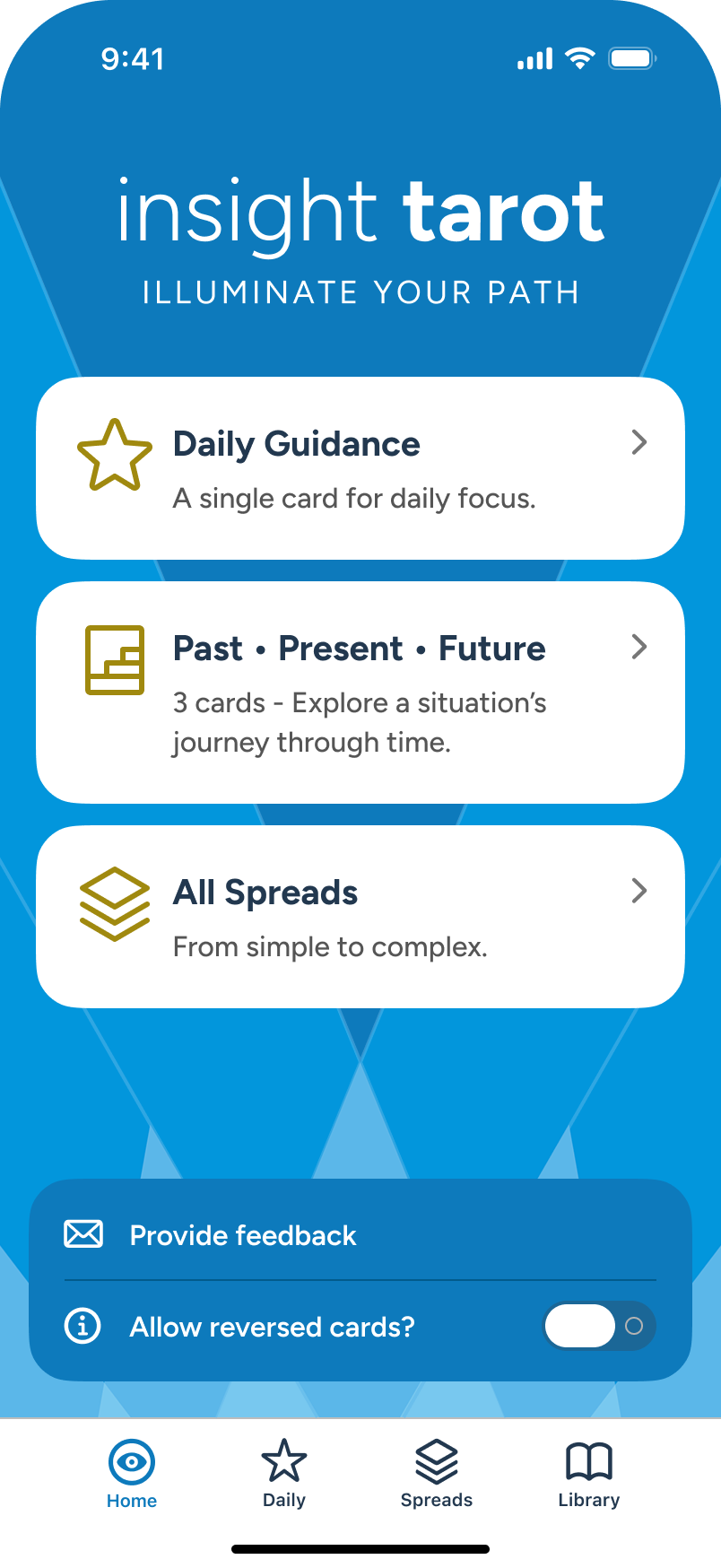
In the subscribed Home screen, the upgraded user explores card reversals and taps “info” icon.
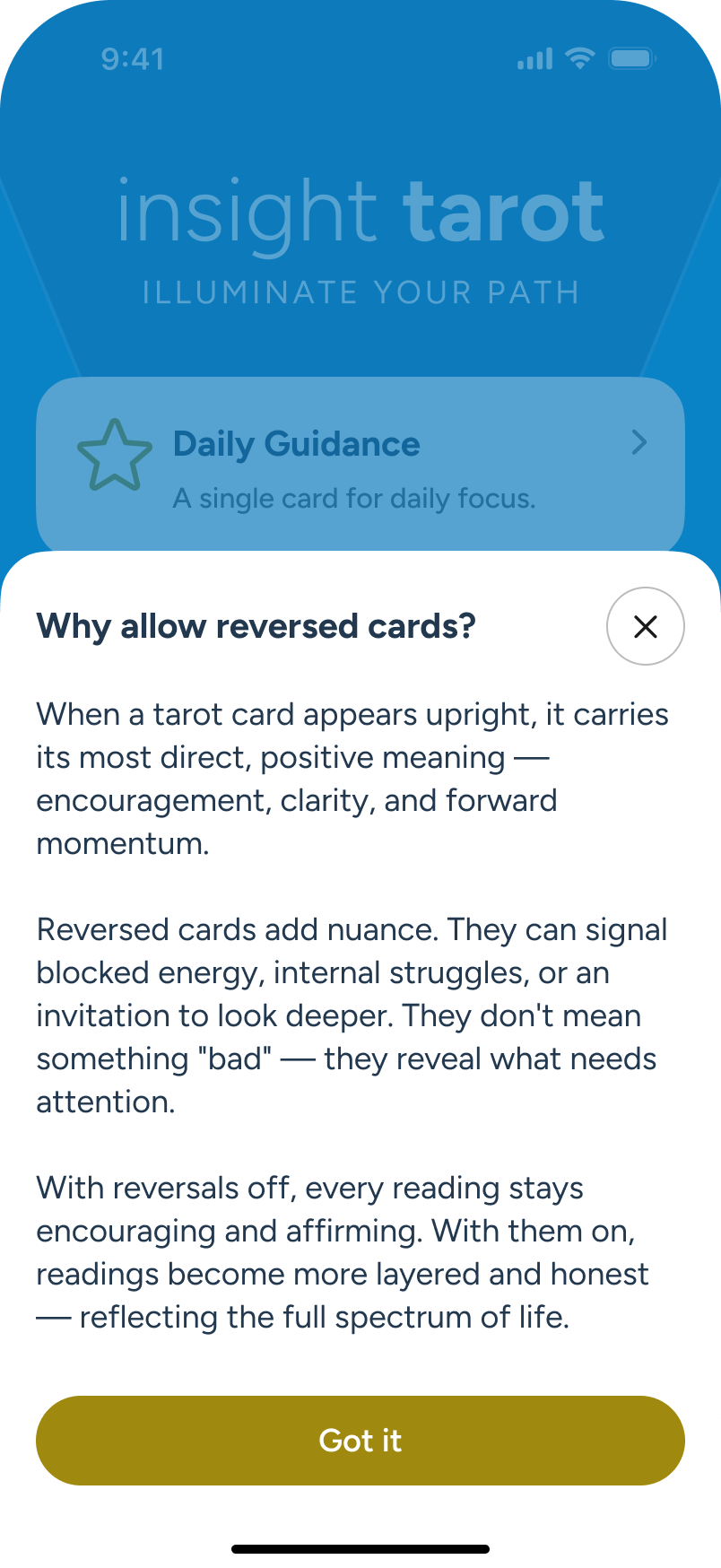
An overlay conveys the benefits of allowing card reversals in all readings.
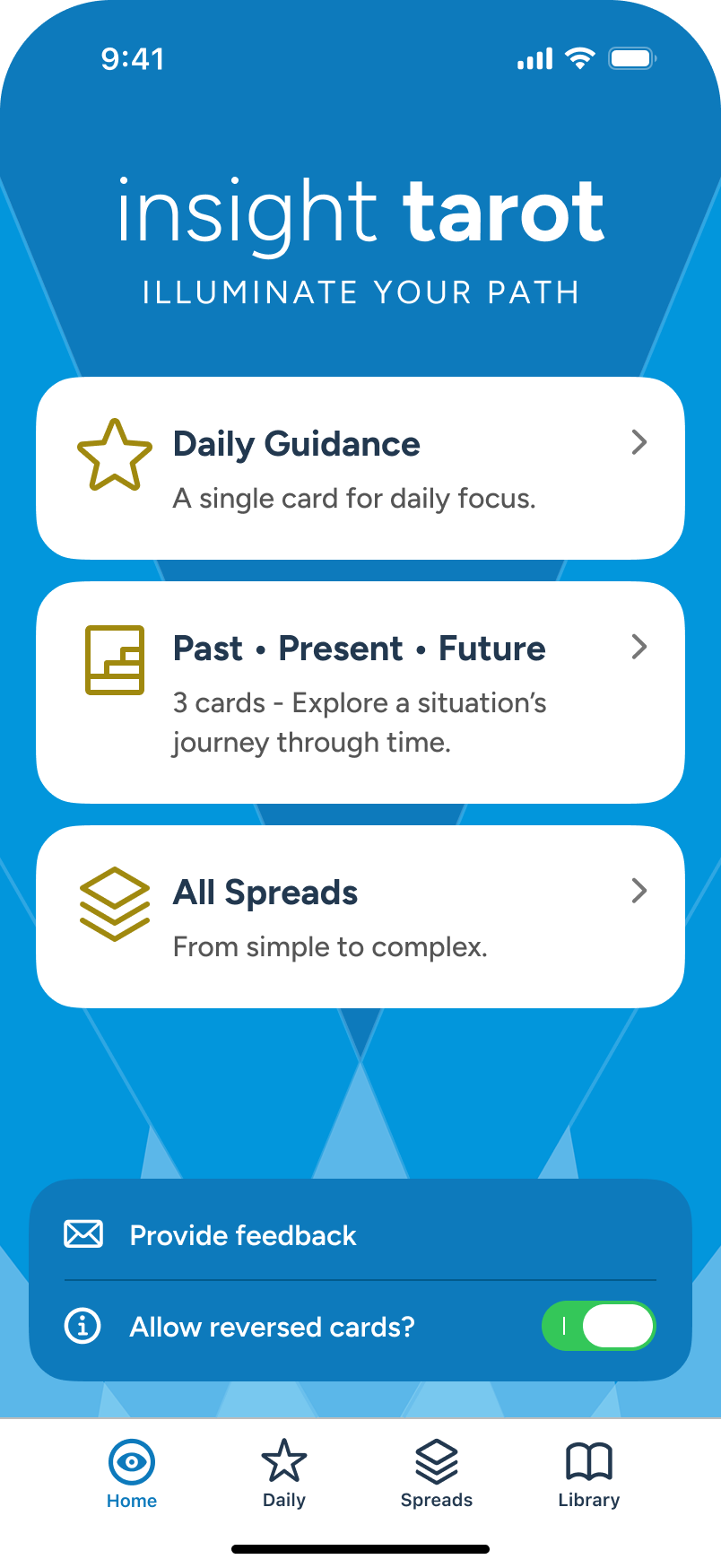
Returning to Home, the user decides to enable the feature via toggle.
Daily Guidance: Single Card
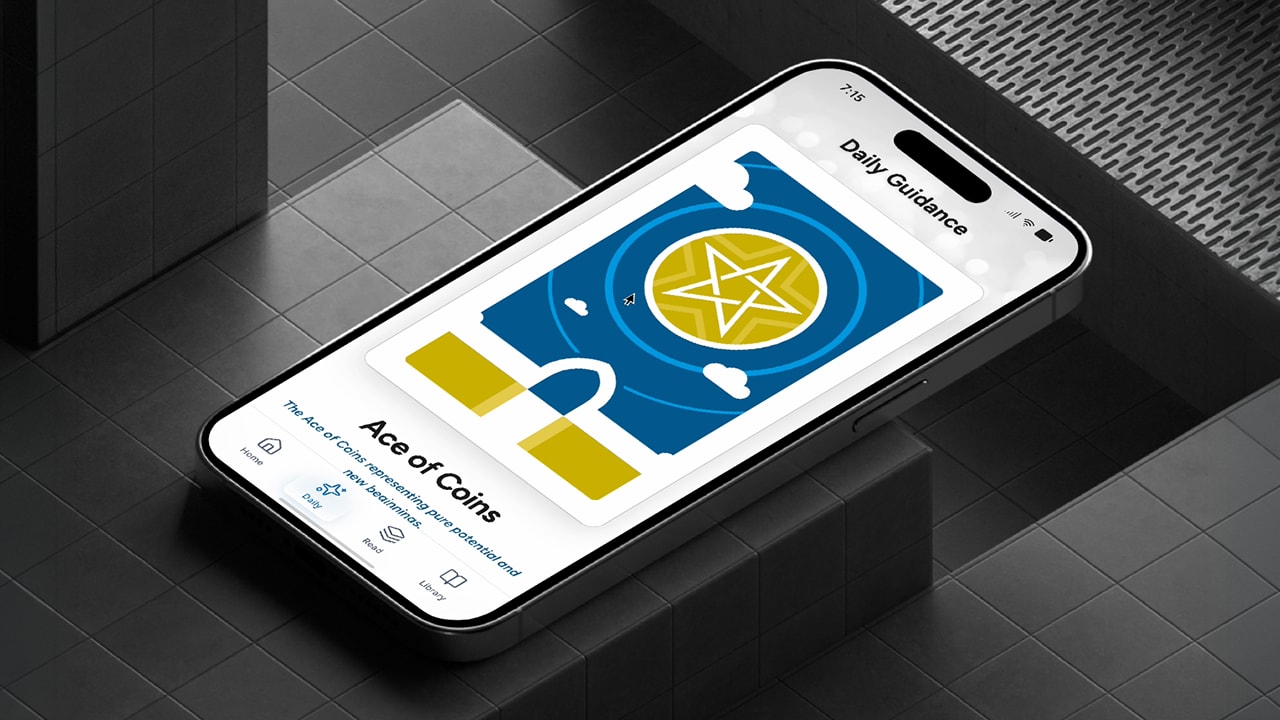
Each day, a user can come to "Daily Guidance" for a quick take on the daily focus, letting the user interpret meaning as they see fit. This simple reading is provided for both the freemium and the subscribed user. As the user scrolls, they can see the card drawn along with keywords and full details.All users can see the face up option, and subscribers can see face up or face down, depending on the draw of the day. Face up and face down options are explored further in the library section.
The user decides to explore “Daily Guidance”, either from Home or from the Daily tab, at bottom.
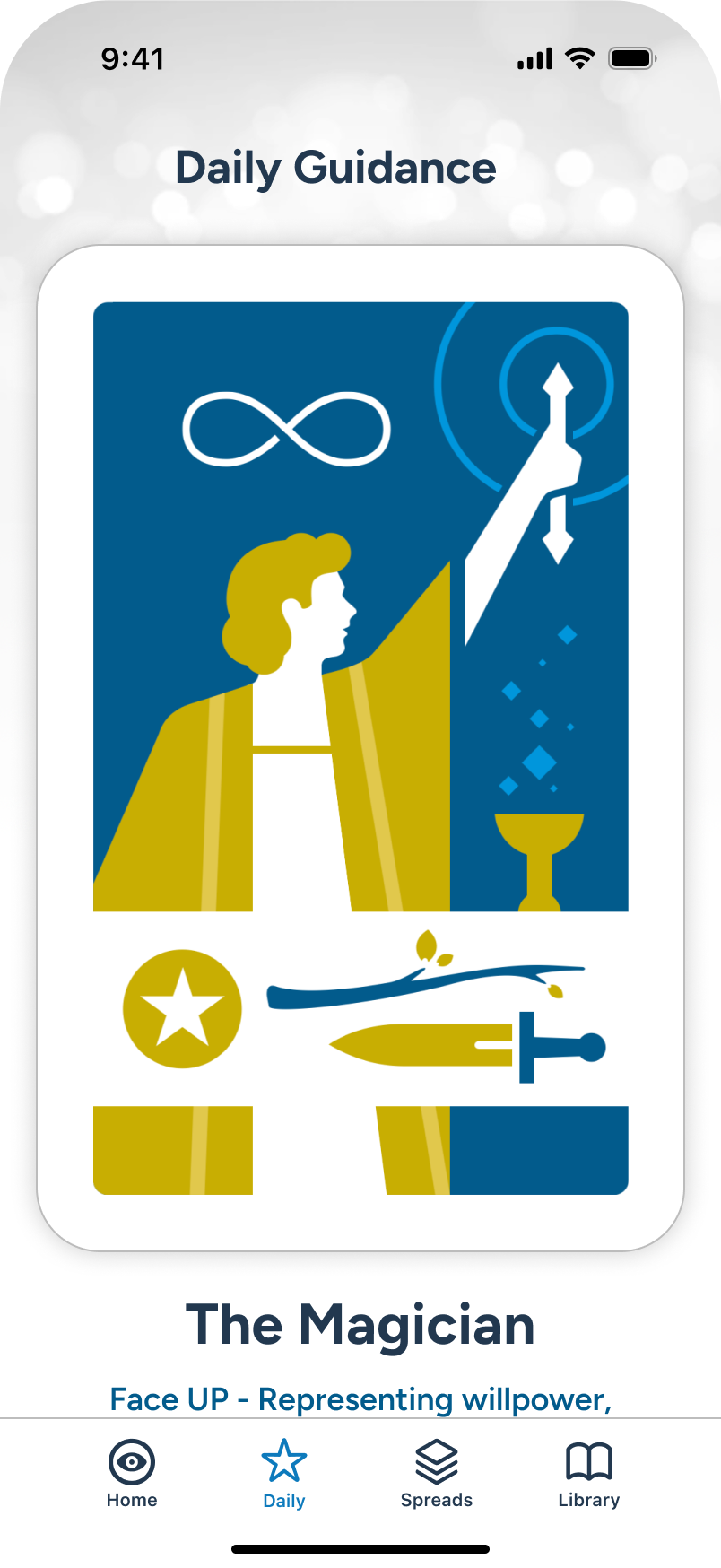
The user sees the card drawn, and can scroll down to see details.
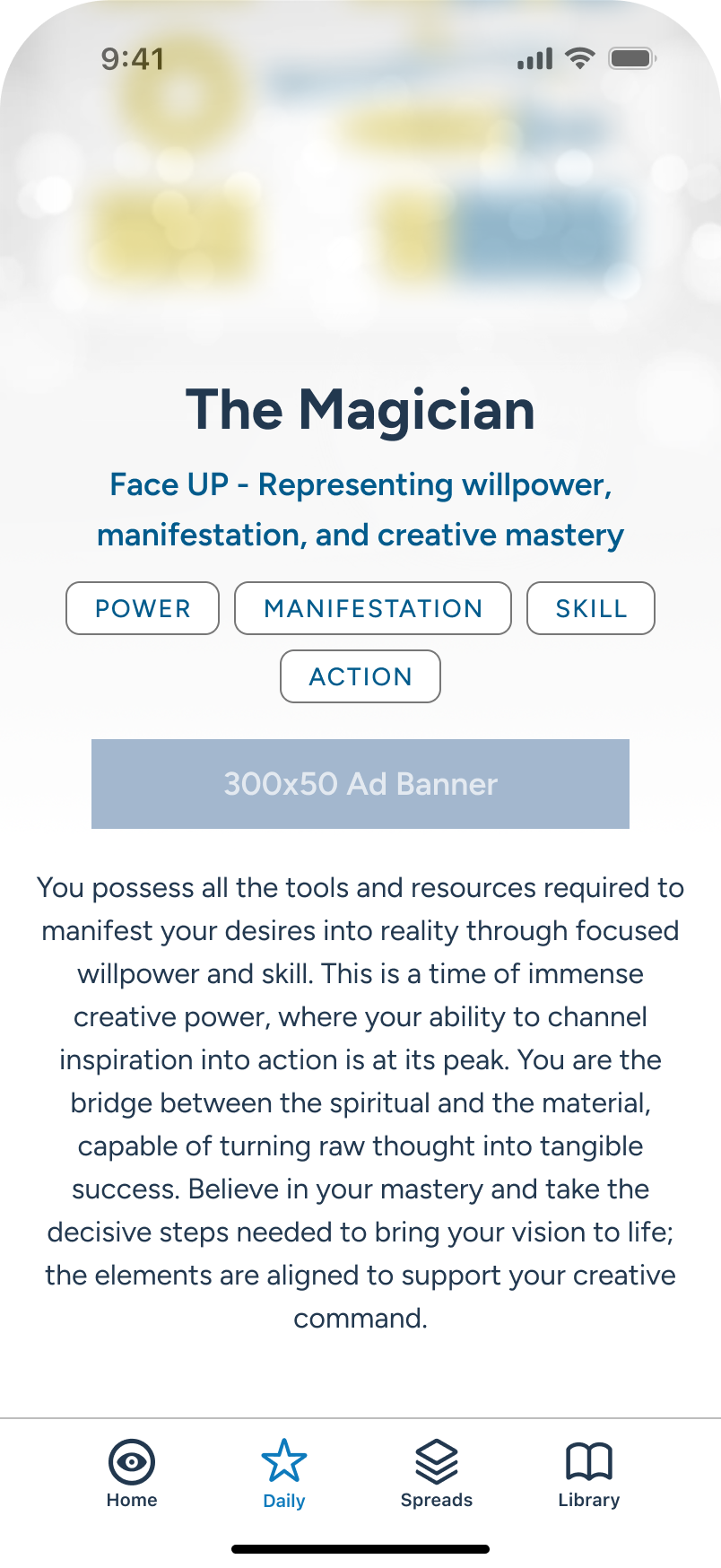
Further details, with inline ad banner.
All Spreads
As part of the subscriber model, users have access to a large range of popular spreads. All multi-card spreads feature advanced AI-generated summarizations and more. A full walk-through of a multi-card spread follows further in this review.
The subscribed user is exploring the “All Spreads” section, either from Home or via the tab, at bottom.
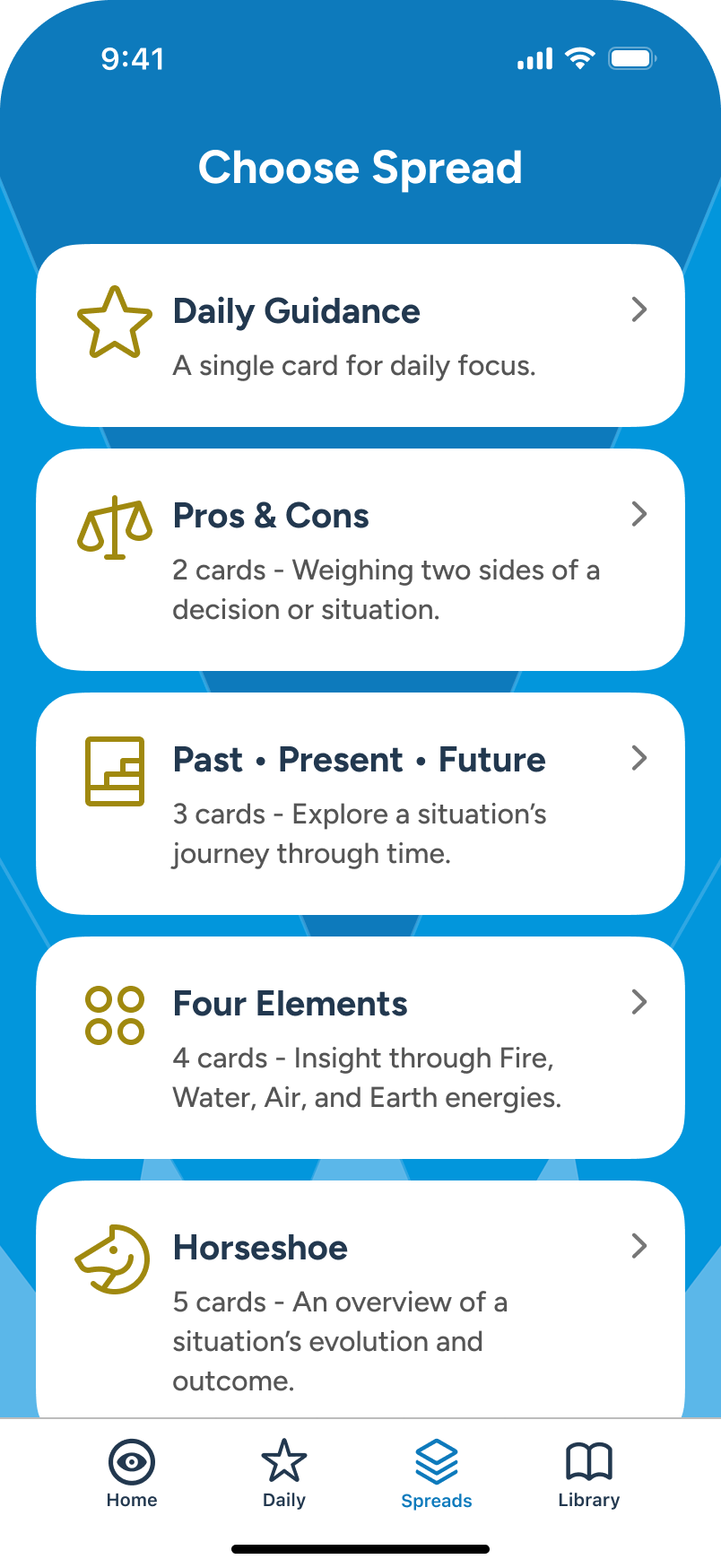
The user scrolls through and reviews a number of popular spreads...
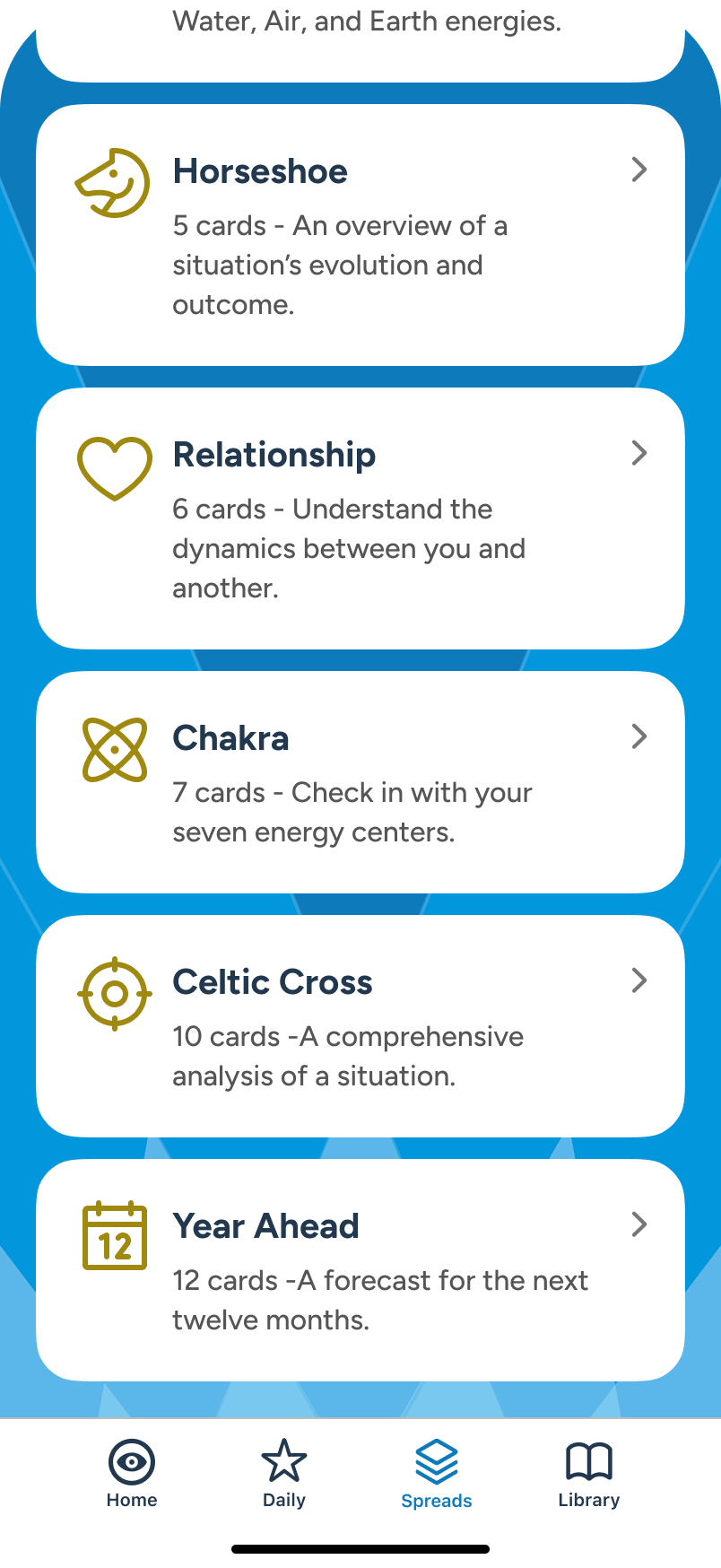
9 different spreads are currently available.
Multi-Card Readings: Query > Cards Select > Reading
Query + Focus
Multi-card readings are available to subscribers and accessible from All Spreads section. In this scenario, the user selects Past • Present • Future, directly from Home screen. Before drawing cards, the user can supply an optional query to shape the final output. When ready, the user moves to “Begin Reading” CTA and taps.
Note: While focus can be manually toggled, it's also query-responsive: certain keywords like "Love" will auto-shift it without intervention. The user always has ultimate control, and AI summarization accounts for all of it.
From Home, user selects “Past • Present • Future” multi-card reading, also available under Spreads section.
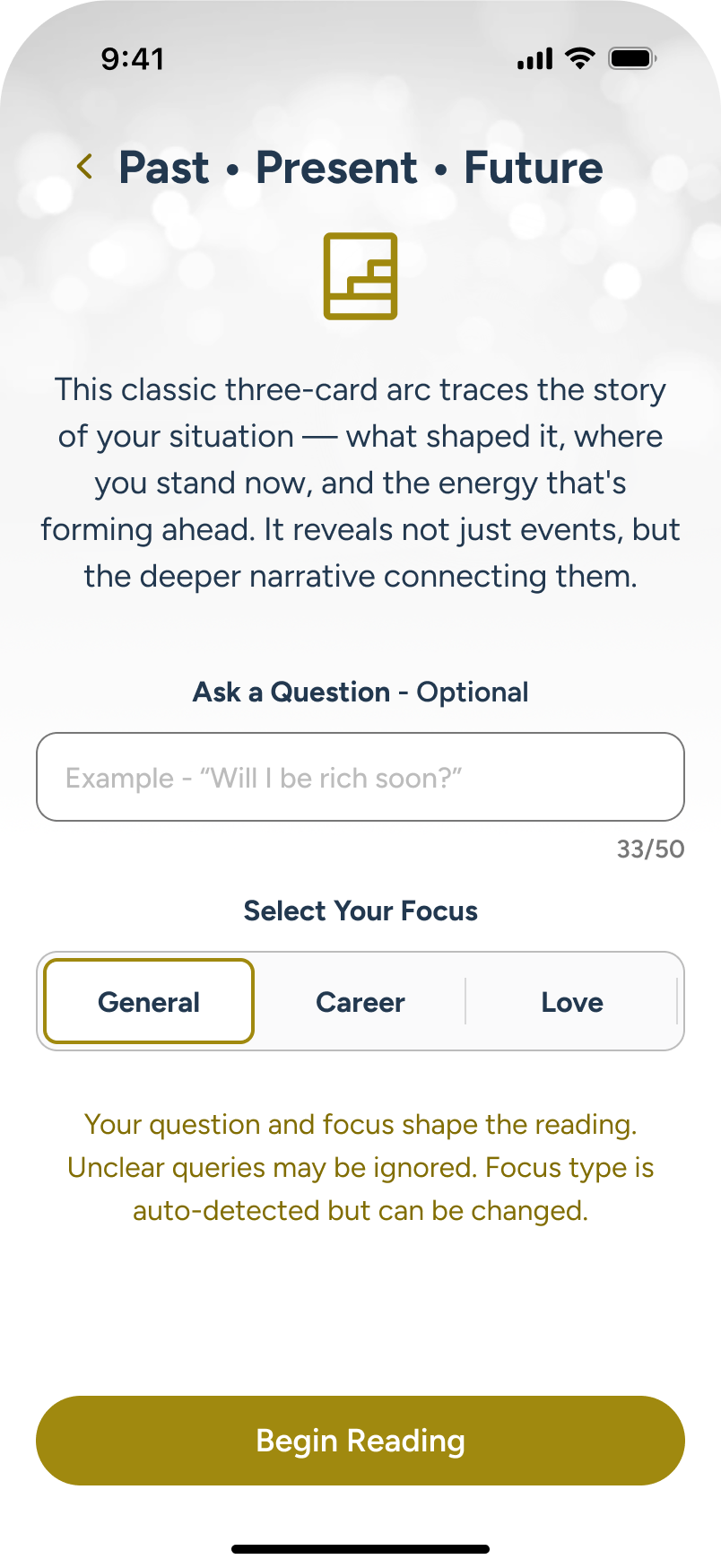
Here, the user can add an optional query, and/or change focus for the reading. User taps query field.
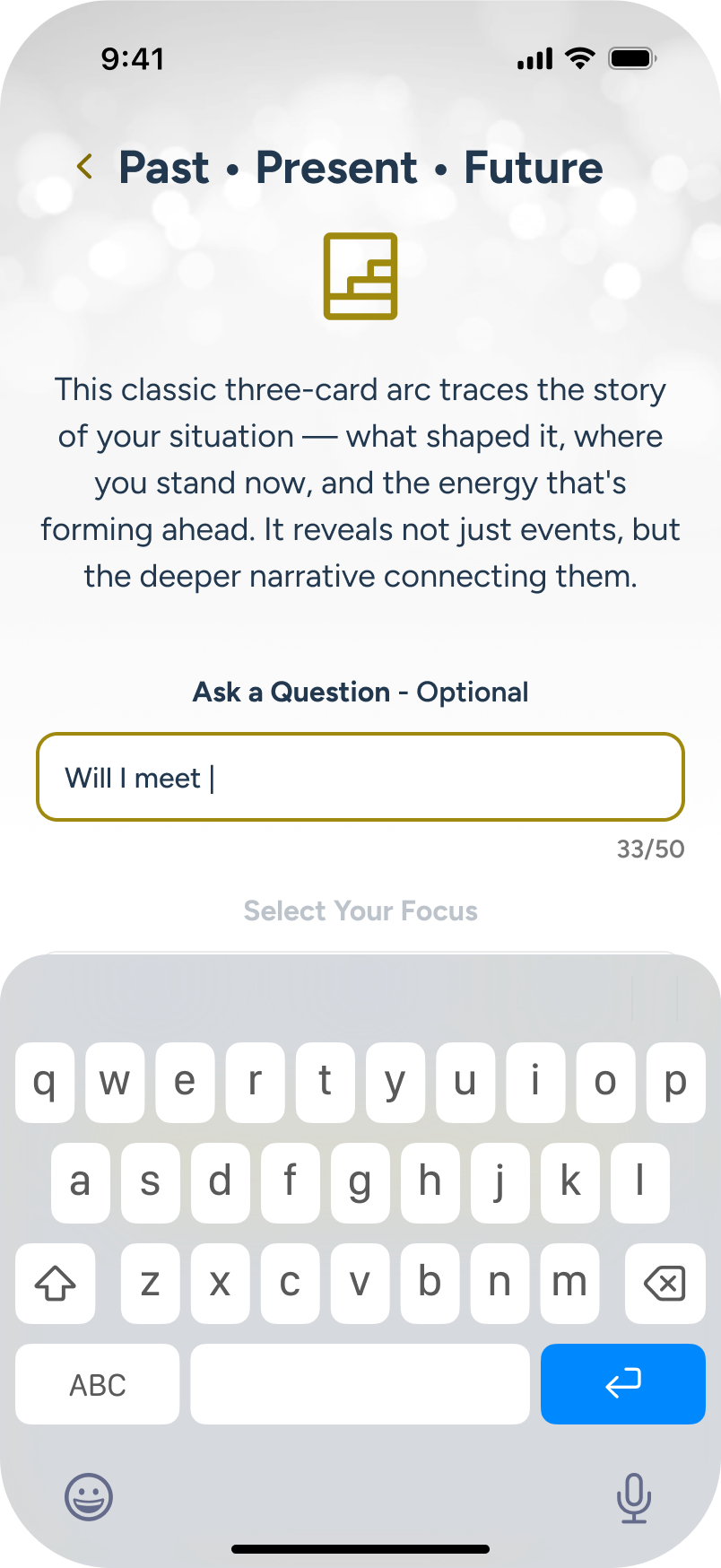
User adds a query about love.
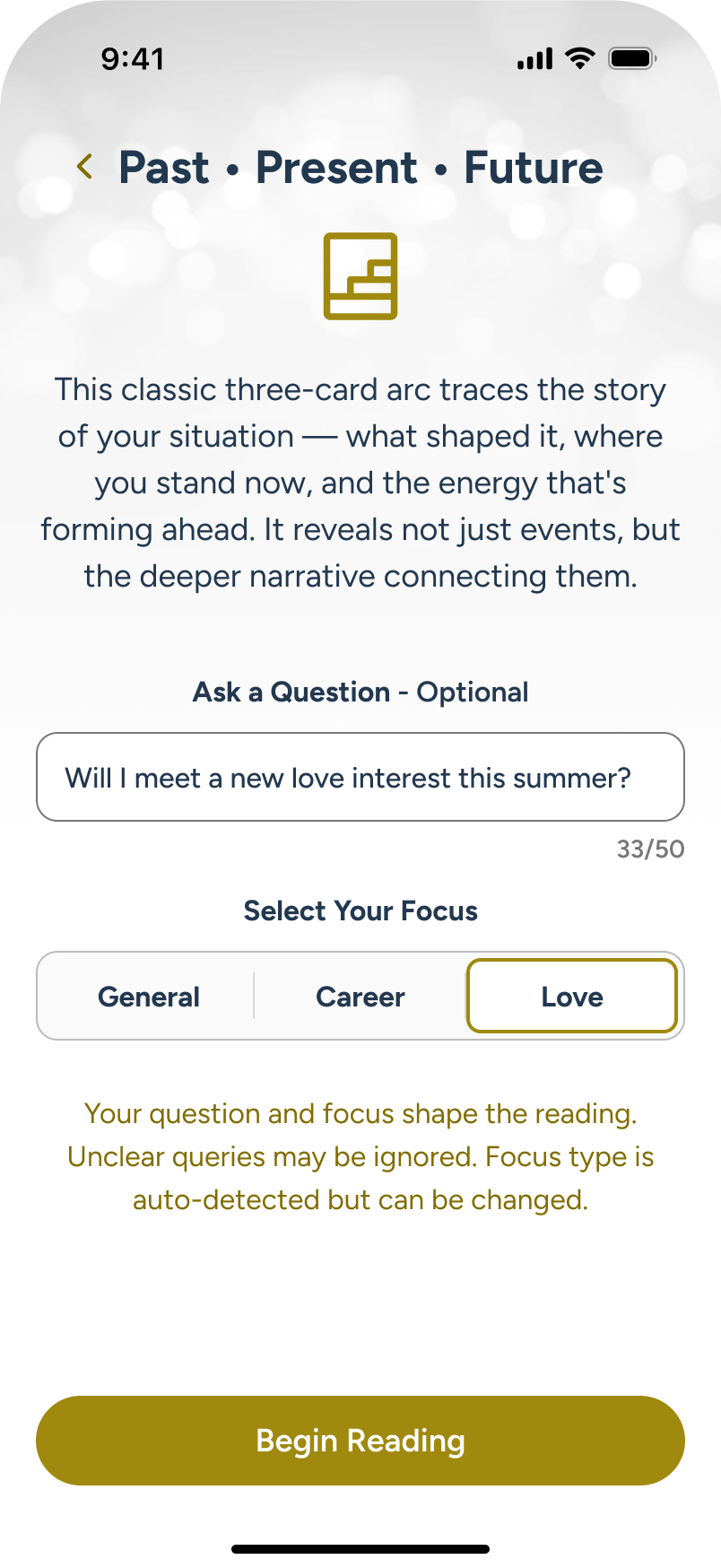
Focus area auto-detects “love”, and user proceeds to “Begin Reading” CTA.
Cards Select
The user moves to the card selection stage, which provides the context of the reading type, focus and optional query at top. The body shows a scrollable carousel of available cards, with draw positions below. Guidance text along the bottom aids the user as they proceed.
Note: A special feature of this area is that the user can either draw the cards manually from the carousel, or they can click the focus area, and AI will draw for them!
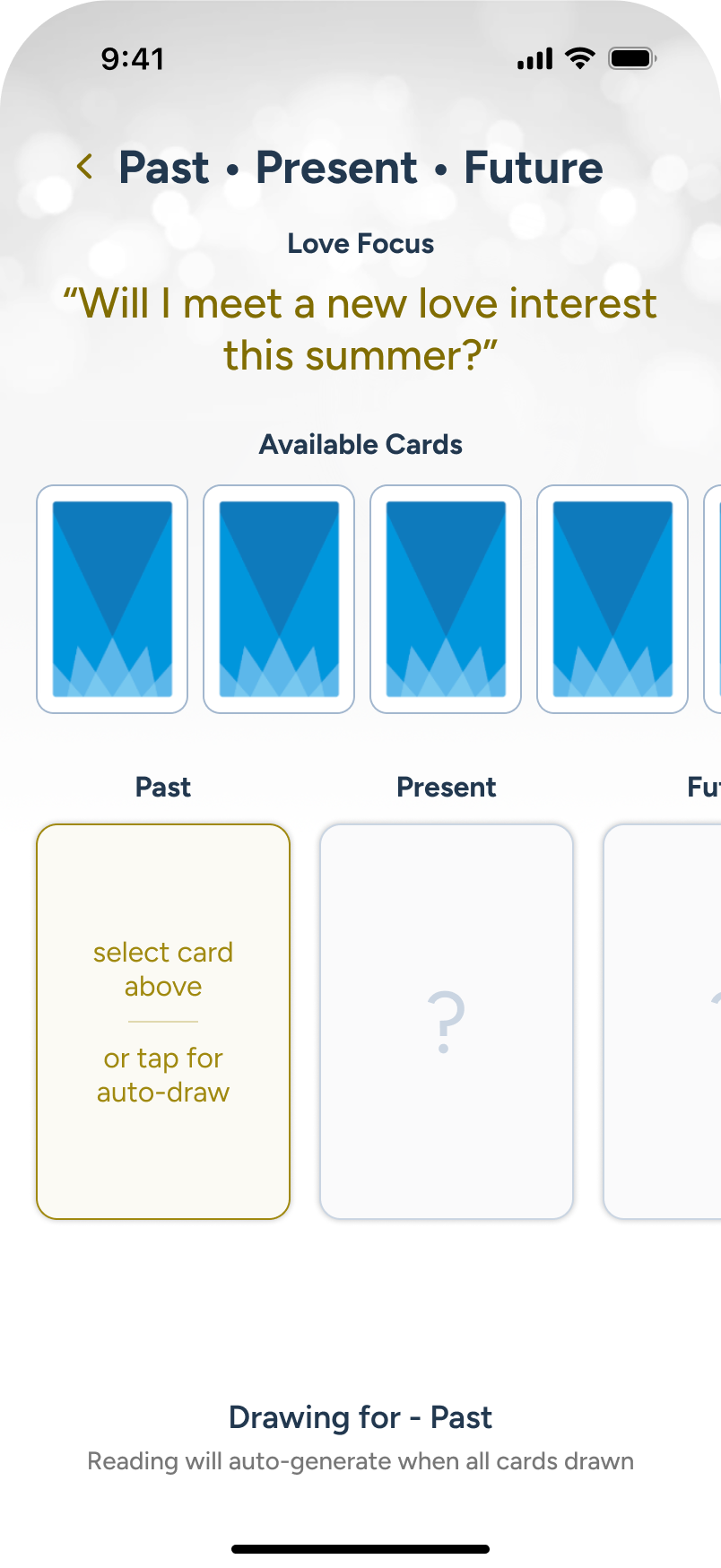
User’s query and focus are brought forward to the card reading area, and the user begins to select 3 cards.
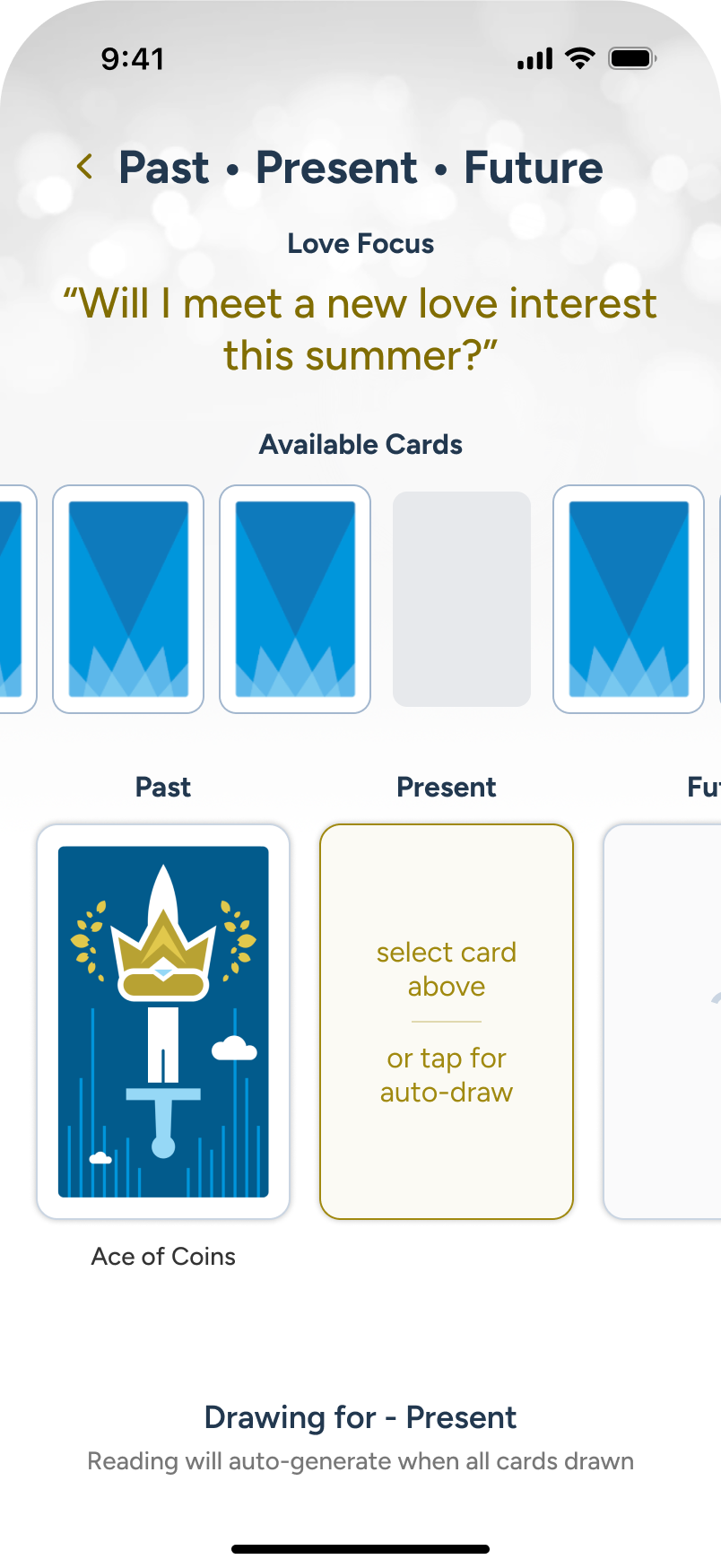
As the cards are drawn, user considers changing the query, so they tap the back arrow, top left.
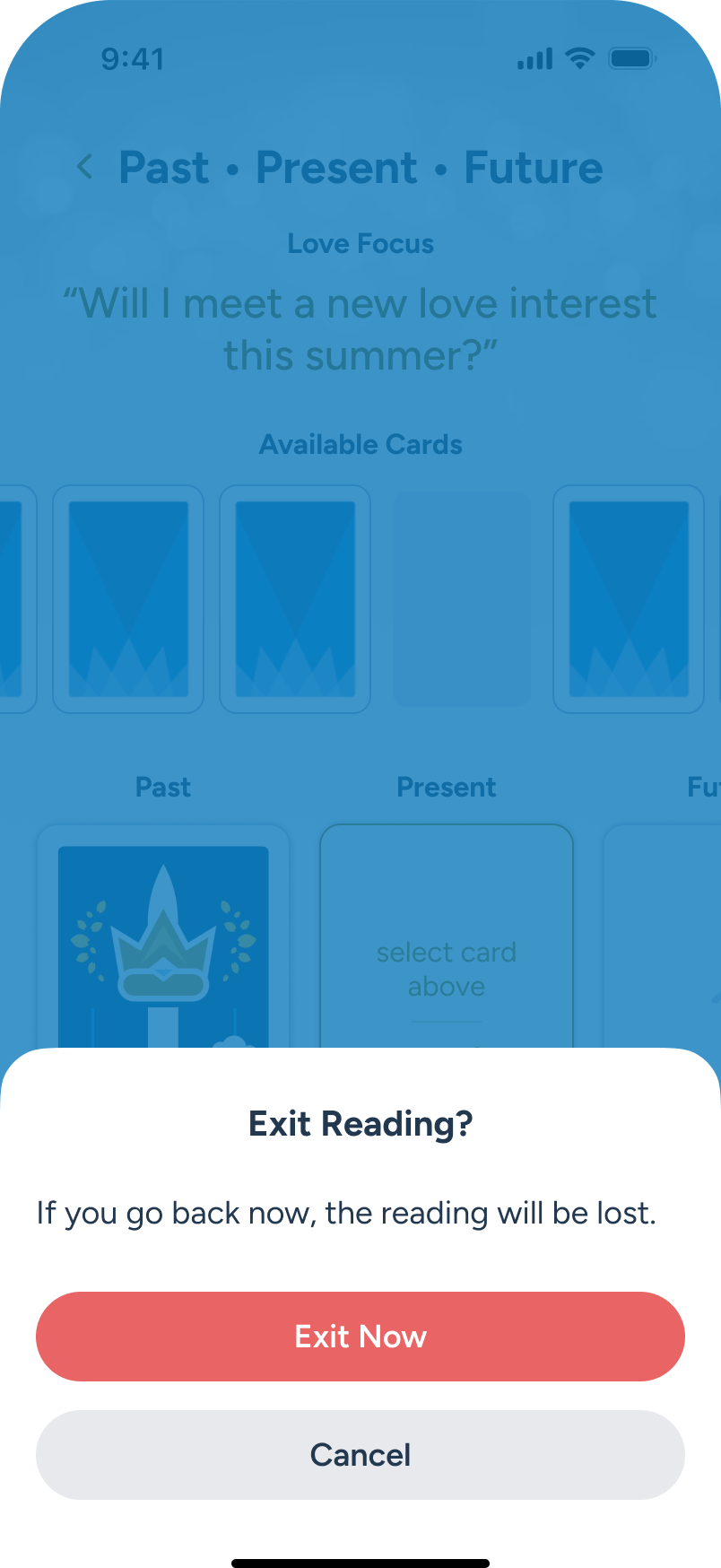
A modal warns that progress will be lost; user chooses to continue.
Once all cards are drawn, the AI begins building the summary, and we show this at the bottom.
Final Reading
The AI summarized multi-card reading is now ready for review, offering an Overview summarization, key details, and large, flippable cards for each position. The description under each card is AI-tailored to the overall reading, not just boilerplate copy from the Library. Once done, the user can either cleanly exit to Home or download a transcript and exit, as discussed in the next panel flow.
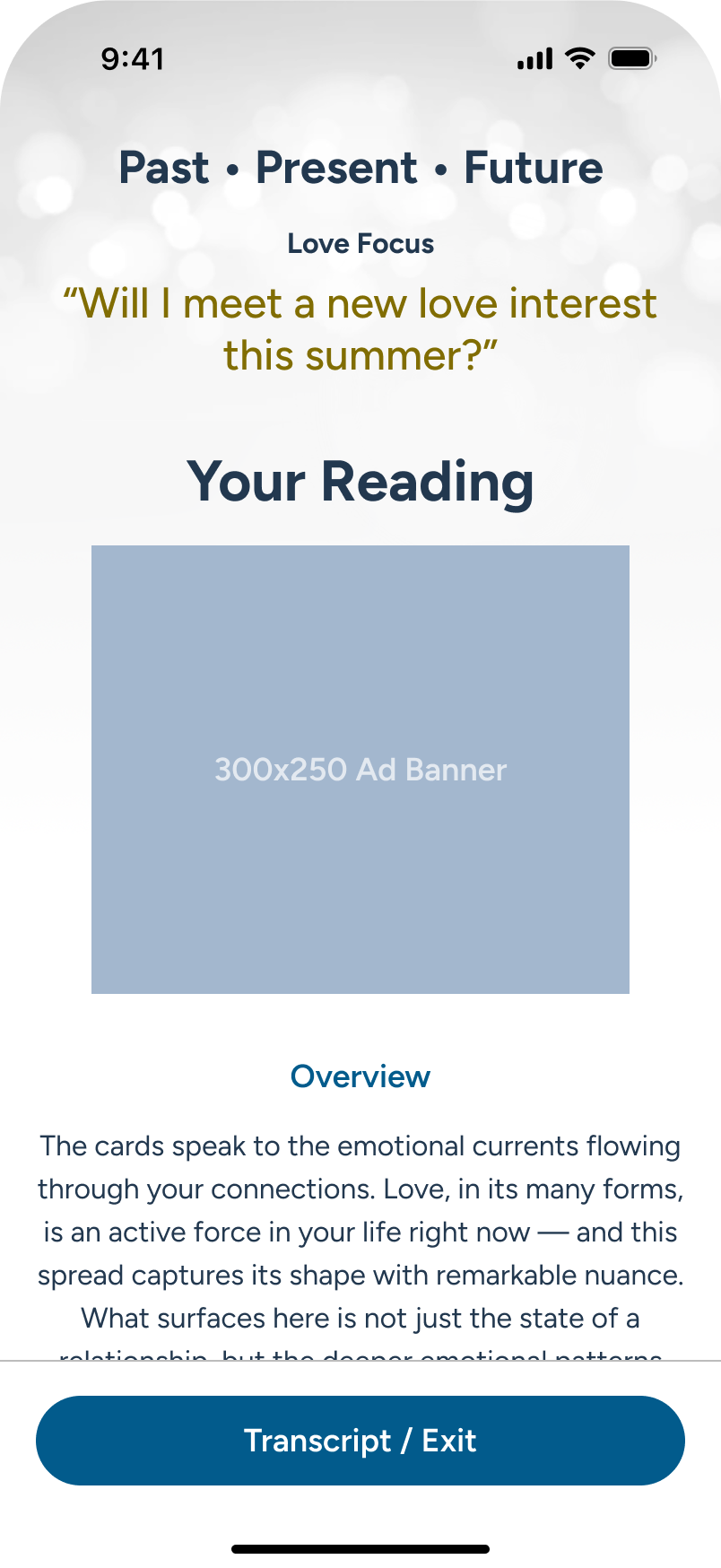
The multi-card reading is under review.
The multi-card reading is under review.
Cards are shown in the various positions with the option to flip for more details...
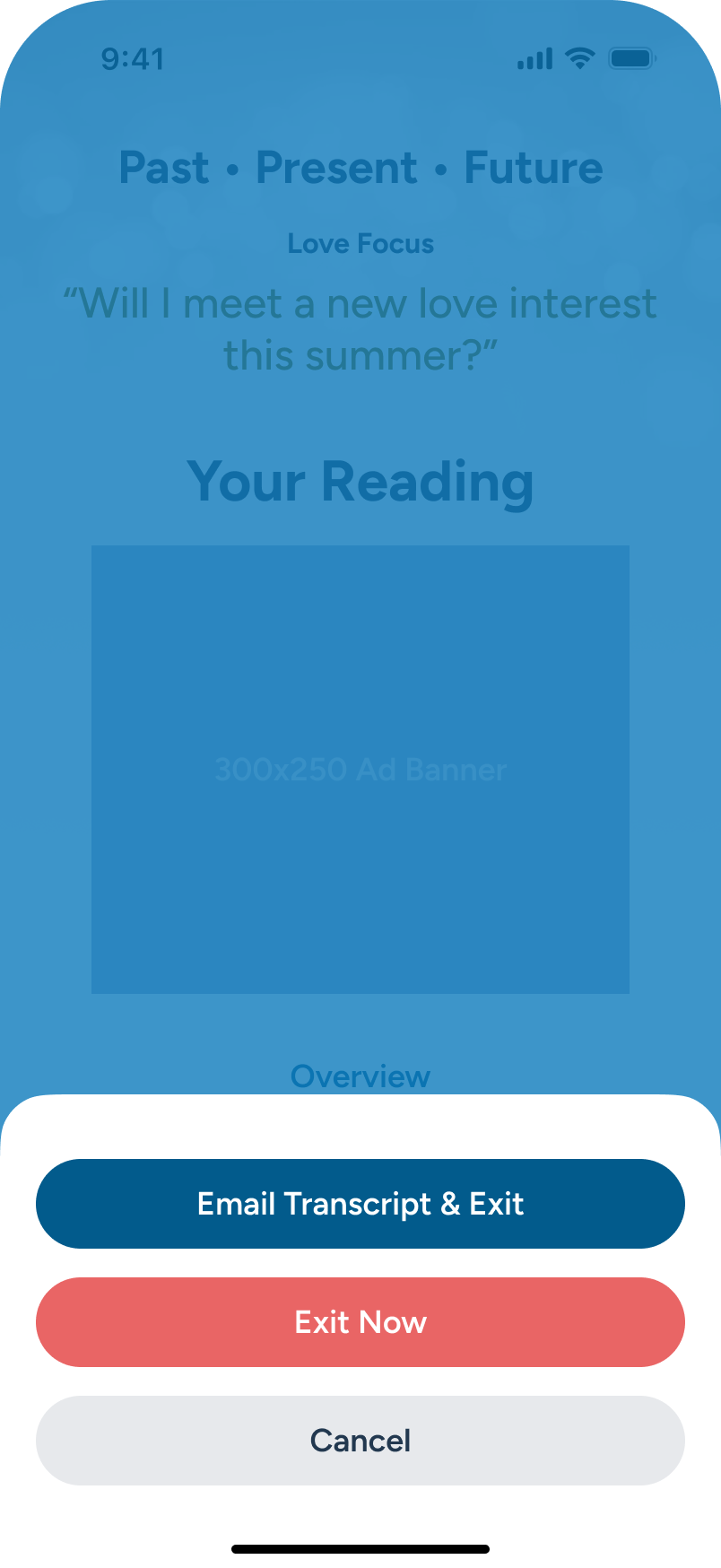
In the overlay options presented, user selects “Email Transcript & Exit” CTA.
Imagecoming soon
Imagecoming soon
Multi-Card Readings: Transcript Request + Exit
Initial Screens
In this scenario, the user has chosen to exit their detailed reading. They have the option to request a transcript and exit, Exit immediately (which will take them back to Home), or to Cancel and continue to view the reading. In this example, the user chooses a transcript by email. The form will confirm proper syntax in order to enable the CTA.
User selects “Email Transcript & Exit” CTA option.
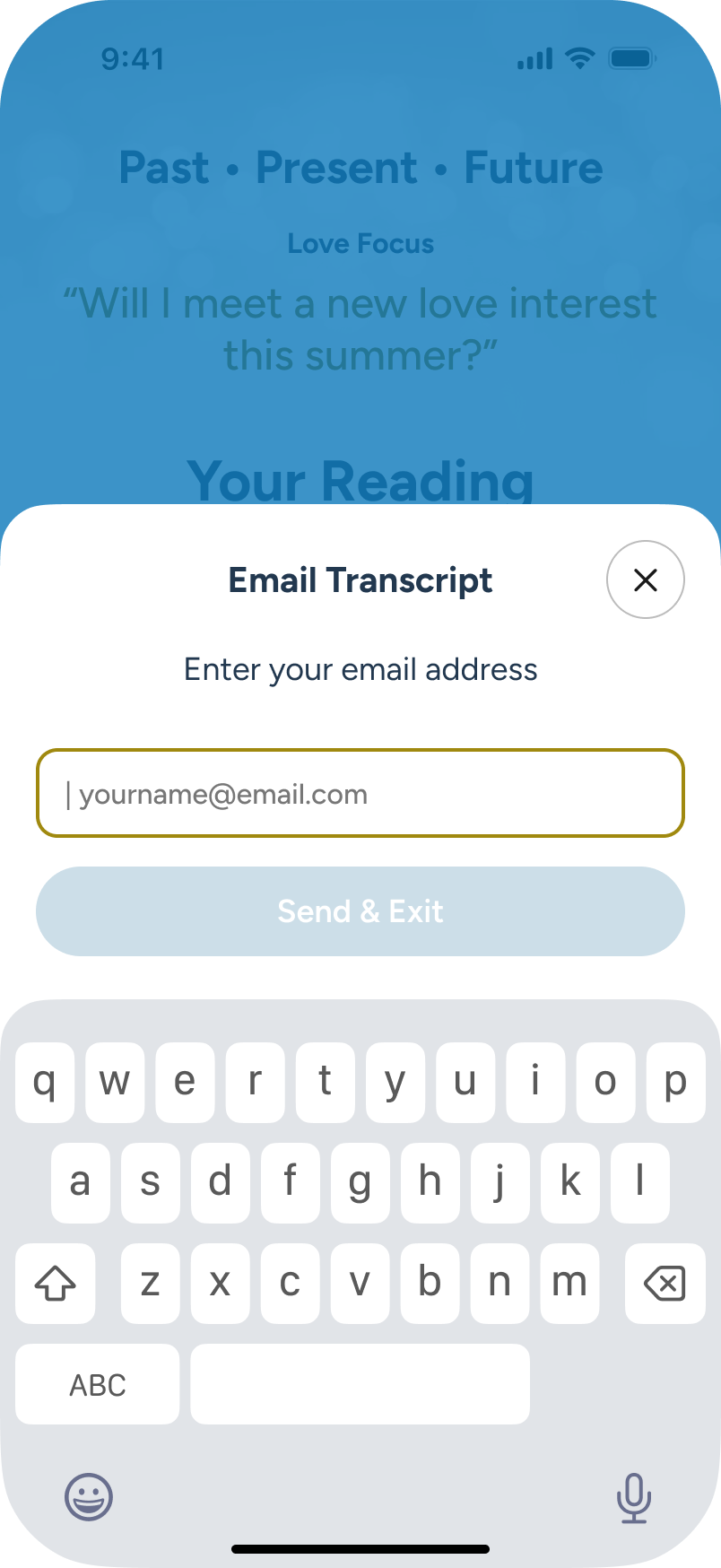
Email form appears. User begins to type.
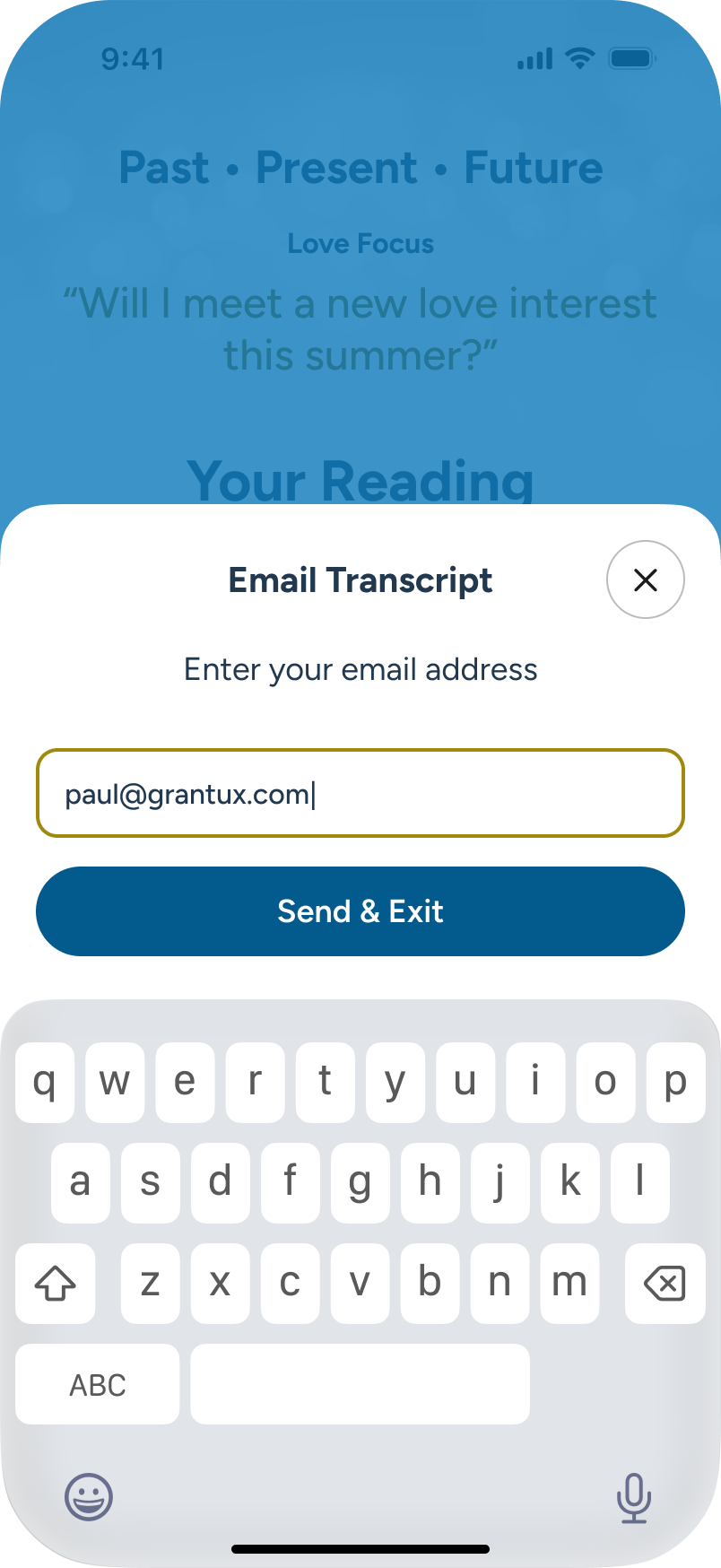
Email syntax is correct. “Send and Exit” CTA active. User presses.
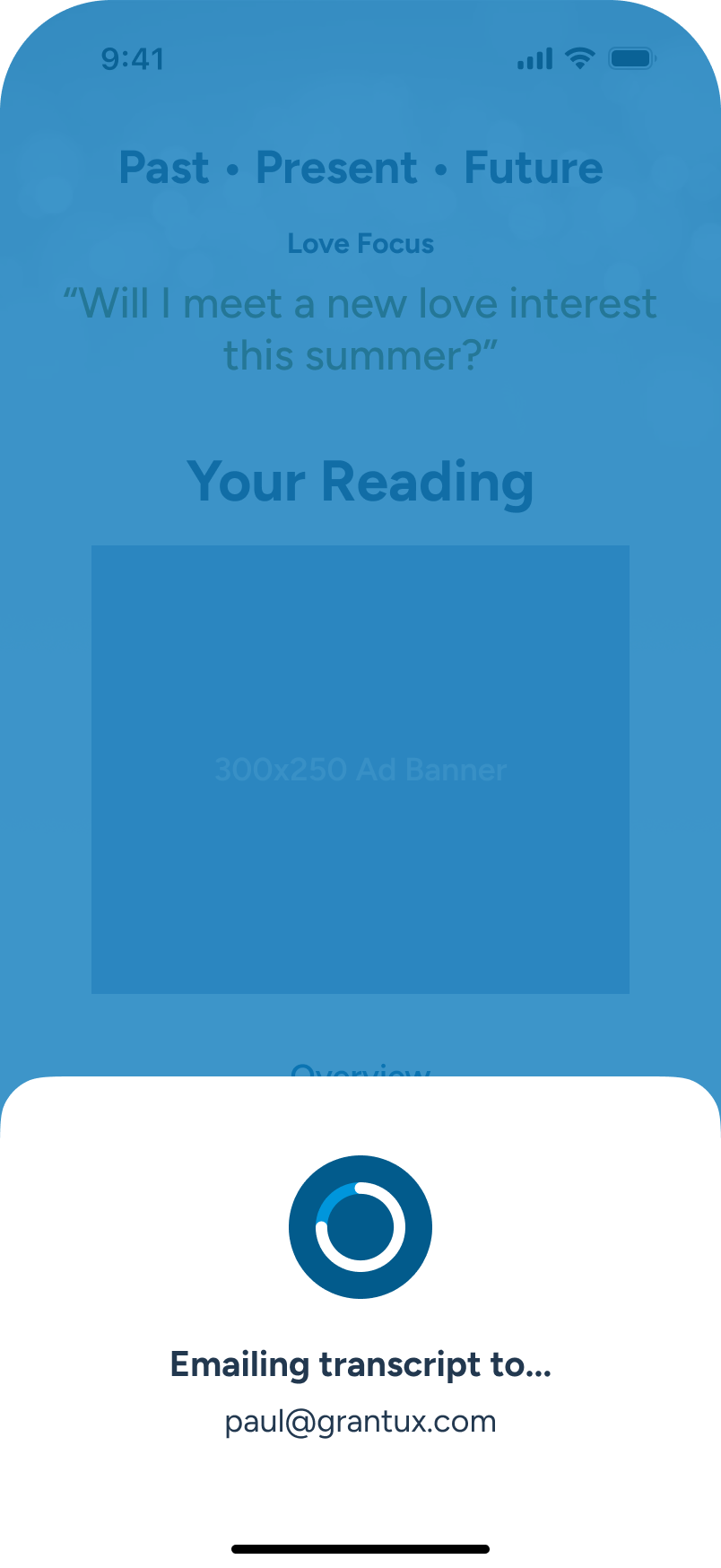
Transcript sending...
Success/ Fail Outcome
If the address is correct and there are no errors, a success message shows, and the user is returned to the Home page in (tbd) seconds. Should there be an error associated with the email (beyond basic syntax) then a fail message will inform the user, moving them to retry their email.
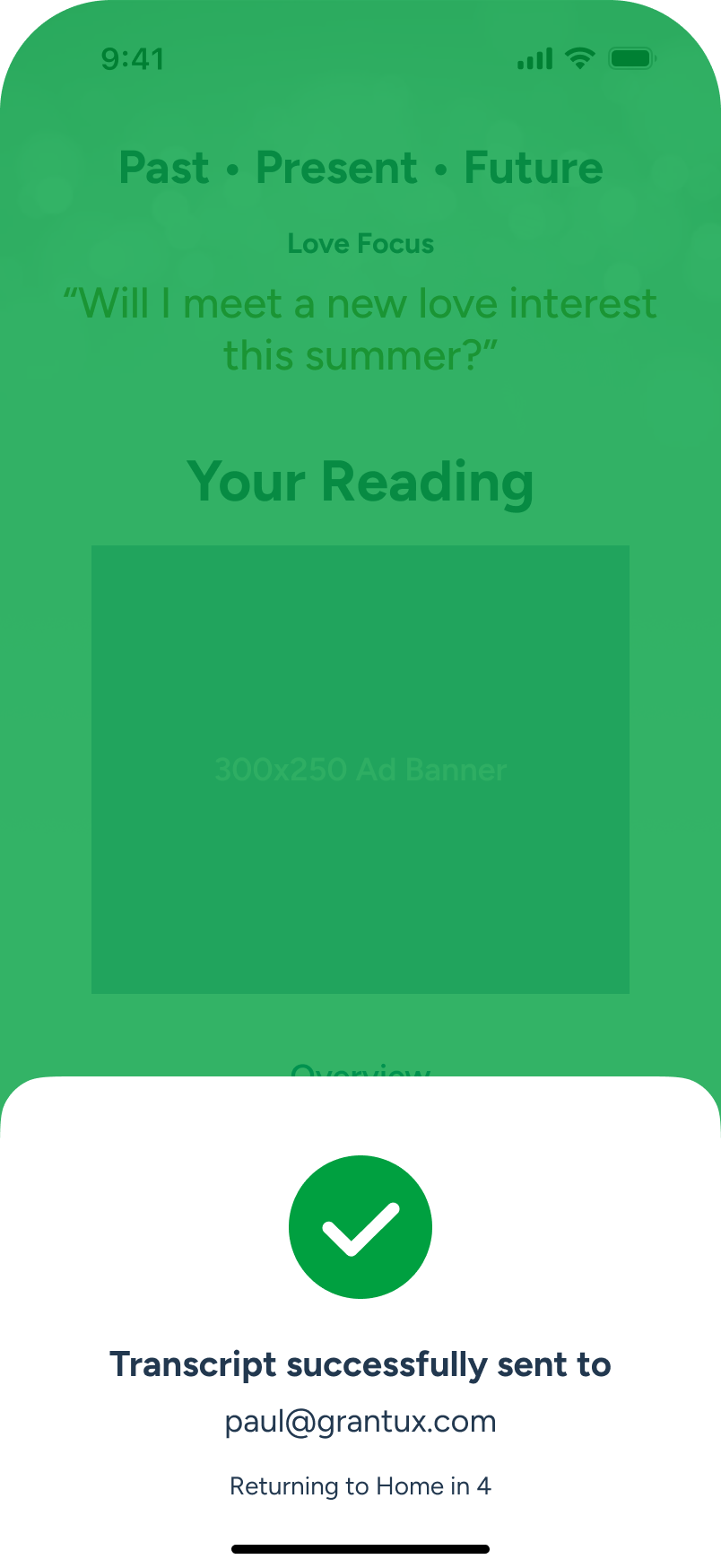
Transcript send success. User will return home in (TBD) sec.
User returns to Home.

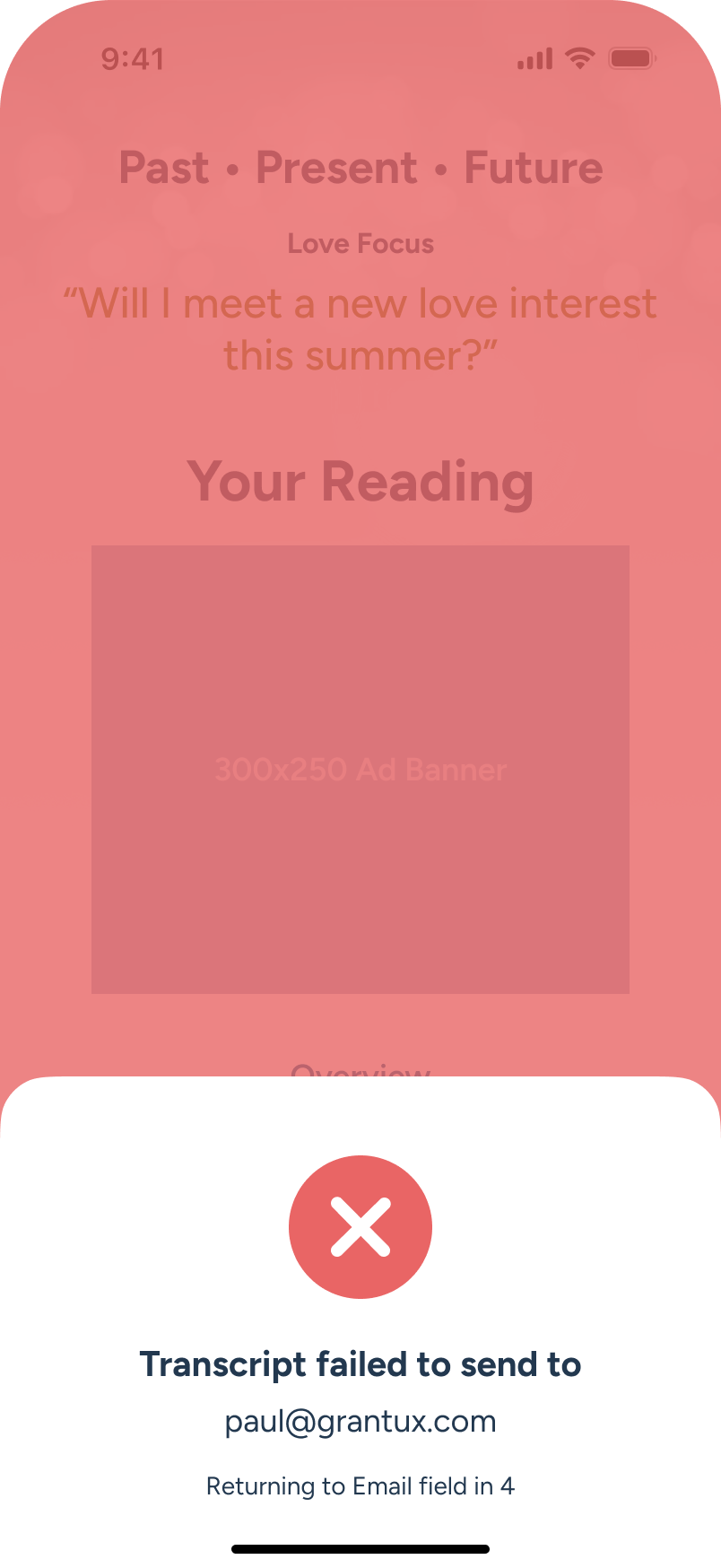
Transcript send failed. User returning to email input in (TBD) sec.
Email form appears. User begins to type.
Library: Search and Review
Initial Screens
All users may access the library section, where they can search well over 70 cards that make up the major and minor arcana in tarot. In the sample below, a user chooses to search for, and review, the Ace of Swords.
User decides to visit the Library, from the tab bar, to review card meanings.
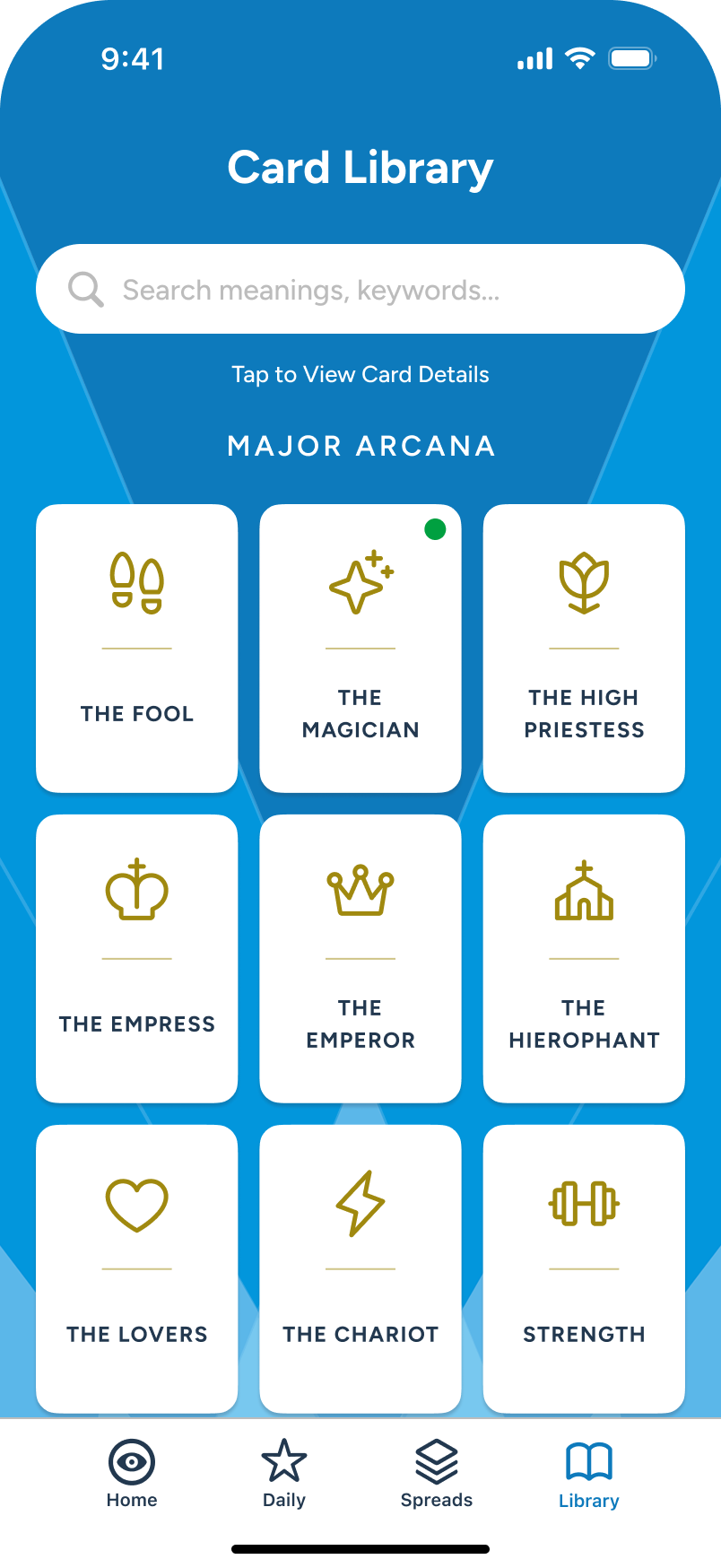
With 70+ cards available, the user decides to run a search.
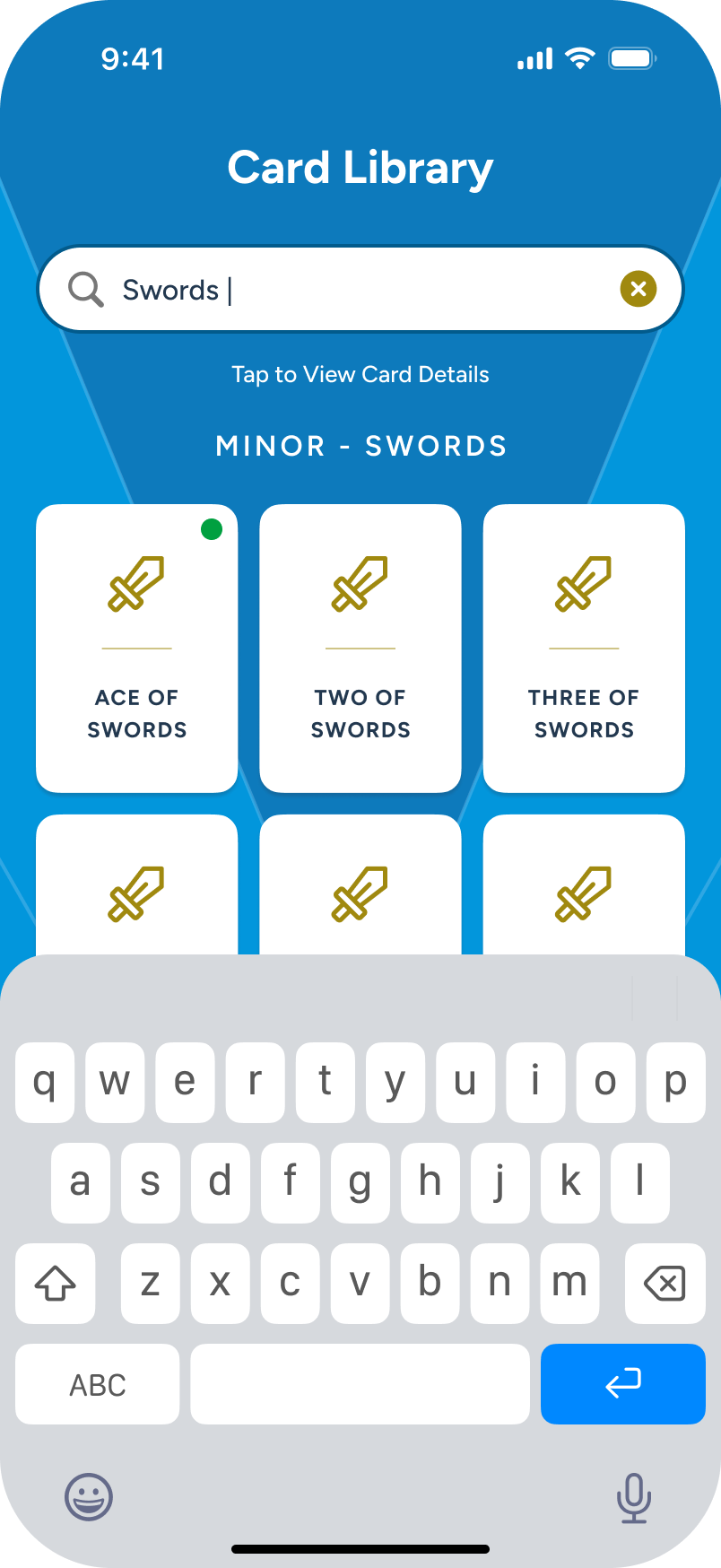
With “swords” searched, the user taps on Ace of Swords mini card.
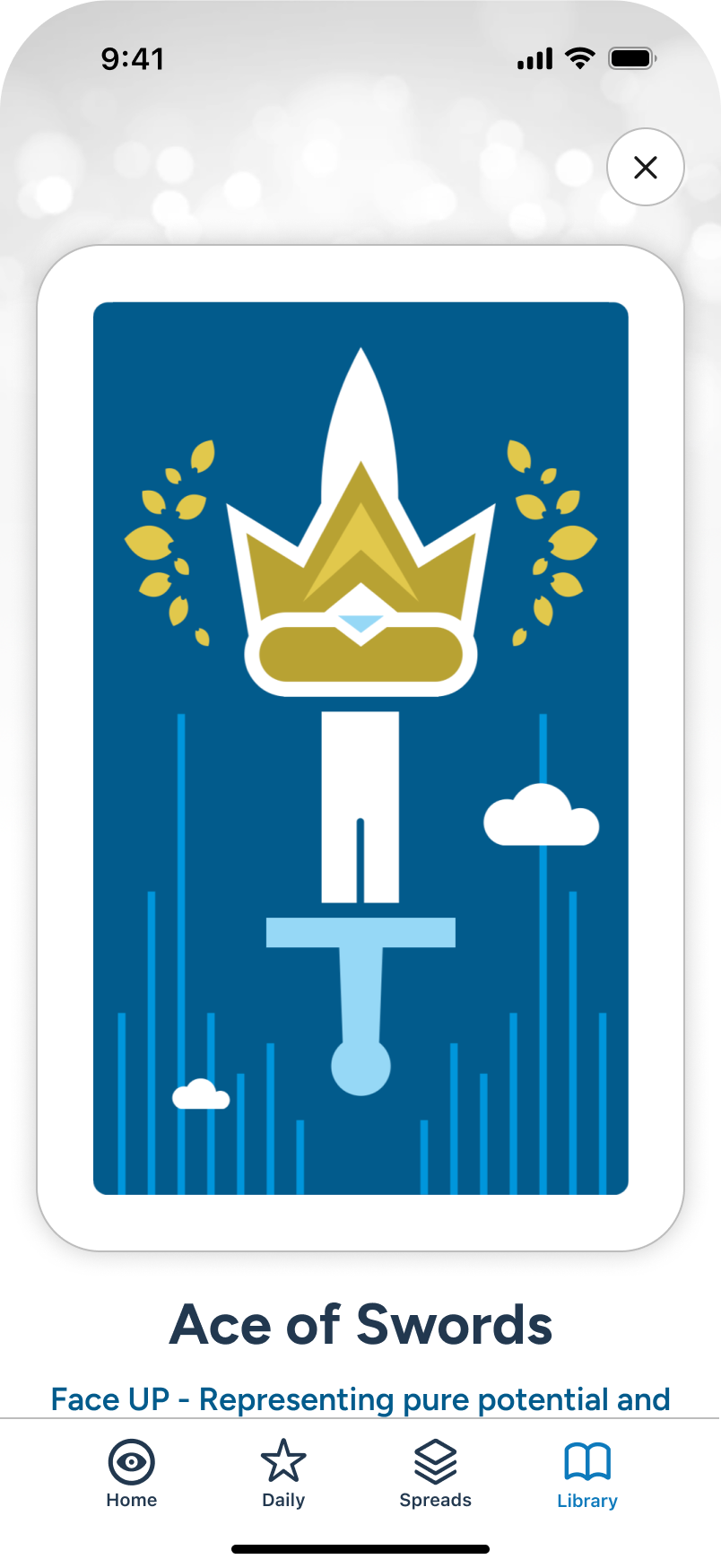
Ace of Swords shown.
Face UP / Face DOWN
For those users with a subscription, they will get access to both the standard face UP description, as well as the ability to toggle the reverse, or inverted, meaning.
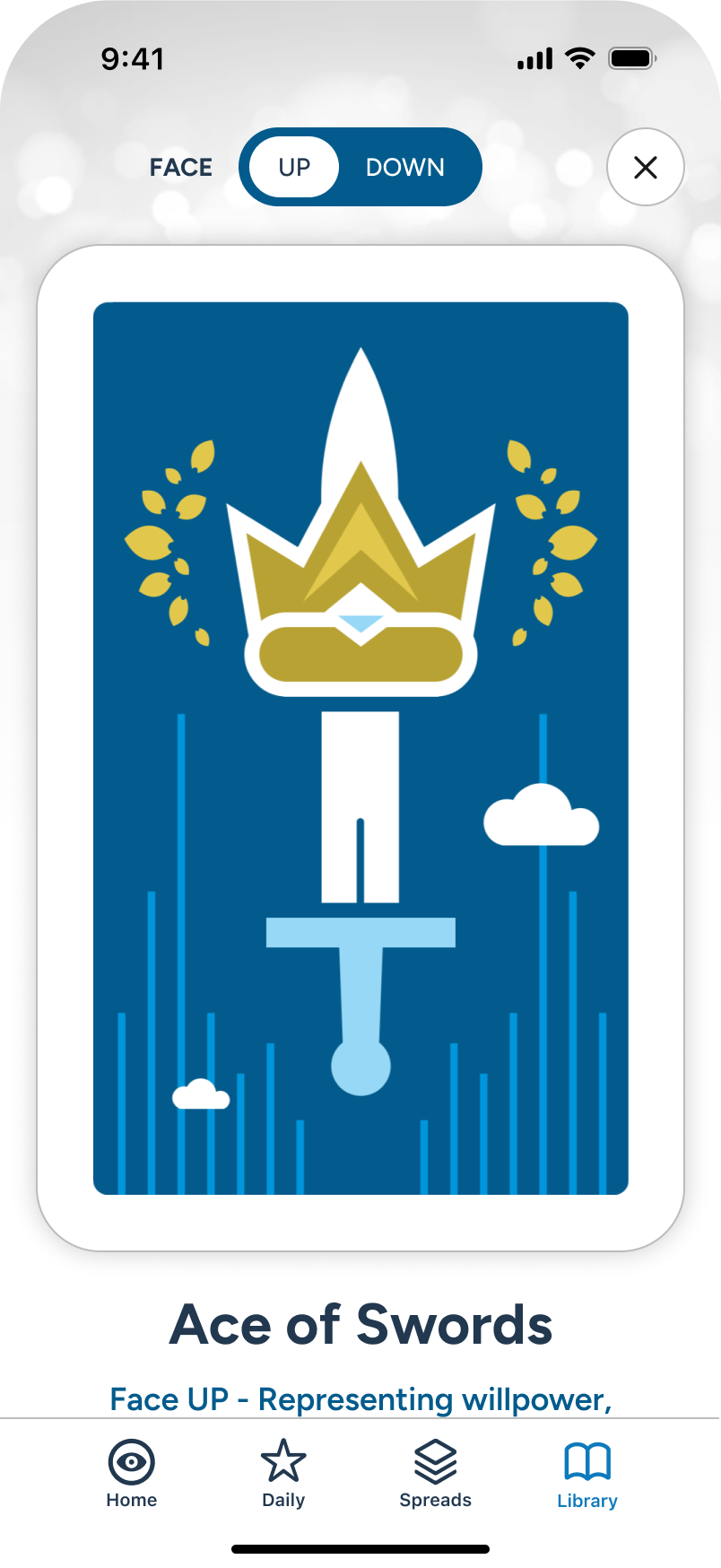
The user views and scrolls the Face UP card detail...
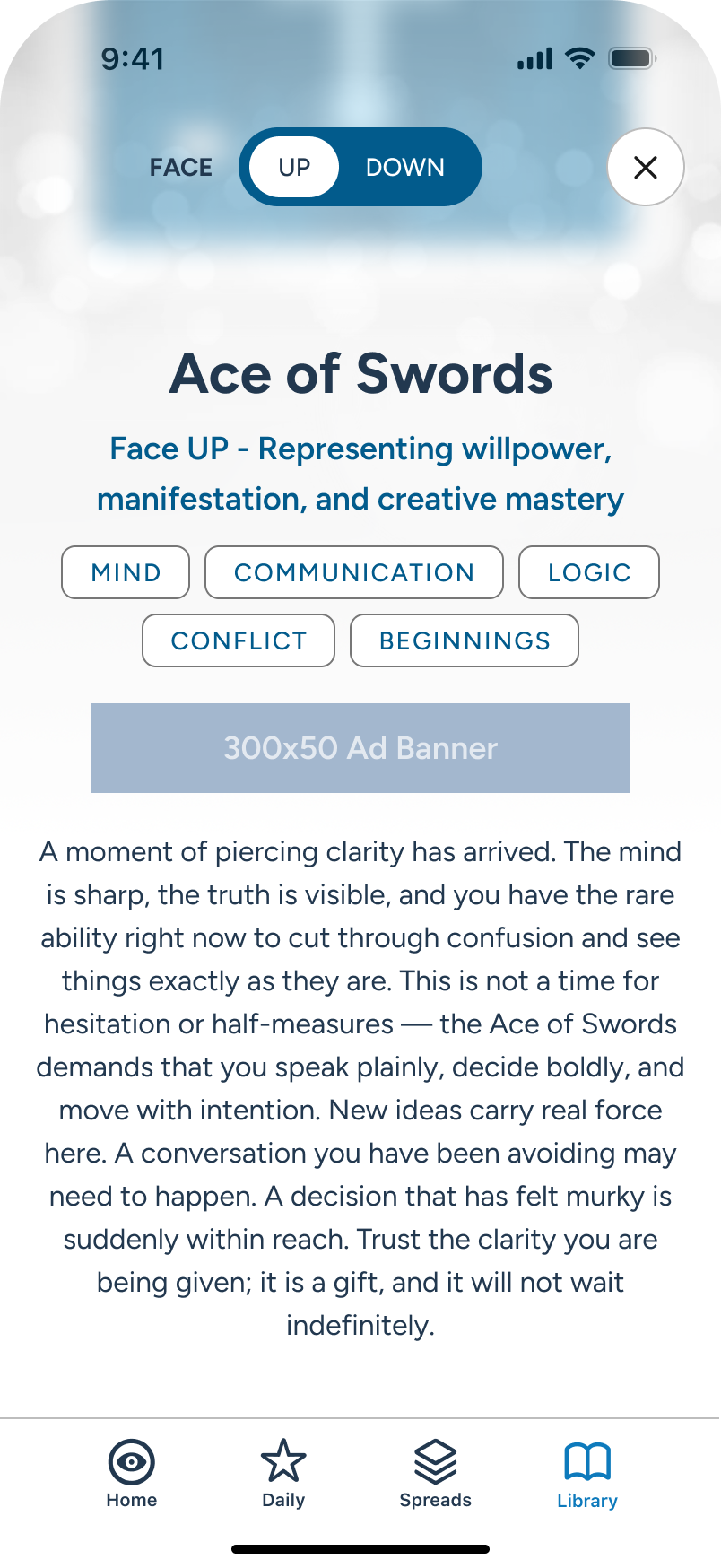
...showing the upright meaning and keywords.
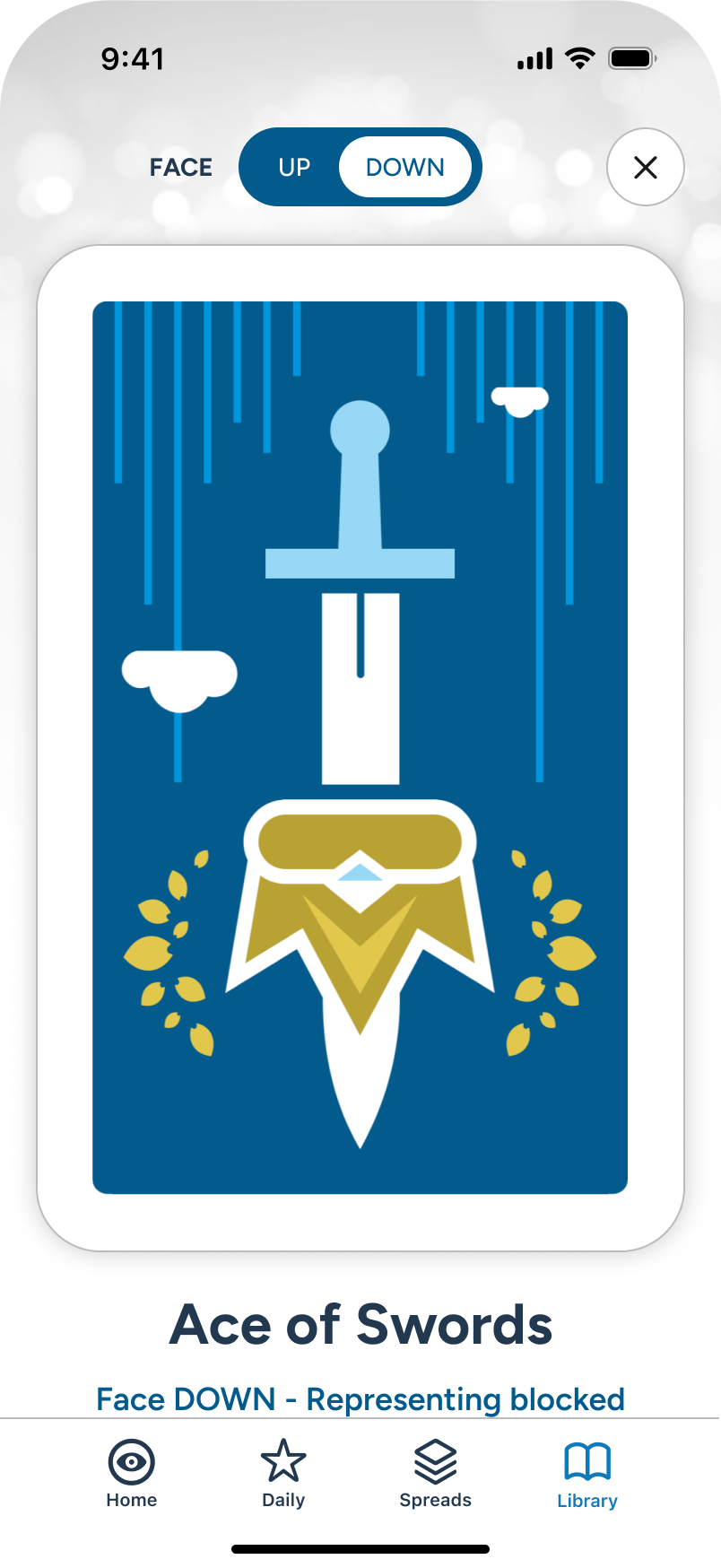
The user views and scrolls the Face DOWN card detail...
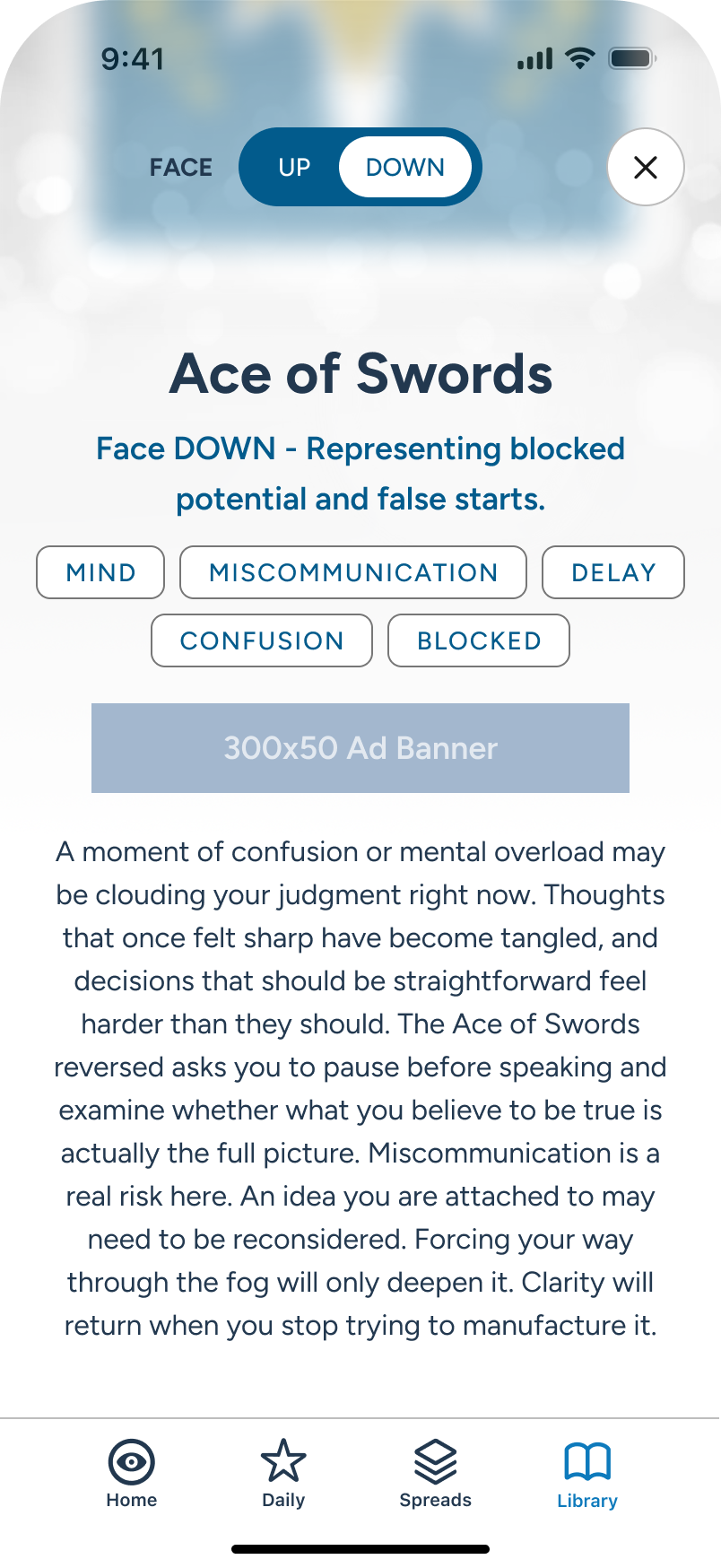
...showing the reversed meaning and keywords.


Error State: No Internet
Cellular or Wi-Fi issues can happen at any time. In this example, a user is in the middle of sending a multi-card spread to the AI for final reading summarization, when the connection goes dead and the app immediately notifies them of the disruption.If the user has not left the application, it can easily recover and resume once the connection is restored.
The AI is busy crafting the final reading in the background...
Internet is suddenly disconnected, so an overlay temporarily comes up.
Upon restoration of internet, without having left the app, the AI summarization continues.