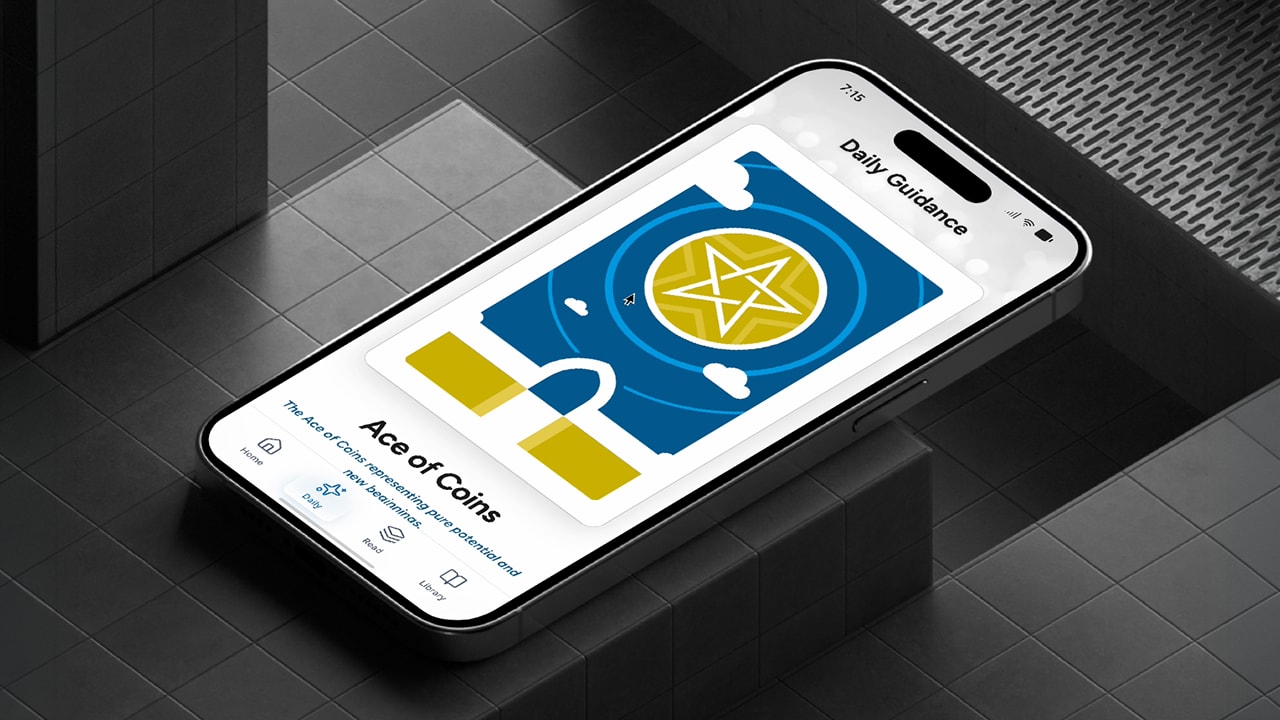
Insight Tarot - Demo
A video walkthrough of the Figma Make generated concept, with transitions and effects.The more advanced Xcode build, now being tested on hardware, along with detailed product documentation, can be reviewed in-call.
Learn More
Insight Tarot - iOS App
A Personal Project
Tarot has been practiced for centuries, evolving from a card game into a widely used tool for reflection and self-guidance. A standard deck contains 78 cards: the 22 Major Arcana, representing life's significant themes and transitions, and the 56 Minor Arcana, covering the everyday influences that shape experience. Today it enjoys broad mainstream appeal, with millions of practitioners worldwide ranging from casual users to dedicated readers.
I've long been drawn to hidden knowledge, deeper meanings, and patterns. After years of trying out Tarot, I Ching, and similar apps, I saw an opportunity in 2020 to combine that interest with my UX and creative background to build something better. The free apps lacked a premium feel, while the paid ones offered better interactions and artwork but at too high a cost. I wanted to strike a middle ground.
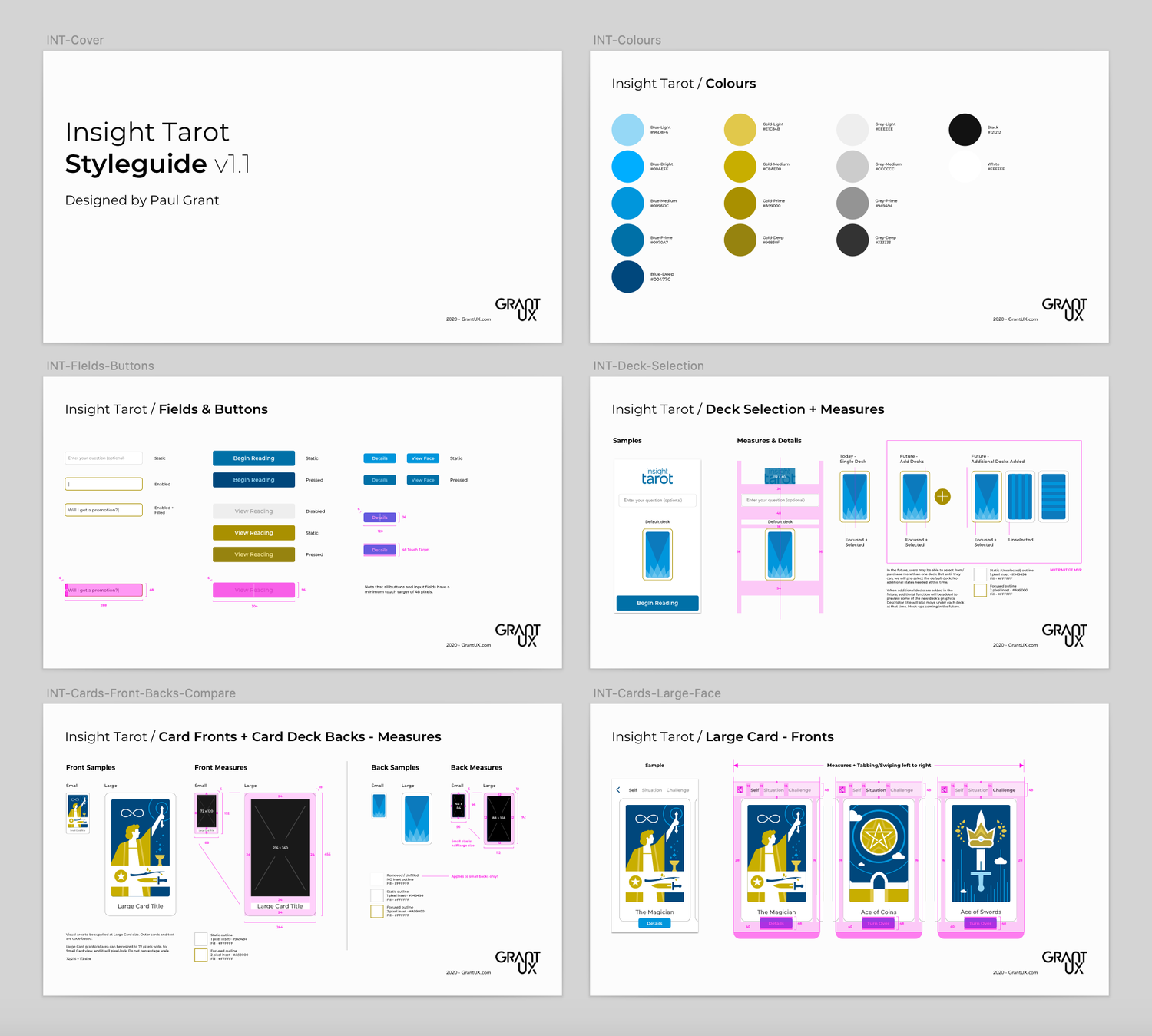
The app I envisioned would be free to download but premium in feel, with inline ads supporting a freemium model and a fully custom card deck of over 70 original illustrations at its center. After auditing the landscape, I mapped core features, a monetization strategy, and a UX framework, culminating in a full style guide and high-fidelity mockups. Ultimately the project was shelved because AI-based summarization didn't exist yet. Now that it does, I'm reinvesting in the app throughout 2026.
2020 | Initial Project + Pause
The project was shelved due to high development costs and a key limitation: complex, personalized multi-card summarization wasn't yet possible. With over 70 cards in a Tarot deck, each carrying its own static meaning, readings couldn't be made truly personal. User queries remained purely symbolic in this earlier iteration.
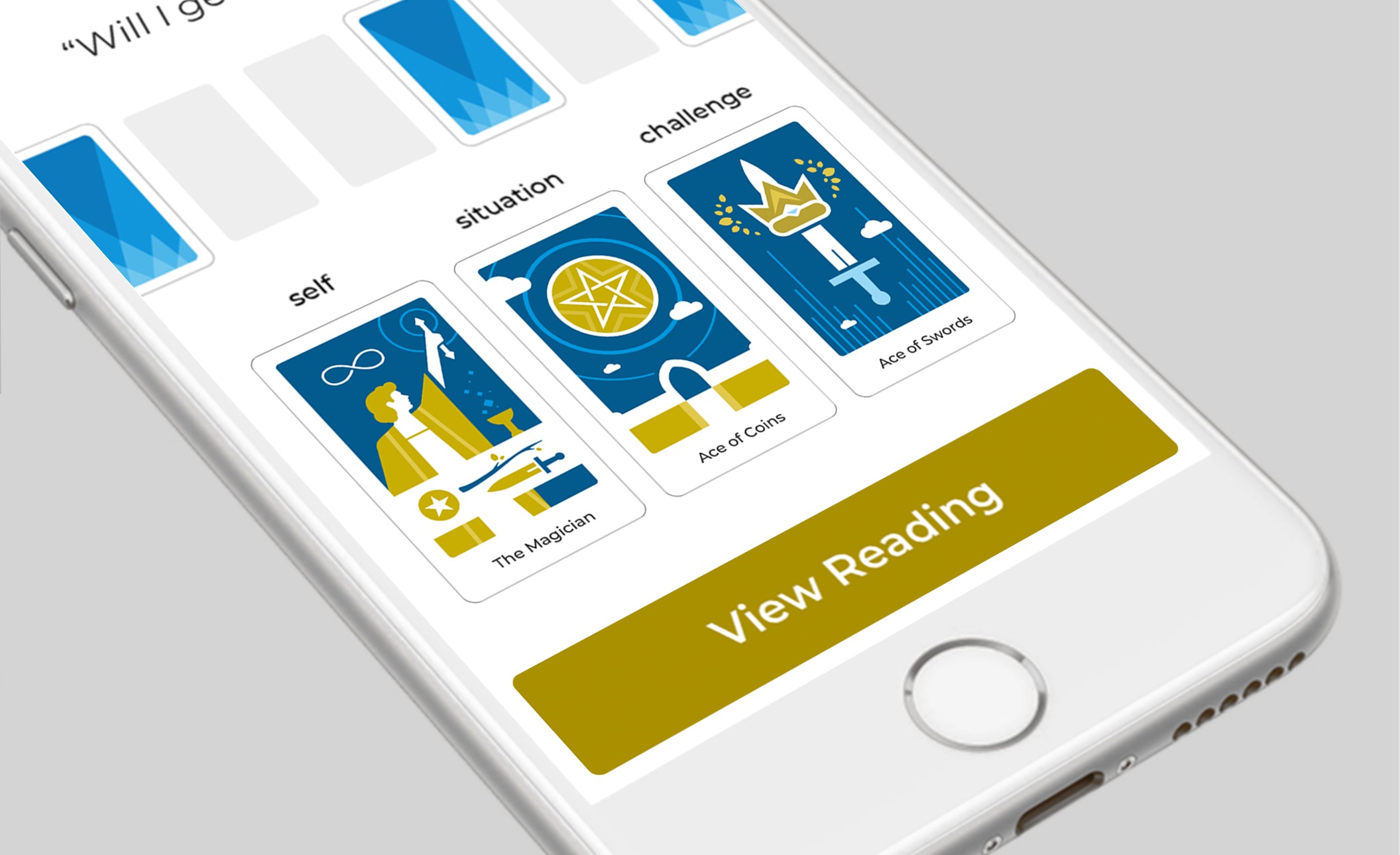

2026 | Current Reboot
After 3 years leading UX at Netomi, an agentic AI company, I started investing time in rebooting the app’s vision through the power and capabilities of vibe coding tools and AI summarization.
Completed
In Progress - June
AI summarization for multi-card readings will be gated behind a subscription. The app will be free to install, with single-card Daily Guidance as the freemium entry point. Monetization is supported by inline ads and a subscription upsell for multi-card readings.



Insight Tarot - iOS App
A Personal Project
Tarot has been practiced for centuries, evolving from a card game into a widely used tool for reflection and self-guidance. A standard deck contains 78 cards: the 22 Major Arcana, representing life's significant themes and transitions, and the 56 Minor Arcana, covering the everyday influences that shape experience. Today it enjoys broad mainstream appeal, with millions of practitioners worldwide ranging from casual users to dedicated readers.
I've long been drawn to hidden knowledge, deeper meanings, and patterns. After years of trying out Tarot, I Ching, and similar apps, I saw an opportunity in 2020 to combine that interest with my UX and creative background to build something better. The free apps lacked a premium feel, while the paid ones offered better interactions and artwork but at too high a cost. I wanted to strike a middle ground.
The app I envisioned would be free to download but premium in feel, with inline ads supporting a freemium model and a fully custom card deck of over 70 original illustrations at its center. After auditing the landscape, I mapped core features, a monetization strategy, and a UX framework, culminating in a full style guide and high-fidelity mockups. Ultimately the project was shelved because AI-based summarization didn't exist yet. Now that it does, I'm reinvesting in the app throughout 2026.
2020 | Initial Project + Pause
The project was shelved due to high development costs and a key limitation: complex, personalized multi-card summarization wasn't yet possible. With over 70 cards in a Tarot deck, each carrying its own static meaning, readings couldn't be made truly personal. User queries remained purely symbolic in this earlier iteration.

2026 | Current Reboot
After 3 years leading UX at Netomi, an agentic AI company, I started investing time in rebooting the app’s vision through the power and capabilities of vibe coding tools and AI summarization.
Completed
In Progress - June
AI summarization for multi-card readings will be gated behind a subscription. The app will be free to install, with single-card Daily Guidance as the freemium entry point. Monetization is supported by inline ads and a subscription upsell for multi-card readings.
Insight Tarot - iOS App
A Personal Project
Tarot has been practiced for centuries, evolving from a card game into a widely used tool for reflection and self-guidance. A standard deck contains 78 cards: the 22 Major Arcana, representing life's significant themes and transitions, and the 56 Minor Arcana, covering the everyday influences that shape experience. Today it enjoys broad mainstream appeal, with millions of practitioners worldwide ranging from casual users to dedicated readers.
I've long been drawn to hidden knowledge, deeper meanings, and patterns. After years of trying out Tarot, I Ching, and similar apps, I saw an opportunity in 2020 to combine that interest with my UX and creative background to build something better. The free apps lacked a premium feel, while the paid ones offered better interactions and artwork but at too high a cost. I wanted to strike a middle ground.
The app I envisioned would be free to download but premium in feel, with inline ads supporting a freemium model and a fully custom card deck of over 70 original illustrations at its center. After auditing the landscape, I mapped core features, a monetization strategy, and a UX framework, culminating in a full style guide and high-fidelity mockups. Ultimately the project was shelved because AI-based summarization didn't exist yet. Now that it does, I'm reinvesting in the app throughout 2026.
Review Structure
Duration:
2026 (Active)
Consumer
AI Personalization
Mobile
0 to 1
2020
Initial Project + Pause
The project was shelved due to high development costs and a key limitation: complex, personalized multi-card summarization wasn't yet possible. With over 70 cards in a Tarot deck, each carrying its own static meaning, readings couldn't be made truly personal. User queries remained purely symbolic in this earlier iteration.

2026
Current Reboot
After 3 years leading UX at Netomi, an agentic AI company, I started investing time in rebooting the app’s vision through the power and capabilities of vibe-coding tools and AI summarization.
Completed
In Progress - June
AI summarization/personalization for multi-card readings will be gated behind a subscription. The app will be free to install, with single-card Daily Guidance as the freemium entry point. Monetization is supported by inline ads and a subscription upsell for multi-card readings.
Latest video demo walkthrough and user flows below
Onboard Screens: Defining the Key Sections
On first install, the app walks new users through its three core sections before landing on a conversion prompt. The flow is linear and swipeable, with a skip option available throughout. Free features are introduced first, Daily Guidance and the Tarot Library, with Multi-Card Readings closing the sequence as the subscriber payoff.
Note: We will review the Plan screens later in the flow. For now, we’ll proceed to the standard view for the freemium Basic tier. Post-onboard policy agreement flows not shown here, but can be discussed in a review call.

Loading screen is splashed for a few seconds as the application loads.
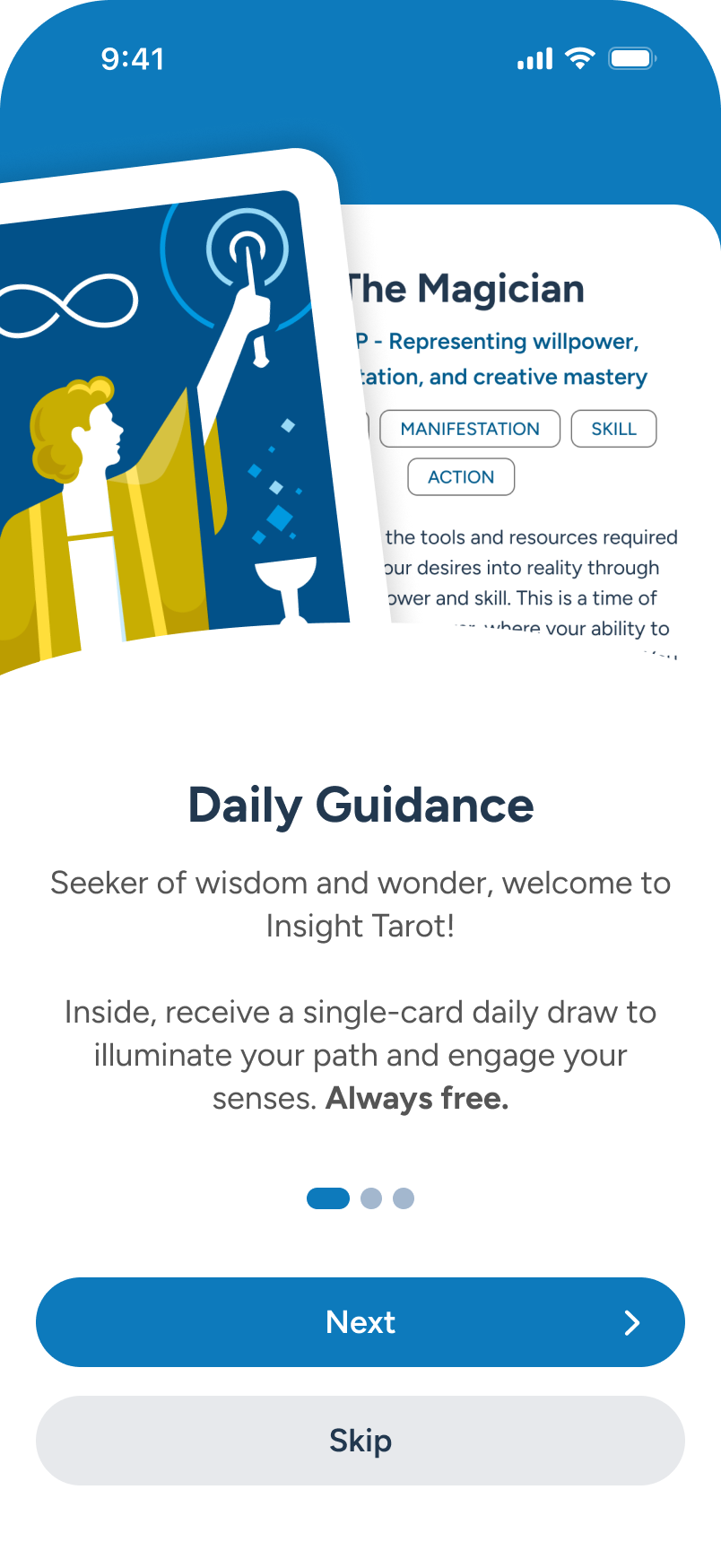
Here, Daily Guidance introduces the free single-card draw, the freemium anchor of the experience. “Next.”
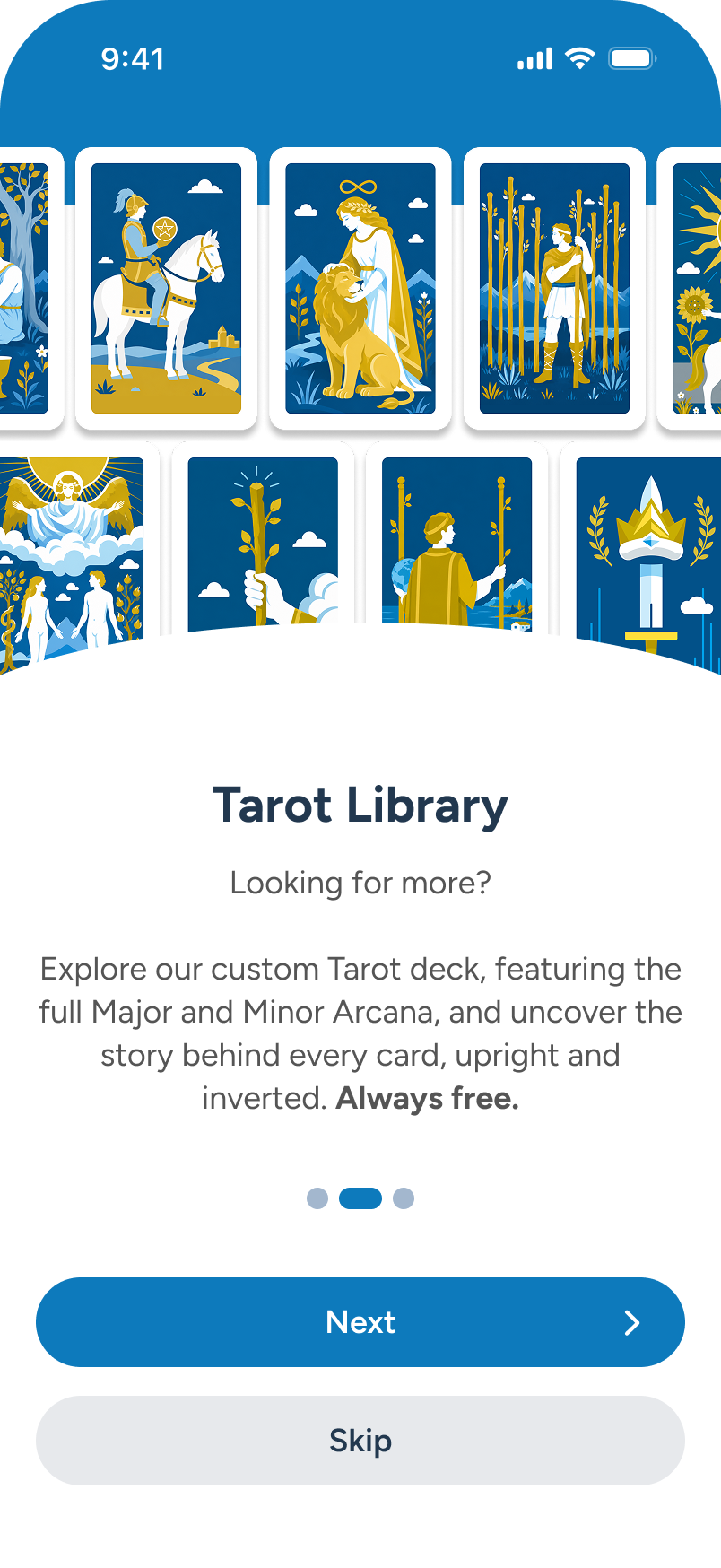
Tarot Library presents the full 78-card deck, free to explore for all users. “Next.”
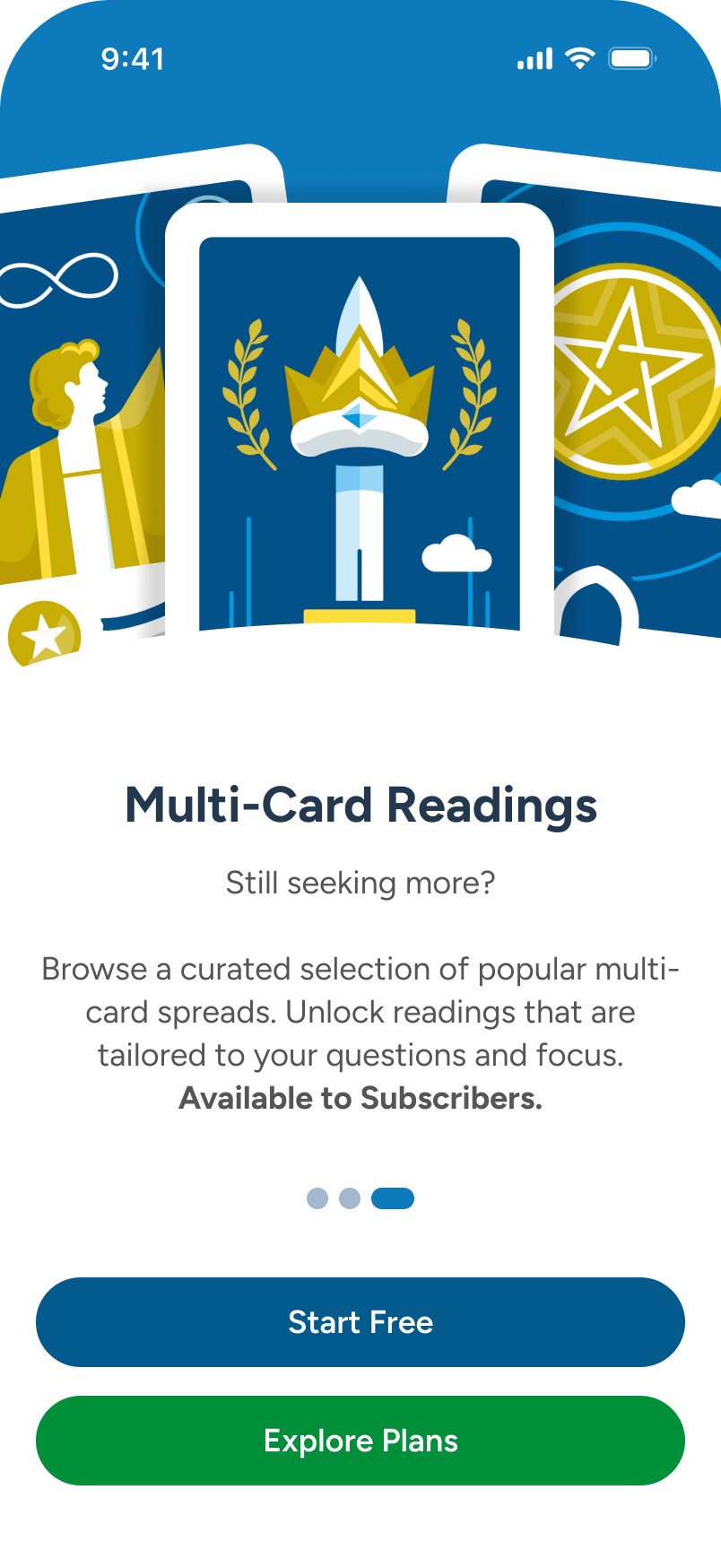
Last, Multi-Card Readings closes the flow with the subscriber value prop and a clear two-CTA exit.

The Multi-Card Upsell: Another avenue to conversion
A freemium user on the Home screen encounters an ad card promoting Multi-Card Readings. Tapping it launches a feature overlay detailing what a subscription unlocks. The overlay offers two exits: upgrade immediately via Explore Plans, or browse the locked Spreads section -- a low-friction second path to the same conversion goal.
Note: The promo overlay offers two paths — proceed to Plan for immediate upgrade, or explore the locked Spreads section, which also links back to Plan.
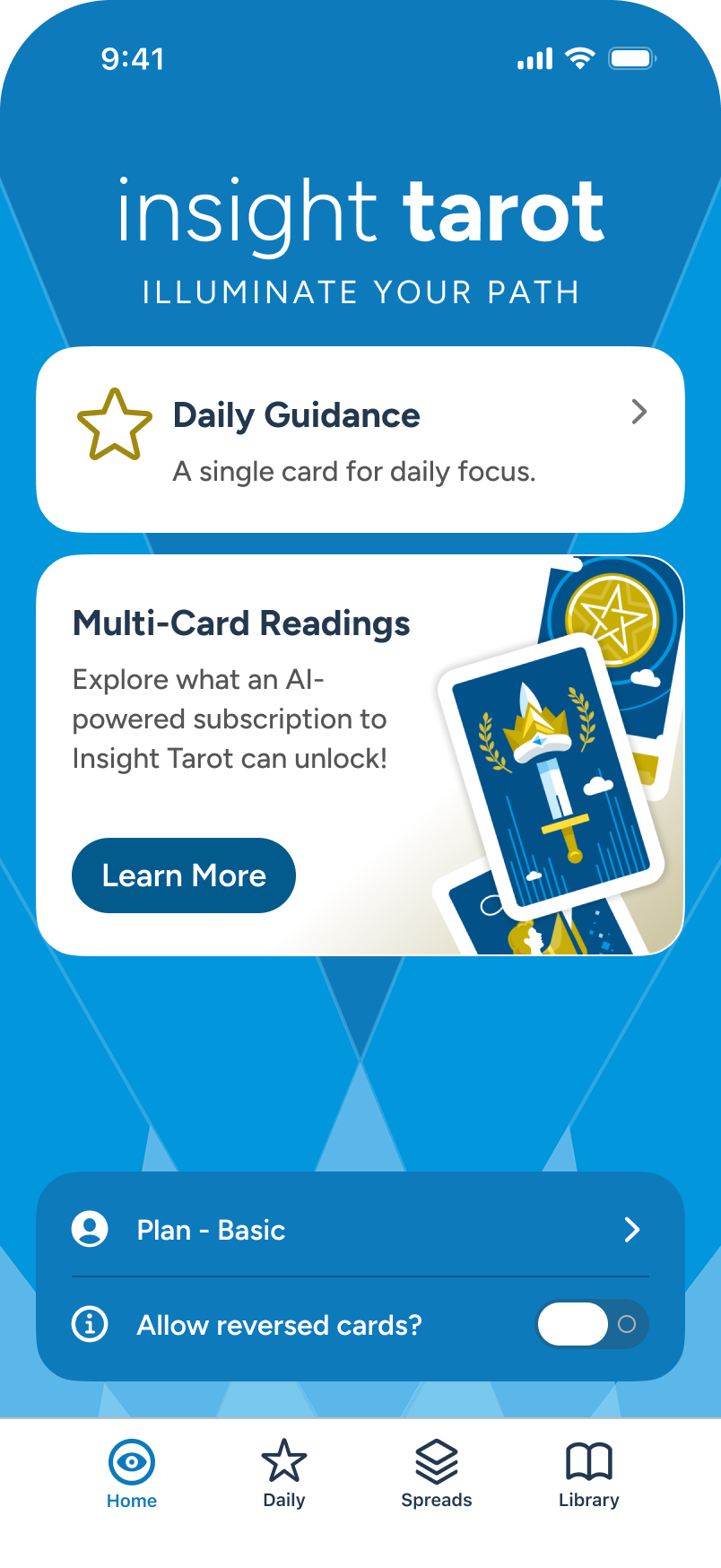
From Home, user taps on “Multi-Card Readings” ad card, to learn more about the advanced options for subscribers.
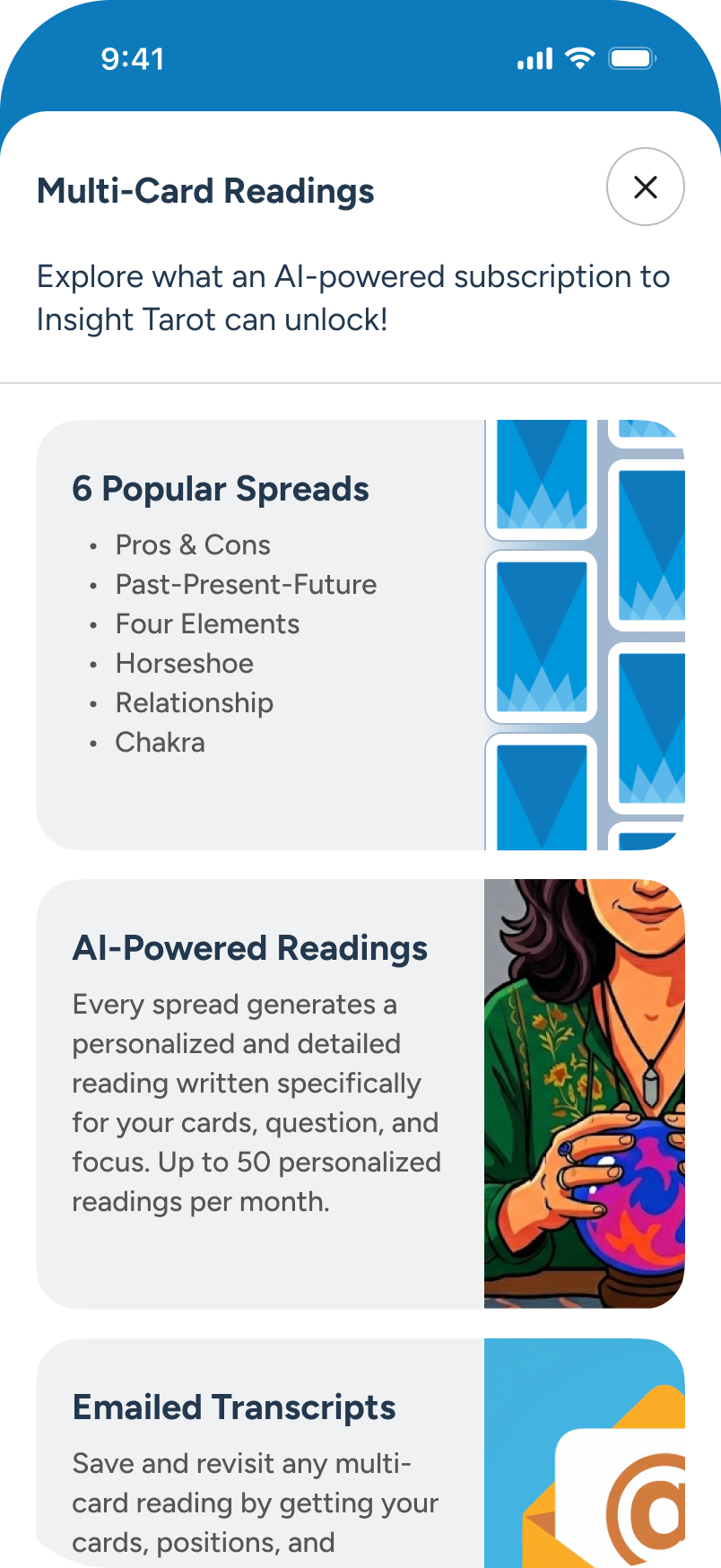
An overlay appears, detailing multiple improvements a subscription would provide.
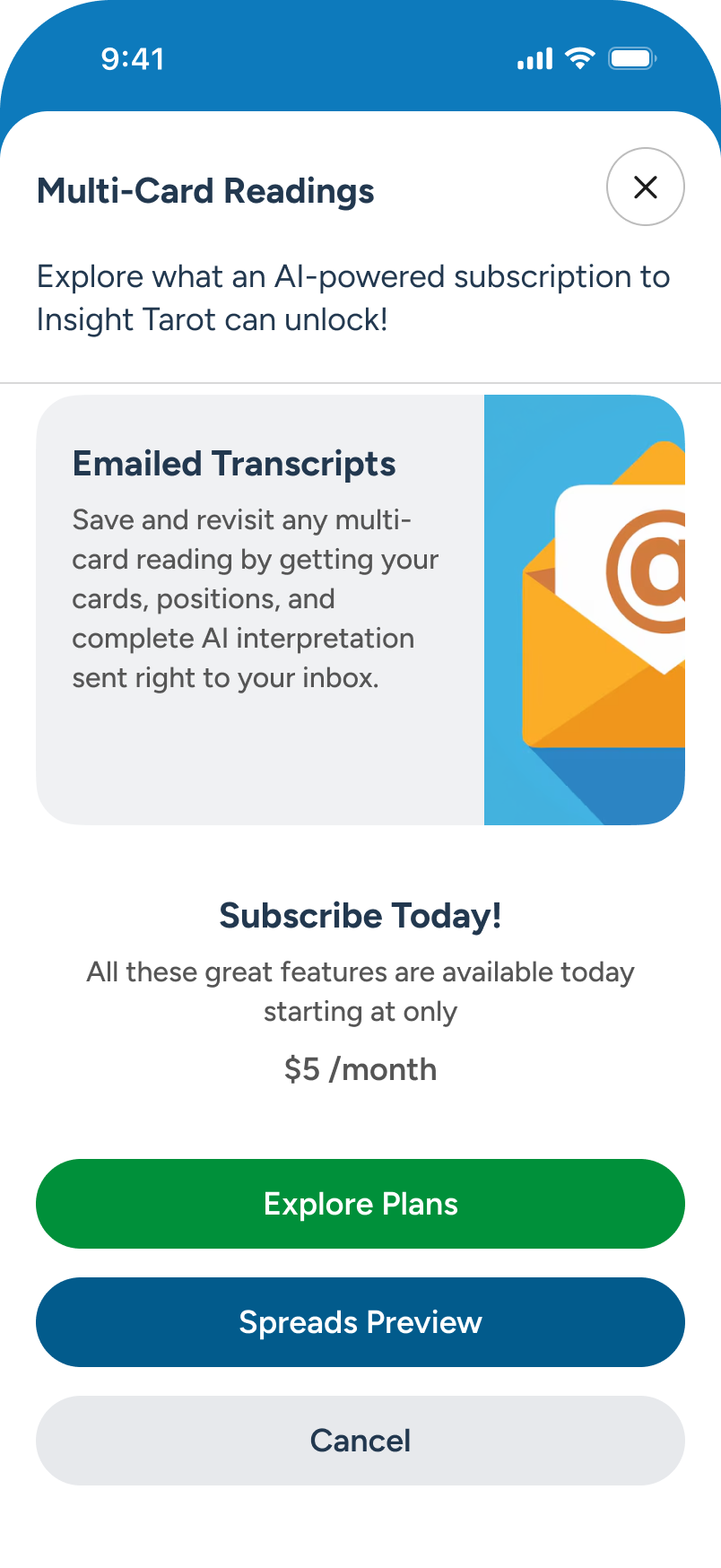
At the bottom of the overlay, the user sees the base pricing and chooses to proceed via “Explore Plans” CTA.

The overlay closes, and conversion options under the User Hub / Plan area come up - Next screens.
User Hub: Reviewing Plan / Policies / Feedback
The new user has been enjoying the free (Basic) plan of Insight Tarot, accessing the Daily Guidance single-card draw on several occasions. They decide to explore the User Hub section, from Home, to review additional options and updates. Ultimately, they choose to submit some feedback, further down.
Note: Full flows for all plan scenarios not included in this review. For Settings, review access from Daily Guidance section.
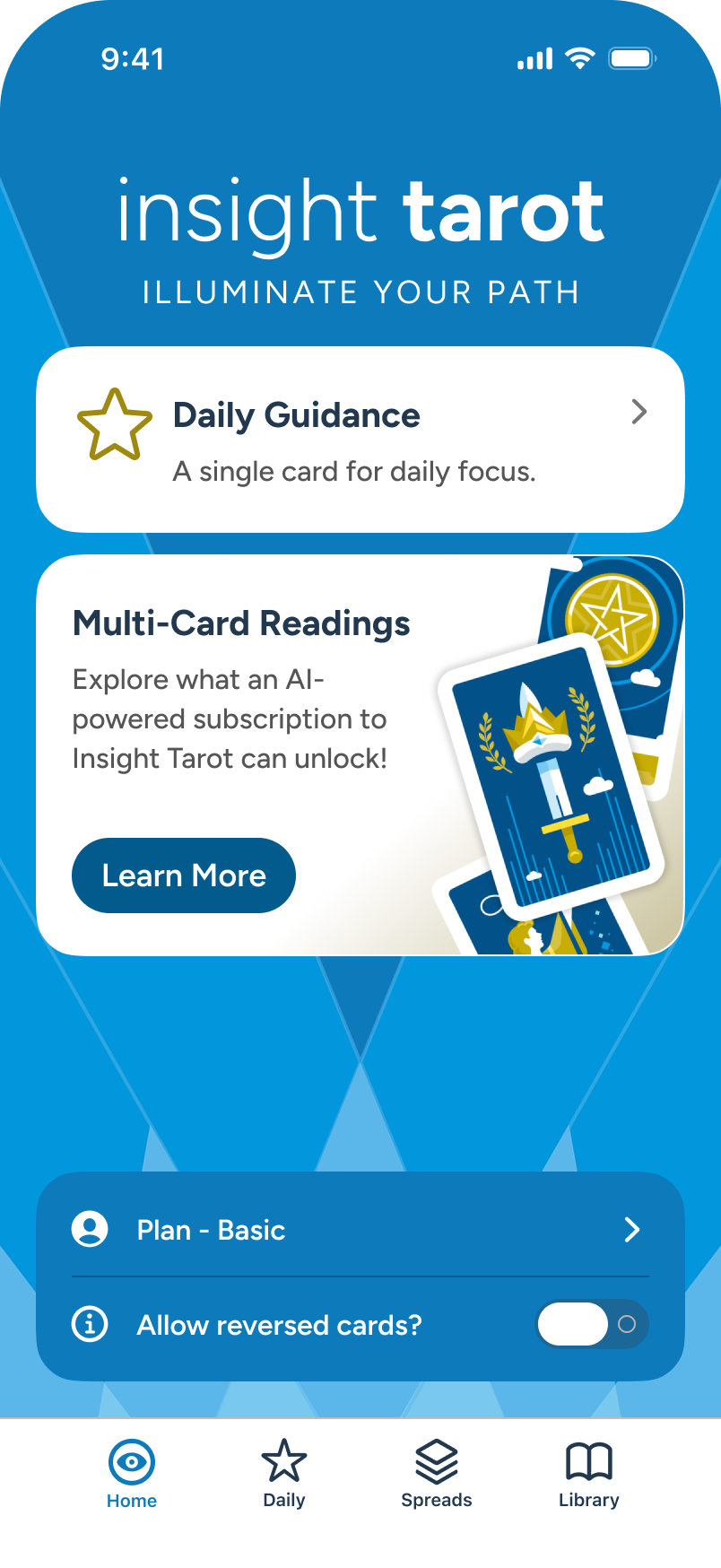
The user selects “Plan - Basic” CTA option.
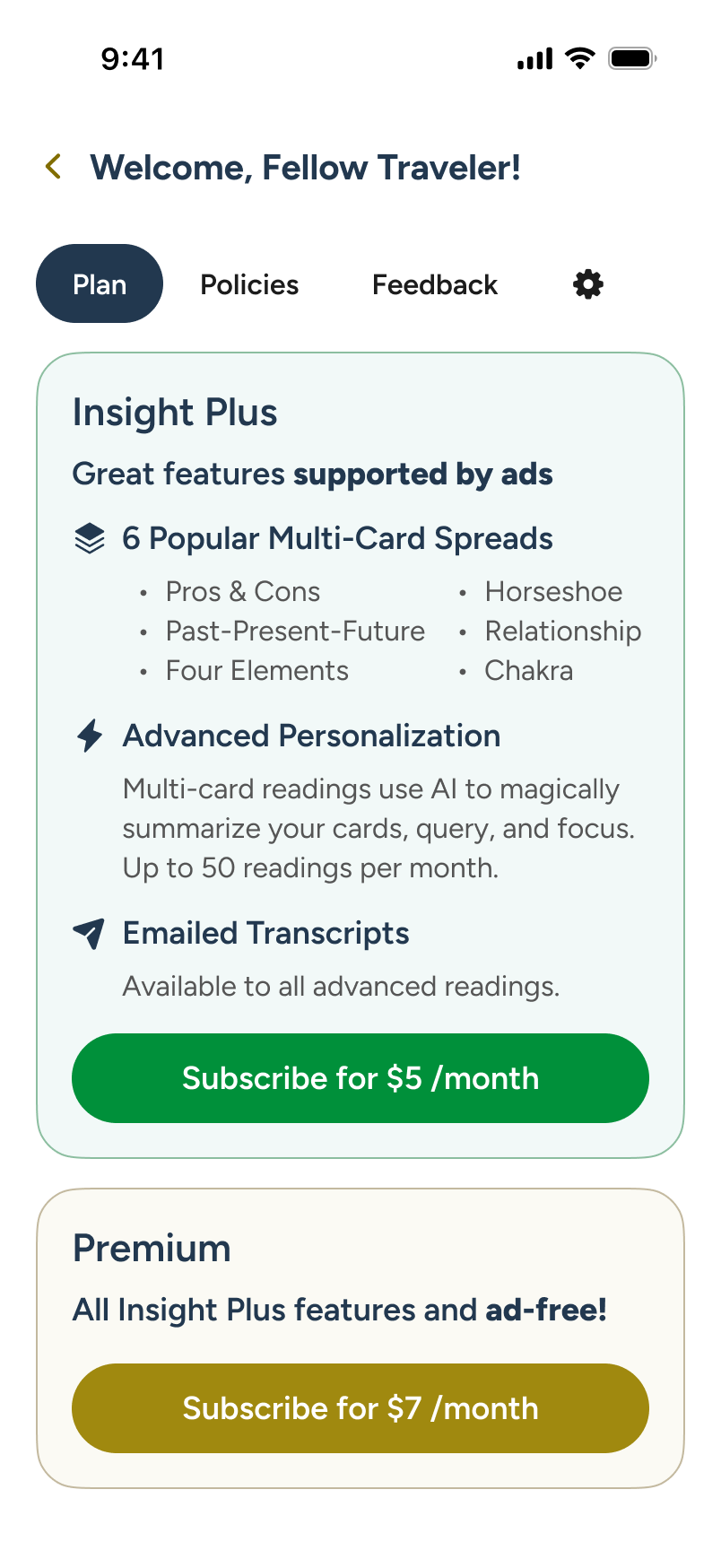
The user lands on upgrade options under “Plan”. After a brief review, they continue on to “Policies”, at top.
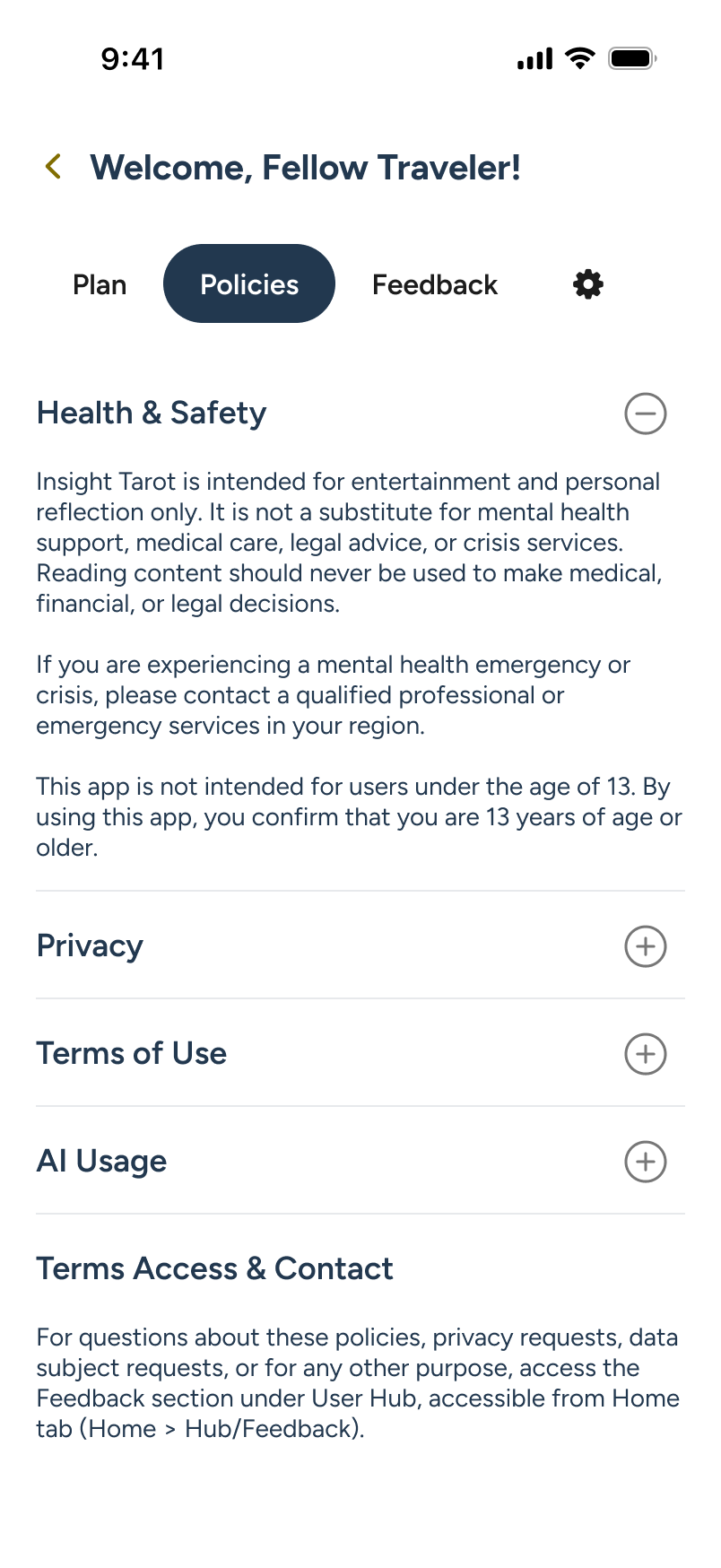
The user reviews legal statements on health, privacy, and more. We continue on to “Feedback”.
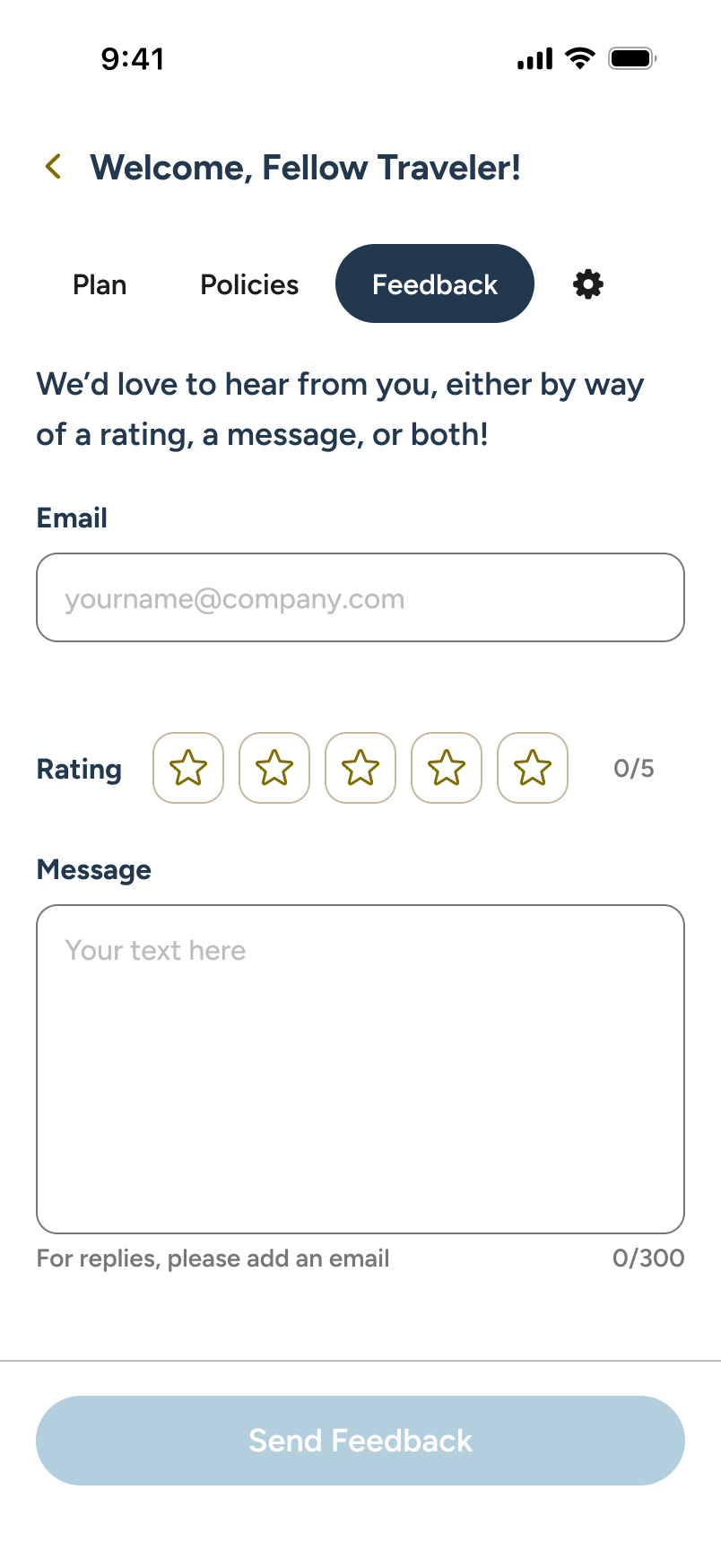
The user is reviewing the feedback form. Below, we’ll take a look as the user decides to fill it out and submit.
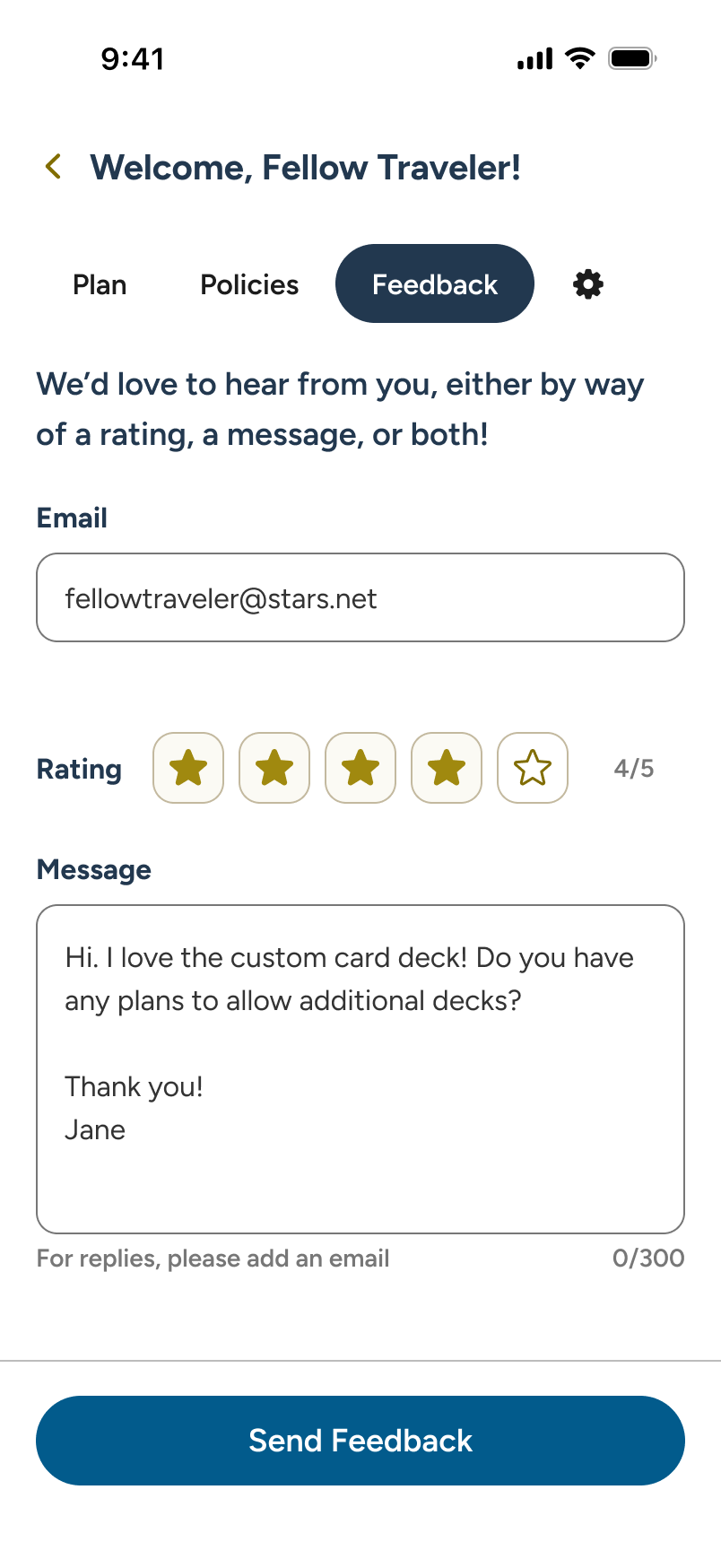
Jumping ahead, our user has filled all fields and, with the KB cleared, taps the “Send Feedback” CTA to proceed.
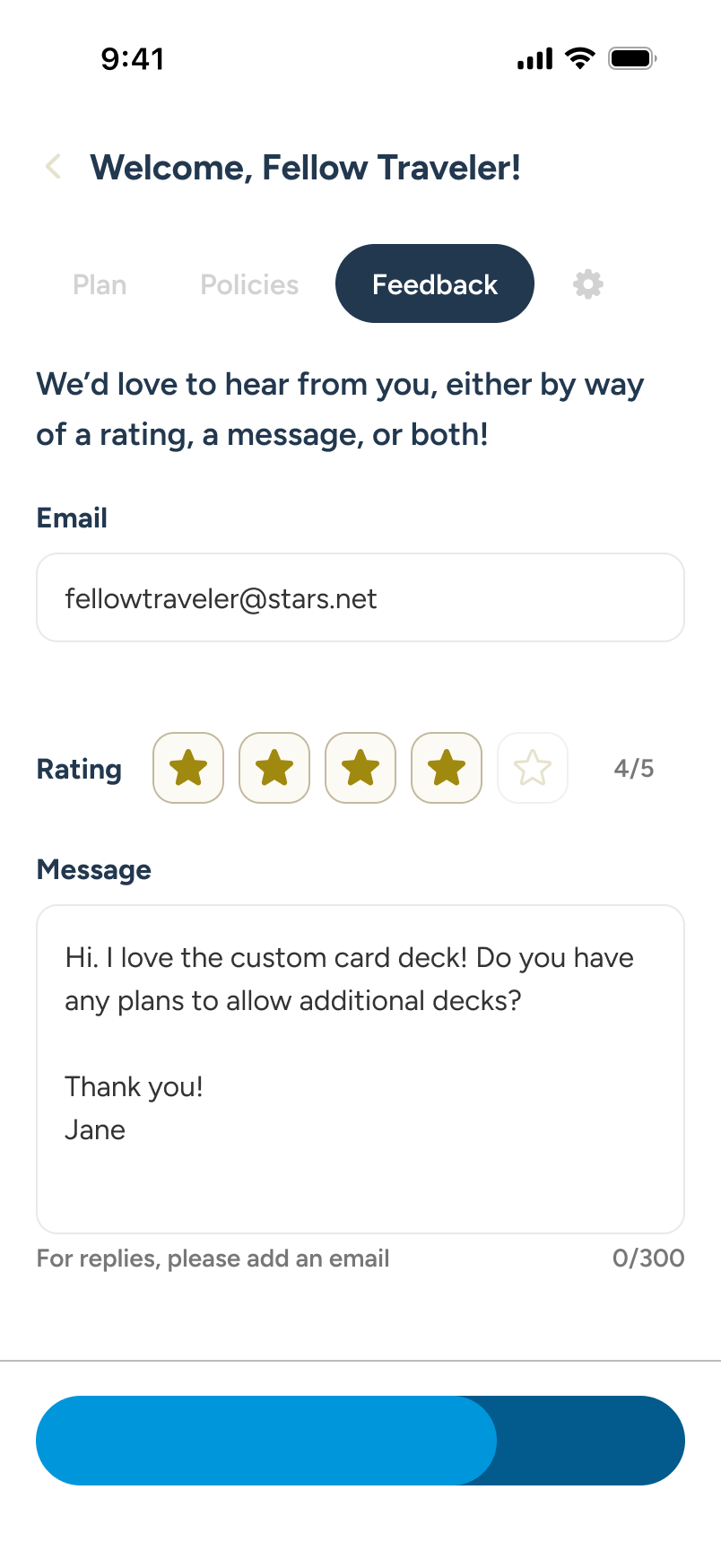
Interactive content temporarily moves to a read-only state as the CTA turns into a send progression bar.

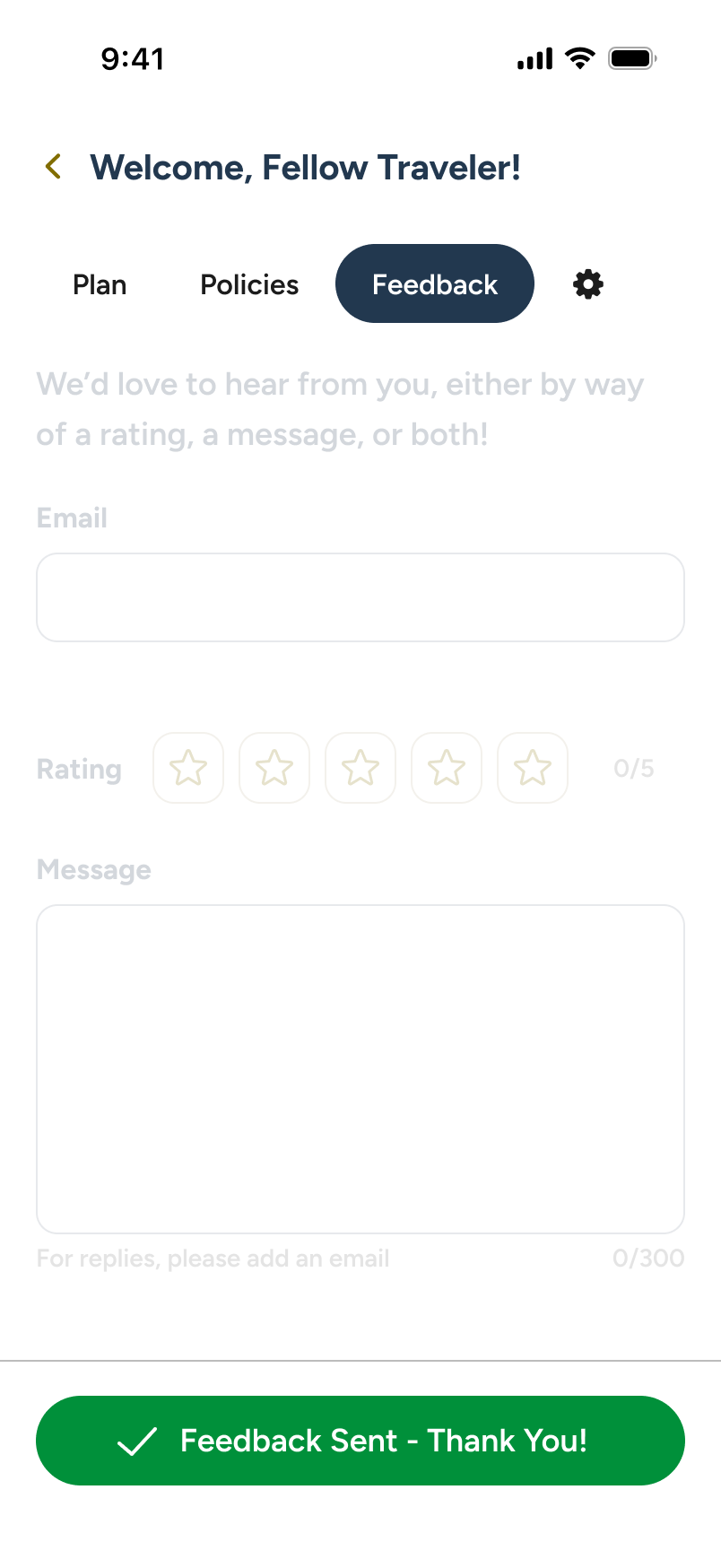
Success! Feedback sent. Controls return and the form is session disabled. User proceeds to Home.

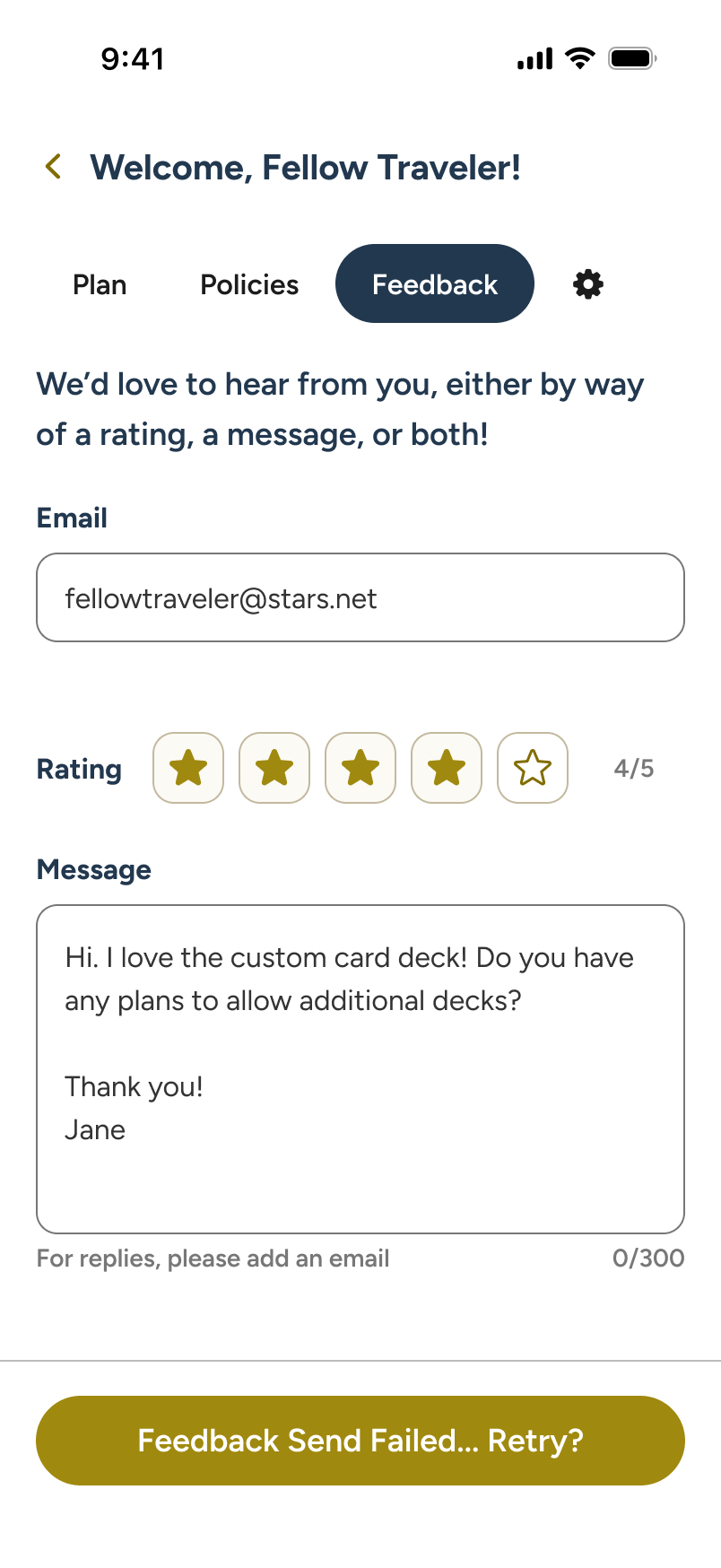
Send failed. User receives filled form back to try sending again. Next steps? Modal warn if user abandons form.
Subscribed Home: Enabling Card Reversals
Once subscribed, the Home screen gains direct access to all multi-card spreads (with AI summarization) and a pinned "Past • Present • Future" spread as an advanced alternative to "Daily Guidance." Both features will be explored shortly.
In this flow, the user sees a toggle that enables reversed cards in all readings. They tap the info icon to understand how this feature adds nuance to spread interpretations, then they activate it.
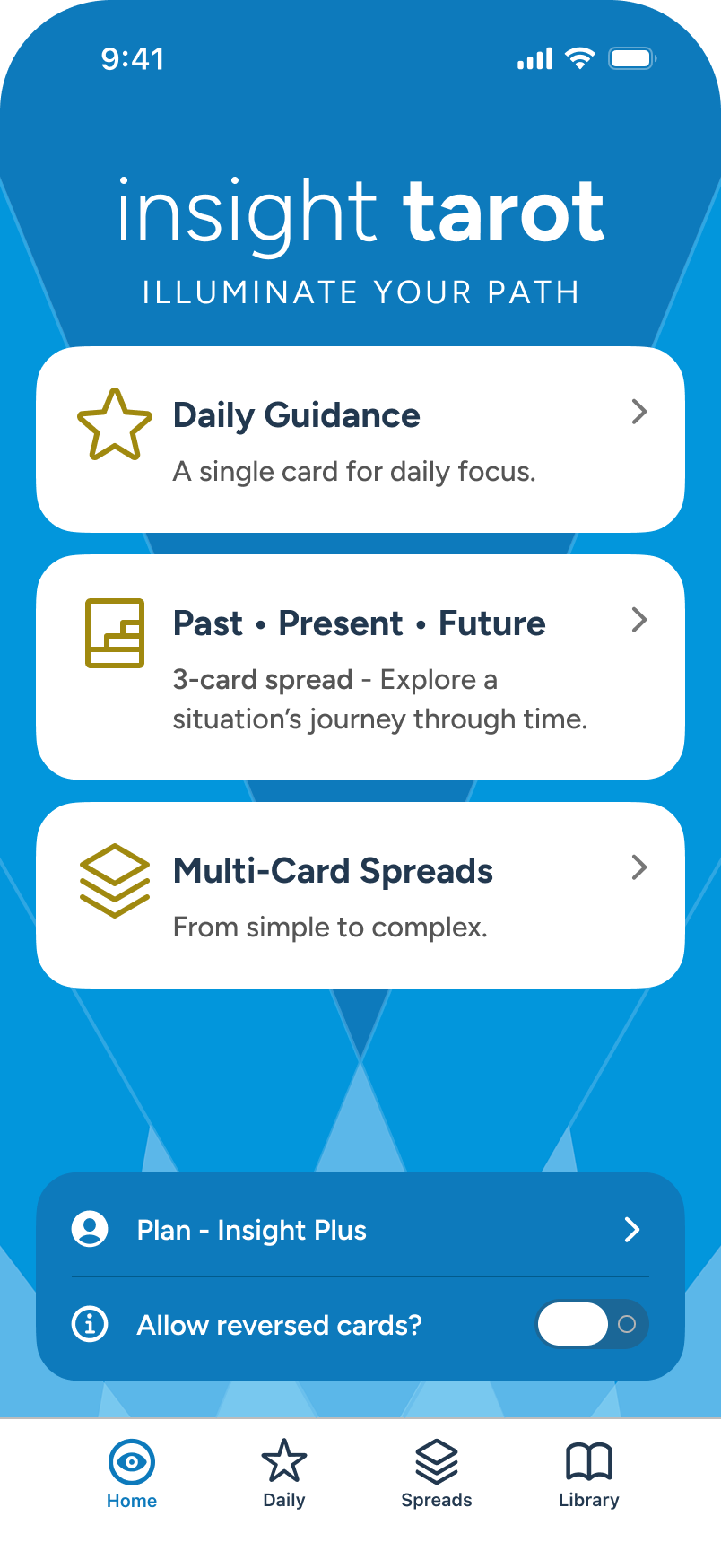
In the subscribed Home screen, the user explores card reversals and taps “info” icon.
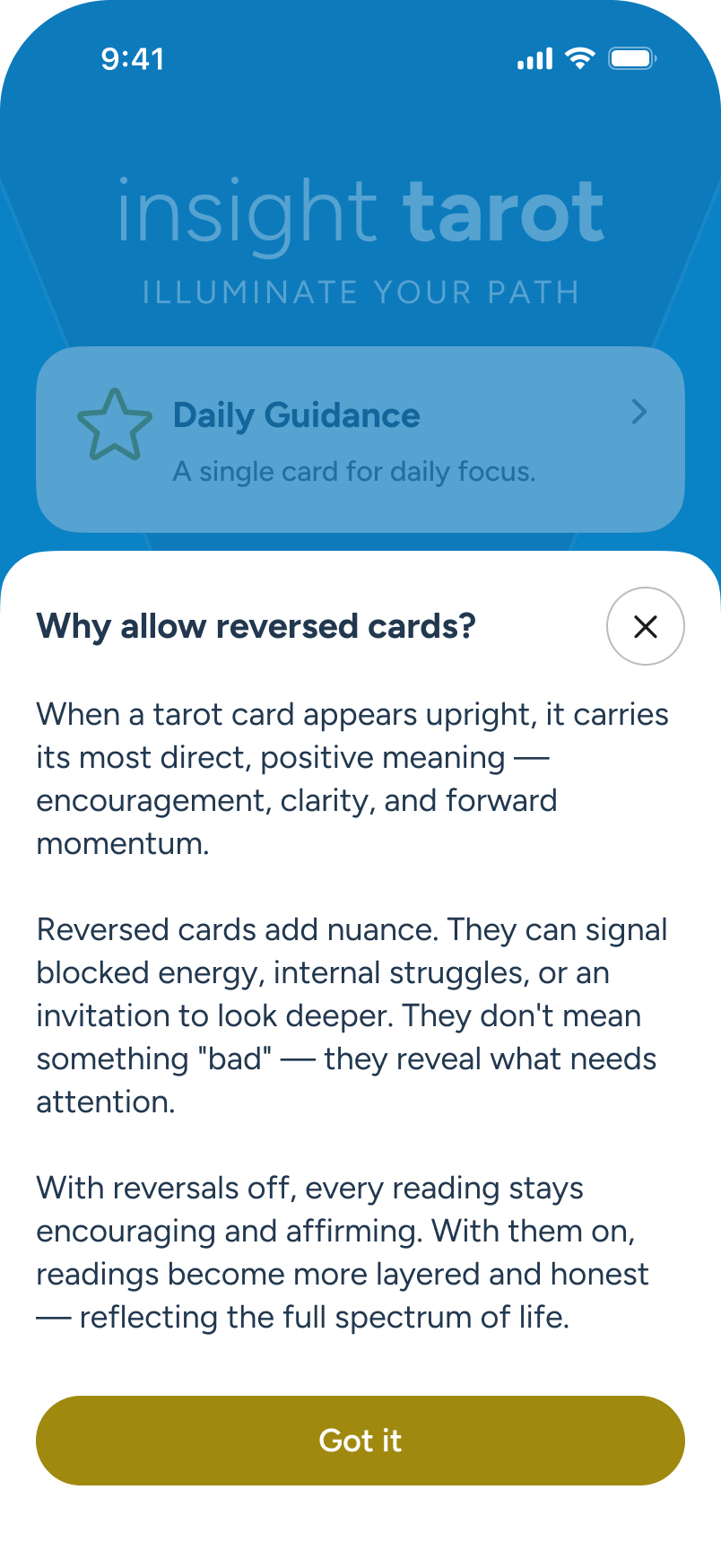
An overlay conveys the benefits of allowing card reversals in all readings.
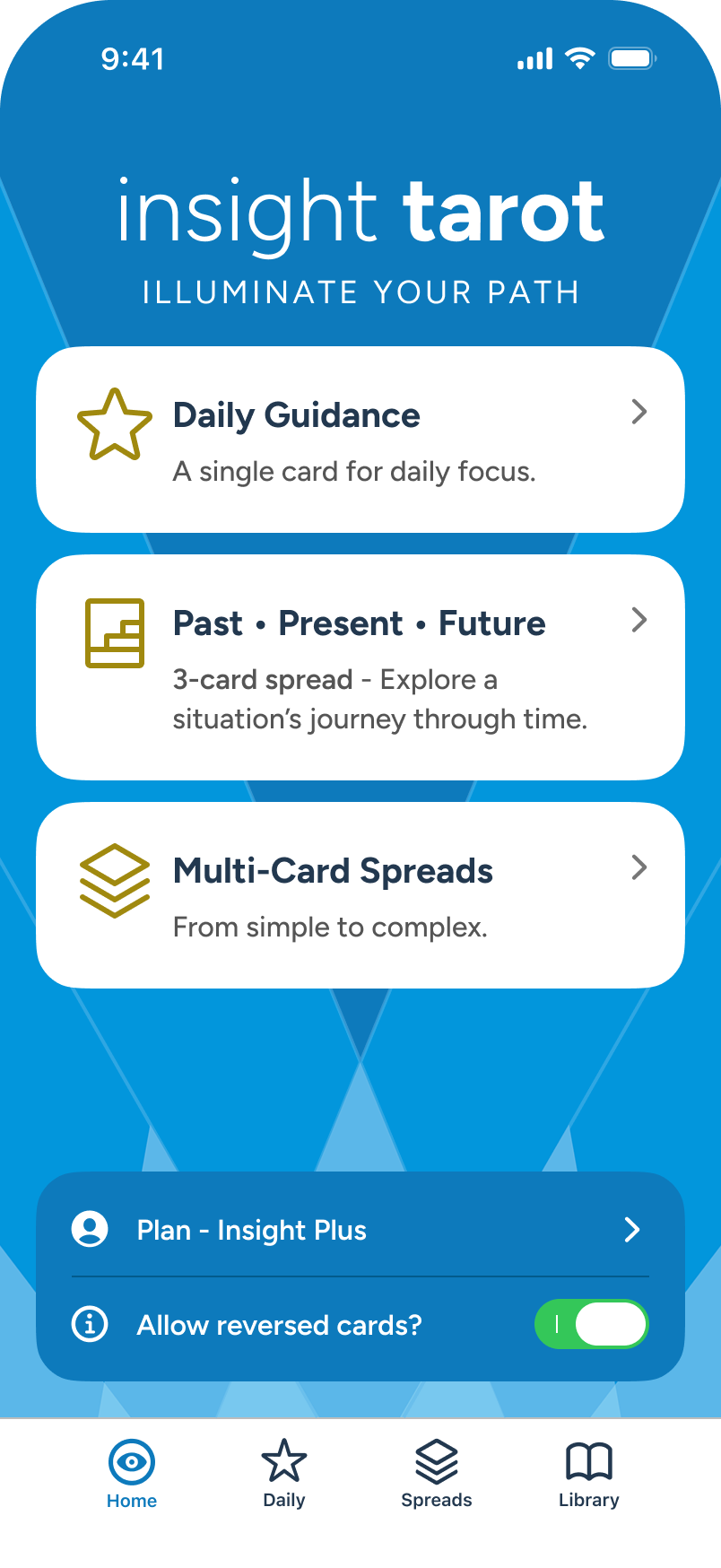
Returning to Home, the user decides to enable the feature via toggle.
Daily Guidance: Single Card Draw
Each day, users can visit Daily Guidance for a quick, personal take on their focus — available to all tiers. As they scroll, the drawn card reveals its position, keywords, and full details. The card shown here is in the UP position, but with reversals enabled, it could just as easily appear reversed. For those who prefer an always-positive reading, reversals can be turned off. Daily notifications are also available.
Note: While not shown here, when a notification is set, it will reflect back at the bottom of the Daily Guidance, with an edit feature, in place of the current CTA.
The user explores “Daily Guidance”, either from Home or from the “Daily” tab, at bottom.
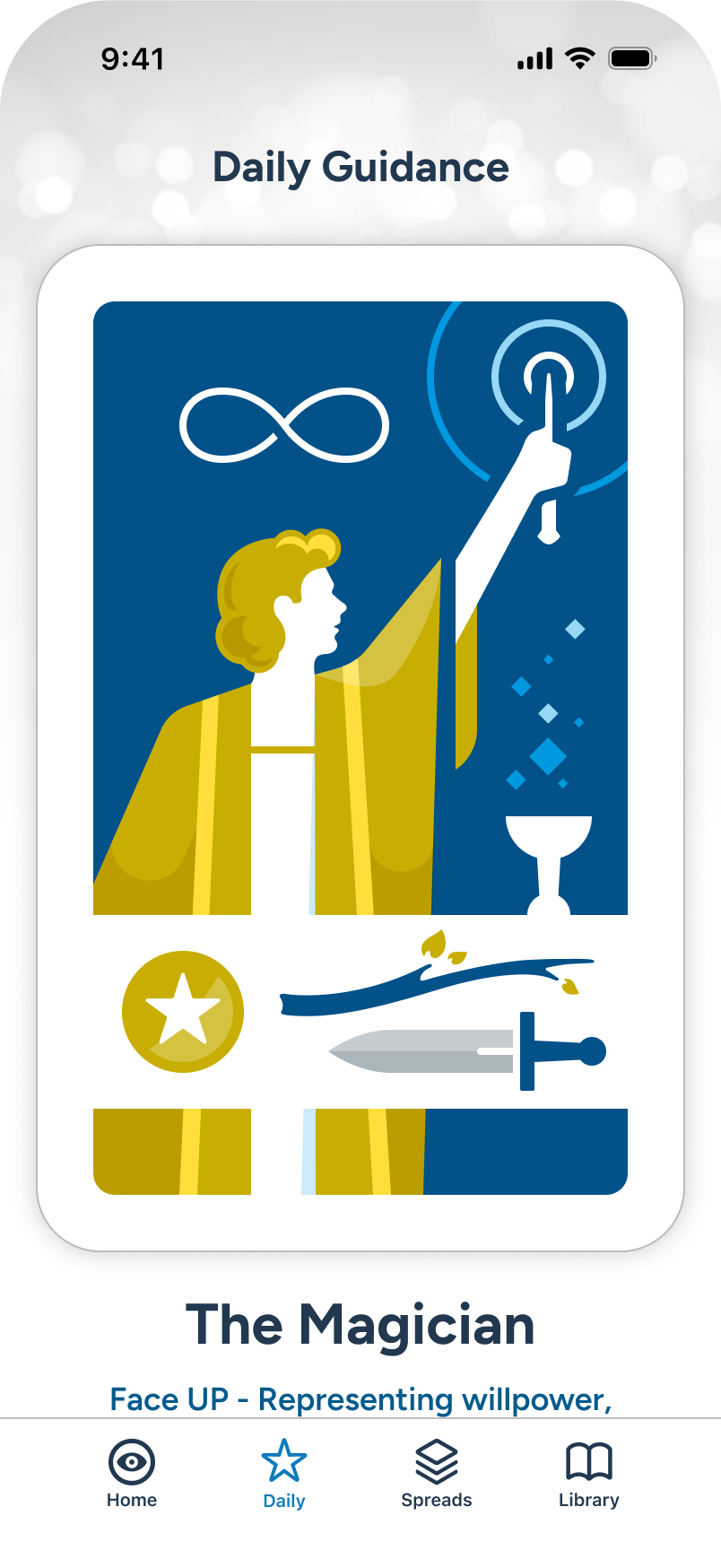
The user sees the card drawn, and can scroll down to see details.
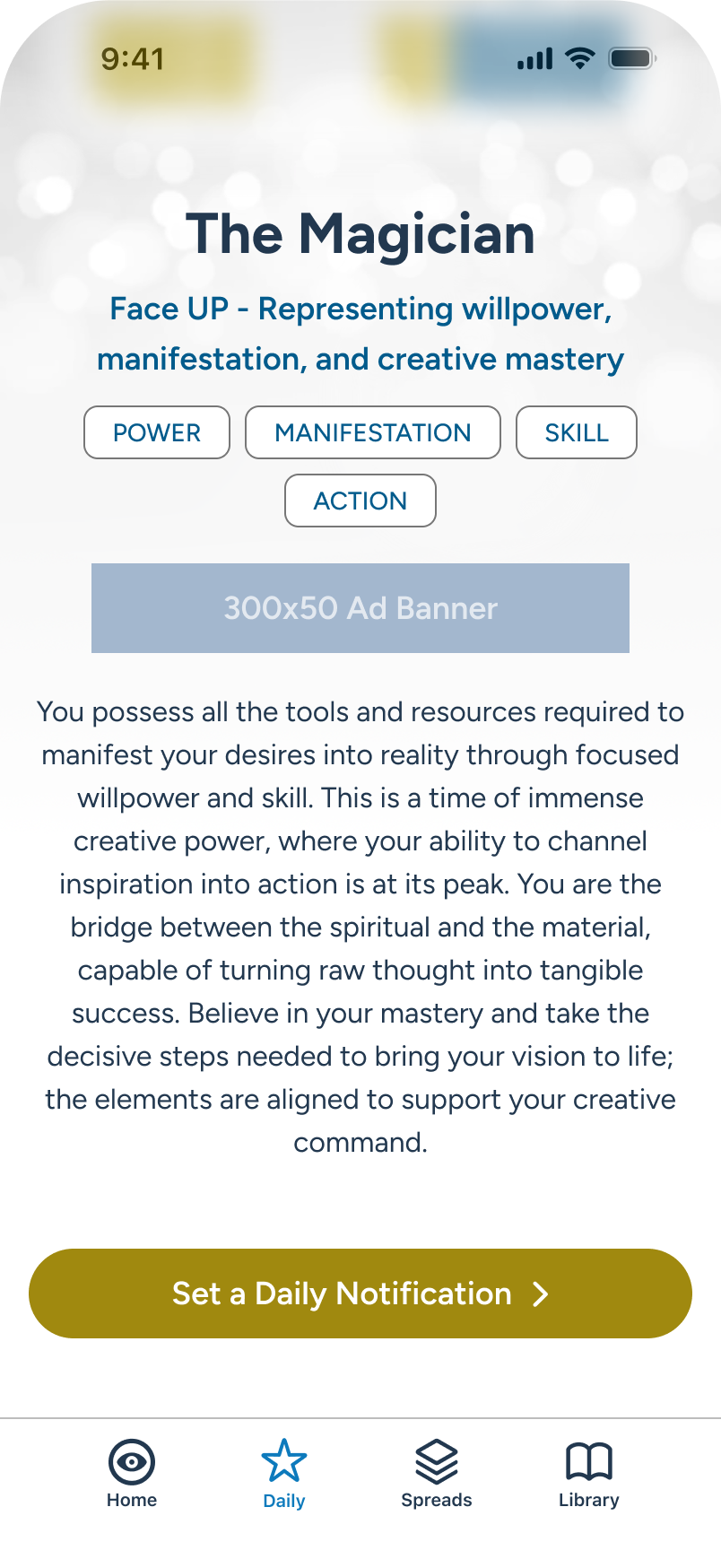
Further details, with inline ad banner. At the end, an offer to receive daily notifications. The user investigates...
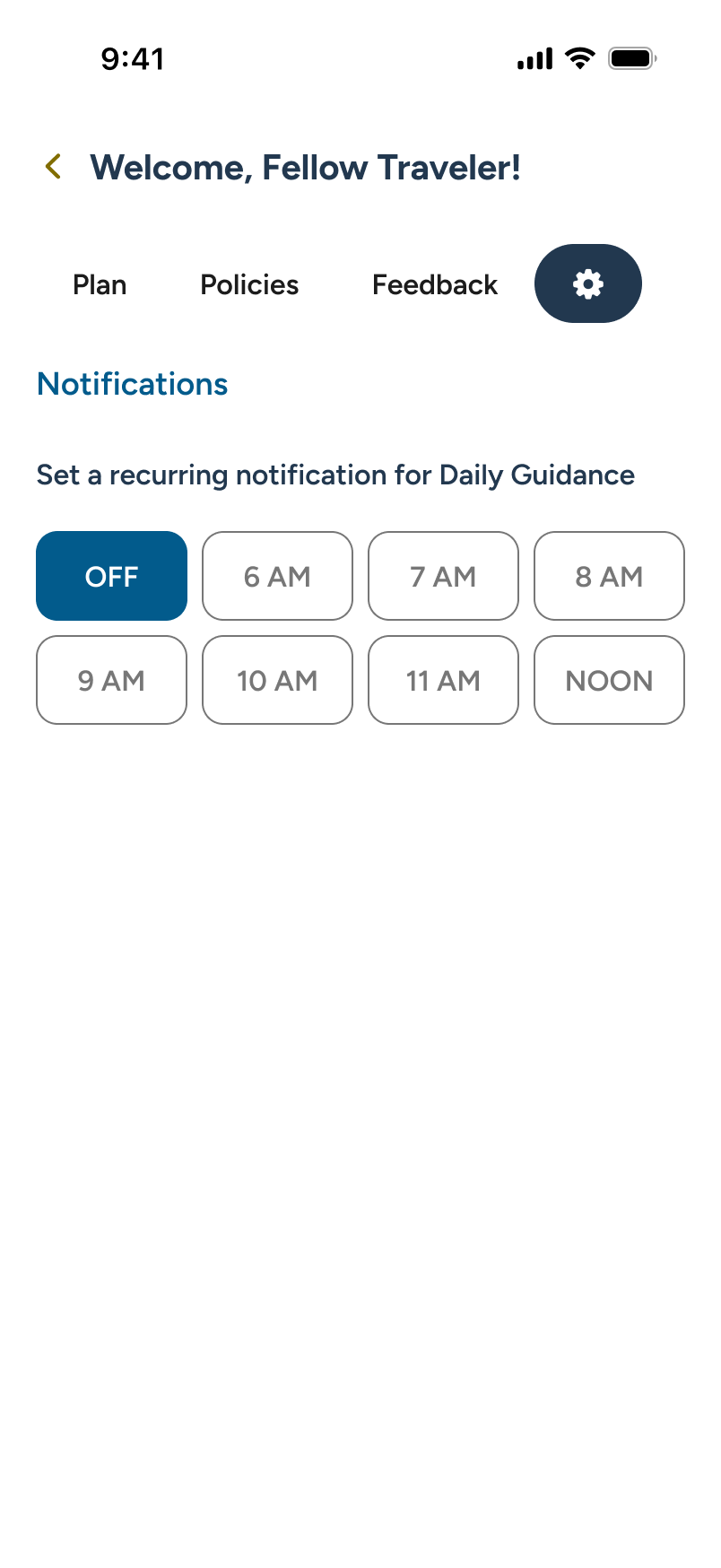
In User Hub / Settings, the user can select from a number of notification periods, and iOS will then confirm.
Multi-Card Spreads
As part of the subscriber model, users have access to a large range of popular spreads with which to generate an advanced reading. All multi-card spreads feature advanced AI-generated summarizations and more. A full walkthrough of a multi-card reading follows further in this review.
Note: Freemium users can browse the full spread list — all cards locked — with a direct CTA to the Plan section. A low-friction second path to conversion.
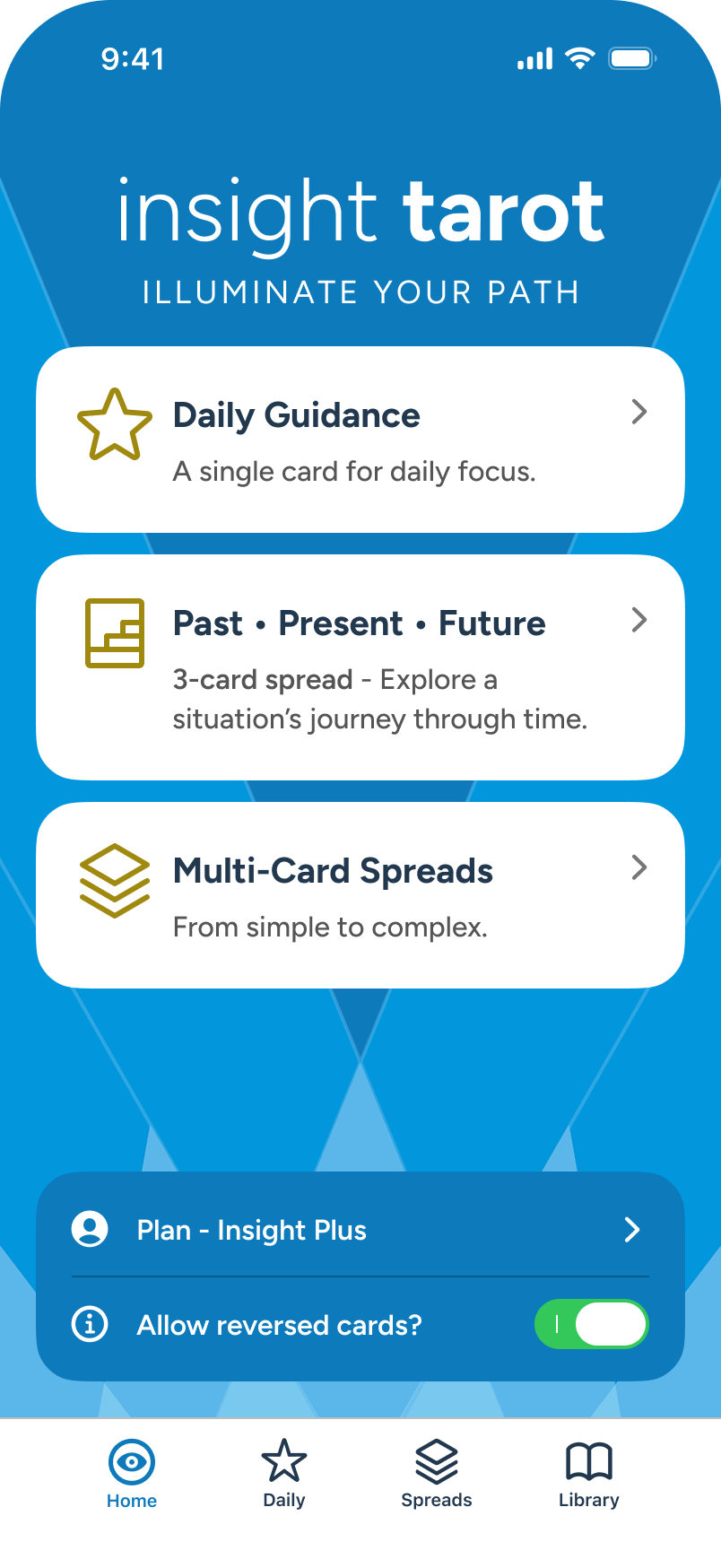
The subscribed user is exploring the "Spreads" section, either from Home card or via the Spreads tab.
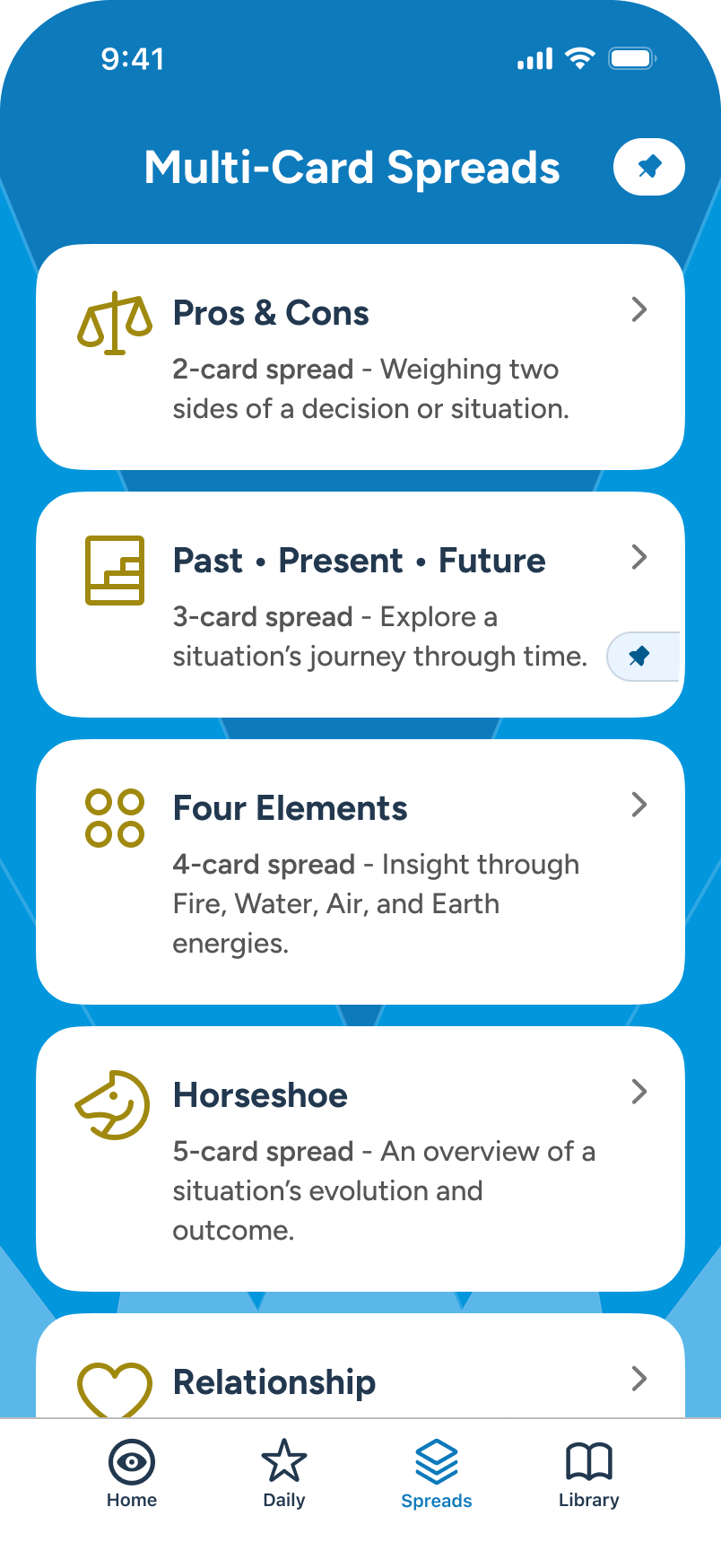
The user swipes upward, reviewing a number of popular spreads...
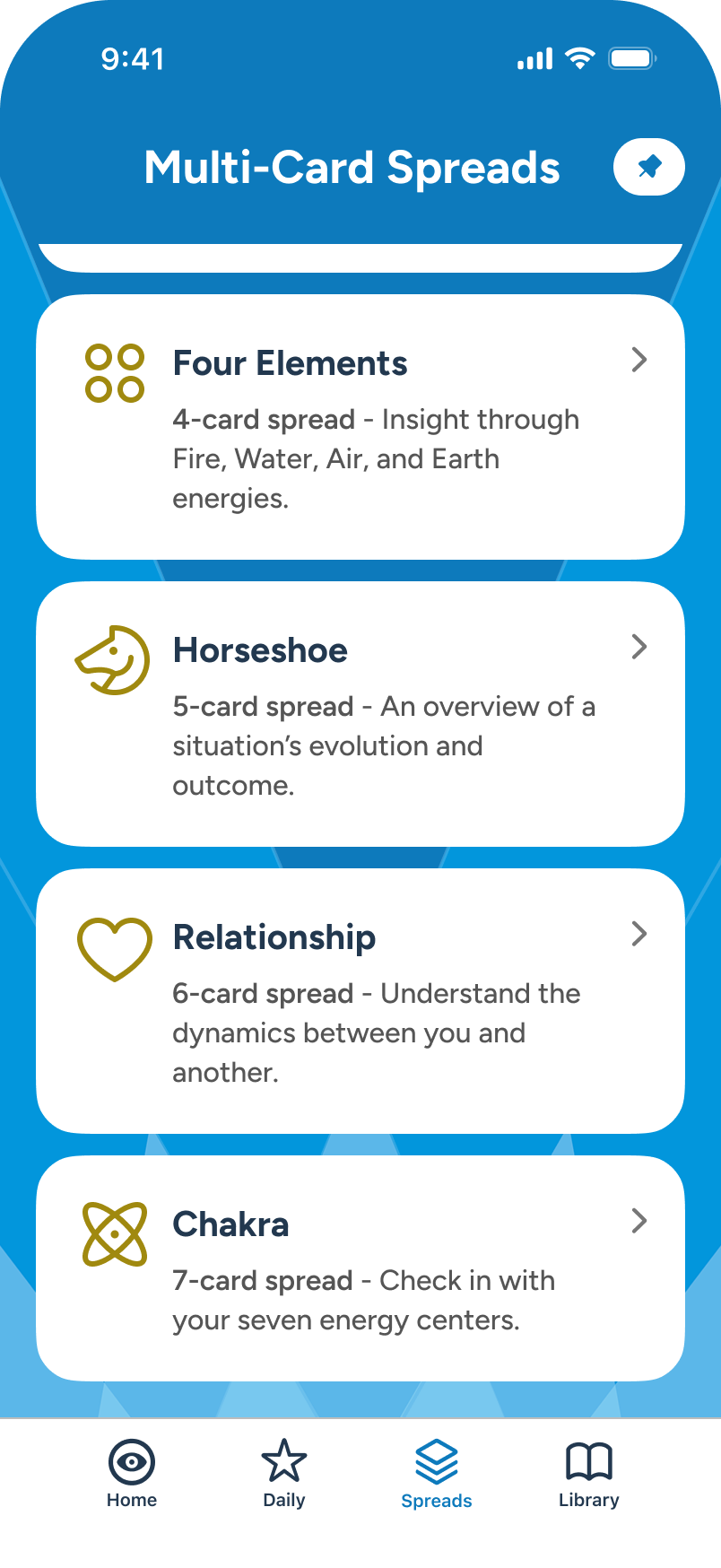
6 spread types are currently available.
Multi-Card Reading: Query, Card Selection, & Reading
Query + Focus
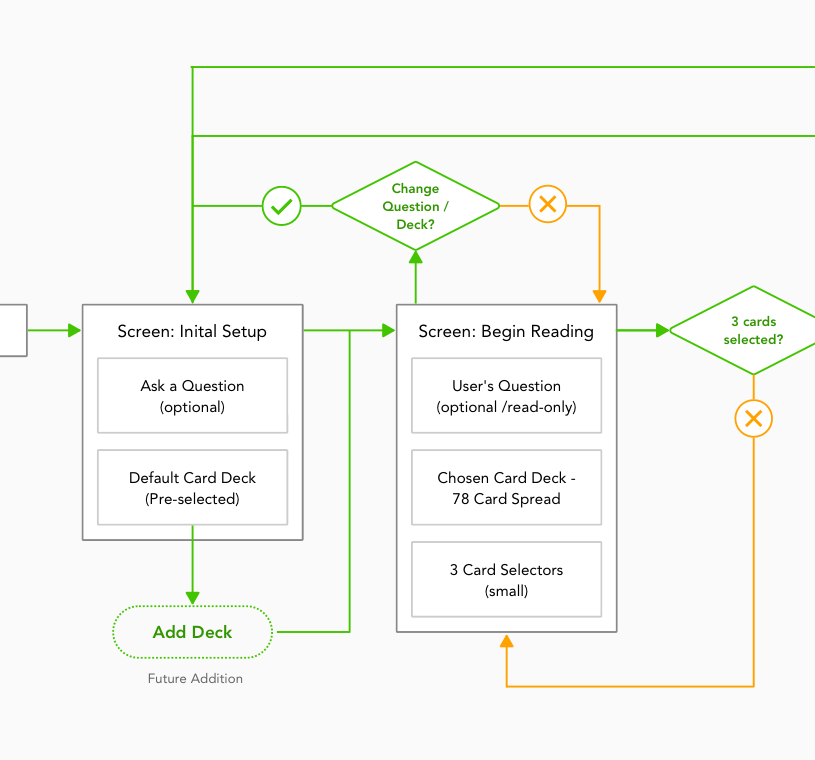
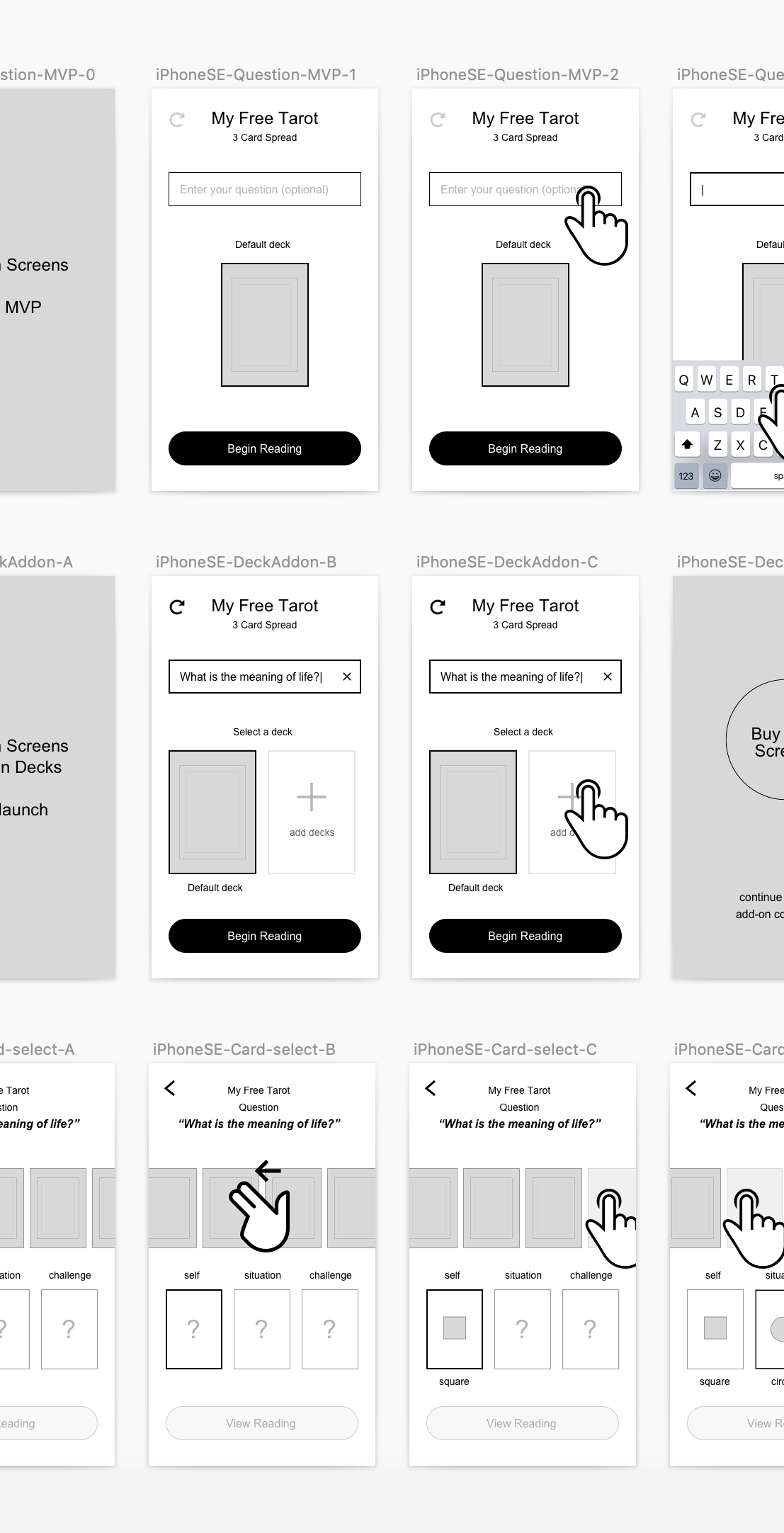
Multi-card readings are available to subscribers and accessible from the Spreads section. In this scenario, the user selects “Past • Present • Future”. Before drawing cards, the user can supply an optional query to shape the final output. When ready, the user moves to “Begin Reading” CTA and taps.
Note: While focus can be manually toggled, it's also query-responsive: certain keywords like "Love" will auto-shift it without intervention. The user always has ultimate control, and AI summarization accounts for all of it.
From Spreads, user selects “Past • Present • Future” multi-card spread.
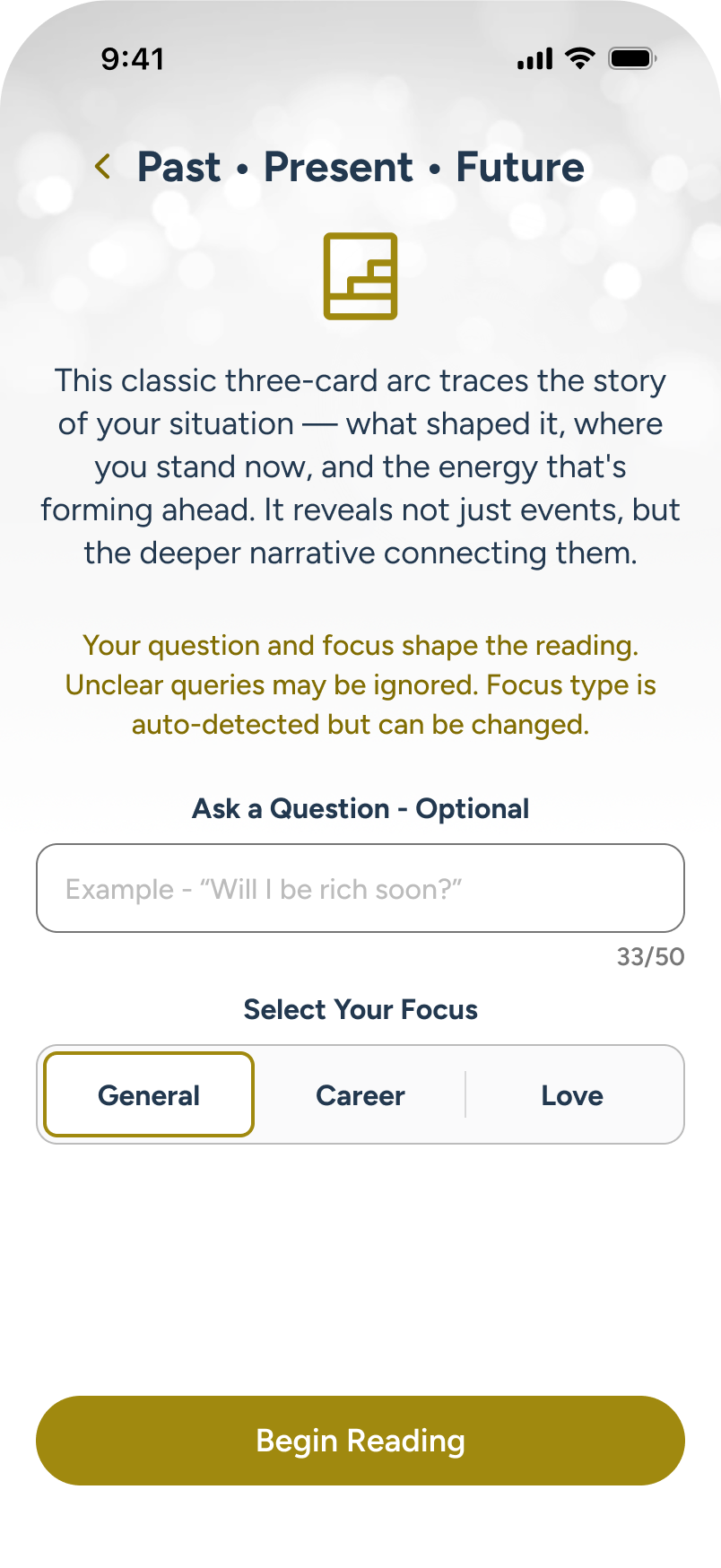
Here, the user can add an optional query, and/or change focus for the reading. User taps query field.
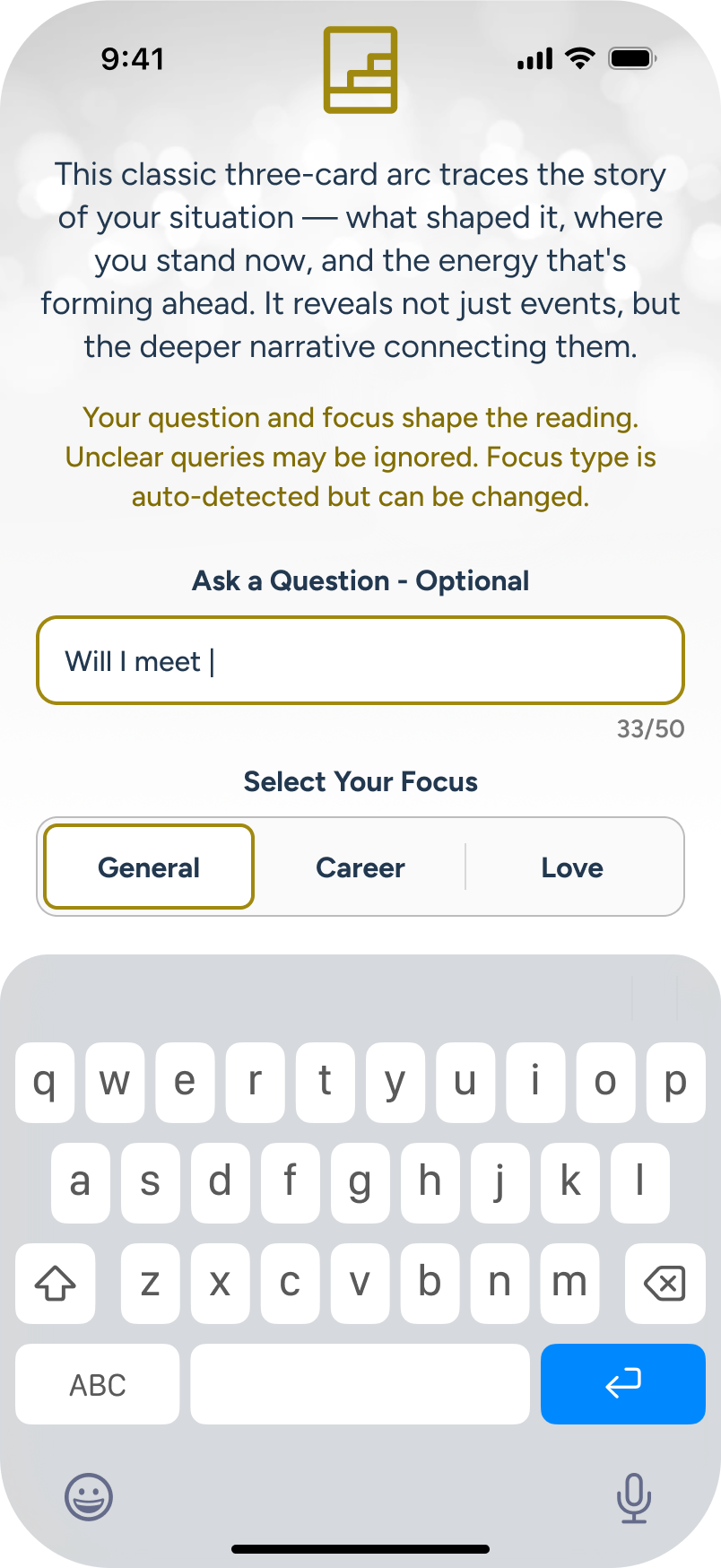
User types a query about love, and commits it. In the next screen, this will auto-select the “Love” focus.
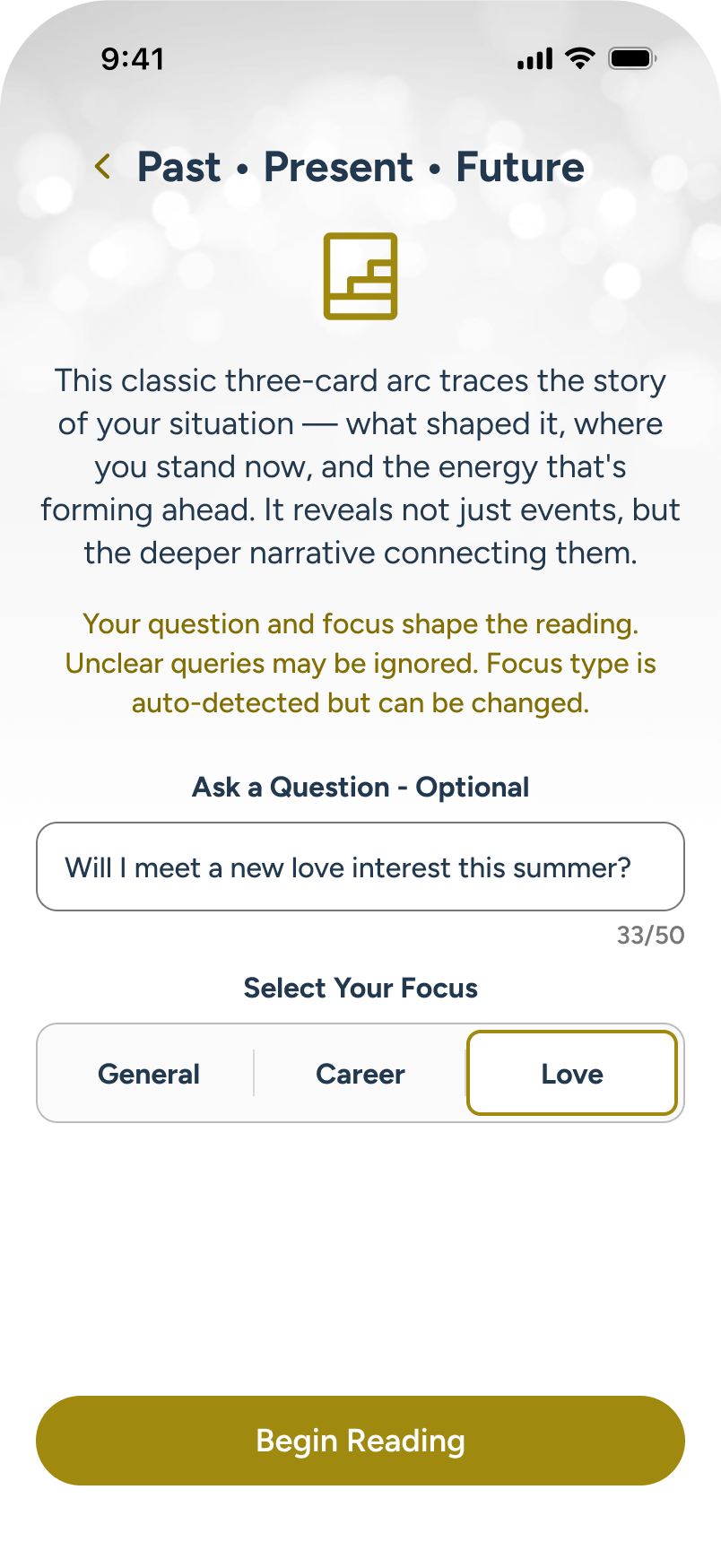
User is ready to proceed to card draw, so they tap “Begin Reading” CTA.
Cards Select
The user moves to the card selection stage, displaying reading type, focus and optional query at top. The body shows a scrollable carousel of available cards, with draw positions below. Guidance text along the bottom guides users through card selection.
Note: A unique feature: users can manually draw cards or tap the in-focus position to let AI draw them.
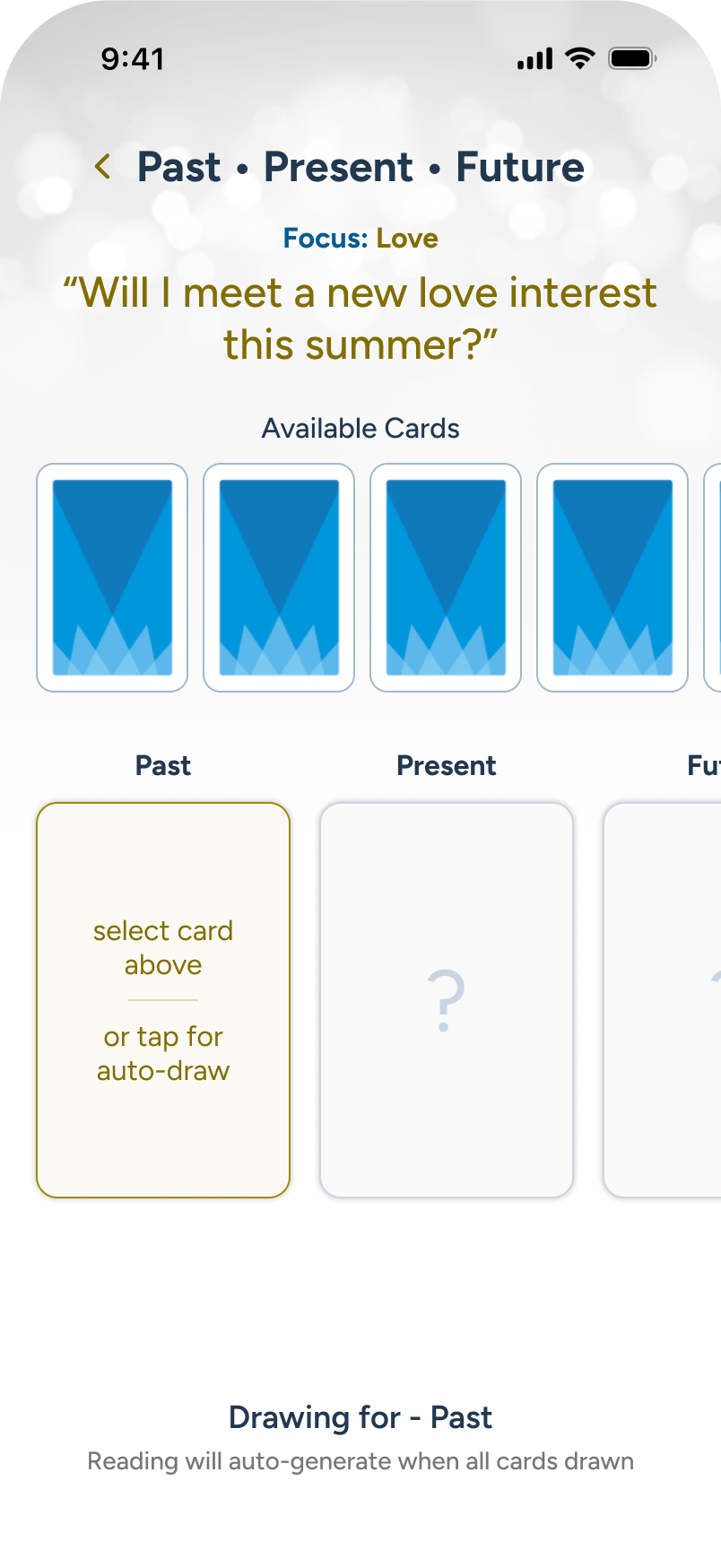
The query and focus are brought forward to the card reading area, and the user begins to select 3 cards.
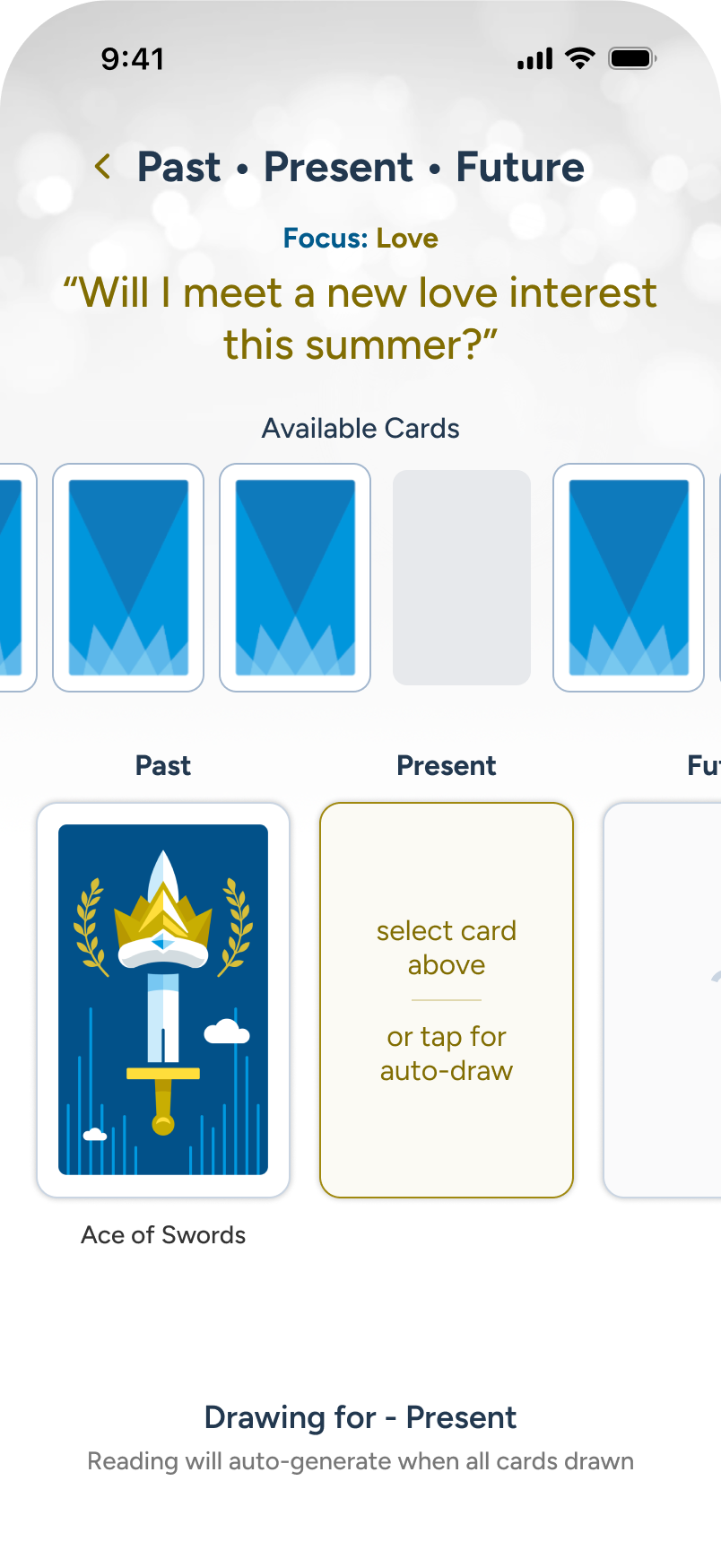
As the cards are drawn, user considers changing the query, so they tap the back arrow at top left.
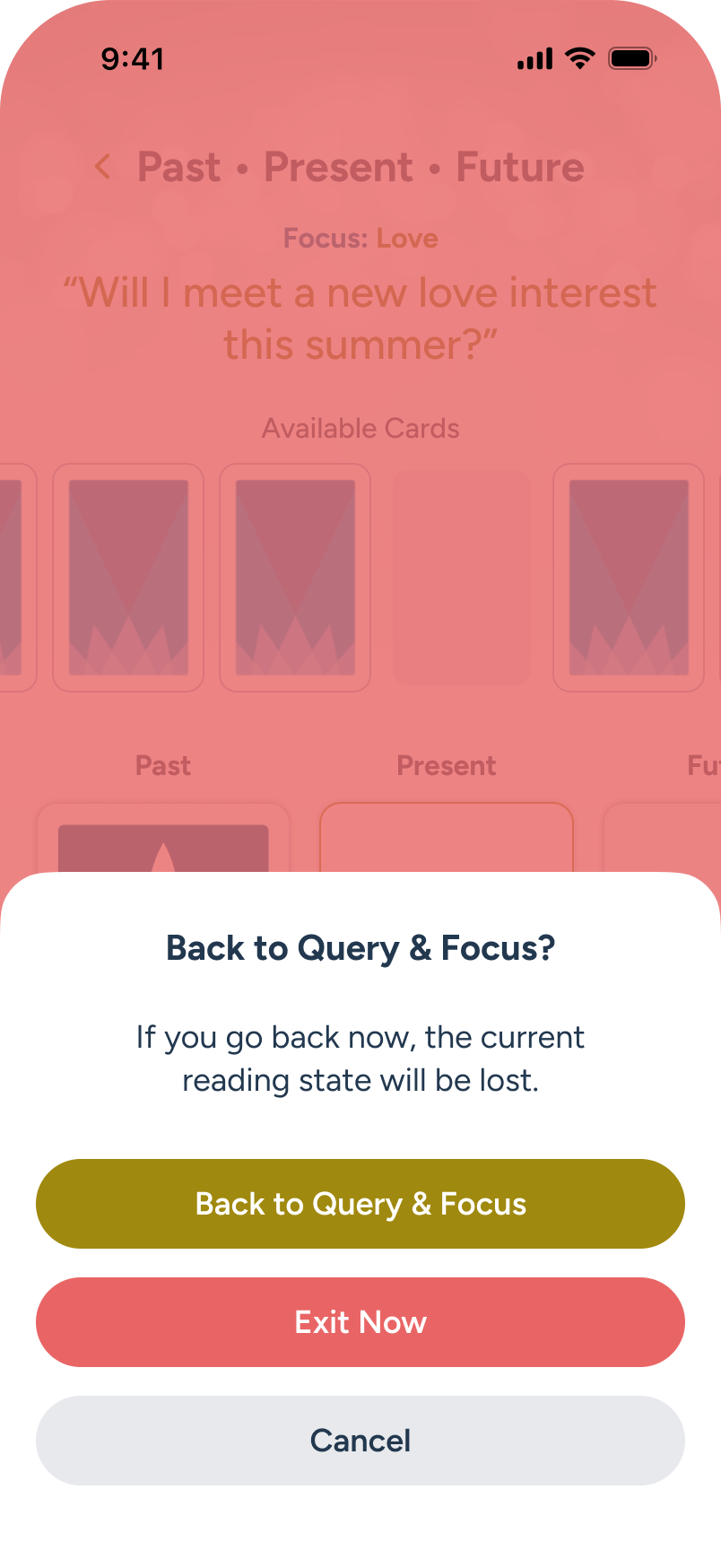
A modal warns that progress will be lost if going back; the user chooses to continue.
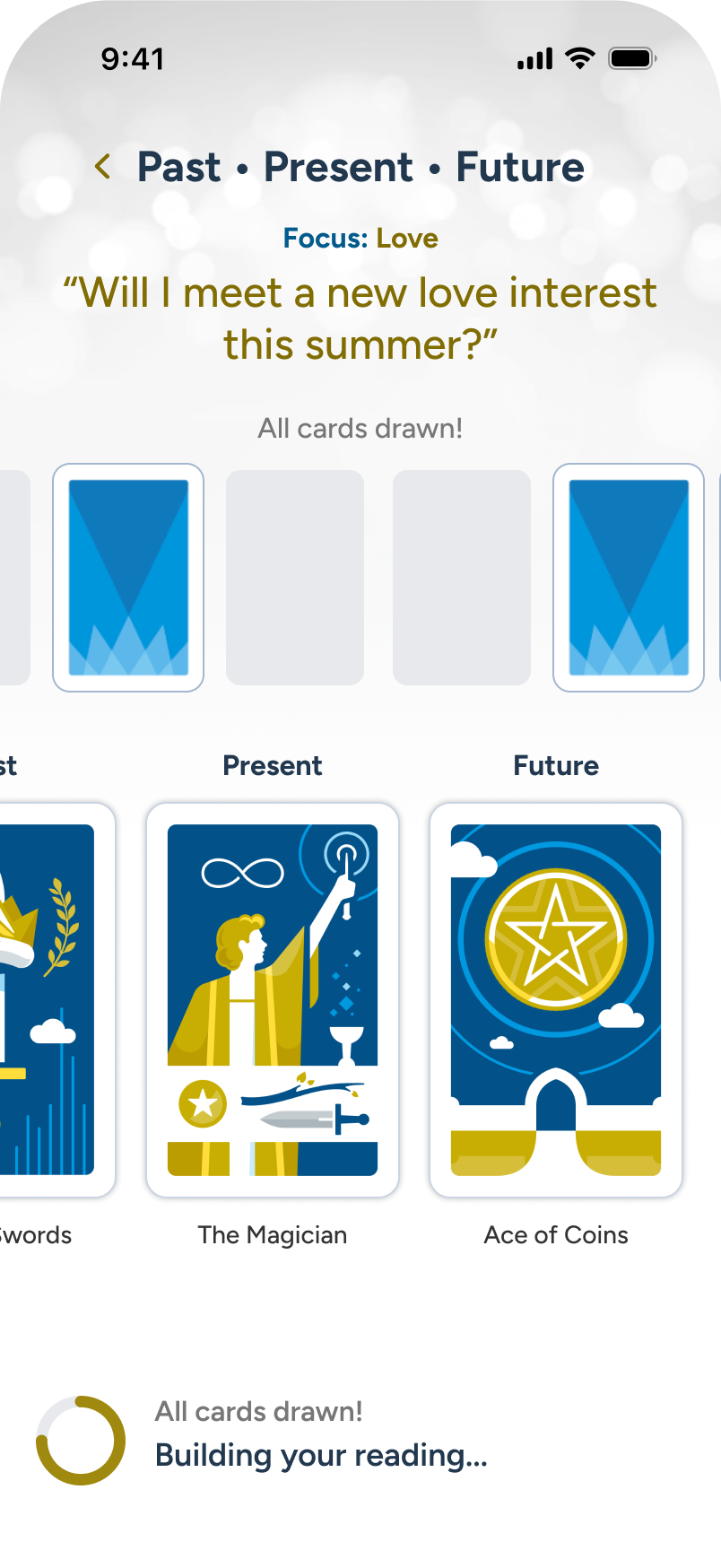
Once all cards are drawn, the AI begins building the summary, shown at the bottom.
Summarized Reading
The AI summarized multi-card reading is now ready for review, offering an overview, large, flippable cards for each position, and closing remarks at the end. The details for each card is AI-tailored to the overall reading, not just boilerplate copy from the Library. Once done, the user can either exit to Home directly or download a transcript and exit, as discussed in the next panel flow.
Note: Basic users will be able to draw up to one card in any spread, after which they will receive a path to upgrade. No AI summary final readings without a subscription.
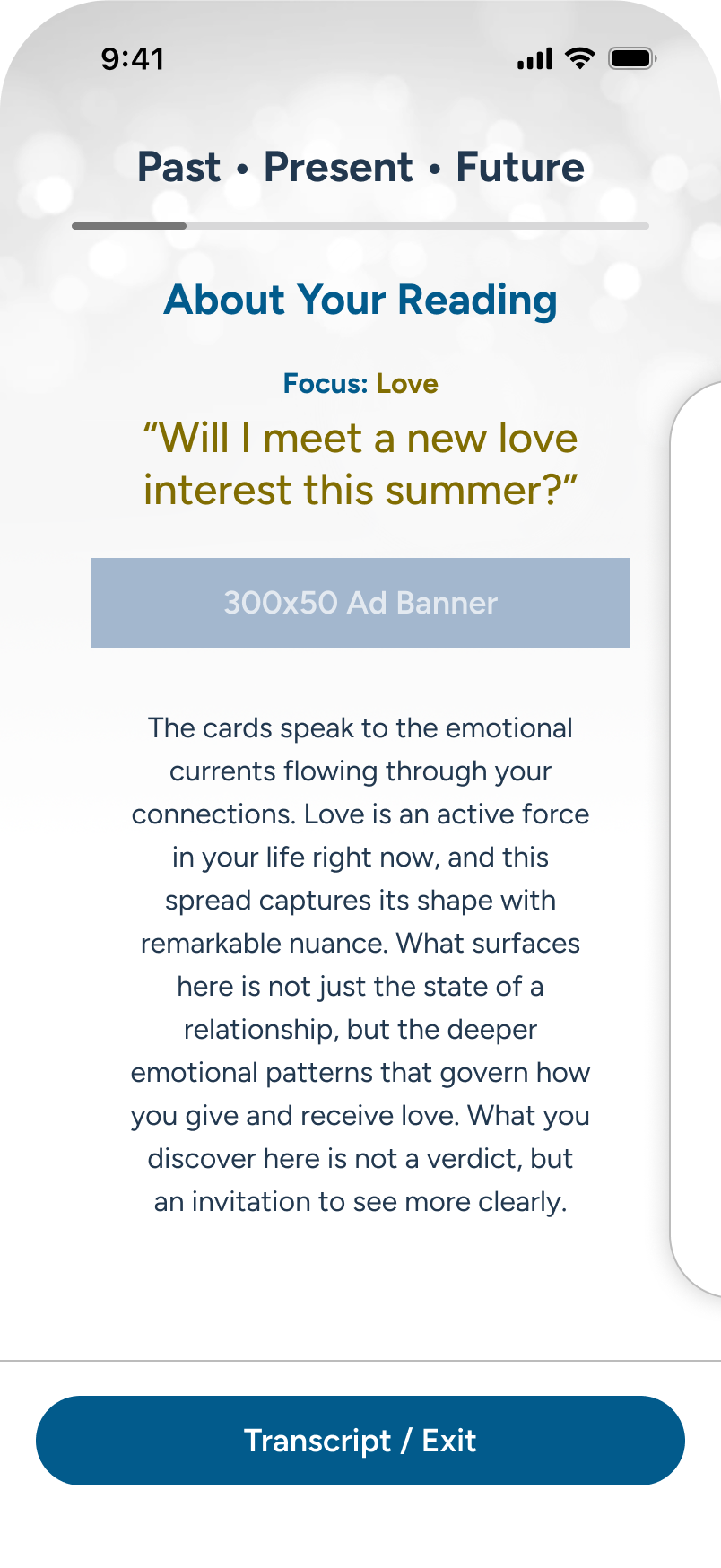
The multi-card reading is under review. Story progression is horizontal, like the draw. User swipes.
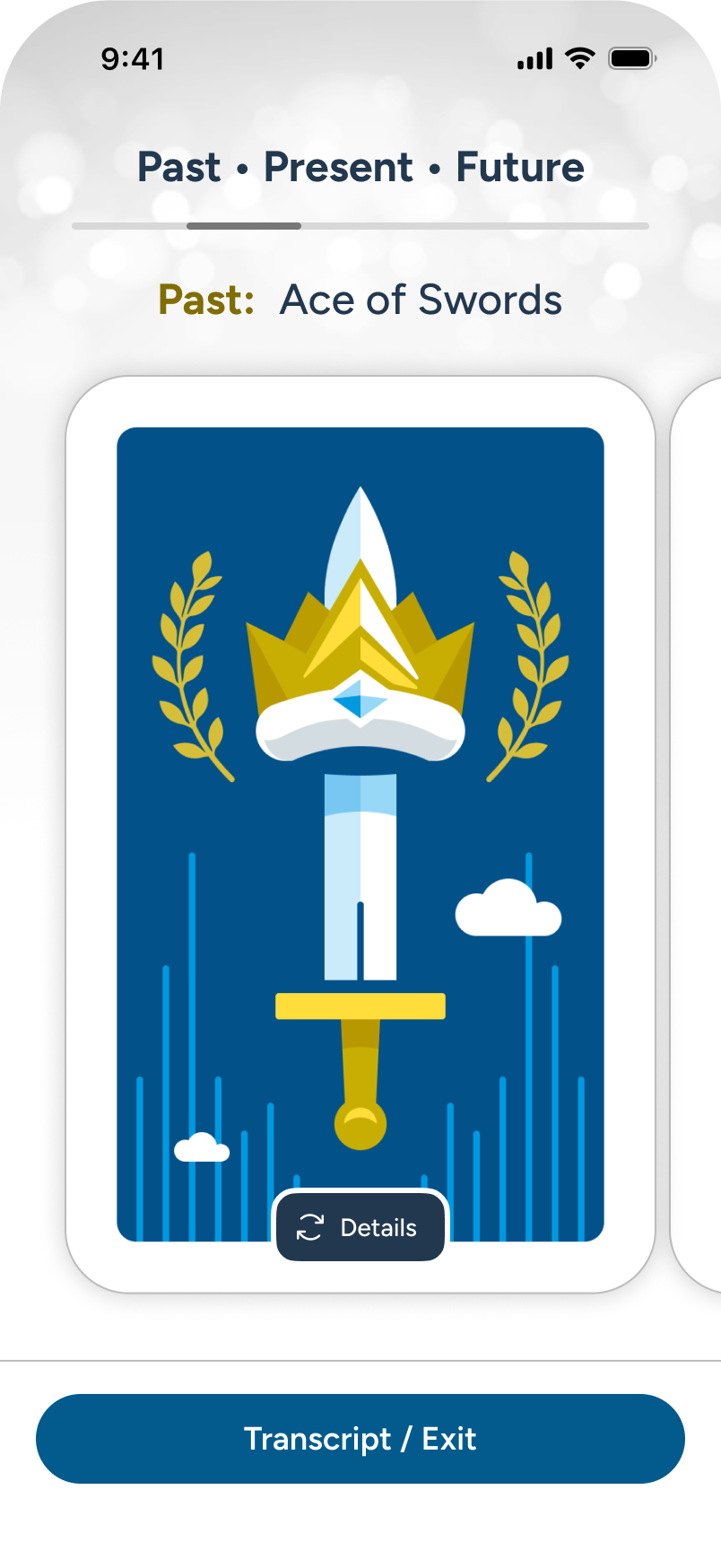
From 2 to 12-card spreads, carousel progression tracks under spread title. The user taps “Details” to flip card.
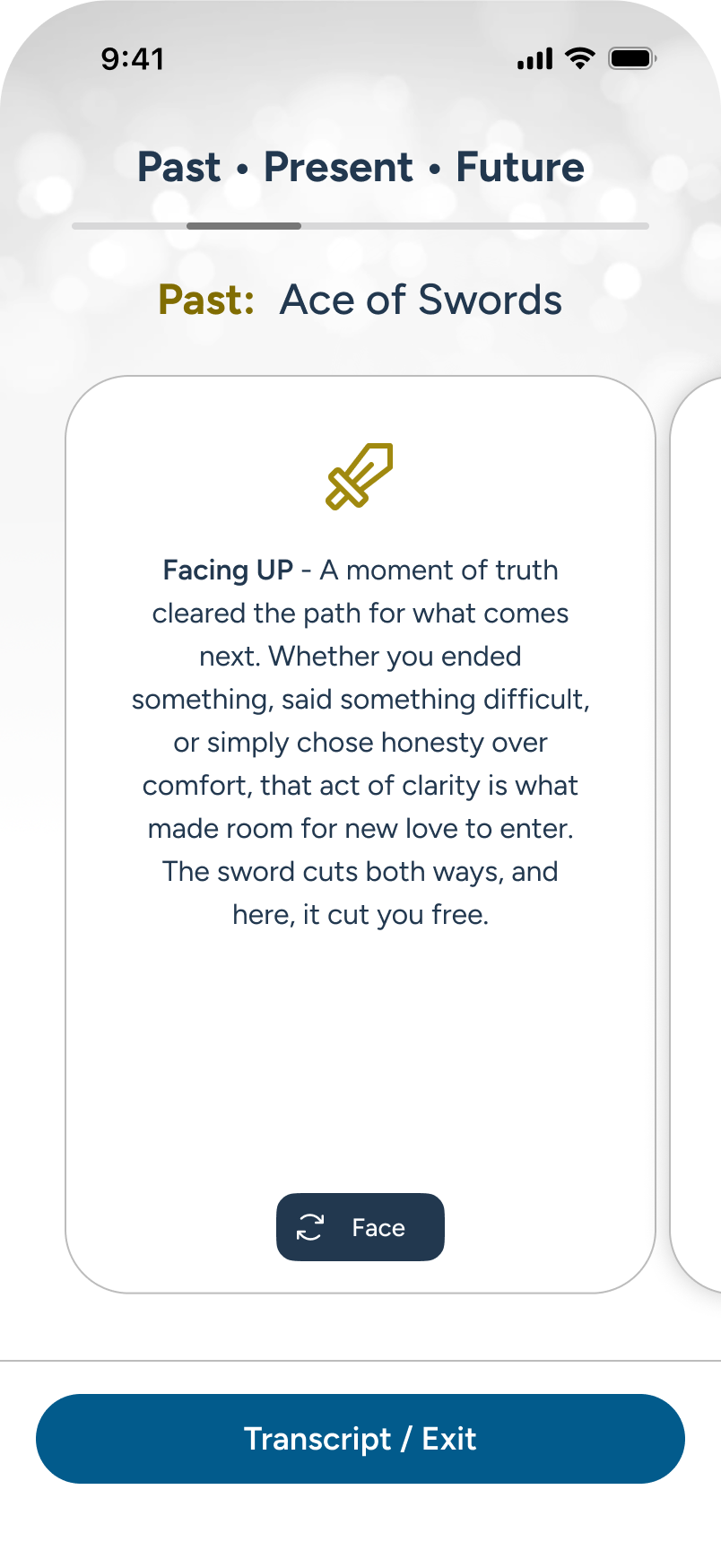
The user reads the customized text based on the card, its position, and other supplied factors. User swipes.
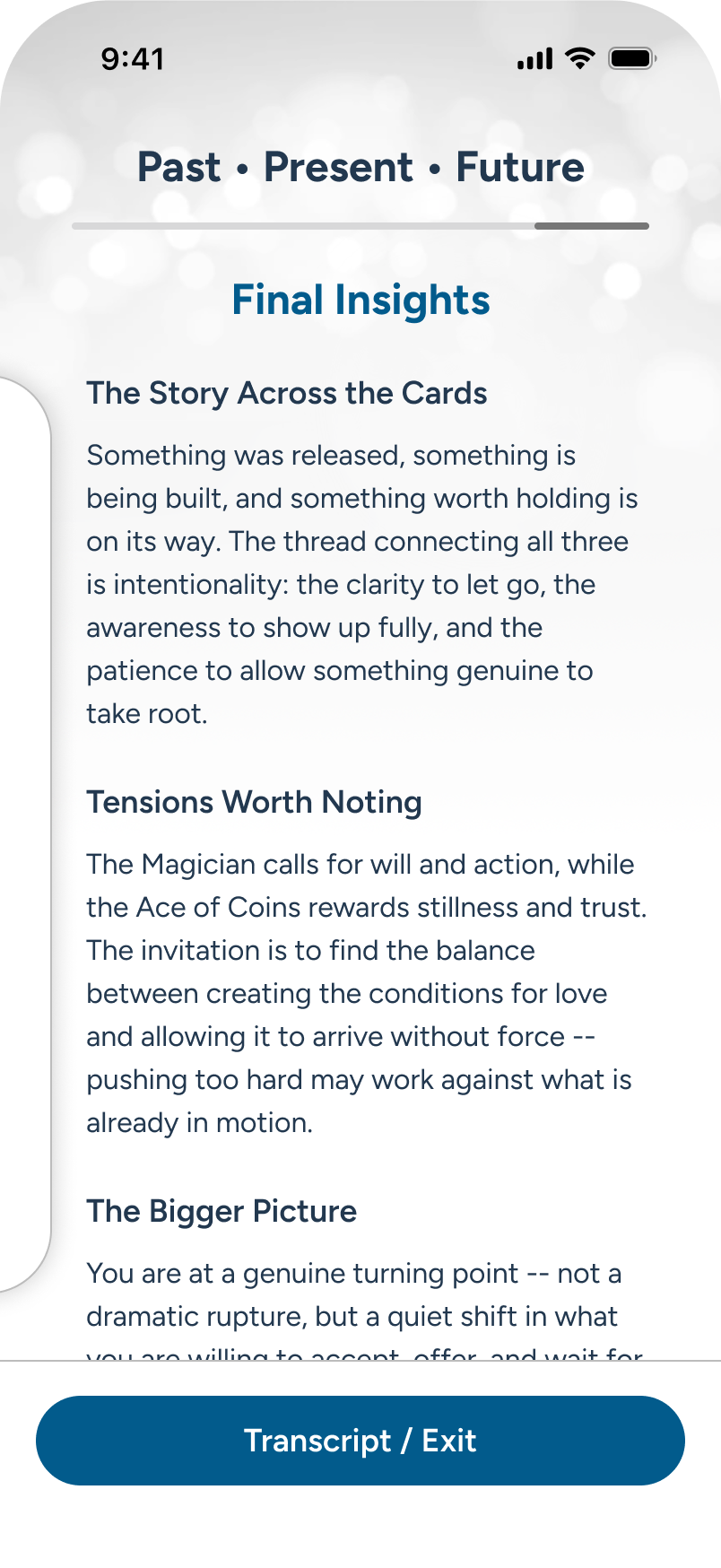
Jumping to the end, the user receives a positive send-off. They now proceed to tap “Transcript/Exit” CTA.
Multi-Card Reading: Transcript + Exit
Initial Screens
The user has chosen to exit their reading from the sticky footer’s “Transcript / Exit” CTA (shown in previous screens). In this example, an overlay of options appears, and the user chooses to receive a transcript upon exiting. As they fill out the email, the system confirms syntax and then allows them to proceed through to the “Send & Exit” CTA.
Note: When invoking the exit scenario, the reading in the background automatically returns to the top of the page, providing reading context during transcript screens.
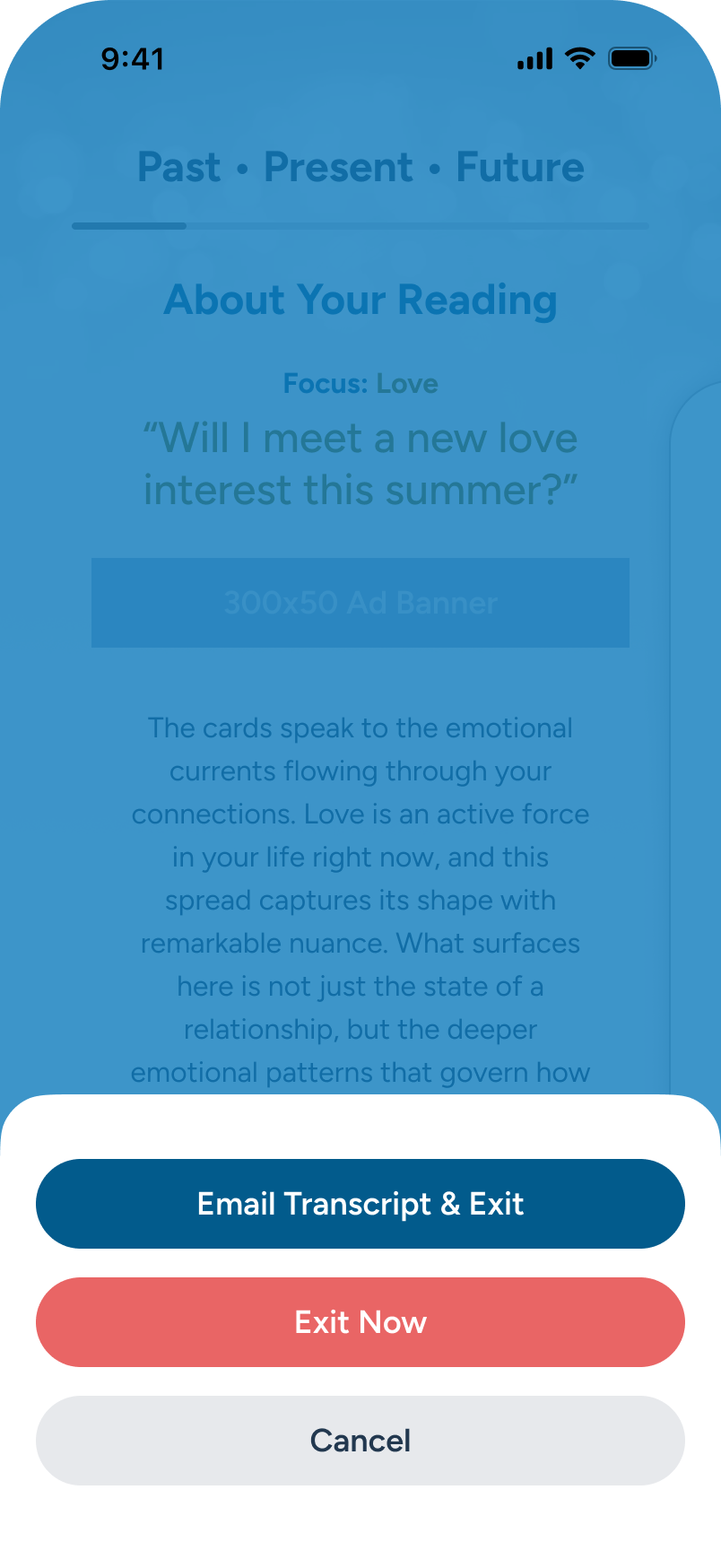
The user selects “Email Transcript & Exit” CTA option.
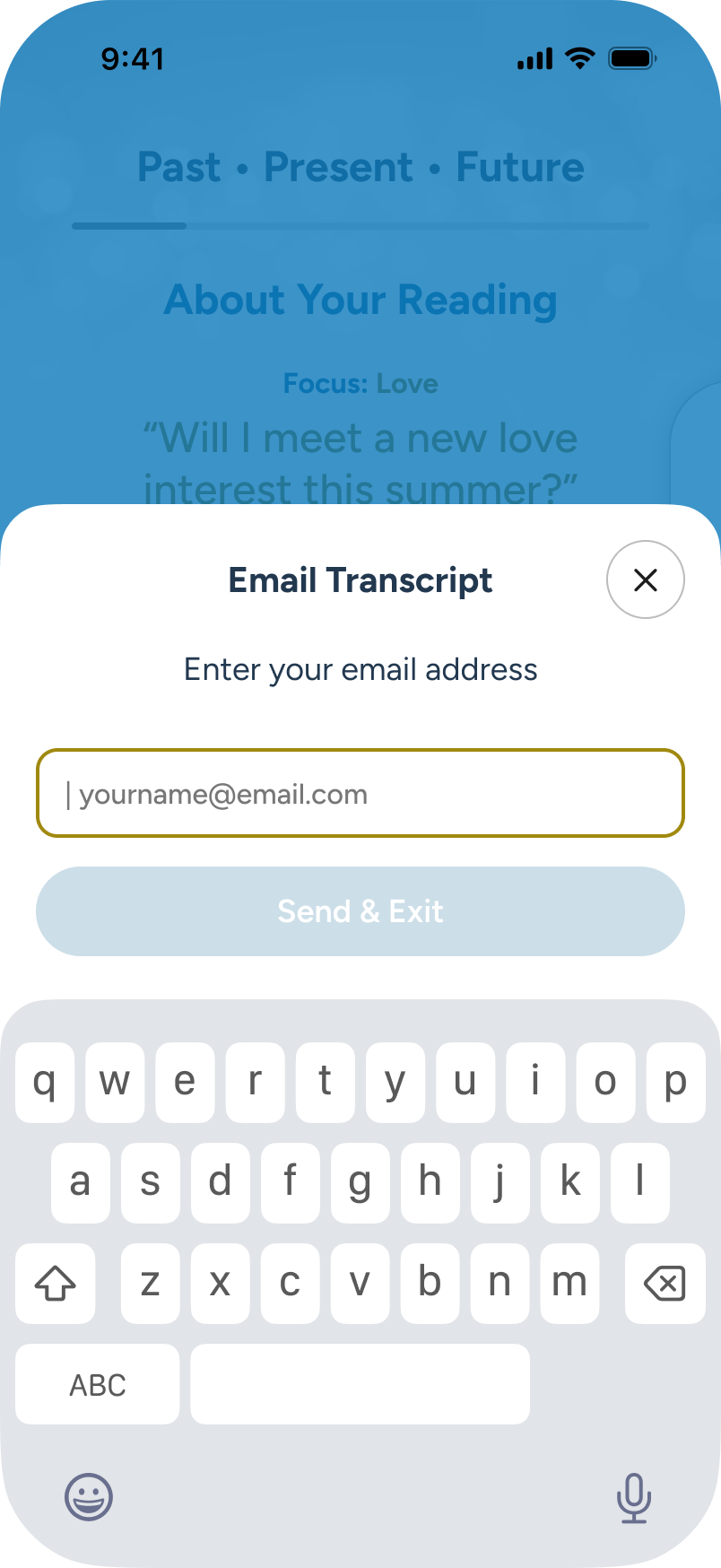
The email form appears with the field in focus. The user begins to type.
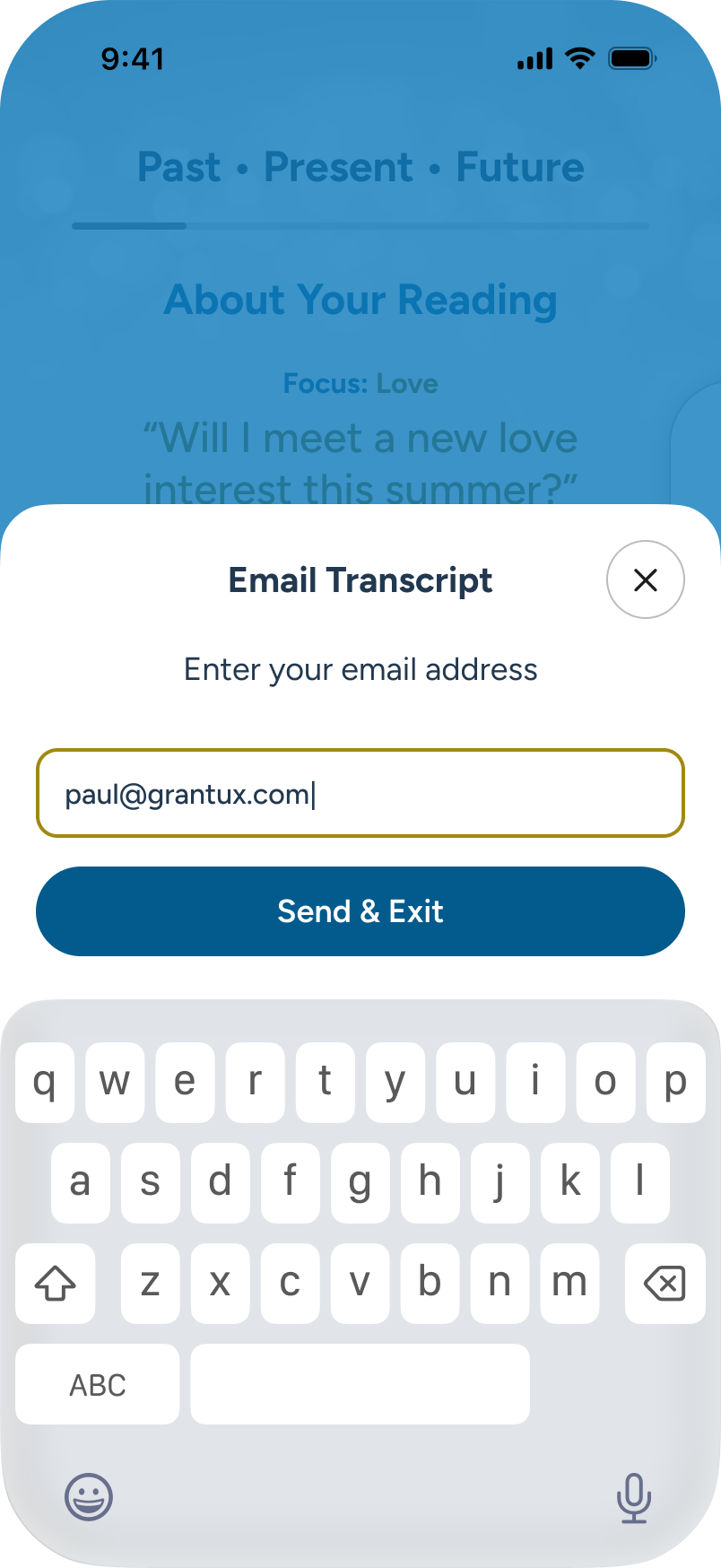
Email syntax is correct. The "Send & Exit" CTA is now active. The user presses.
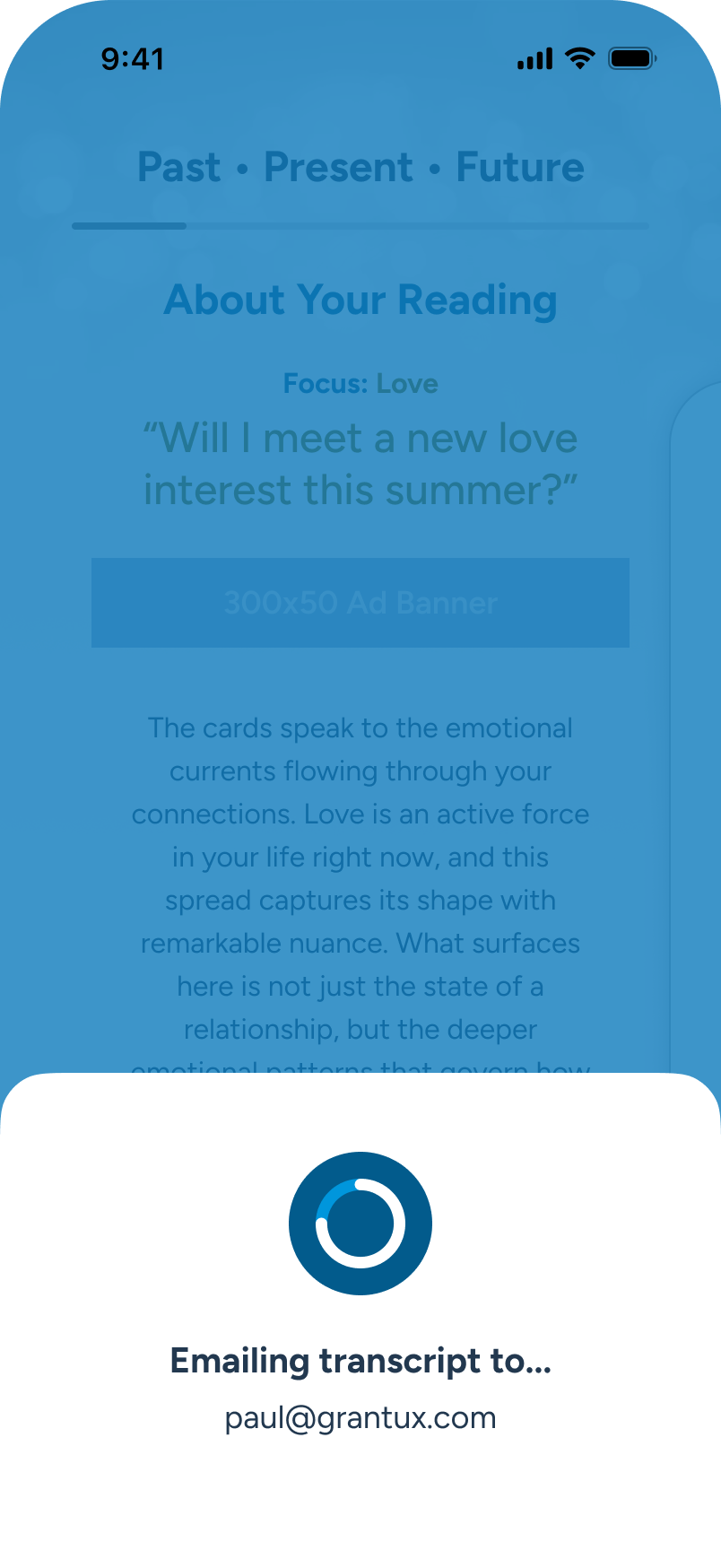
The transcript is sending...
Success/ Fail Outcome
If the address is correct and there are no errors, a success message shows, and the user is returned to the Home page. Should an error occur beyond basic syntax validation, a fail message returns the user to the email form to retry.
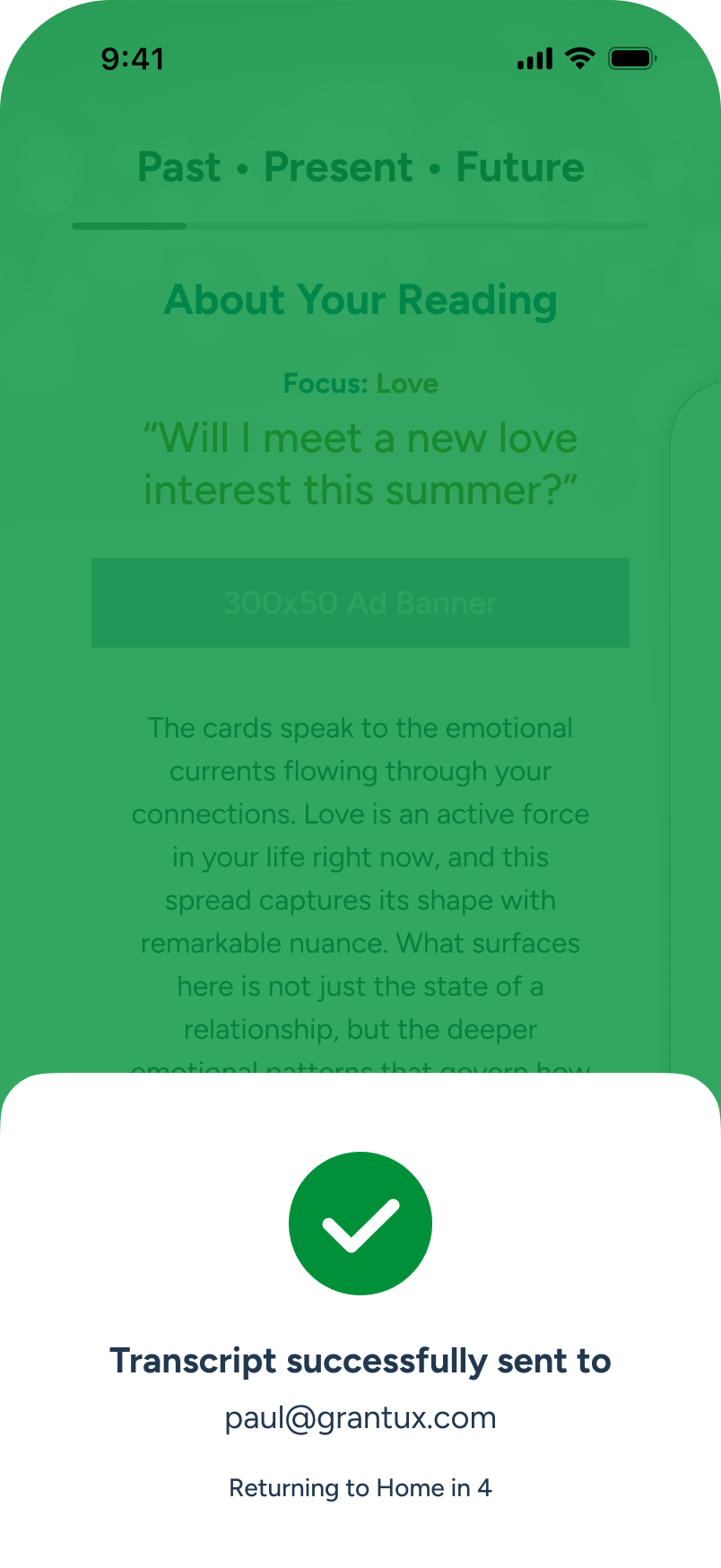
Transcript sent successfully. User will return to Home in (TBD) sec.
The user returns to Home.
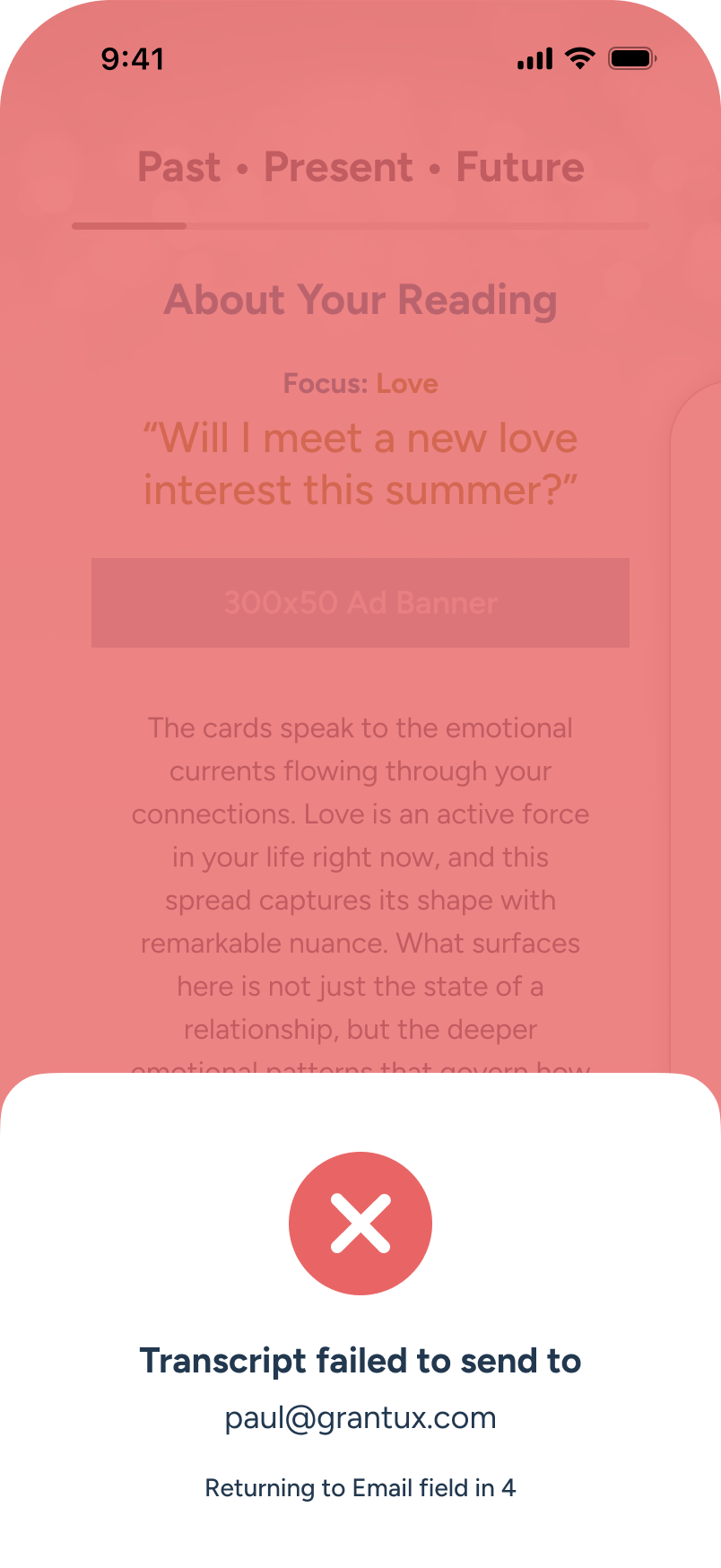
Transcript failed. User returning to email input in (TBD) sec.
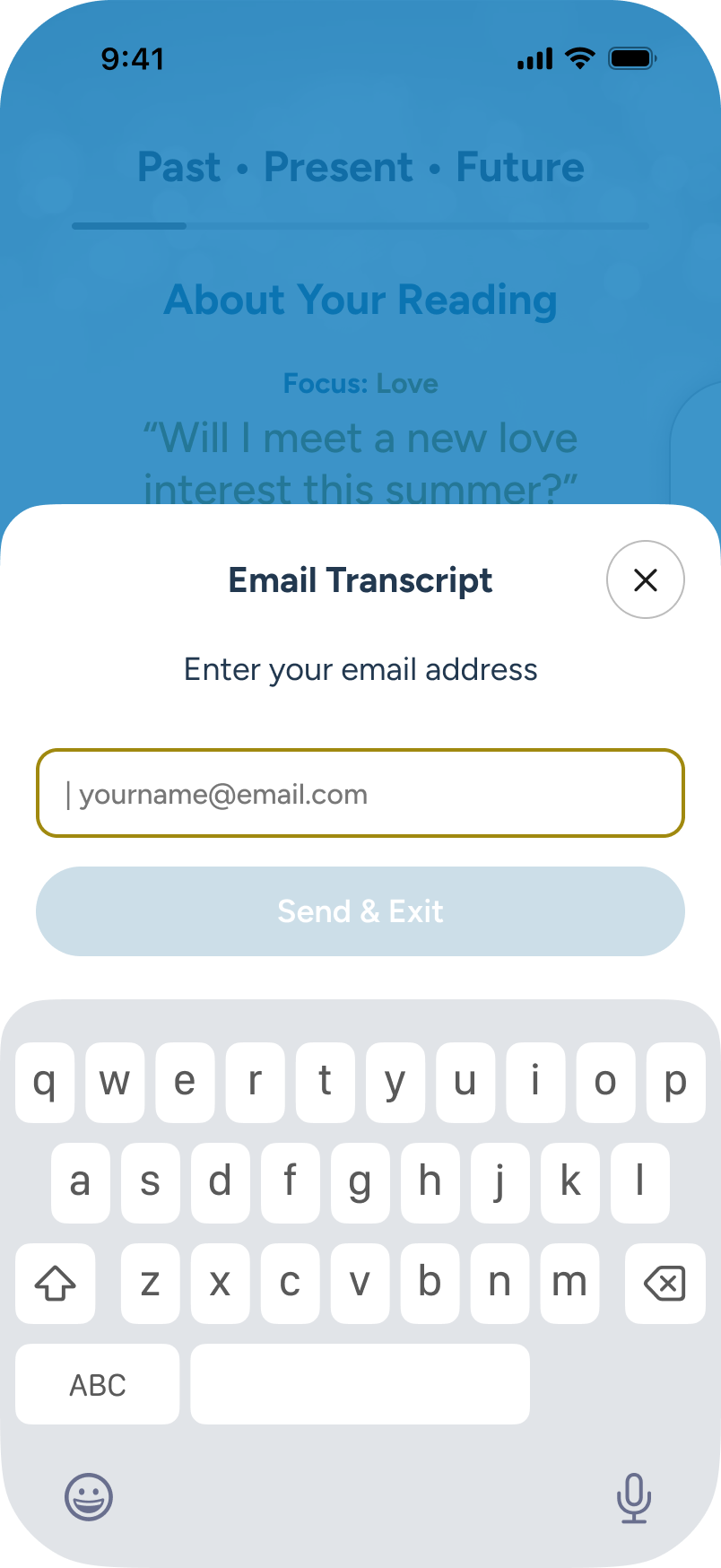
The email form appears again with the field in focus. If user decides to give up, they can close using the “X” at top.
Multi-Card Reading: Loading + Error Handling
While most multi-card AI summarization completes in seconds, I added a loader with progressive messaging to build anticipation. Progressive messaging also masks retry attempts in the background. If all retries fail, a modal prompts the user to retry or return to Home.
All cards are drawn, so the system automatically prepares to present the final reading.
Normal process messaging
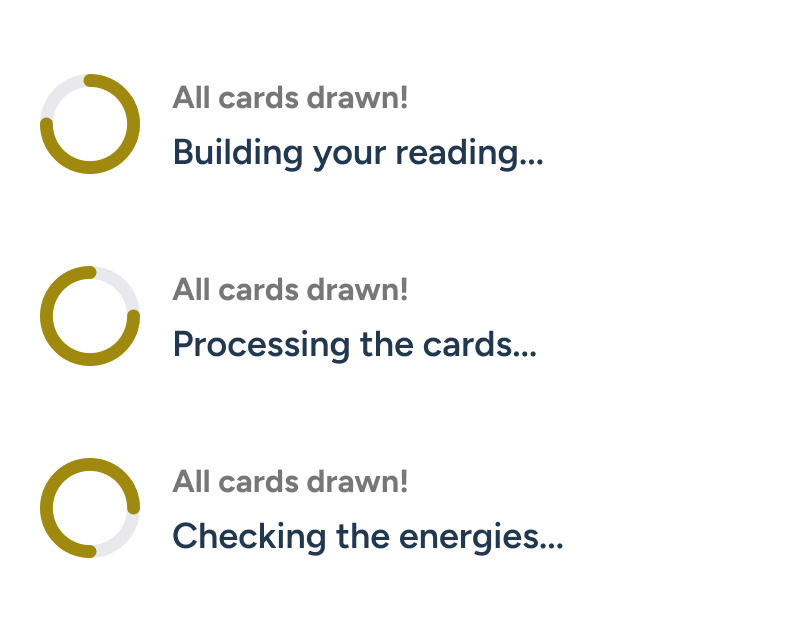
Attempt 1 fails silently: system retries.

Attempt 2 fails silently: system retries.

Attempt 3 fails silently: system fails.
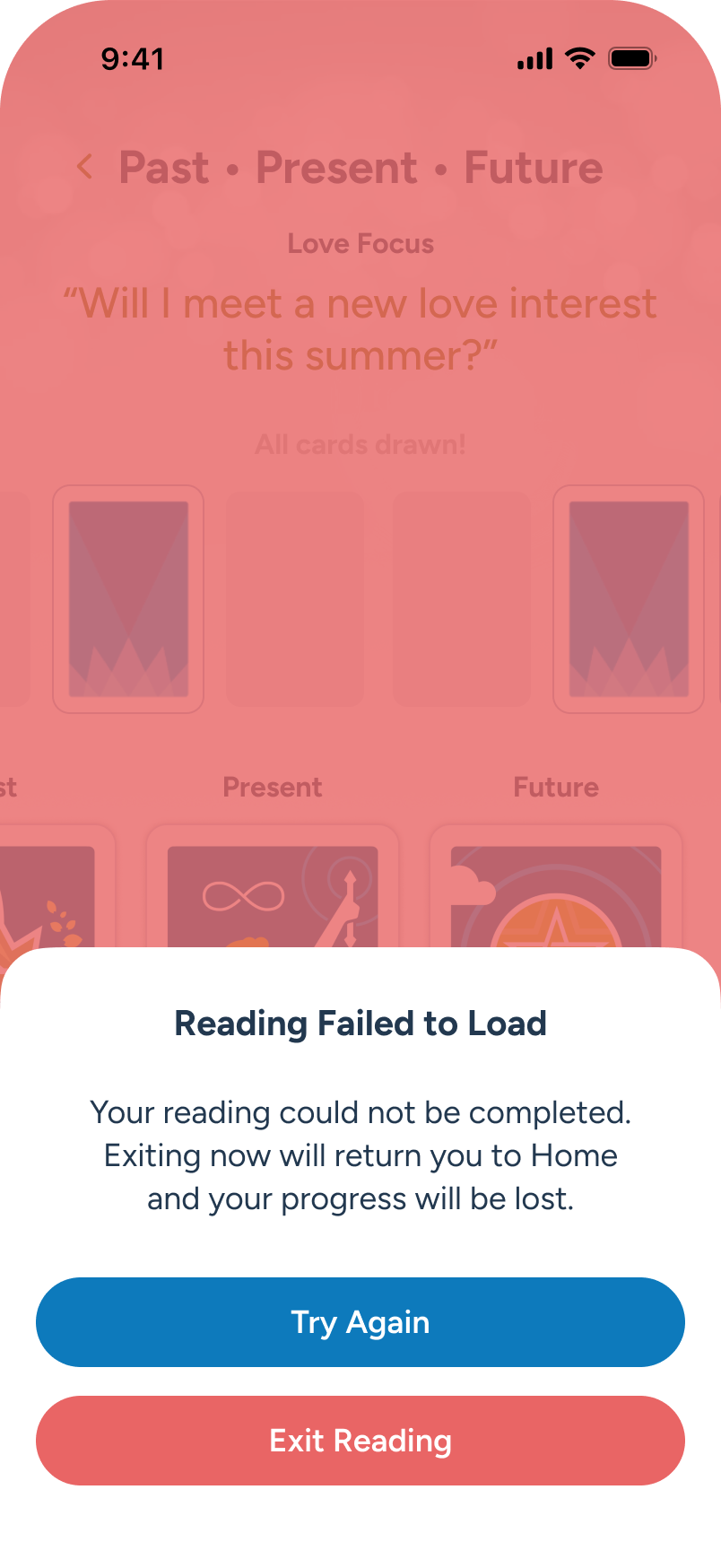
A popup appears. The multi-card reading failed to load. The user chooses to retry or exit to Home.
Spreads: Pinning a new favorite to Home
For subscribers, there’s a desire to have their favorite spread available the second they launch the app, without needing to dig through the Spreads menu. By default, we pre-pin the popular "Past - Present - Future" 3-card spread to the Home screen. As users explore multi-card spreads, they can easily swap in a new favorite. This selection can be updated directly within the Spreads area, as shown here.
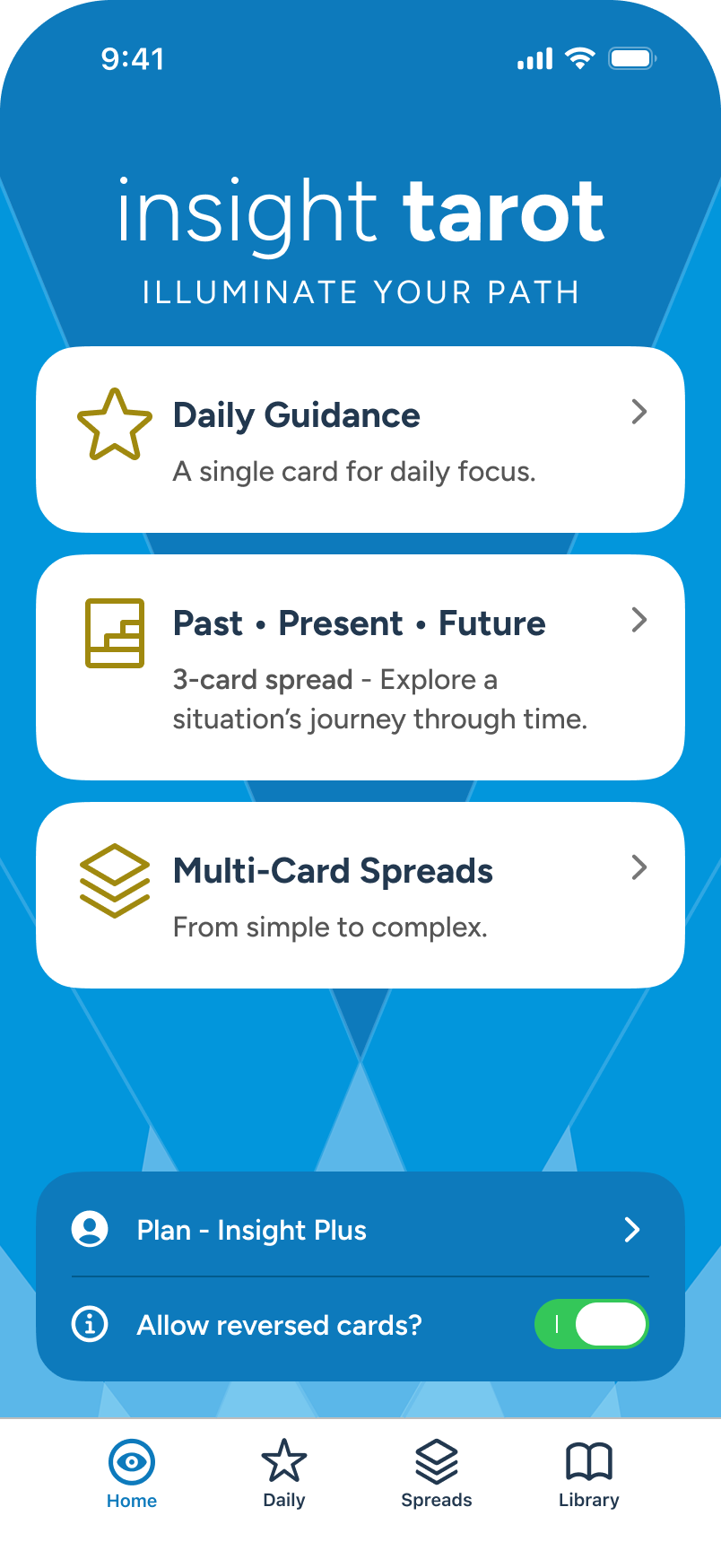
The user wishes to change the pre-pinned spread, so they move to Spreads section to review options.
Under Spreads, the user sees the pinned selection and taps the pin edit button, top right, to change.
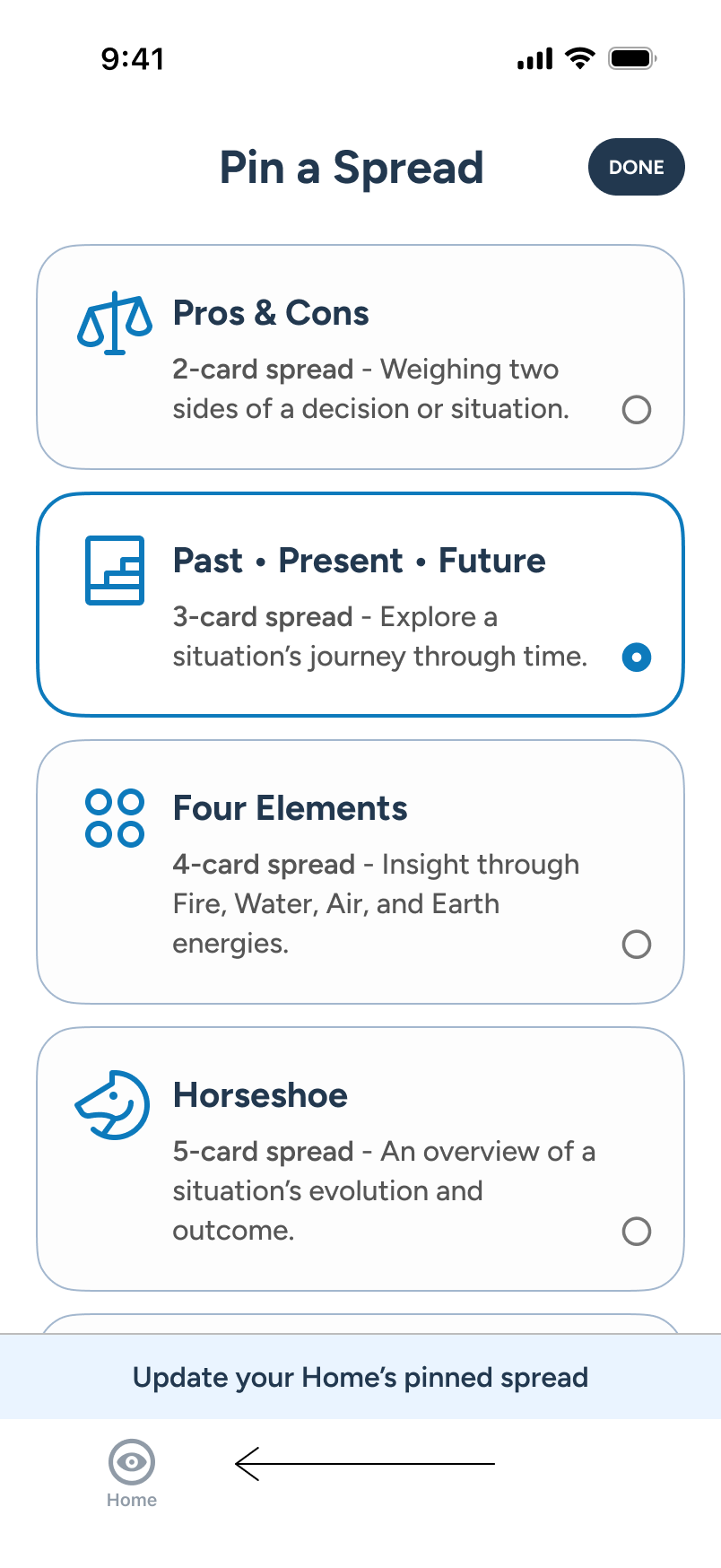
Spreads transforms into a radioed list, with guidance at bottom. User taps “Four Elements” card.
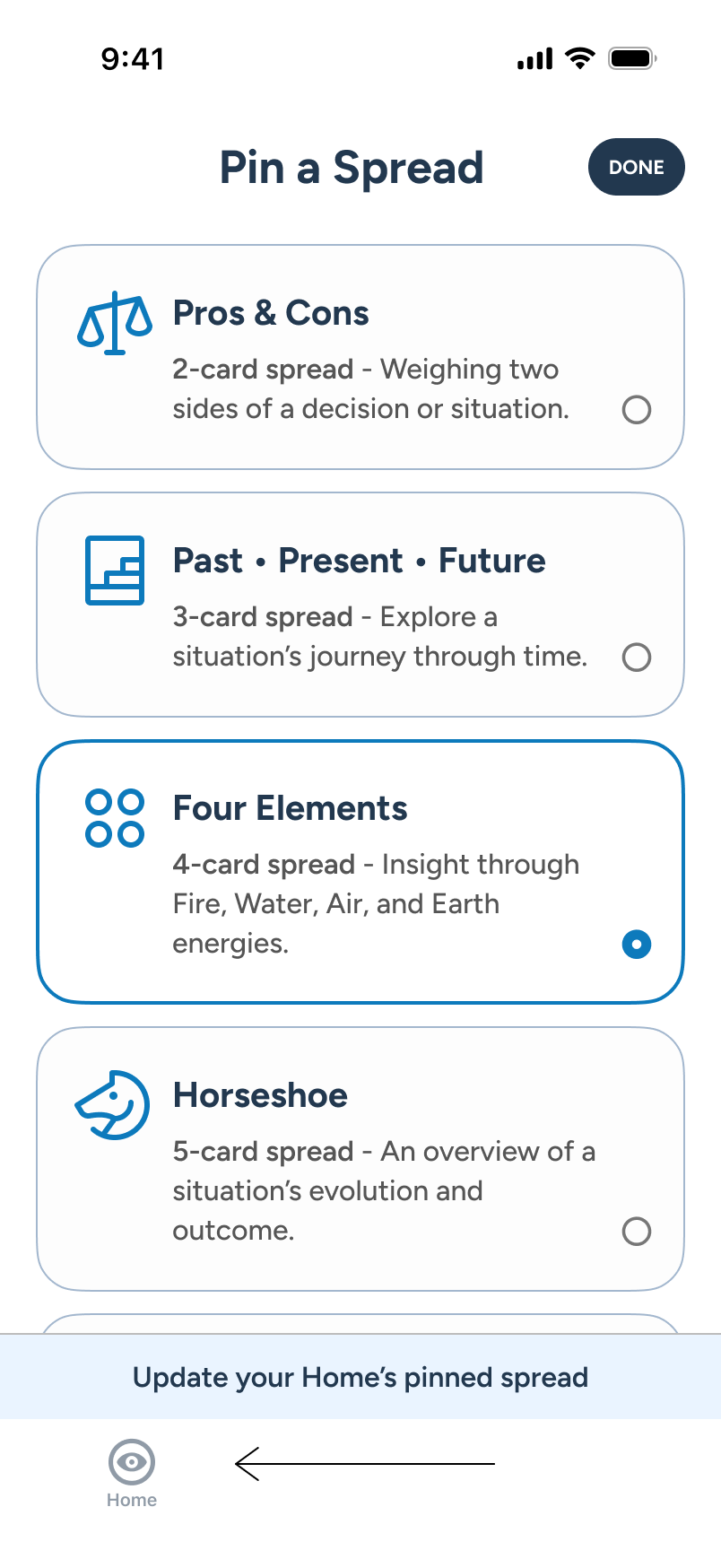
With “Four Elements” selected, the user taps “DONE” CTA at top right to commit the pin change.
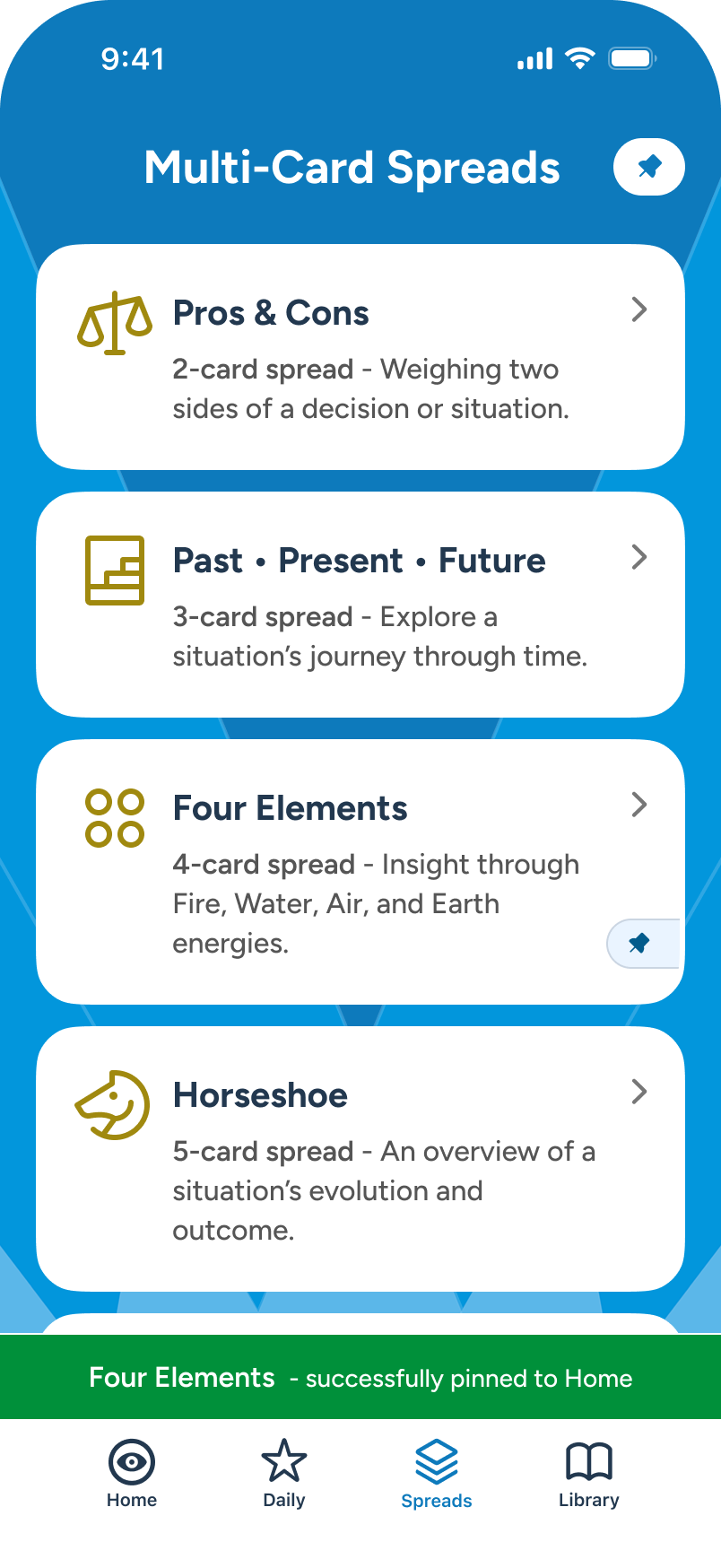
The user returns to standard view. A toast confirms the Home change. Pin marker on the new selection updated.
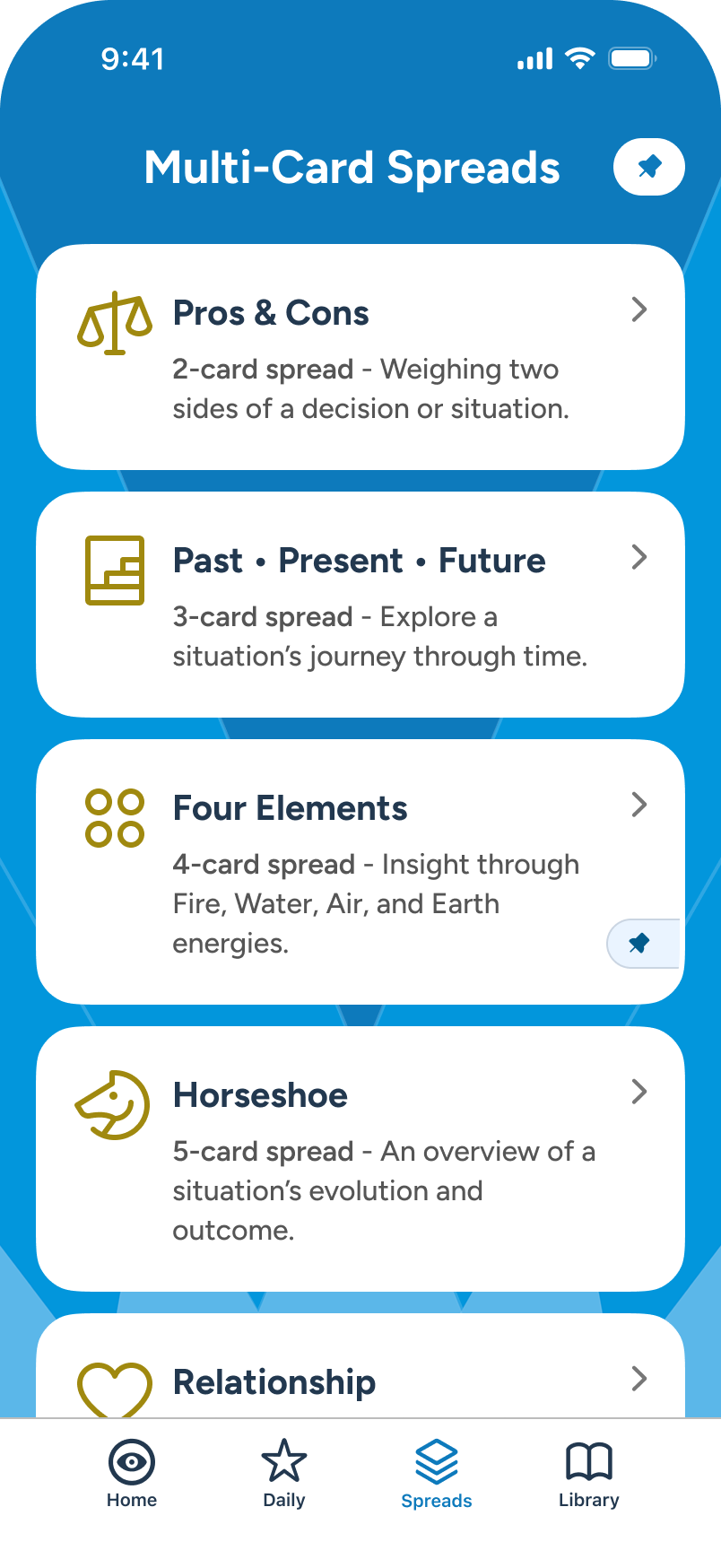
The toast auto-clears after a few seconds. Satisfied, the user taps Home tab to review change.
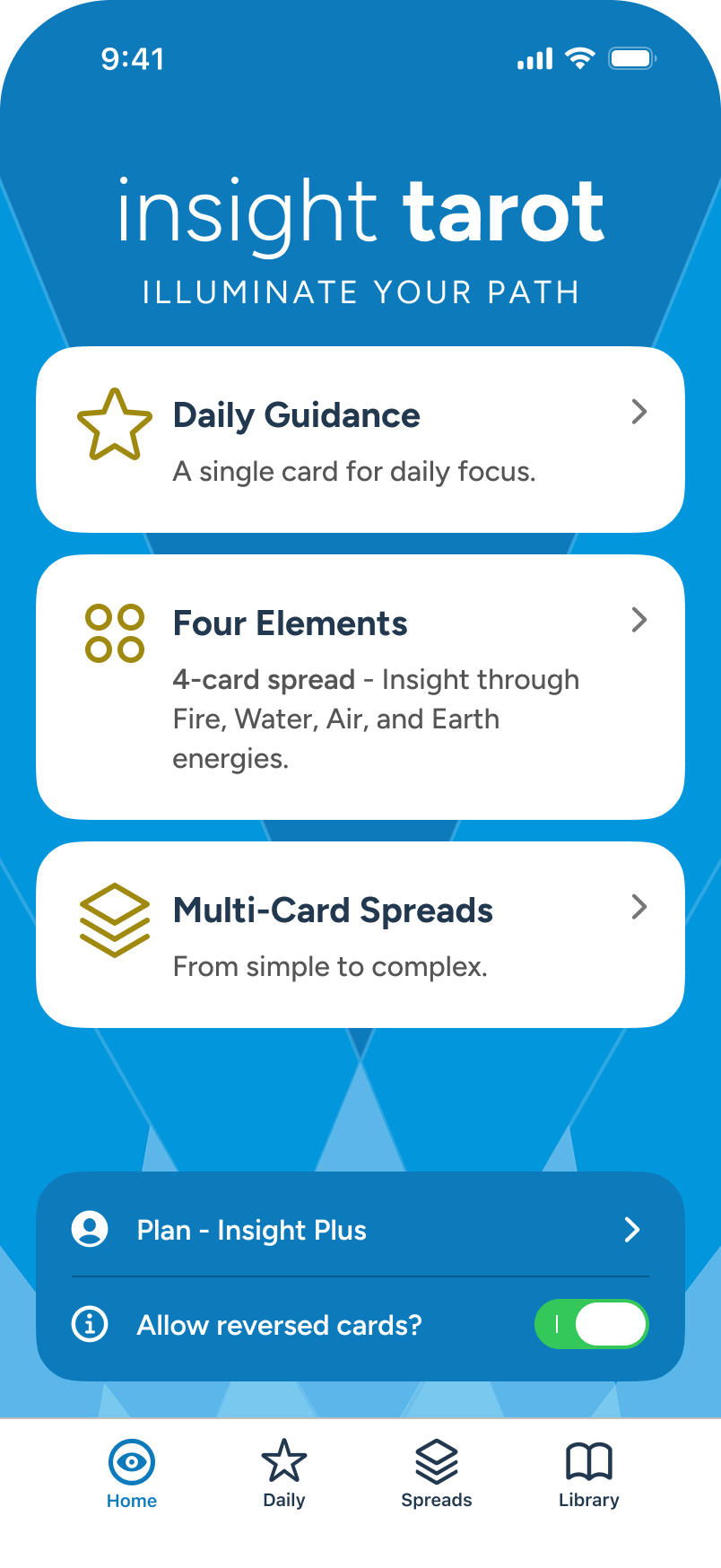
Returning Home, the user confirms that “Four Elements” is indeed pinned in place of the previous spread option.
Library: Search and Review
Initial Screens
All users can access the Library to search the 78-card deck. In this example, a user searches for and reviews the Ace of Swords.
The user visits the Library from the tab bar to review card meanings.
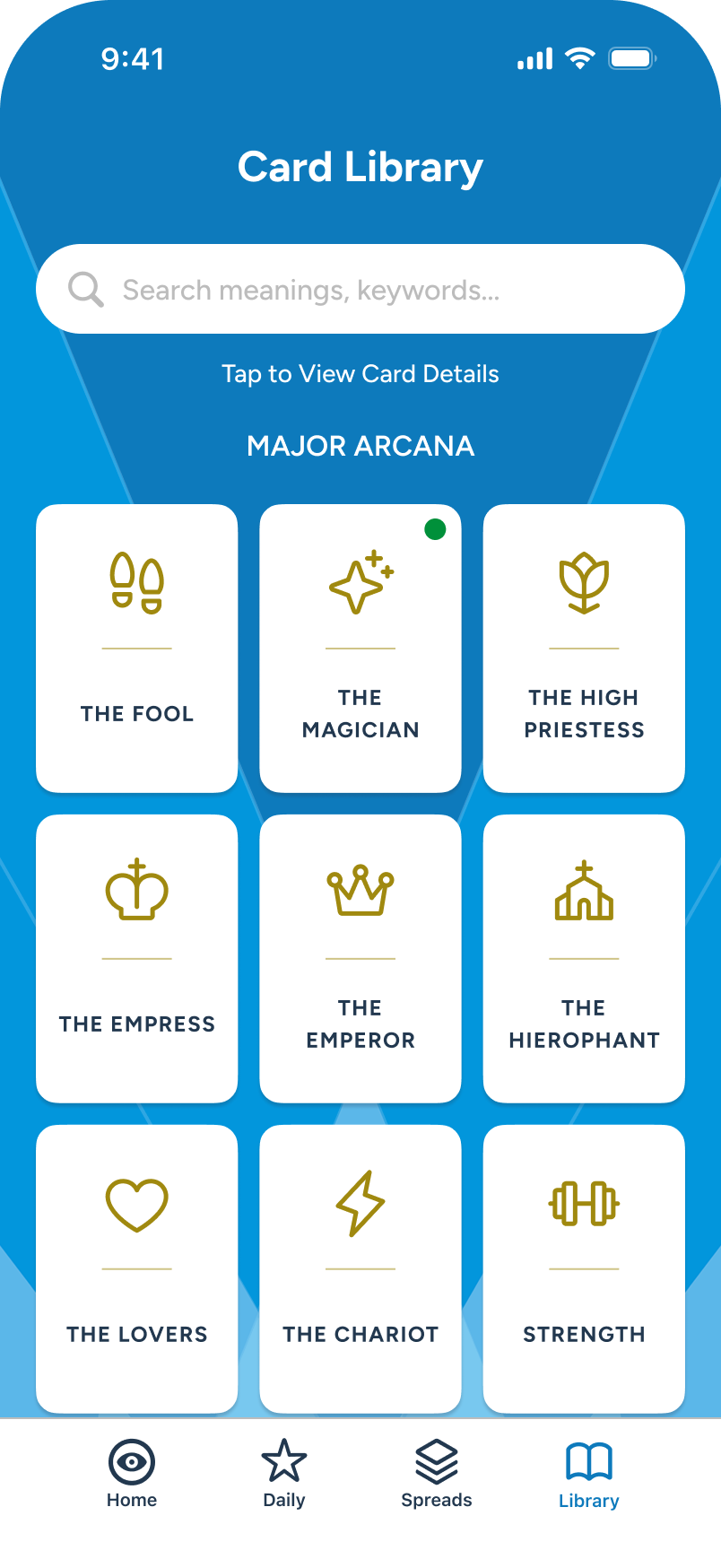
With many cards to swipe through, the user decides to tap the search field instead.
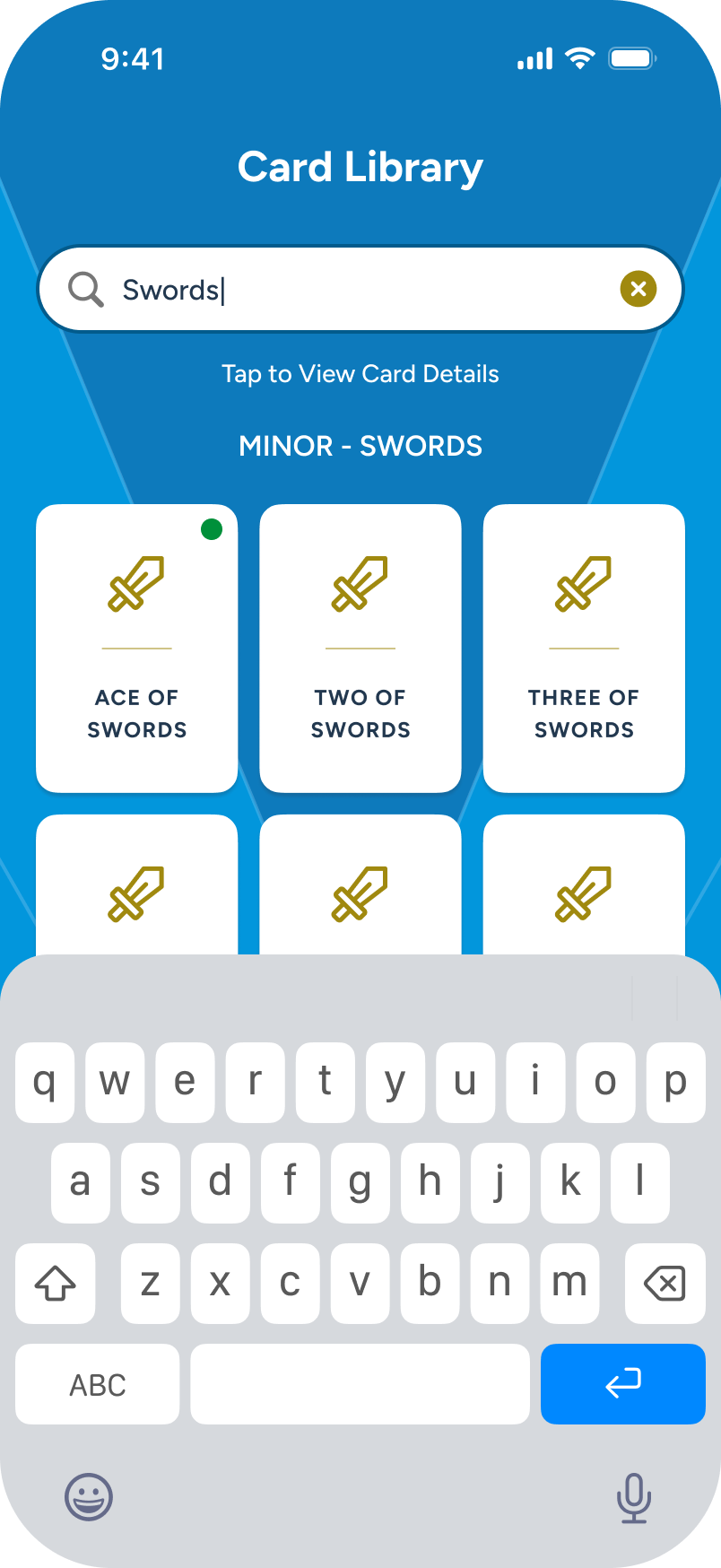
Searching for "swords," the user sees all of that Arcana appear.
The user taps the “Ace of Swords” small card to review its meaning
Face UP / Face DOWN
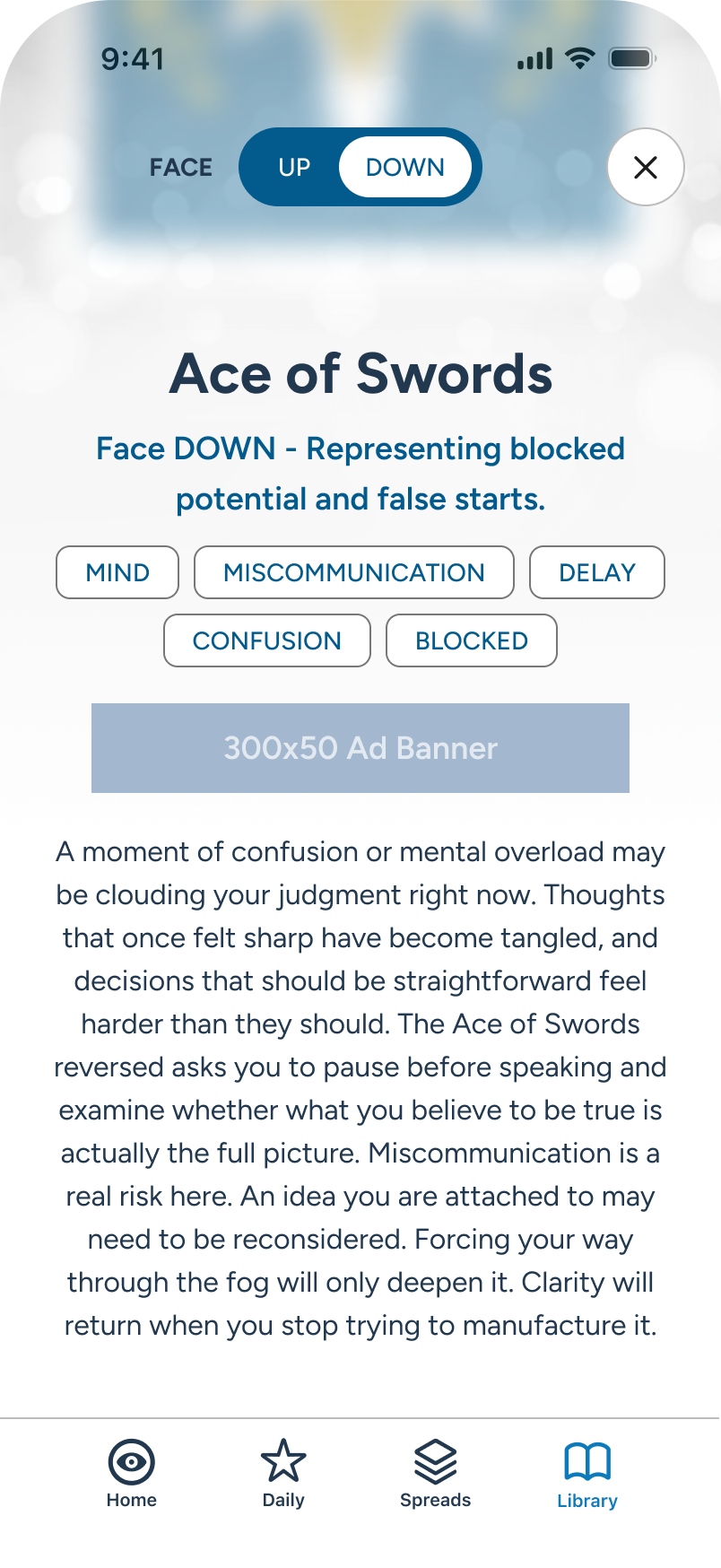
Regardless of reversal enablement on Home, all users can toggle between Face UP / DOWN (or reversed) meanings under the Library.
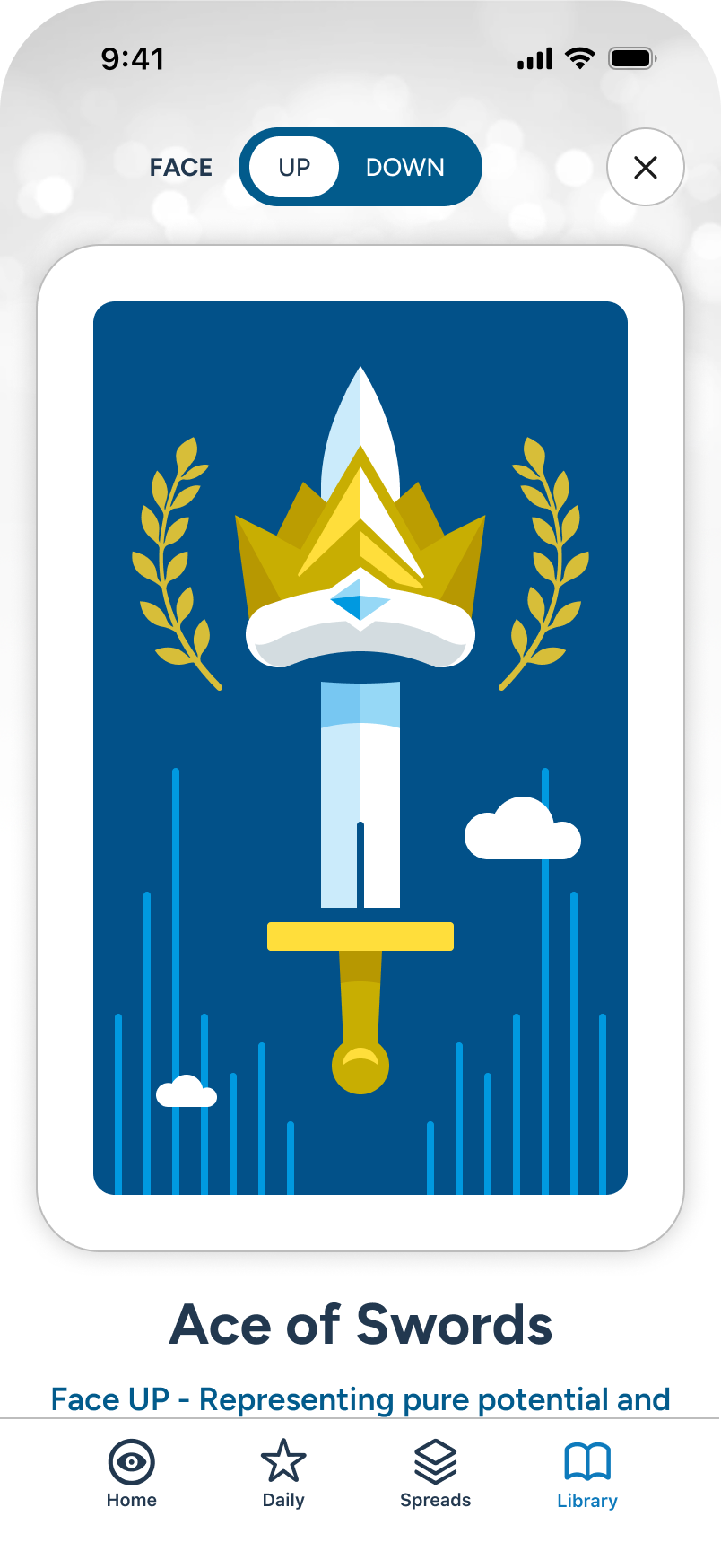
The user reviews the Face UP card, swiping up to reveal details.
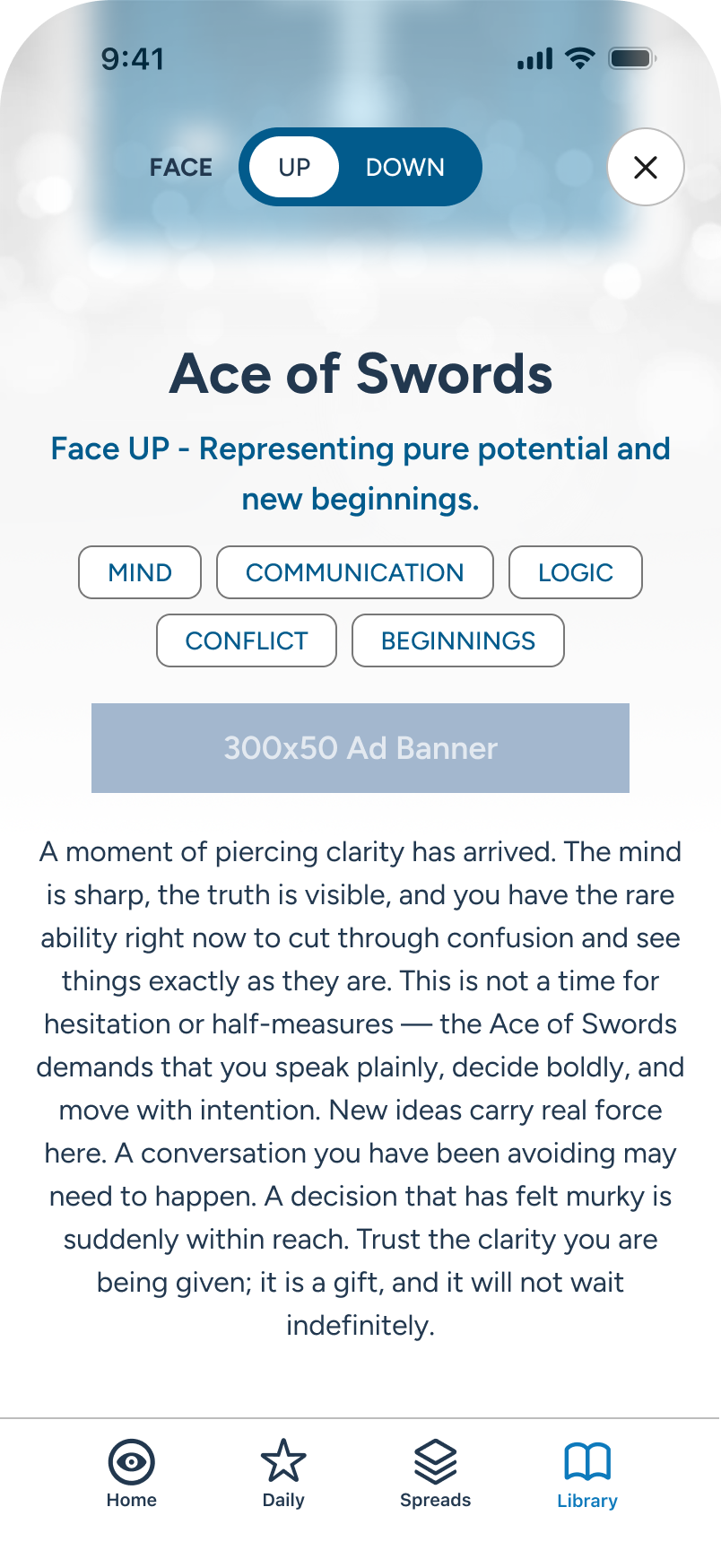
The user reviews the full details for the current card in the upright position.
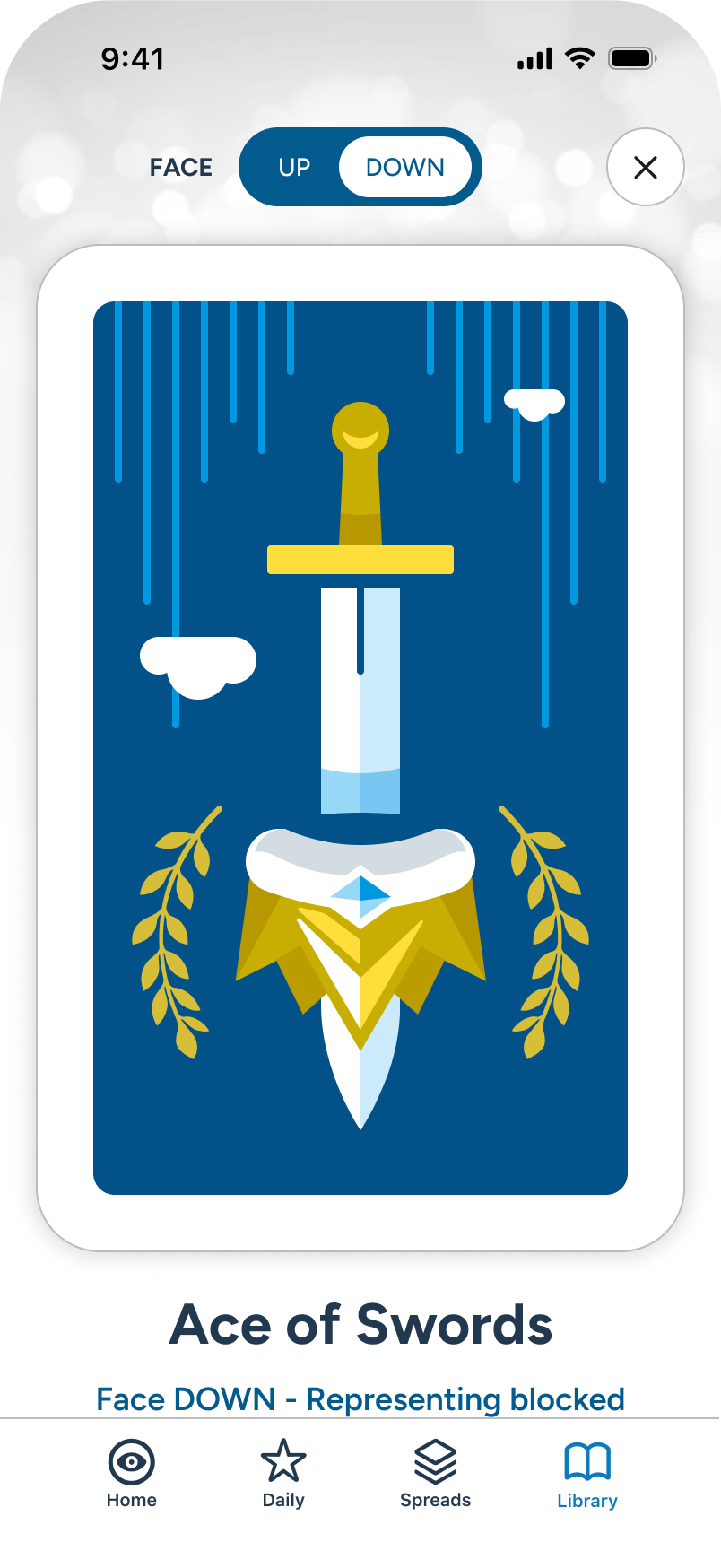
Returning to top, the user taps the down toggle, and the card and details invert, or flip.
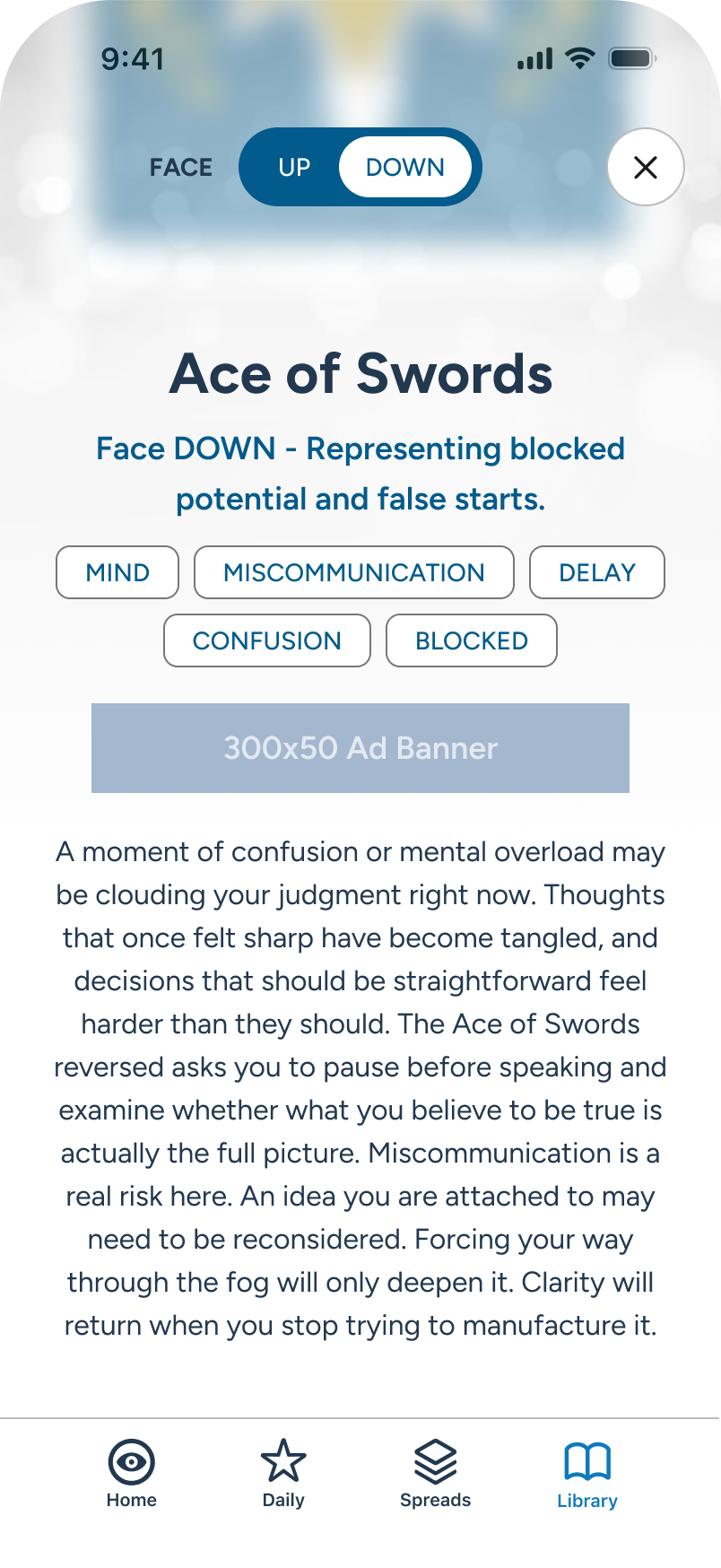
The user is now reviewing the inverted details for the card in focus.
Error: No Internet
Cellular or Wi-Fi issues can happen at any time. For MVP, a simple full-screen overlay informs the user of the outage. The slow-moving spinner indicates an active search while the messaging prompts the user to check their hardware connection. Once reception is restored, a global “You’re Back Online” banner appears at top of screen, then disappears within seconds.
Note: A post-mvp solution may see a granular disablement of features during outage, like the advanced AI-assisted Spreads, while maintaining access to hard-coded information like the Library and Daily Guidance (TBD).
The user is browsing the application...
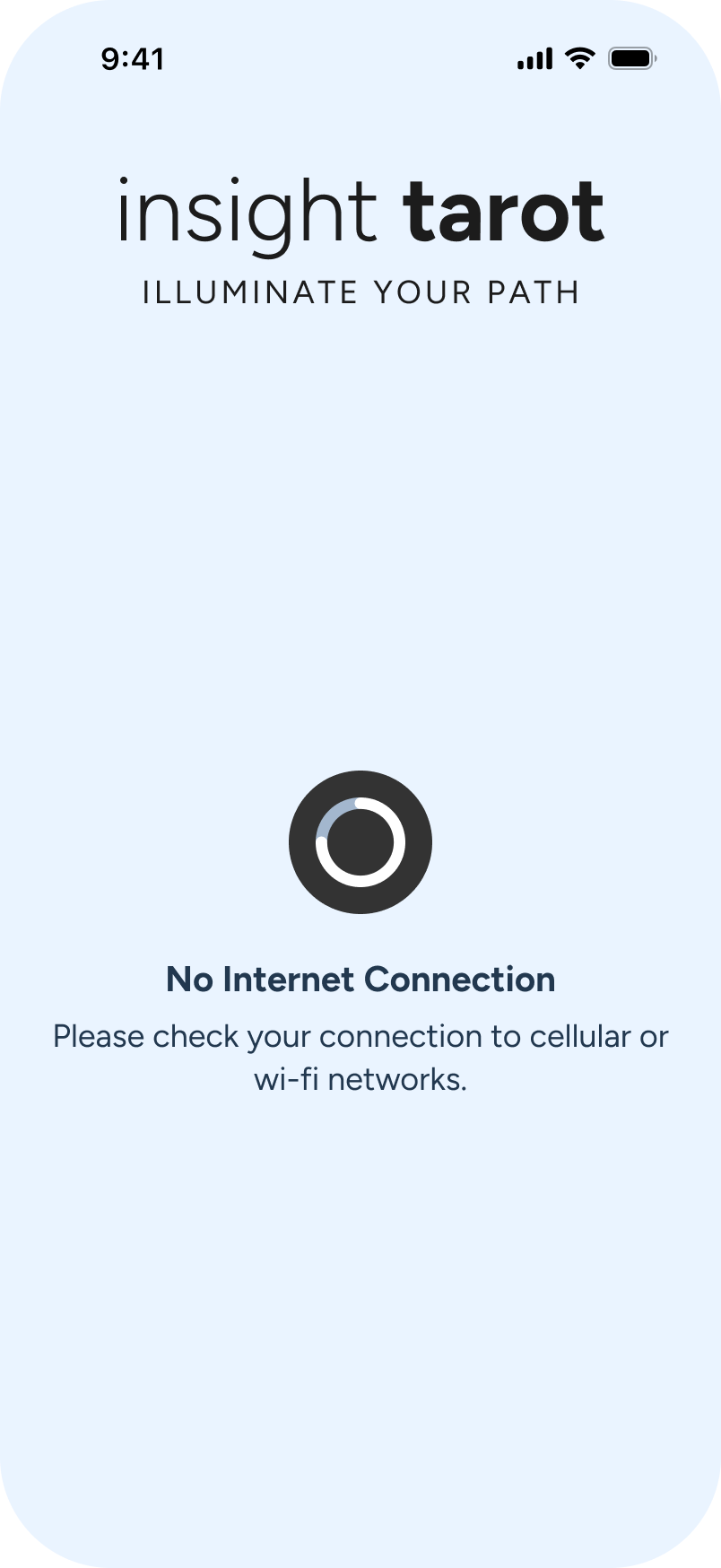
Internet OFF. An overlay appears. A spinner suggests active search while the text guides user to action in OS.
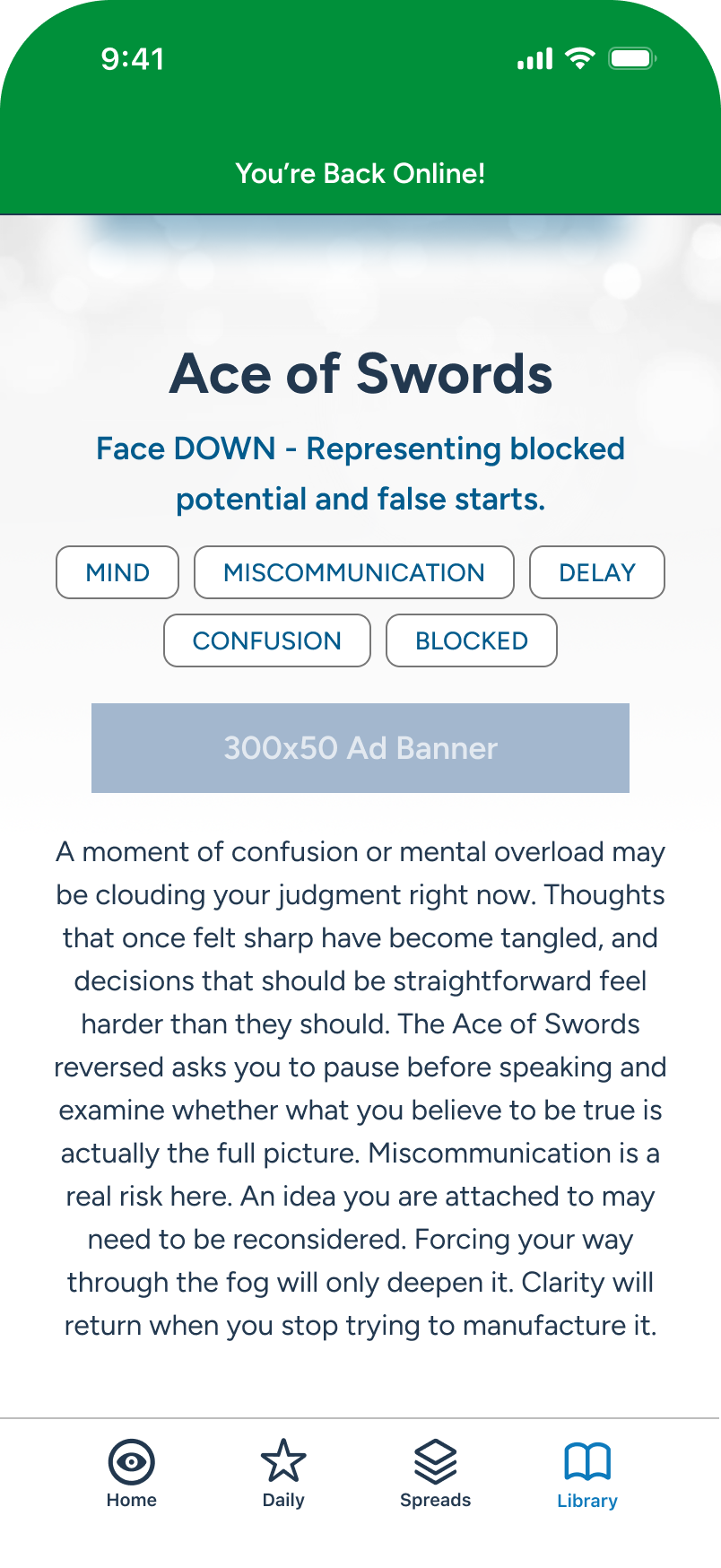
Connection restored. A global banner appears at top for a few seconds and the user continues on.
Post-MVP Considerations
With a solid foundation in place, there's meaningful room to grow. Here are a few considered next steps.

Settings / AI Personas
Subscriber Only: Consider the ability to select from a number of predefined virtual readers which can help shape the multi-card readings through their unique characteristics.As an AI-first product, there are no plans to support live readers

AI Reader - Ask a Question
Subscriber Only: The current model gives users autonomy and ritual in selecting their spread and cards. A near-future addition is a dynamic conversational mode for turn-by-turn automated readings, which will also benefit from AI Personas. Together, both options serve different demographics equally -- classic ritual for purists, conversational mode for those who want fast answers.

Additional Multi-Card Readings
Subscriber Only: During MVP review, popular spreads above 8 cards, if abused, could incur too much monthly token usage against profit margin. Therefore, they will be gated behind a future elevated tier.

Feature Update Screens
For future releases, provide a “What’s New” checklist on app open.

Settings / Audio + Language

Granular “No Internet” Access
While kept to a simple outage screen for MVP, a future solution may see a granular disablement of LLM-related features, allowing Daily Guidance and Library to still be accessed offline.

Merchandise + Promotion
Post-MVP User Tiers
Projected breakdown -- a work in progress. A scaled-back version of this will be used for first release.

Basic
$0
With Ads
Core freemium features:
Premium look, with access to the custom card deck, without the subscription price.

Insight Plus
$5
With Ads
Everything in Basic, including:
Premium features at below-market pricing to drive conversion.

Premium
$7+
Ad Free
Everything in Plus, including:
Competitive pricing on lower end of market ($8-22/mo). Accessible upgrade, driving conversion over competitors at 2-3x cost.
Astrology & Divination Apps: 2026 Market Summary
Market Size & Growth
$9B by 2030
from $3B in 2024
20%
CAGR
User Base
120M+
Monthly Active
25-35%
Subscription Adoption
60%
Gen Z/Millennials
ARPU - Average Revenue Per UserCAGR - Comp. Annual Growth RateAll dollar figures in USD. Data sourced from 2024-2025 market reports; citations verified through Claude AI extended research.
AI Adoption Surge
2025
47%
AI-Enabled Personalization
58-62%
Users prefer hyper-personalized insights that AI can provide
10-18%
Improved Retention
Revenue Mix


Freemium/Ads
50%

Subscriptions
30%

Live Consult
20%
Subscriptions
$8-22/mo
Per User
Market Size & Growth
N. America
40M+
Users
Highest ARPU
Asia-Pacific
40-50%
Downloads
Growing
India
+49%
CAGR
Fastest
EU
25-35%
Subscribe
Steady Growth